CRM — sales and service
hayaterp.com/crm ↗Track leads from Facebook, WhatsApp and walk-ins, move deals through the pipeline, log calls and meetings, and run service jobs and contracts.
The CRM dashboard
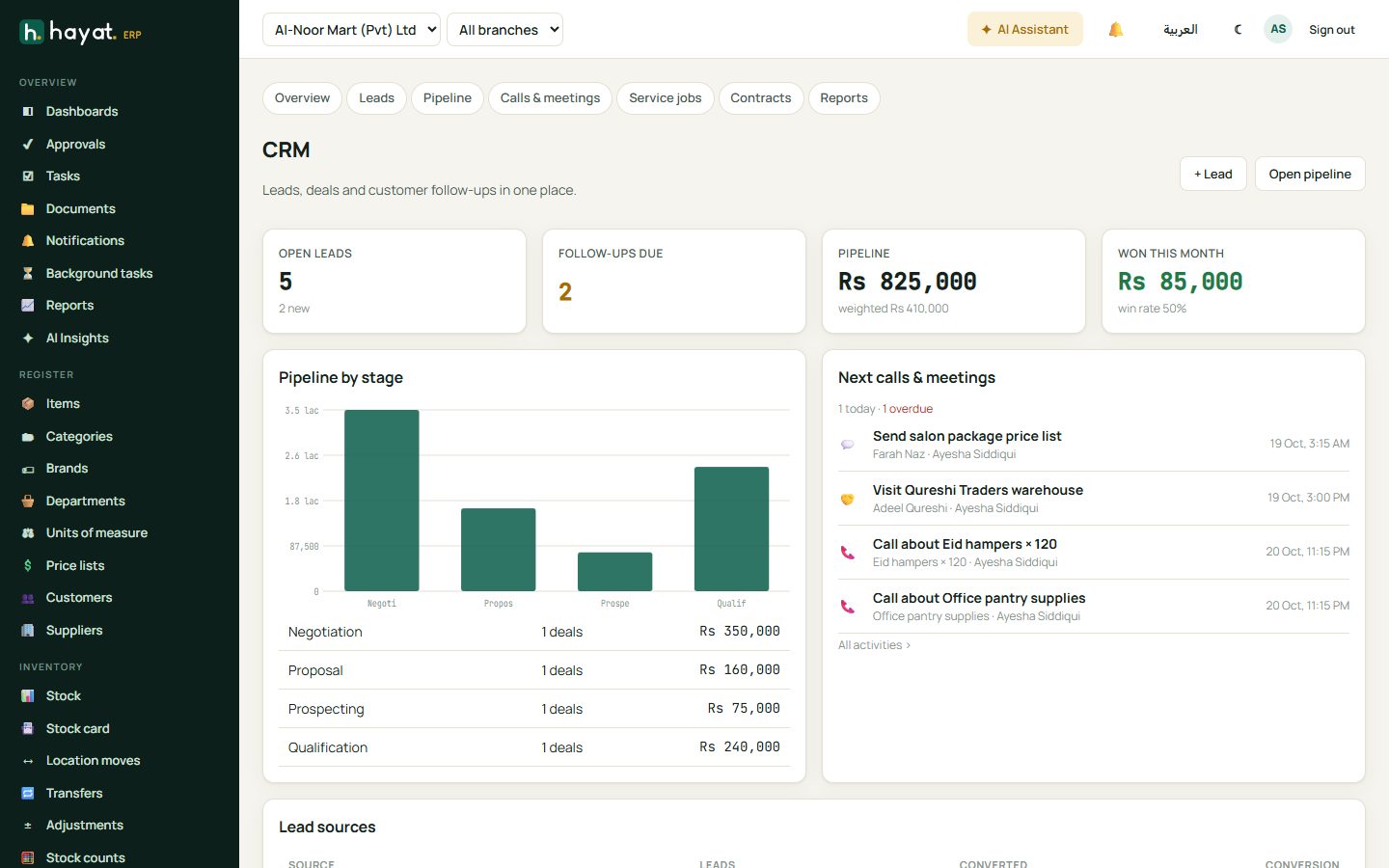
CRM opens the overview: open leads, follow-ups due, pipeline value (and weighted value), deals won this month, pipeline by stage, your next calls and meetings, and where leads come from.
Leads
A lead is someone who showed interest but has not bought yet — an enquiry on Facebook, a WhatsApp message, a referral, a walk-in or a website form.
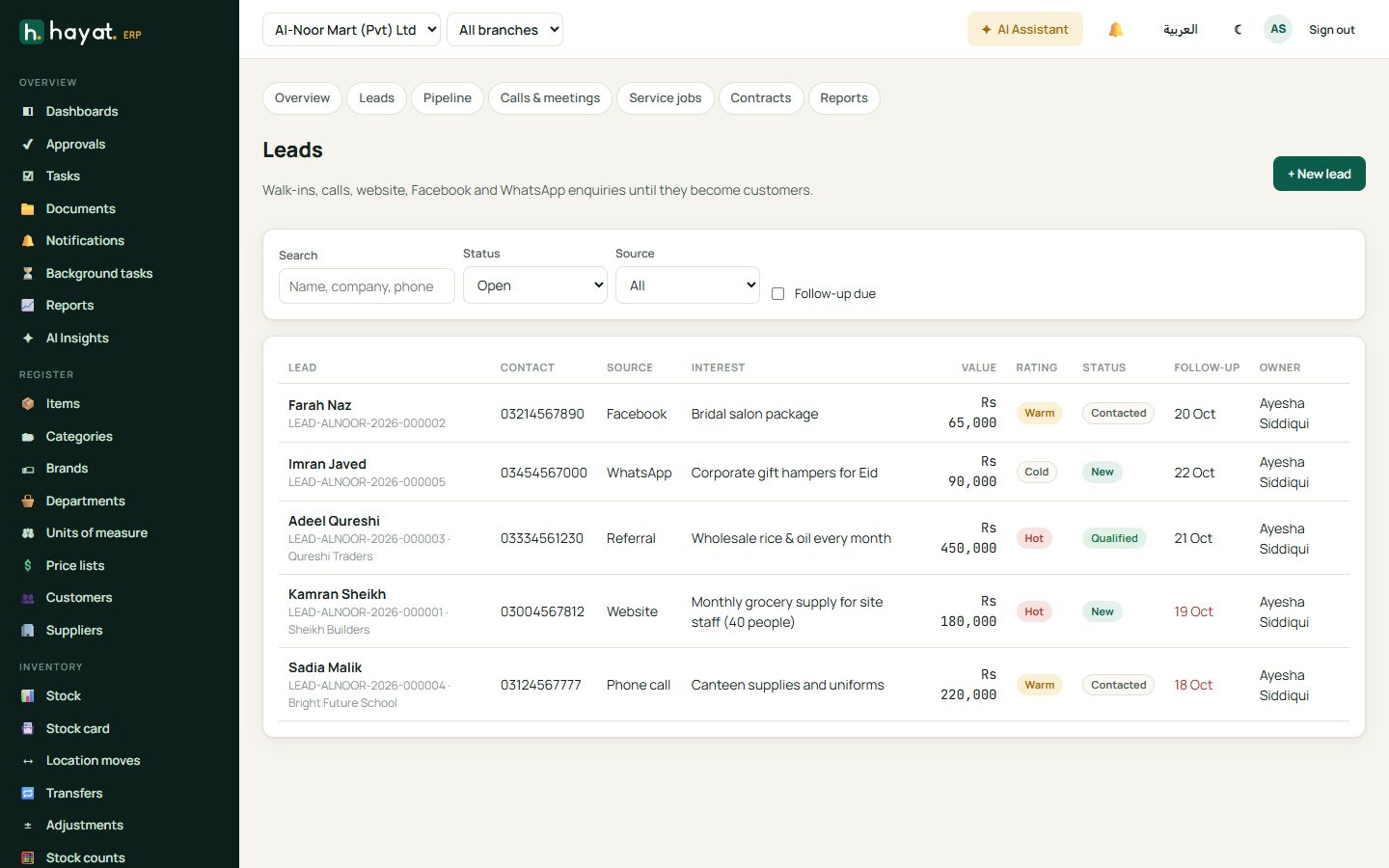
- CRM → Leads → + New lead. Enter the name, company, phone, source and what they are interested in, with an estimated value.
- Give it a rating — Hot, Warm or Cold — and a follow-up date. Follow-up due in the filter shows leads you need to call today.
- As you talk to them, move the status: New → Contacted → Qualified.
- When they are ready to buy, click Convert. Hayat creates (or links) the customer and opens a deal in the pipeline.
- If it goes nowhere, mark it Lost with the reason — Why deals were lost in CRM reports uses it.
Pipeline
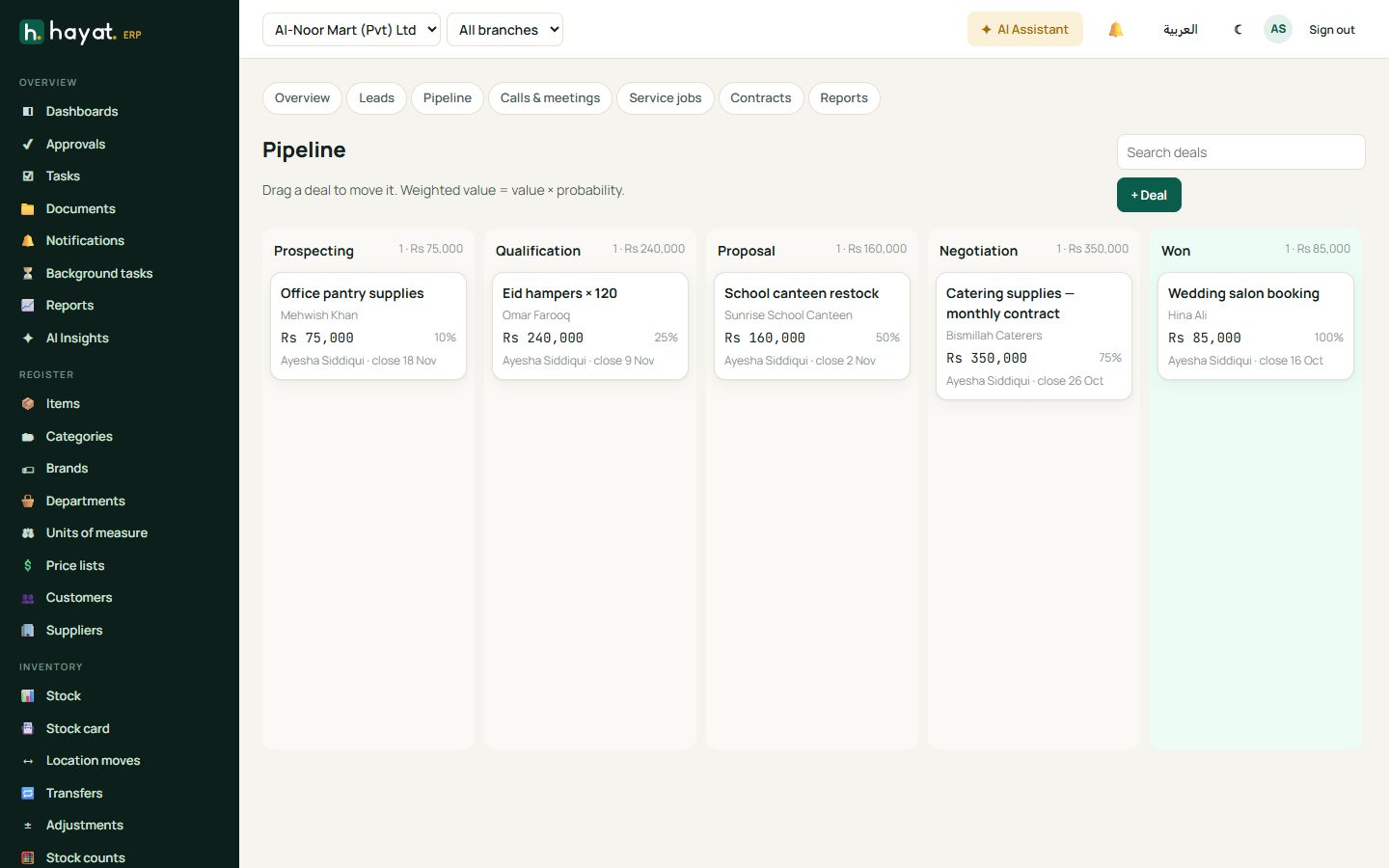
CRM → Pipeline shows every open deal as a card in its stage: Prospecting, Qualification, Proposal, Negotiation, Won. Each column shows the total and each card the value, probability and expected close date. Drag a card to the next stage as it progresses; weighted value = value × probability.
Calls and meetings
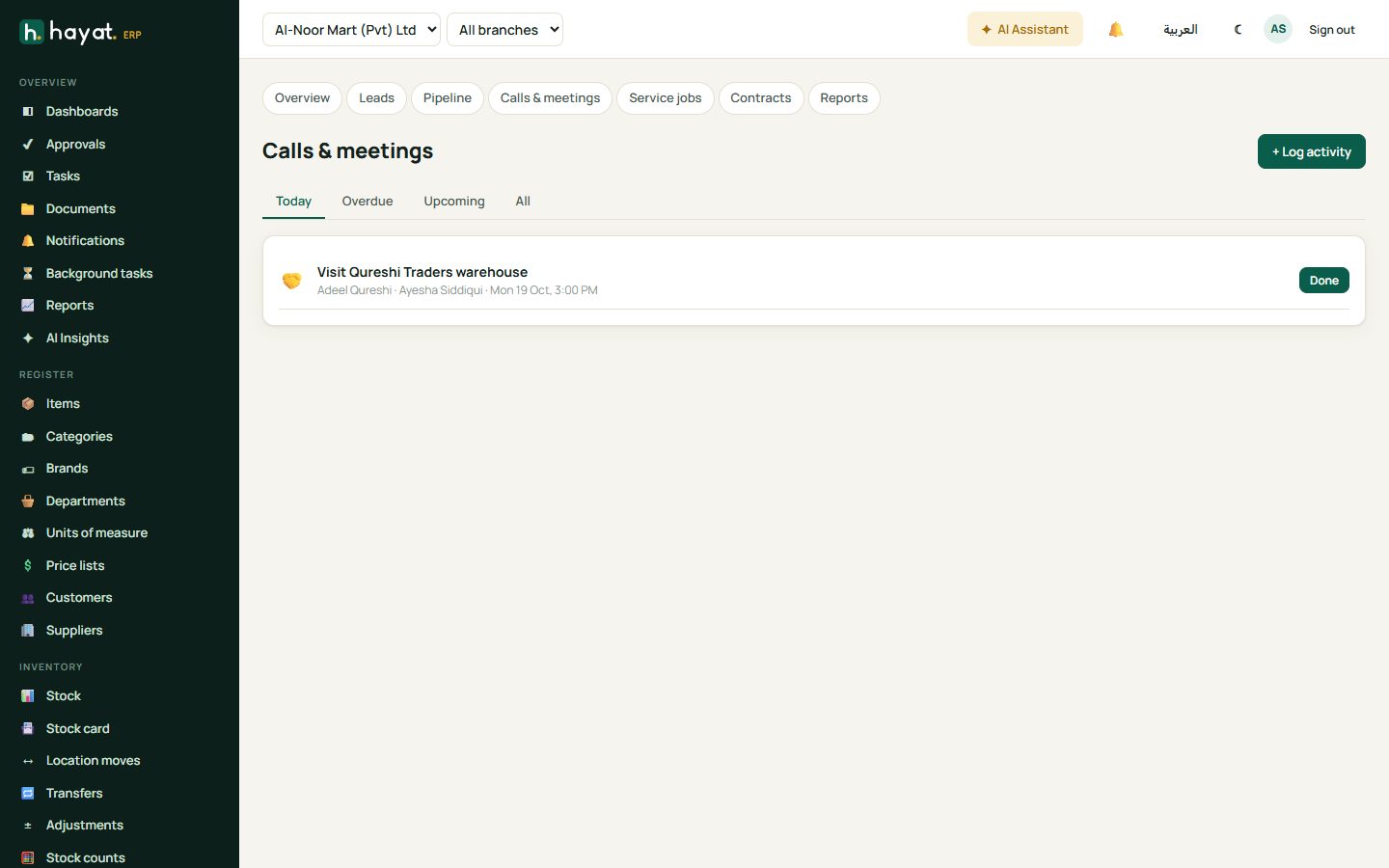
CRM → Calls & meetings is your to-do list for customers: calls, meetings, emails, WhatsApp messages, visits and tasks, each linked to a lead, deal or customer. Tabs show Today, Overdue, Upcoming and All. Click Done when finished and write the outcome.
Service jobs
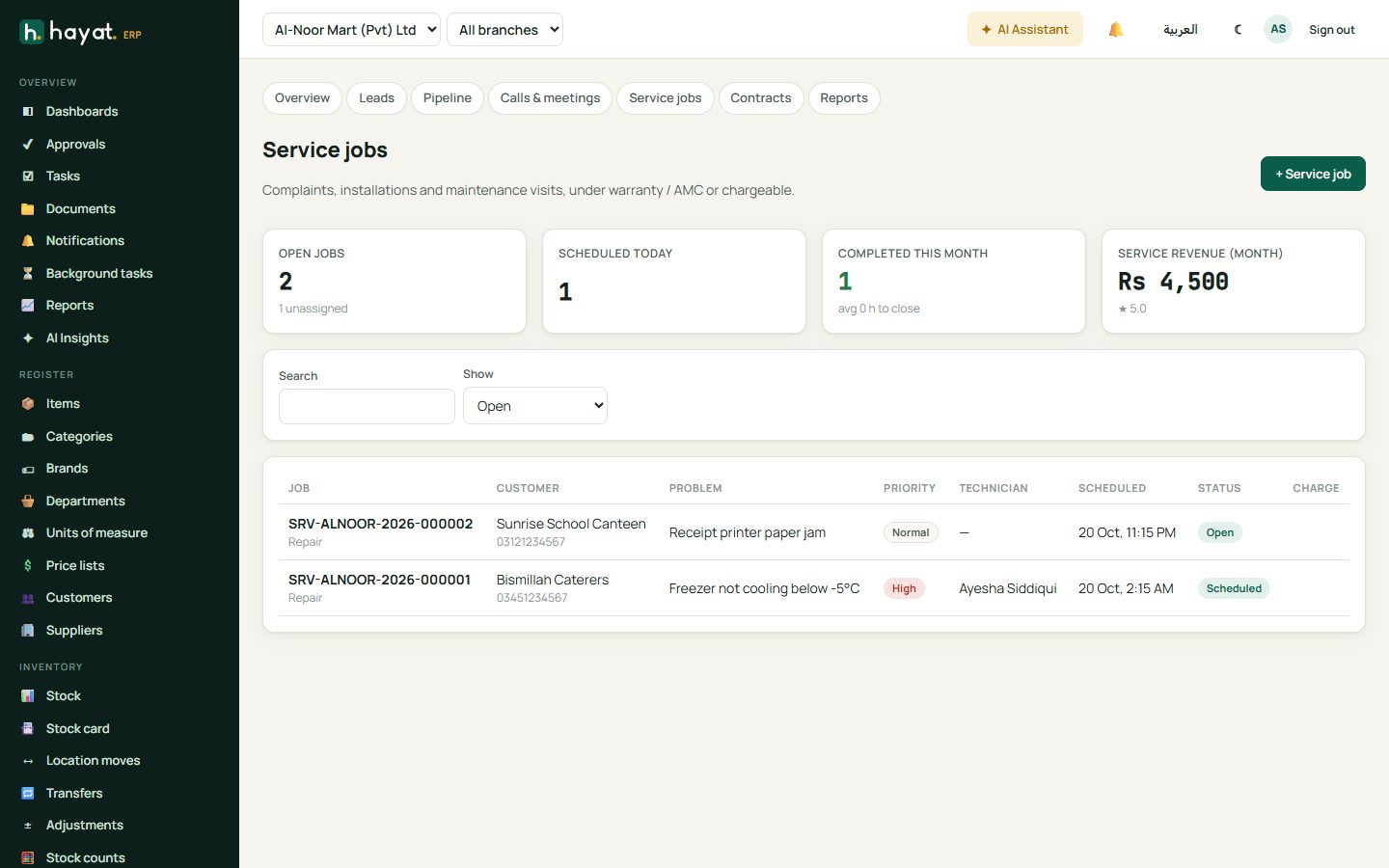
Service jobs are repairs, installations and visits — chargeable, or covered by a warranty or contract.
- CRM → Service jobs → + Service job. Choose the customer, describe the problem and set the priority.
- Assign a technician and schedule the date and time.
- The technician moves the job through Scheduled → In progress → Completed (or On hold), adding notes, parts used and the charge.
- Completed chargeable jobs can be invoiced.
Service contracts
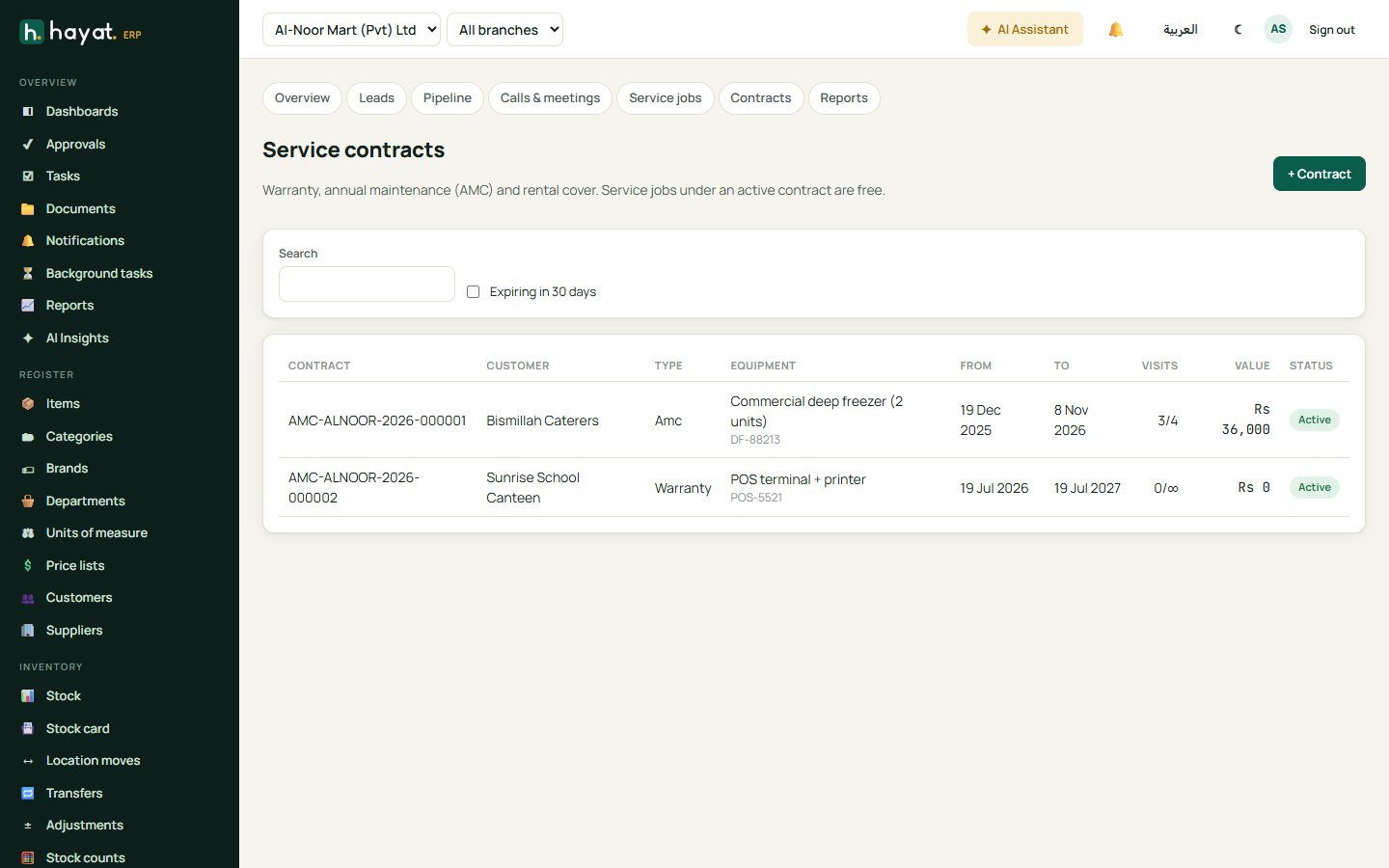
Contracts records warranties, annual maintenance contracts (AMC), rentals and pay-per-visit agreements: equipment and serial, start and end, visits included and used, and value. Expiring in 30 days helps you renew on time.
Customer 360
Open a customer from the CRM to see everything about them on one page: leads, deals, activities, service jobs, contracts, tickets and invoices.
CRM reports
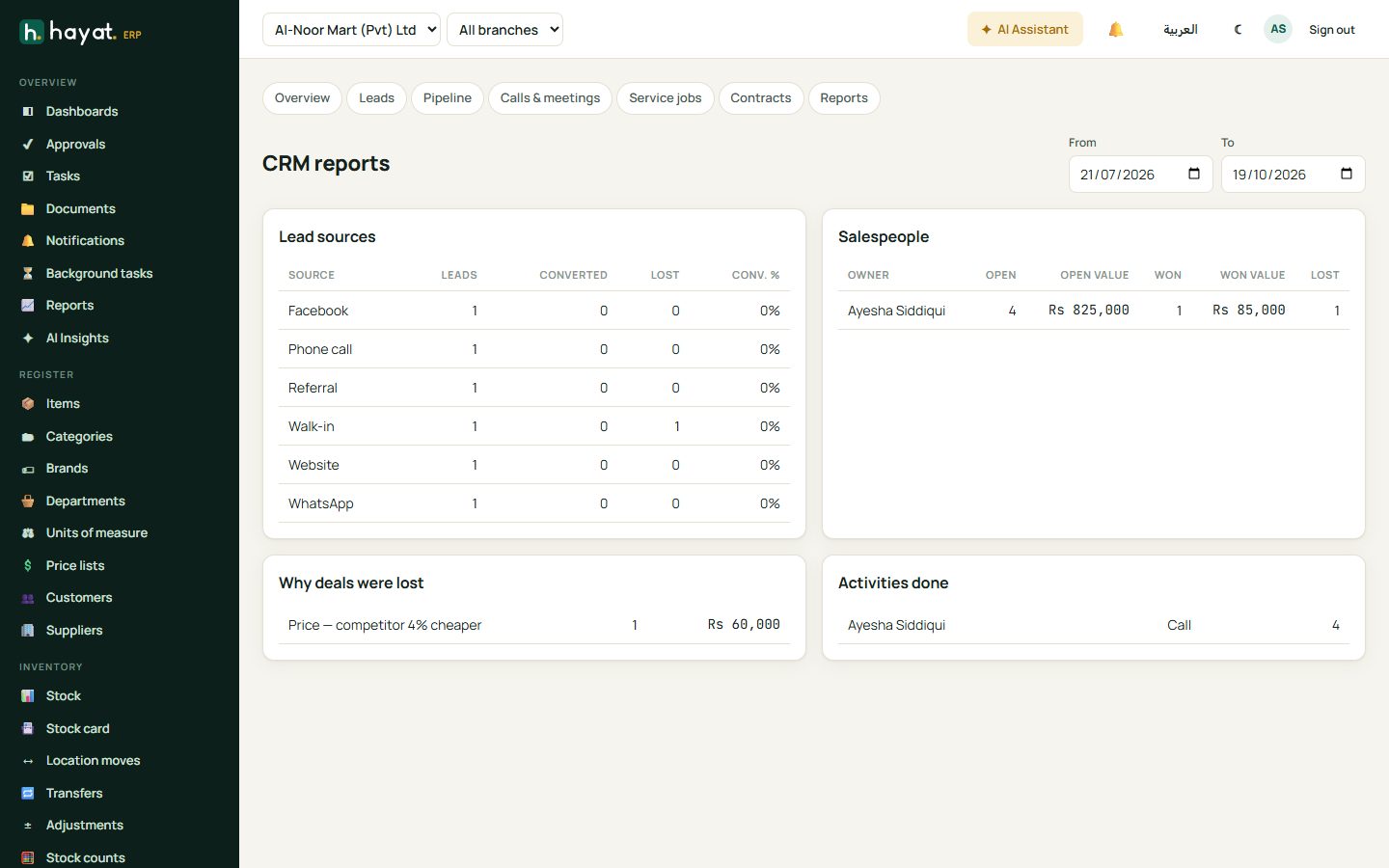
Lead sources and conversion, salespeople (open pipeline, won value, activities done) and why deals were lost.