
Subscriber integrations and demo data
admin.hayaterp.com ↗Set up email, SMS, WhatsApp, FBR digital invoicing and FBR POS for each subscriber company, and load demo data for trials.
Why integrations live here
API keys, tokens and passwords for outside services are set by the Hayat team, per company, so subscribers cannot break or misuse them. In the ERP, subscribers see these screens read-only with a lock and the note "Managed by your service provider". They can still send tests and read delivery logs.
Open a subscriber's integrations
- Subscribers → open the business.
- Scroll to API integrations and choose the company (a group can have several).
- Pick the tab: Email · SMS · WhatsApp, FBR e-invoicing, FBR POS or Demo data.
- Fill in the details and click Save. Secrets are encrypted and never shown again — leave a field blank to keep the saved value.
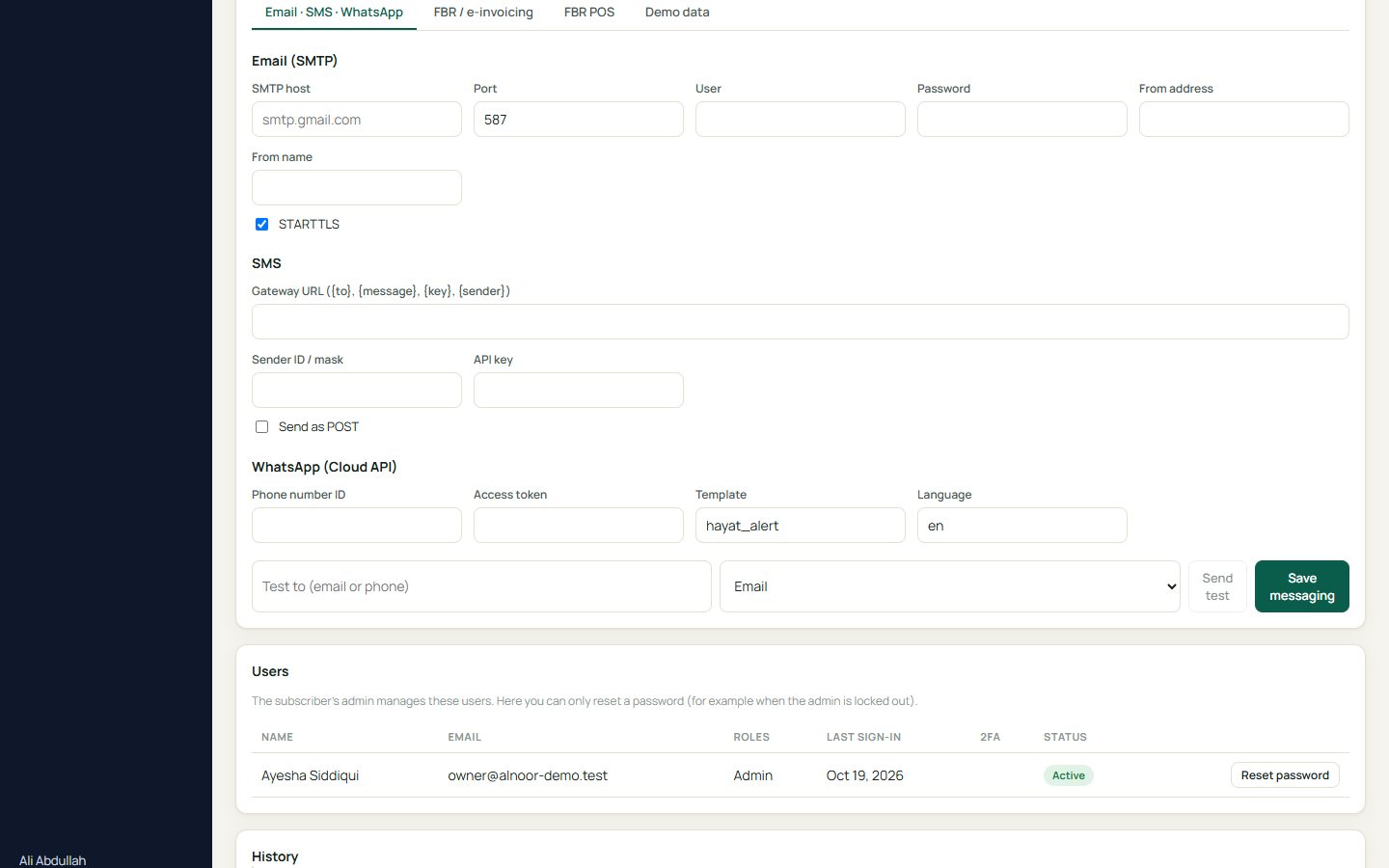
| Tab | You enter |
|---|---|
| Email (SMTP) | Host, port, user, password, from address and name, STARTTLS. |
| SMS | Gateway URL with {to}, {message}, {key}, {sender} placeholders, sender ID/mask, API key, GET or POST. |
| WhatsApp (Cloud API) | Phone number ID, access token, alert template name and language. |
| FBR e-invoicing | Environment (sandbox or production), security token, business details sent to FBR. |
| FBR POS | Environment, connection, PCT code default, POS service fee and each till's FBR POS ID. |
Use Send test with an email address or phone number to check the connection before telling the subscriber.
Load demo data for a trial
The Demo data tab fills an empty company with a realistic demo — the same Al-Noor Mart data used in this manual: categories, brands and about 50 items (groceries, medicines, clothing with sizes and colours, restaurant dishes, salon services), opening stock, customers and suppliers, staff, a till for each business type, an online shop, a CRM pipeline, helpdesk tickets and a small hospital.
- Choose the company and the shop name for its online store.
- Click Load demo data. If the company already has items, tick add the demo anyway.
- Hayat creates demo staff sign-ins (manager, cashier, accounts, sales, support, doctor, reception, nurse, lab, pharmacy) and shows their shared password once — copy it for the subscriber.