Hospital workspace
hospital.hayaterp.com ↗For reception, doctors, nurses, the laboratory, pharmacy and billing — from registration to discharge.
Sign in
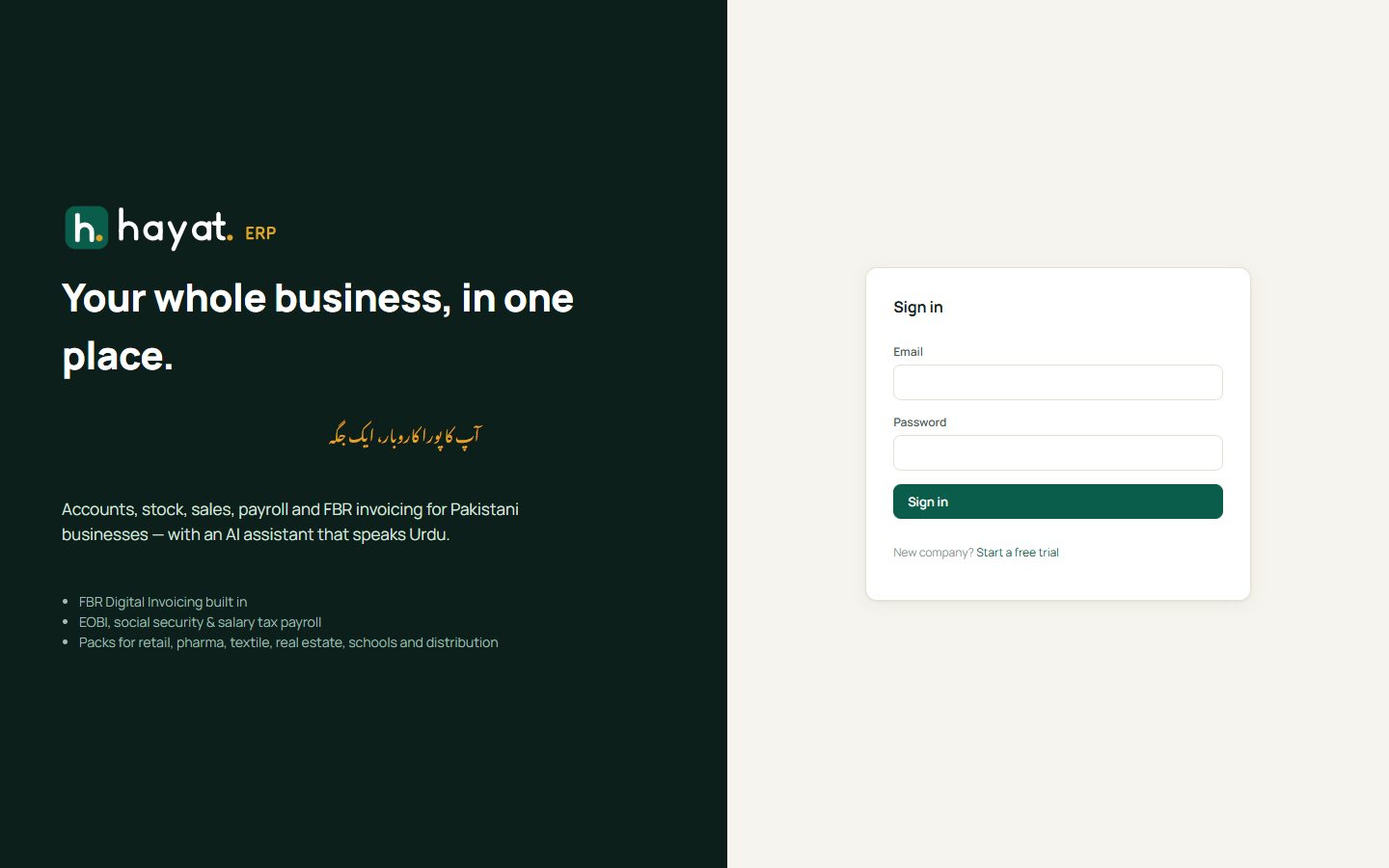
Hospital staff sign in at hospital.hayaterp.com with their Hayat email and password. The menu shows only the hospital and the helpdesk, and each person sees the parts their role allows (reception, doctor, nurse, lab, pharmacist, billing).
The hospital dashboard
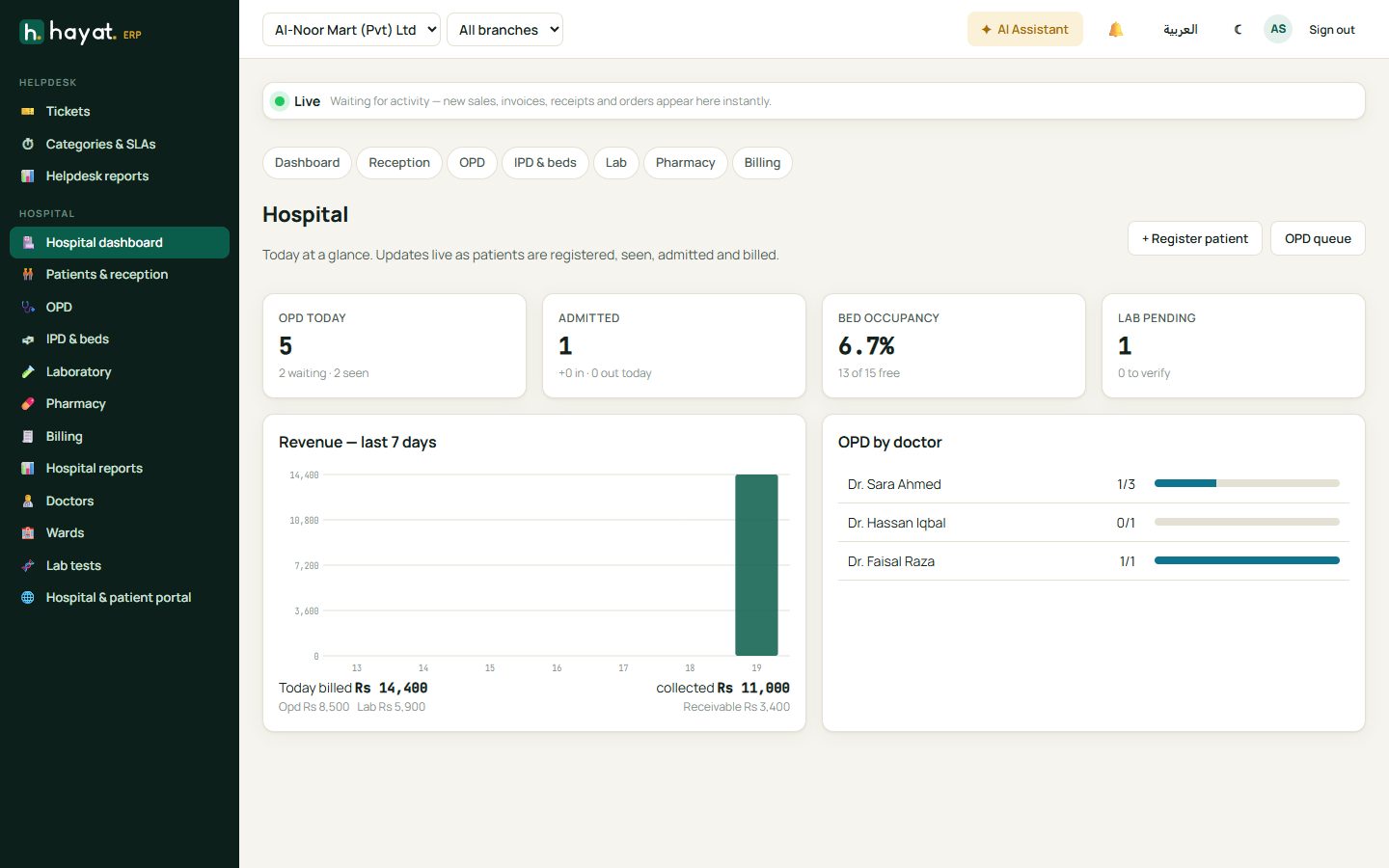
Today at a glance: OPD patients (waiting, with the doctor, done), admitted patients, bed occupancy, pending lab work, revenue for the last 7 days, OPD by doctor, and what was billed and collected today. It updates live as patients are registered, seen, admitted and billed.
Reception
Register a patient
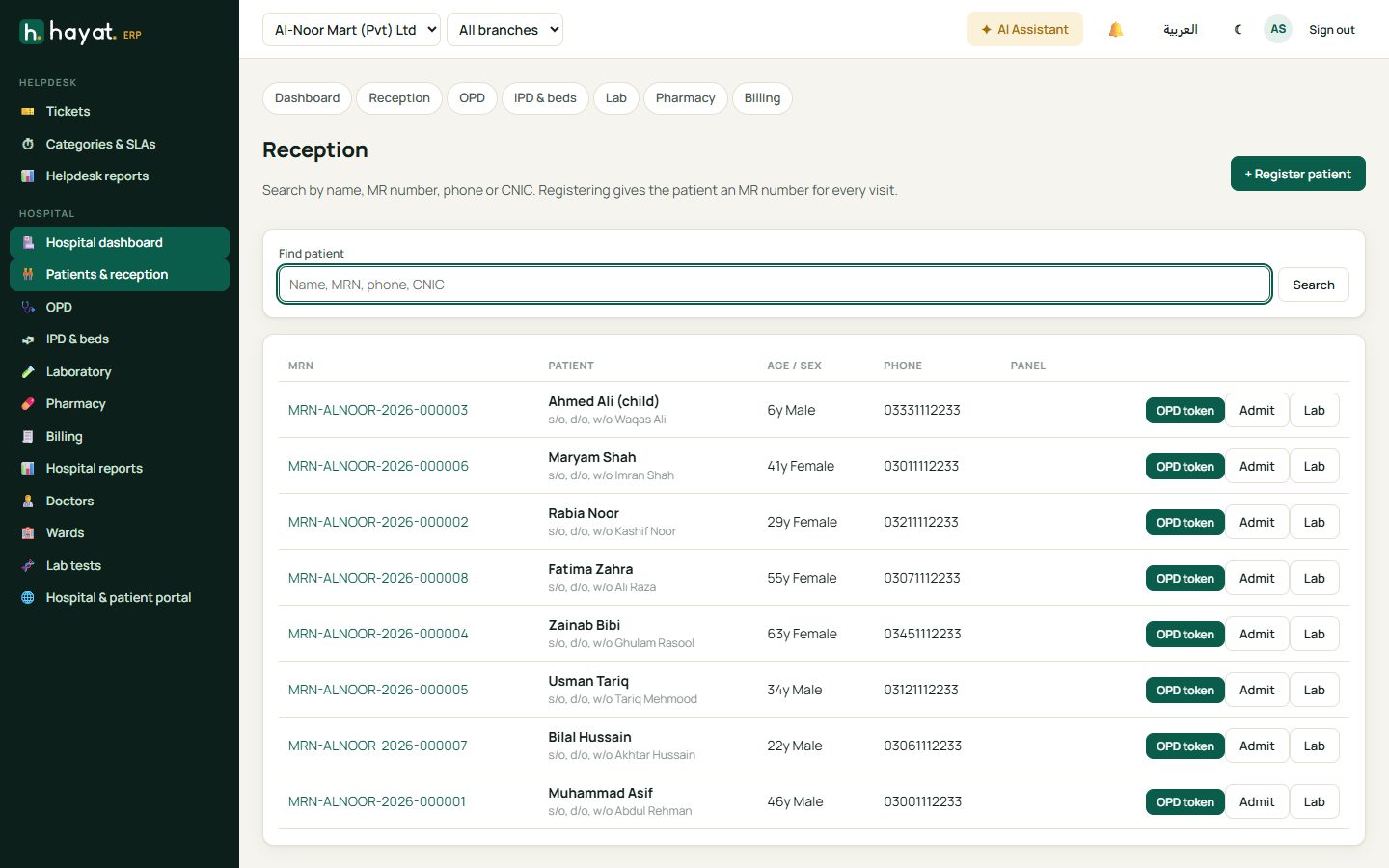
- Open Patients & reception and search by name, MR number, phone or CNIC — the patient may already be registered.
- If not, click + Register patient. Enter name, gender, date of birth or age, phone, CNIC, address and guardian for children.
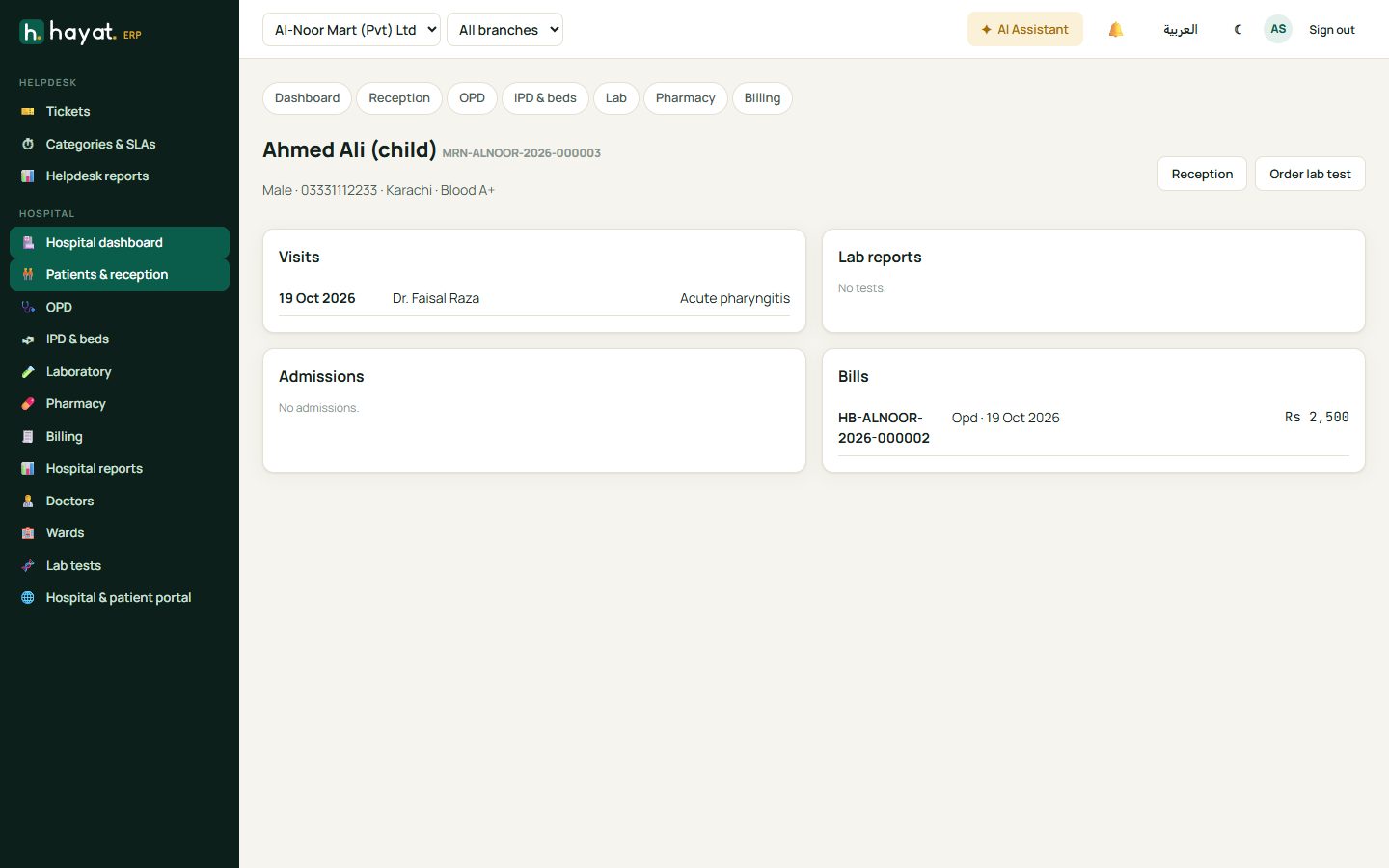
- Save. The patient gets an MR number (e.g. MRN-ALNOOR-2026-000003) that follows them on every visit, bill and report.
Give an OPD token
On the patient's row click OPD token: choose the doctor, the visit type (New, Follow-up, Emergency) and collect the consultation fee. The token number is printed and the patient appears in the doctor's queue. Admit and Lab on the same row start an admission or a lab-only visit.
The patient file
Click a patient to open their file: visits, admissions, lab reports and bills in one place.
OPD (doctors)
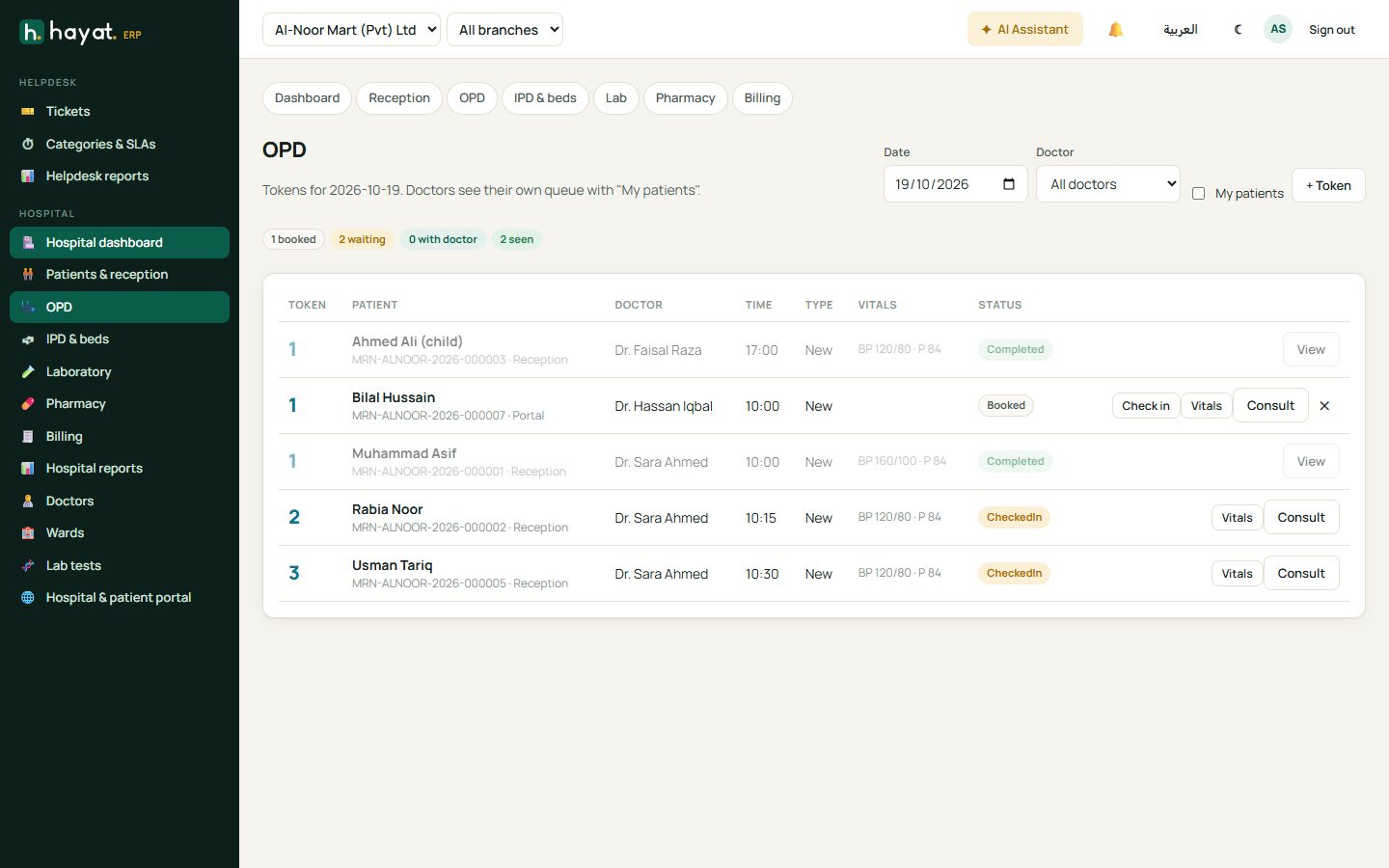
OPD shows the day's tokens per doctor with the time, visit type, vitals and status: Booked → Checked in → With doctor → Completed. Doctors tick My patients to see only their own queue.
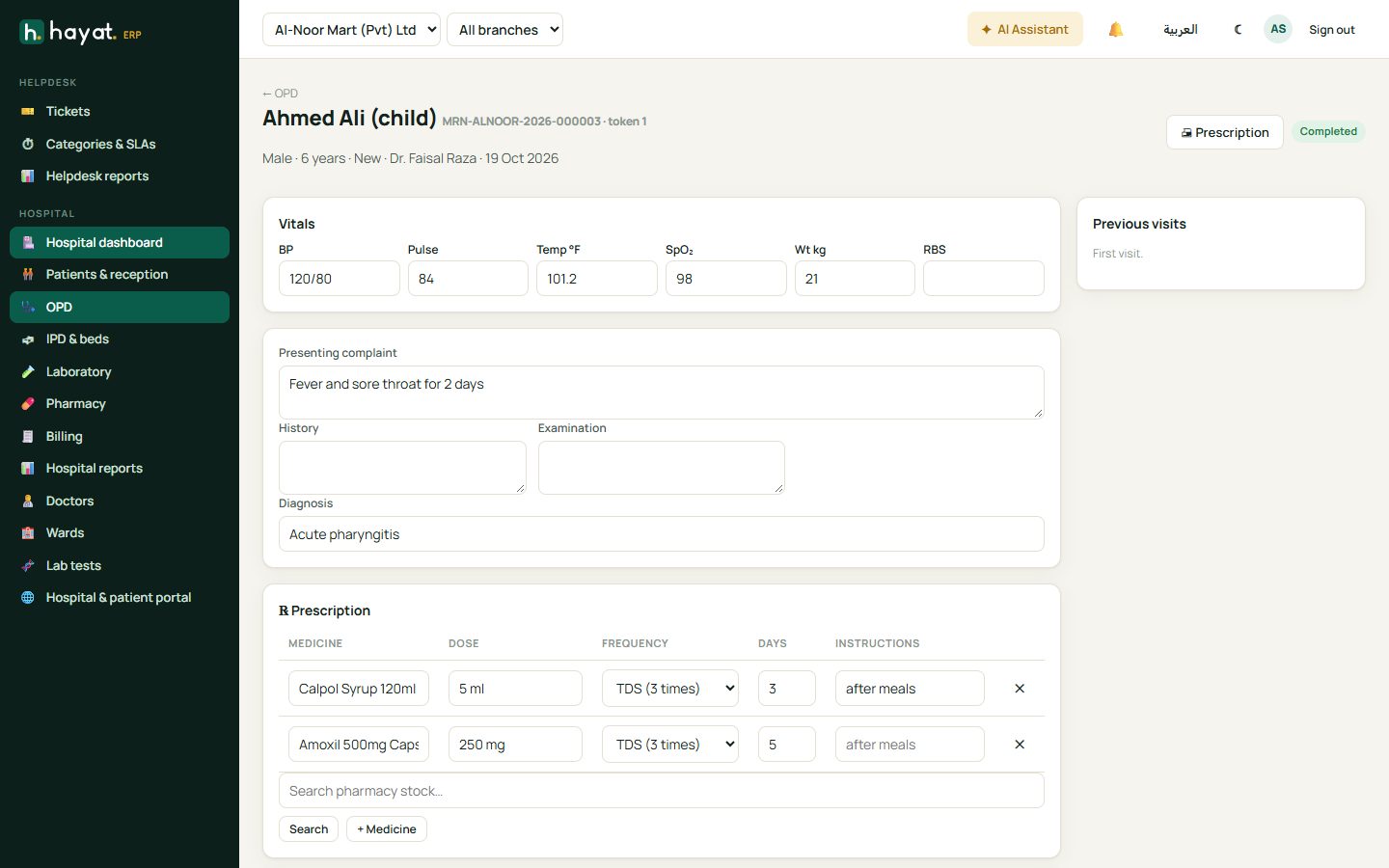
- Reception or the nurse clicks Check in and Vitals (BP, pulse, temperature, SpO₂, weight, RBS).
- The doctor clicks Consult.
- Write the presenting complaint, history, examination and diagnosis.
- Add the prescription — search the pharmacy stock, then dose, frequency (e.g. TDS), days and instructions.
- Order lab tests if needed — a lab bill is created and the order goes to the laboratory.
- Click Complete. The prescription goes to the pharmacy queue and the visit to the patient's history.
IPD and beds
IPD & beds shows every ward with its beds: available, occupied (with the patient's name), cleaning or reserved.
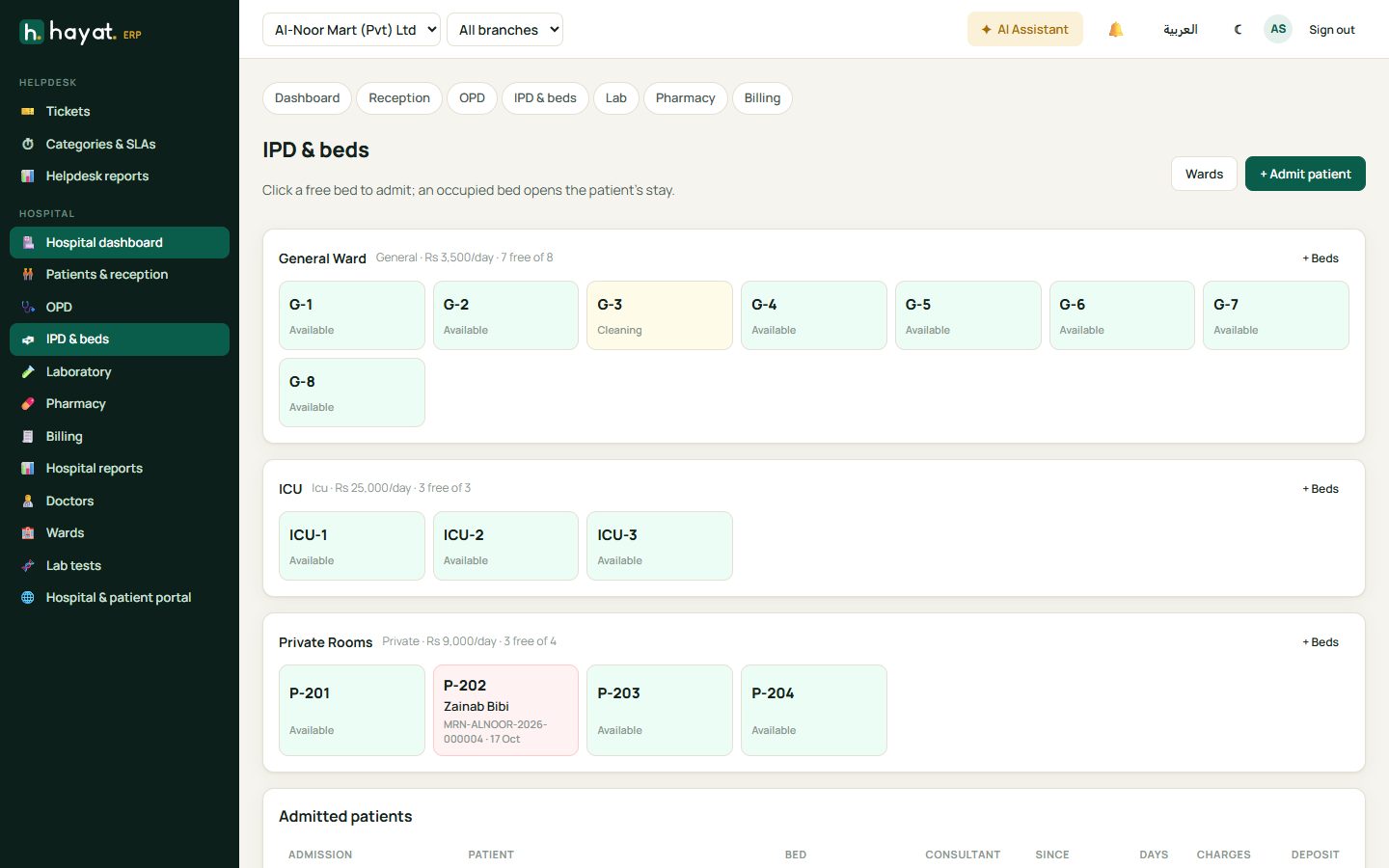
- Click a free bed or + Admit patient. Choose the patient, consultant and diagnosis, and take a deposit.
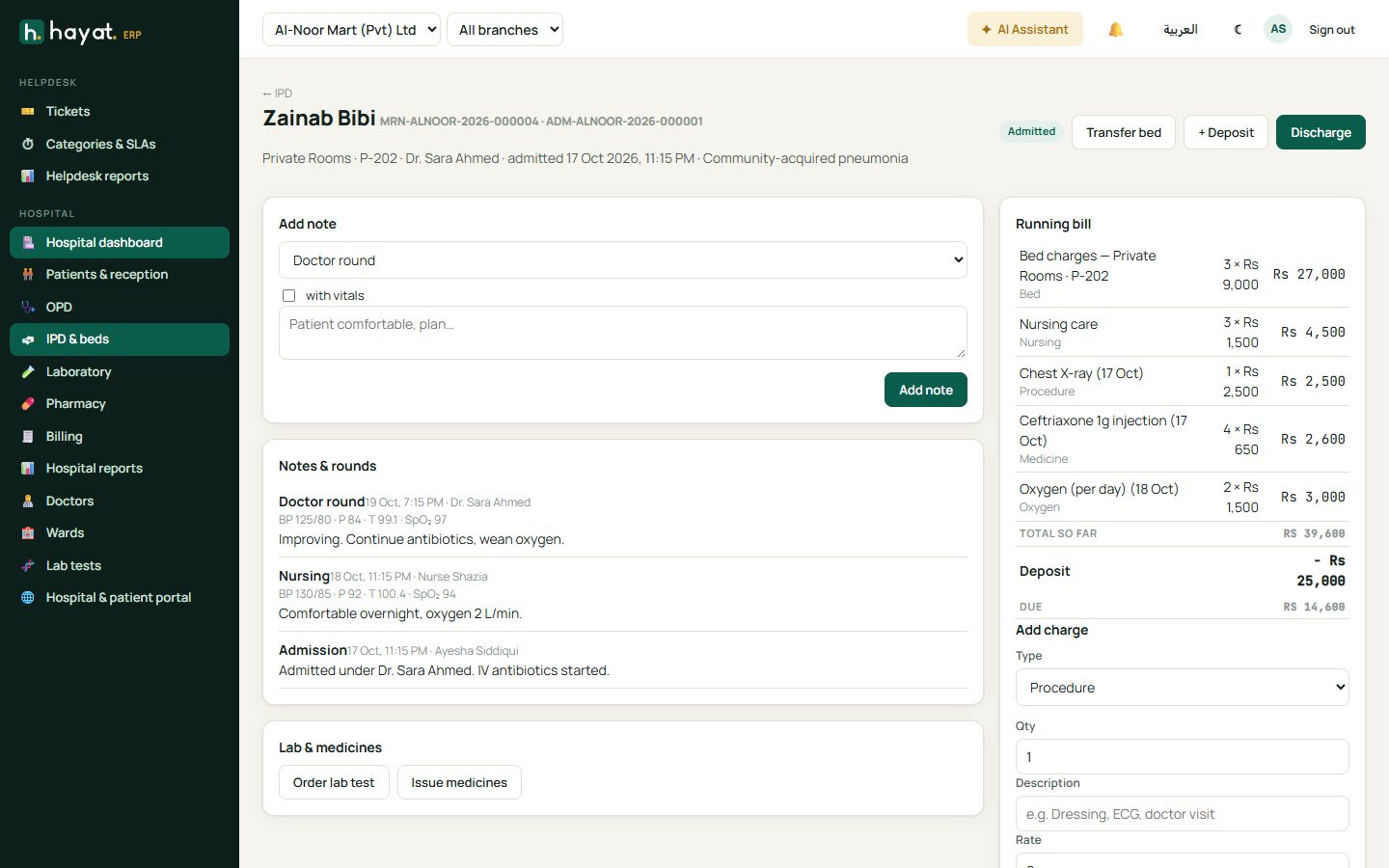
- The admission file collects doctor rounds and nursing notes (with vitals), charges (bed per day, nursing, procedures, injections, oxygen), lab orders and medicines issued.
- Transfer bed moves the patient to another bed or ward; bed charges follow.
- Discharge prints the final bill. Deposits are deducted; if the deposit is more than the bill, Hayat shows the refund due.
Laboratory
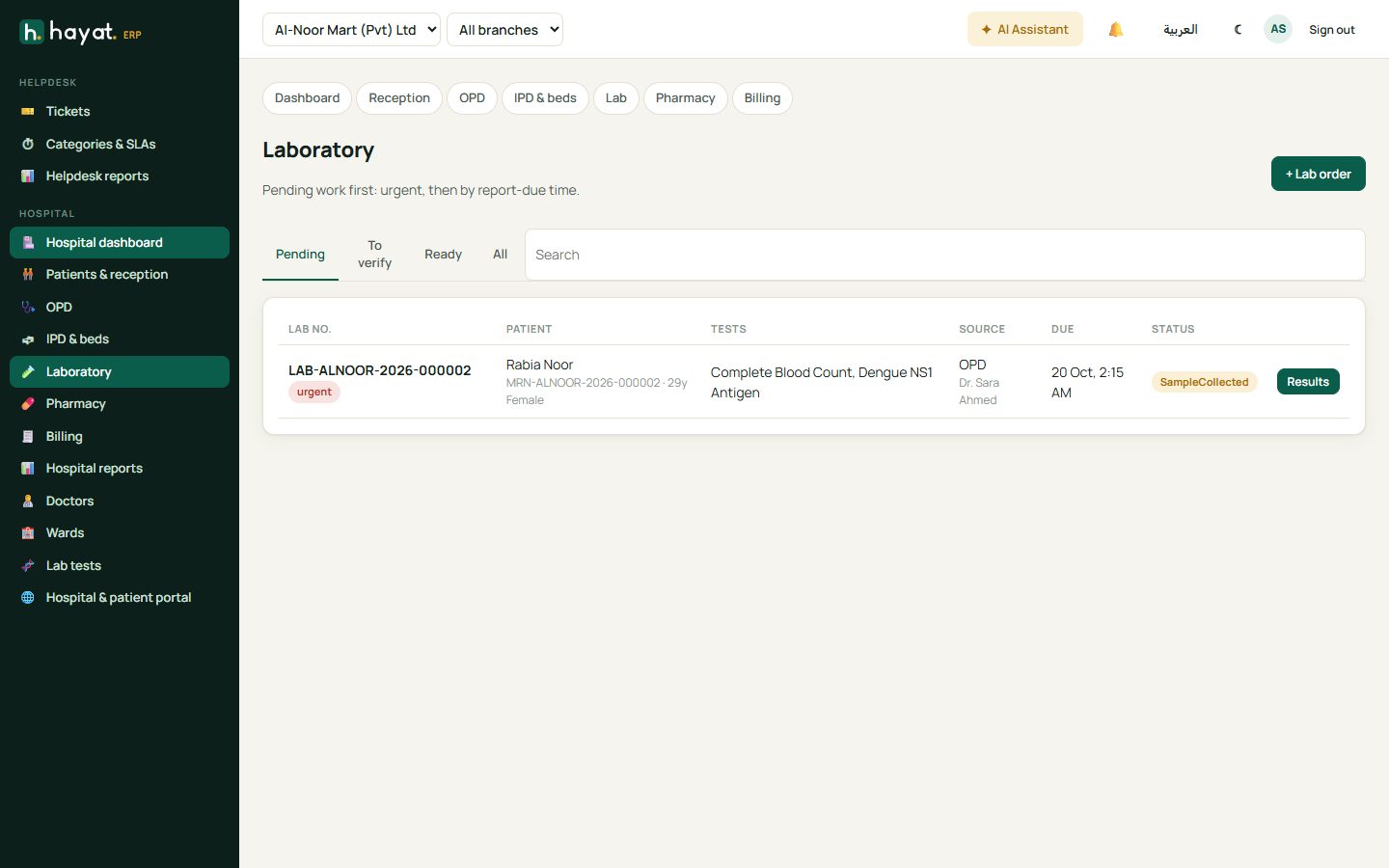
The lab works through tabs: Pending (samples to collect and tests to run), To verify and Ready.
- Mark the sample collected.
- Enter the results for each parameter. Values outside the normal range are highlighted.
- A second person verifies the result. Only verified reports can be printed and seen by the patient online.
Pharmacy
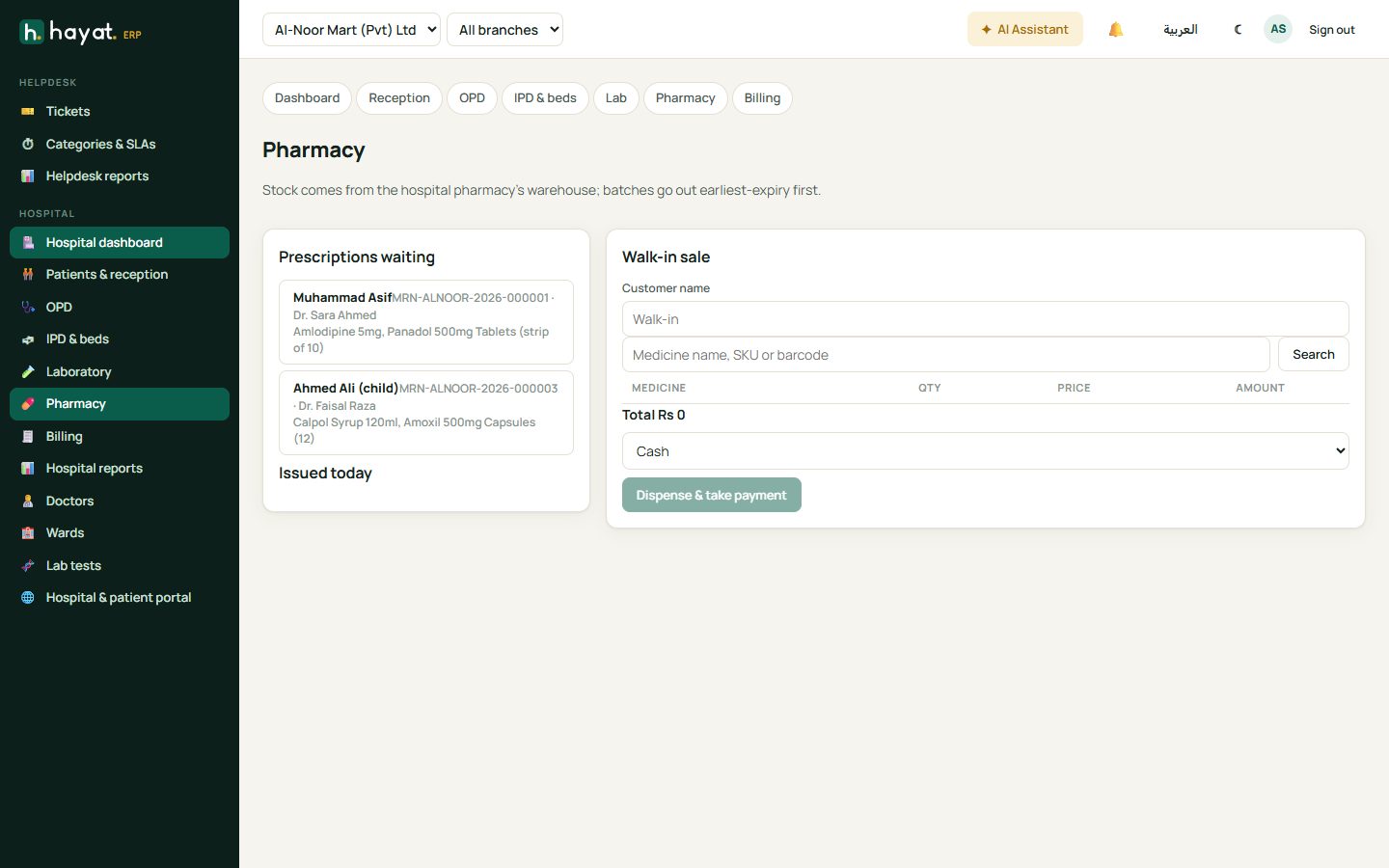
Pharmacy lists prescriptions waiting from OPD and wards. Open one, check the medicines, adjust quantities and click Dispense & take payment. Medicines leave the hospital pharmacy stock, earliest-expiry batches first. Walk-in sale sells to people without a prescription.
Billing
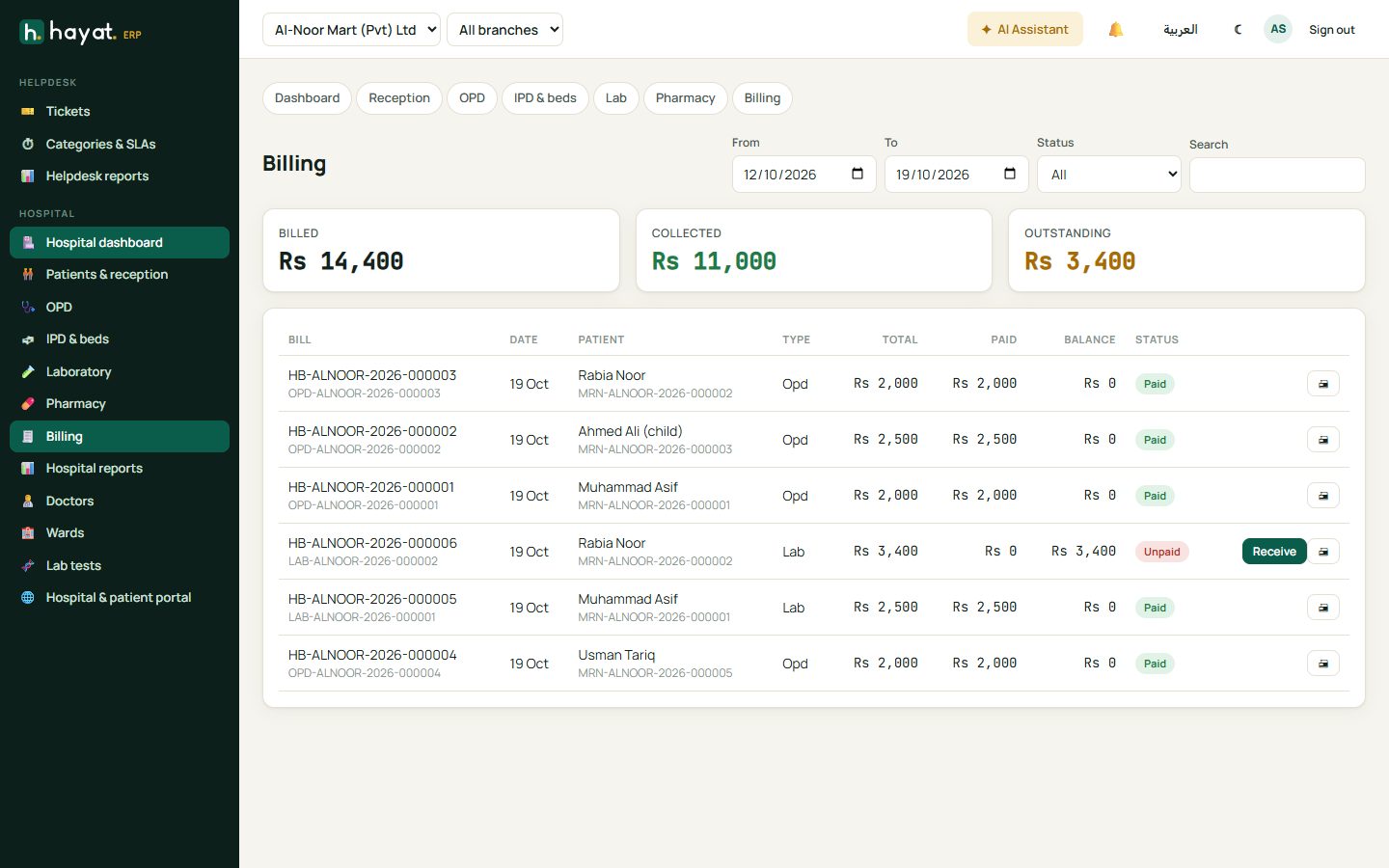
Billing lists every bill (OPD, IPD, lab, pharmacy, procedures) with billed, collected and outstanding totals. Click Receive to collect an unpaid balance, or open a bill to reprint it.
Hospital reports
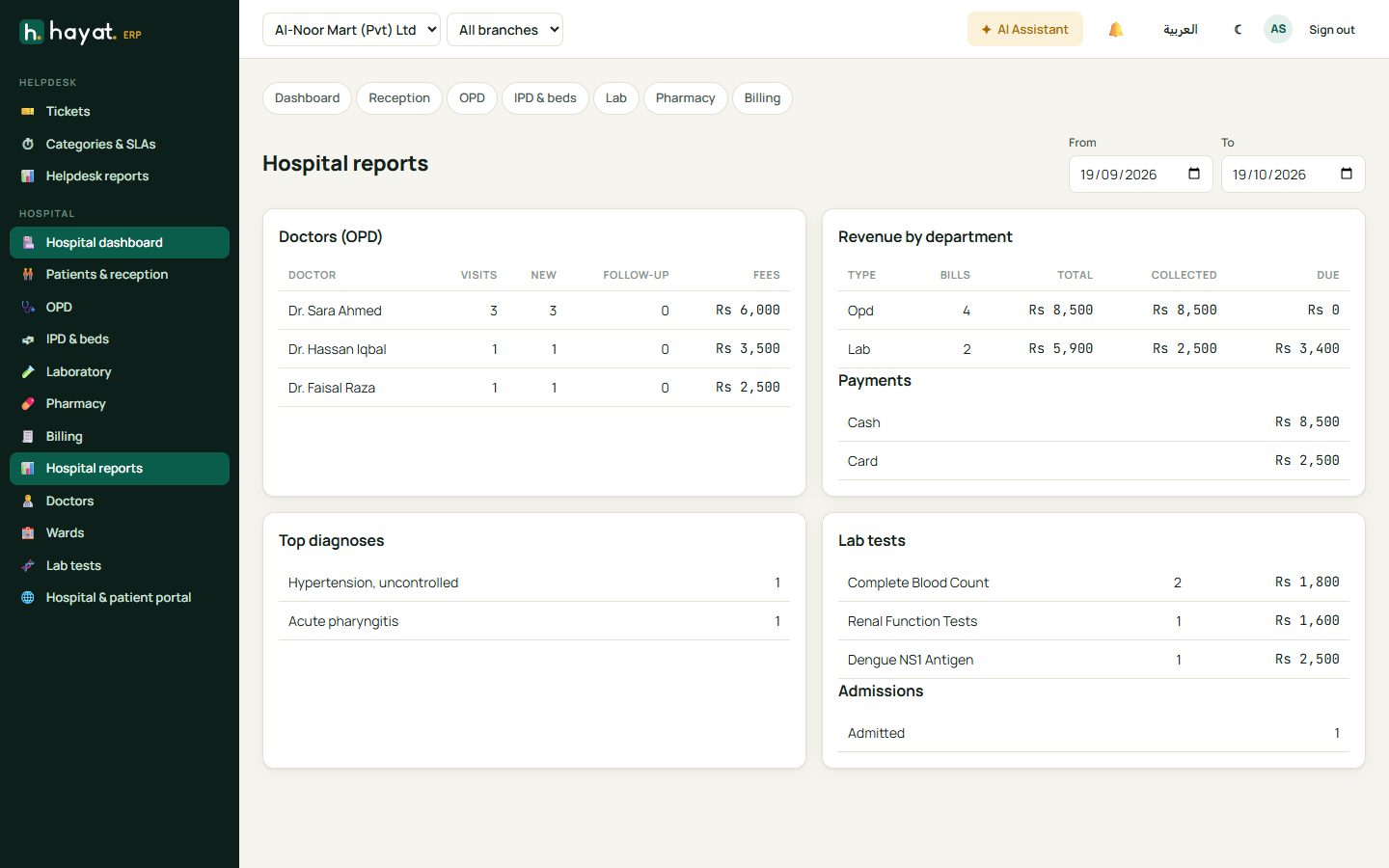
Doctors (OPD visits, new and follow-up, fees), revenue by department, payments by method, top diagnoses, lab tests and admissions for any period.