Helpdesk tickets
hayaterp.com/tickets ↗One inbox for complaints and requests from customers, the online shop and your own staff, with response and resolution targets.
Where tickets come from
| Channel | How |
|---|---|
| Store | A shopper fills Help & support on your online shop. |
| Portal | Your staff raise IT, HR or maintenance requests in the employee portal. |
| WhatsApp, phone, email, walk-in | An agent creates the ticket while talking to the customer. |
| Internal | Staff log issues for another team. |
The ticket list
Helpdesk shows open tickets, tickets assigned to you, SLA breaches and the share resolved on time. Filter by Open, Mine, Unassigned, SLA breached, Resolved or search by number, subject or name.
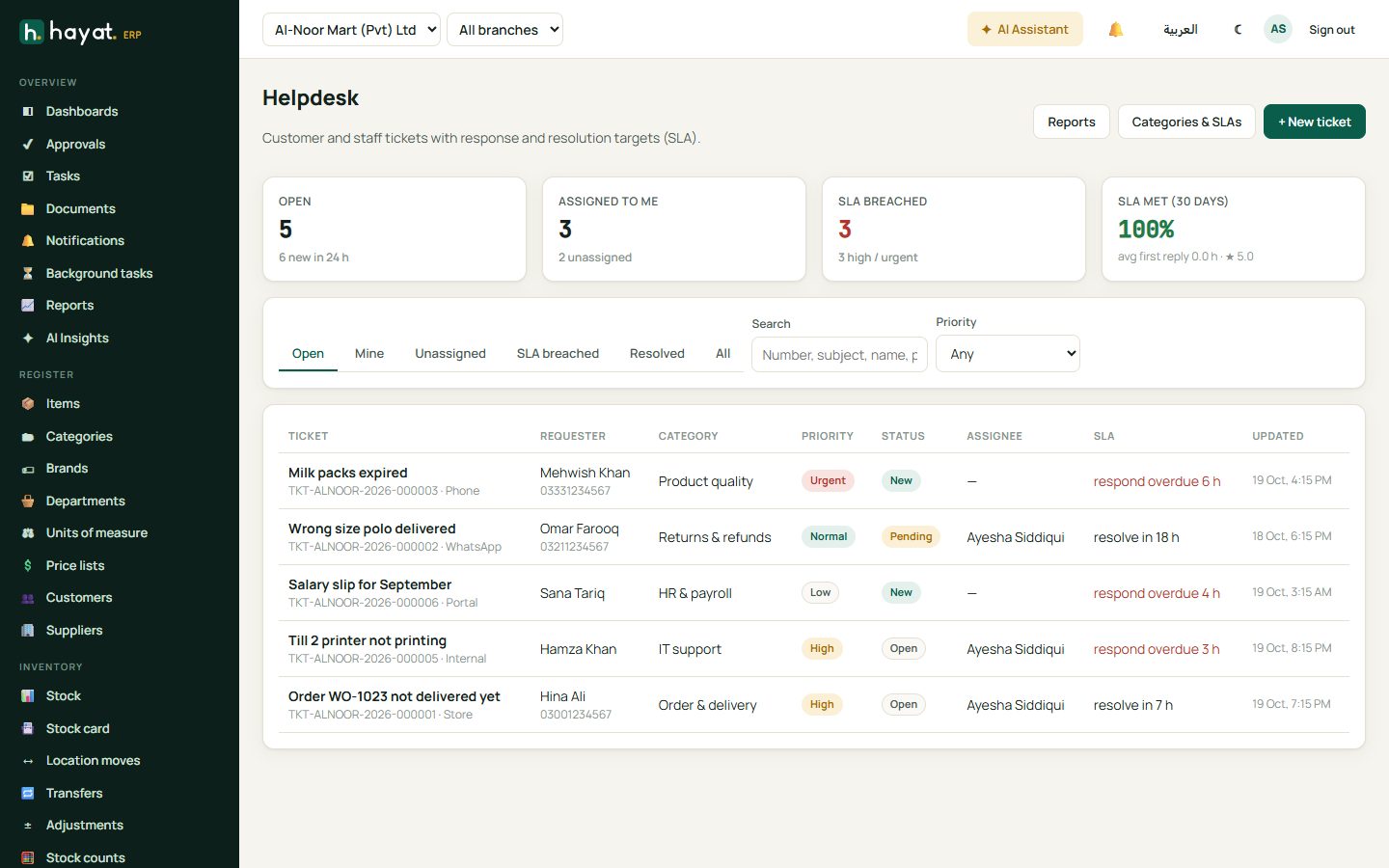
Each row shows the priority (Low, Normal, High, Urgent), status, category, assignee and the SLA clock — respond within 2 h, overdue 3 h and so on.
Work a ticket
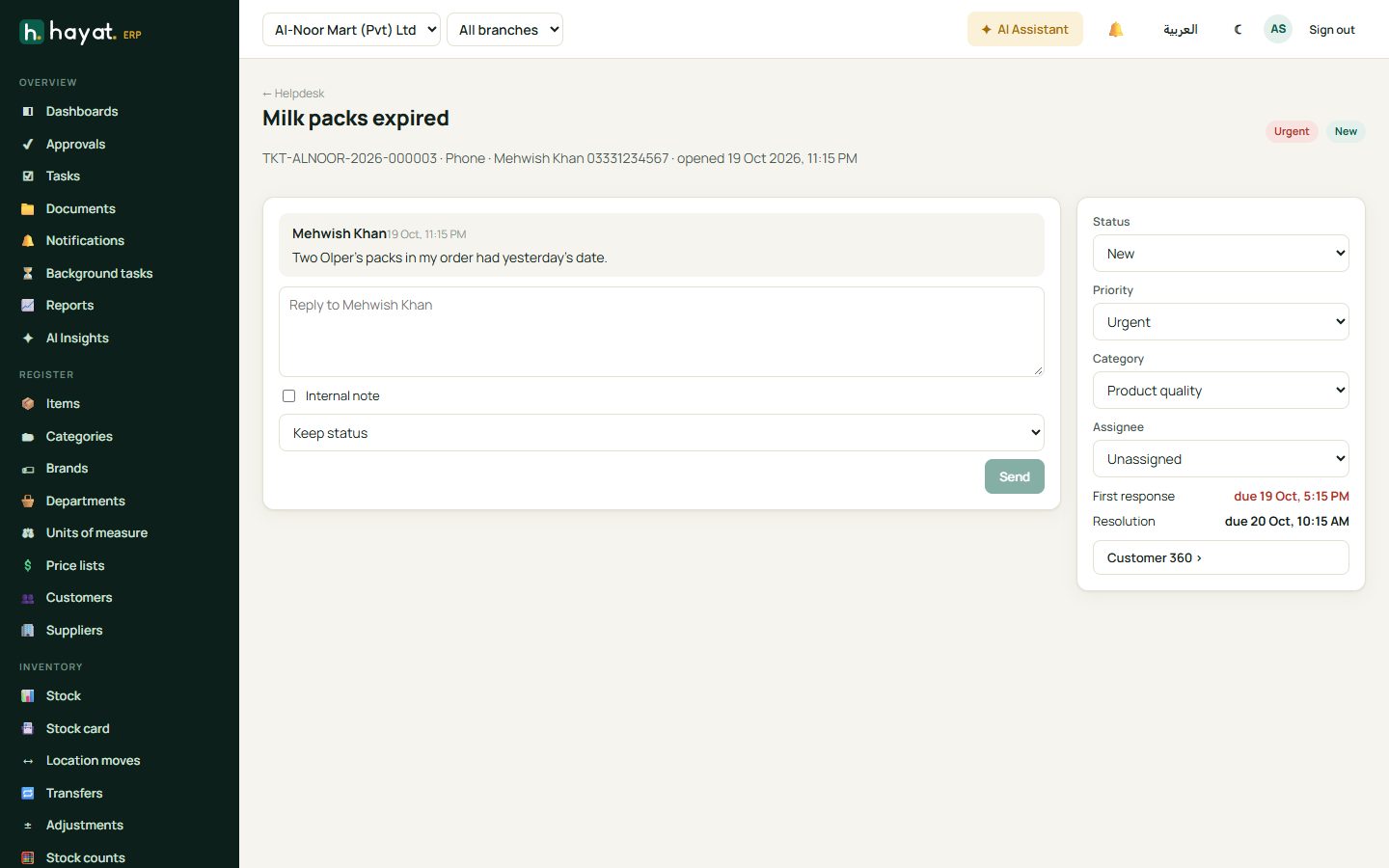
- Open the ticket and read the conversation.
- Type a reply and click Send — the customer is notified. Tick Internal note to write something only staff can see.
- Set the priority, category and assignee on the right.
- Change the status: Open while you work on it, Pending while waiting for the customer, On hold, then Resolved.
- Customer 360 shows the customer's orders and history without leaving the ticket.
Categories and SLAs
Categories & SLAs sets the categories (returns & refunds, order & delivery, product quality, HR & payroll, IT support…), the default team, and the response and resolution targets per priority.
Helpdesk reports
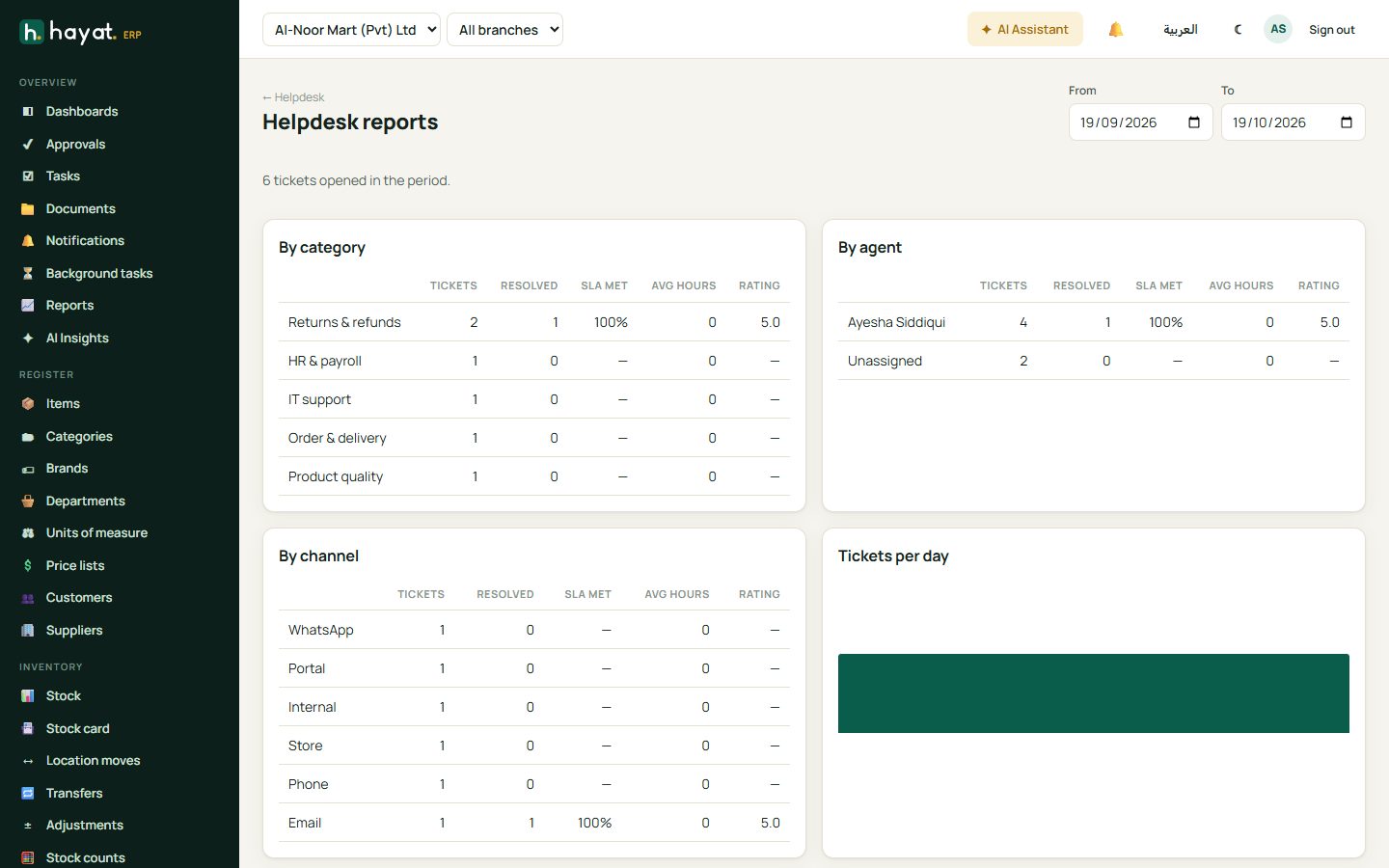
Tickets by category, agent and channel with response and resolution times, SLA met and customer rating, and tickets per day.