
Bank card offers, claims and settlements
hayaterp.com/rewards/offers ↗Run discounts for a bank's cards, give them at the till and service desks, claim the bank's share back, and reconcile what each card machine's bank deposits.
Banks often fund part of a discount for their cardholders — "20% off with HBL credit cards, up to Rs 1,000". Hayat recognises the card from its first digits, gives the right offer, records the bank's share and helps you claim it. It also checks each day's card-machine deposit against your card sales.
Who does what
| Role | Can do |
|---|---|
| Cashier / front desk | Type the card's first 6 and last 4 digits, press Offer? and charge the amount shown. |
| Admin (rewards.banks) | Banks, card ranges (BINs) and bank offers: create, pause, resume, end. |
| Accountant (rewards.settle) | Bank claims and card-machine settlements. |
| Branch Manager | See offers, usage and claims. |
Banks and card ranges
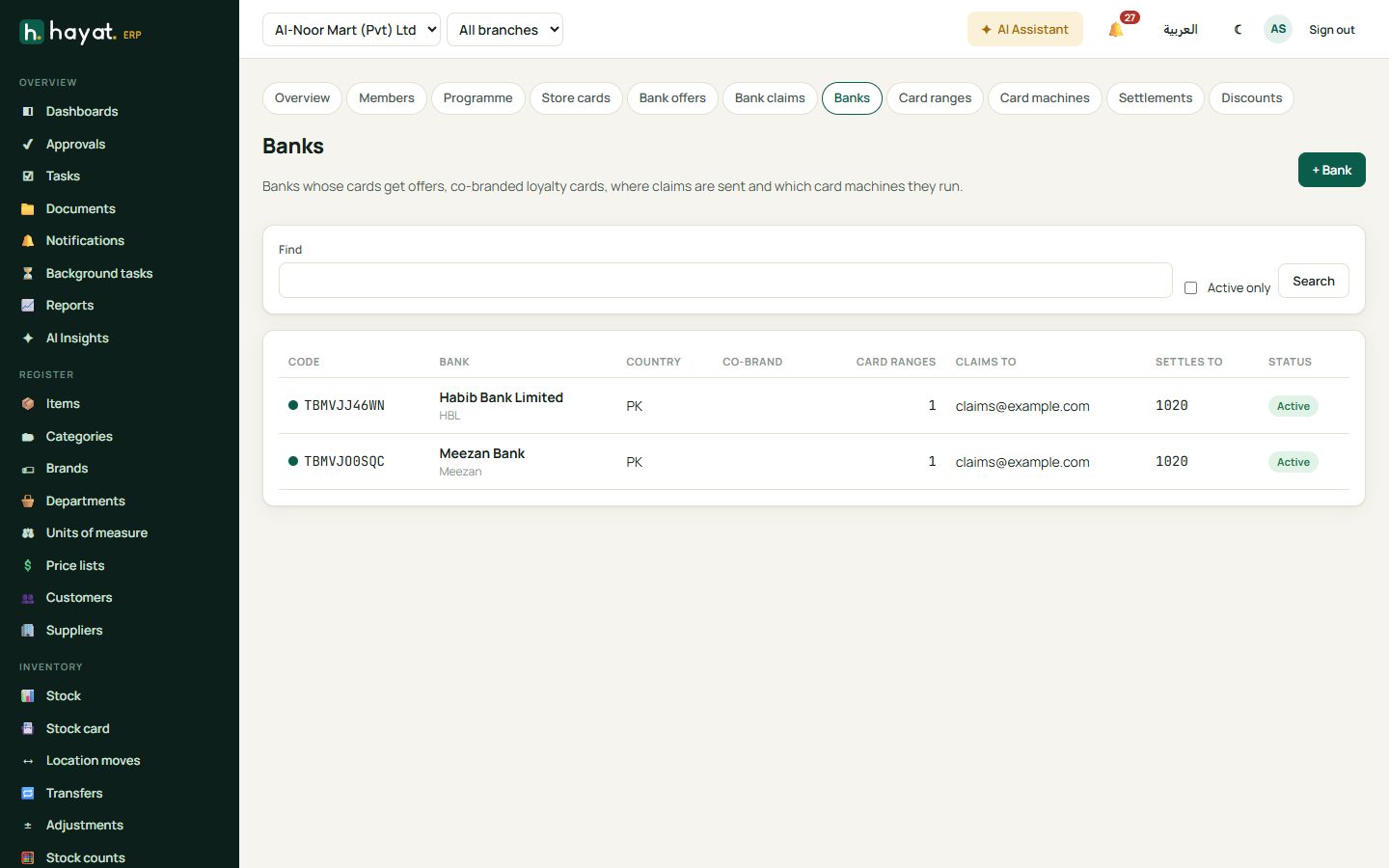
Banks holds each bank: code (HBL), name, colour, contacts, the email where claims go and the account its payments land in (default 1020 Bank). Tick co-branded if the bank issues a loyalty card with you, and set the extra points multiplier.
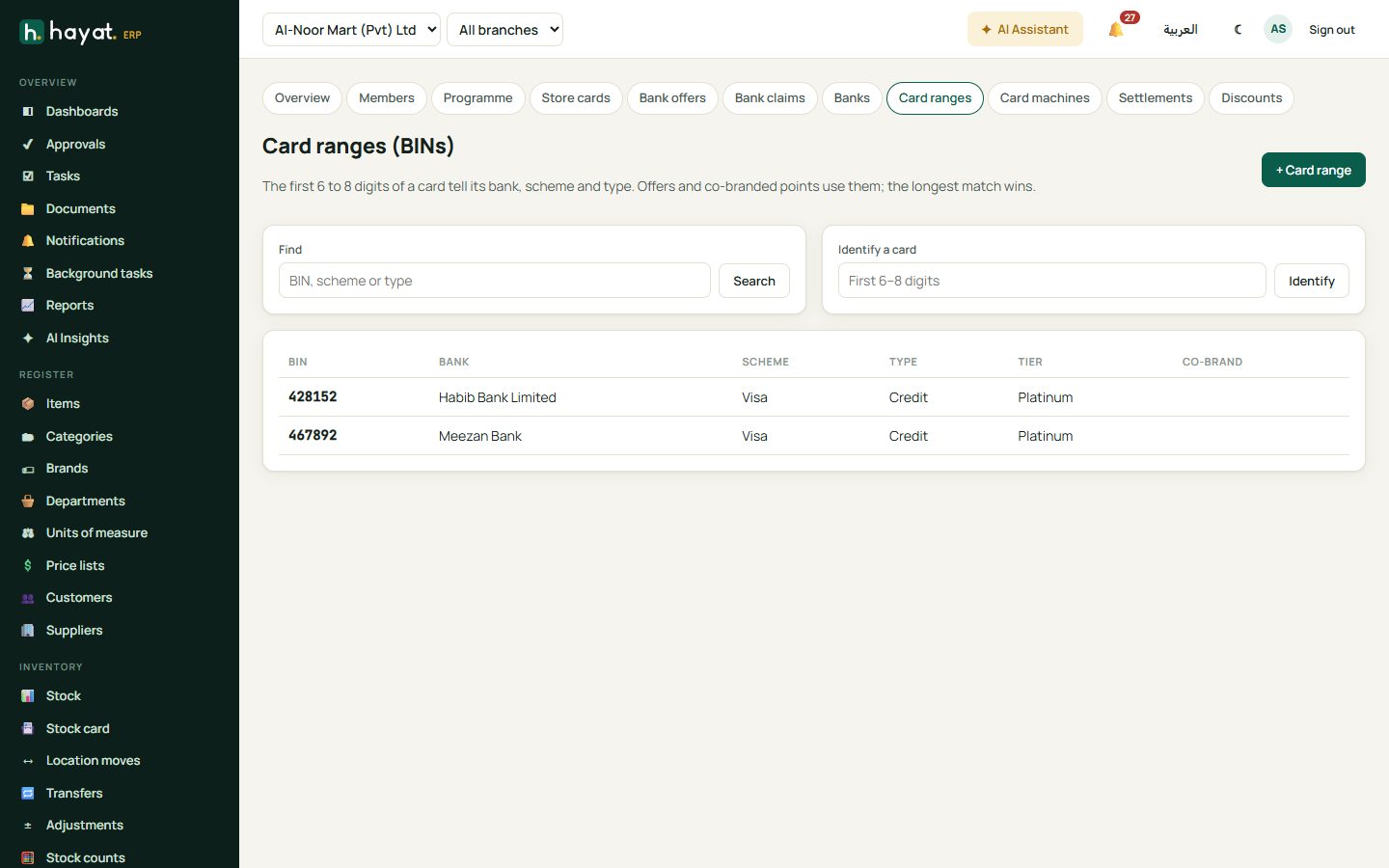
Card ranges (BINs) lists the first 6–8 digits of the bank's cards with the scheme (Visa, Mastercard, UnionPay, PayPak, Amex, OmanNet), type (credit, debit, prepaid) and tier (classic, gold, platinum…). The longest match wins. Identify a card shows which bank and type a number belongs to.
Set up an offer
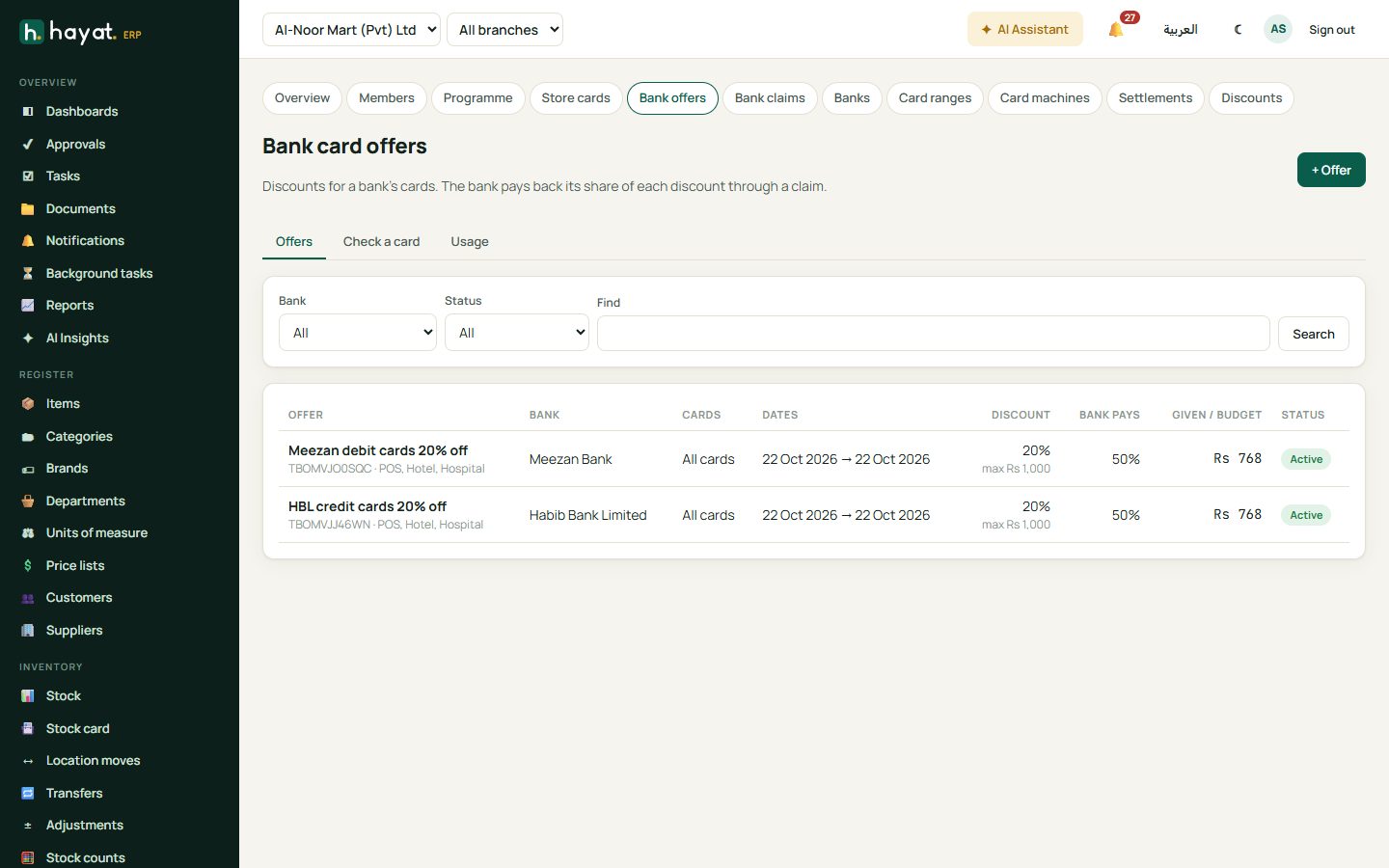
- Bank card offers → + Offer: code and name (HBL Credit 20% off), the bank.
- Which cards: card types, tiers, schemes or particular BINs (blank = all the bank's cards).
- Where and when: channels (till, online, hotel, travel, school, hospital…), branches, dates, days of the week and hours.
- The deal: discount %, most per bill, minimum spend, the bank's share % of the discount, a monthly cap per card and a total budget.
- Save. Pause, Resume and End control it; an ended offer cannot change.
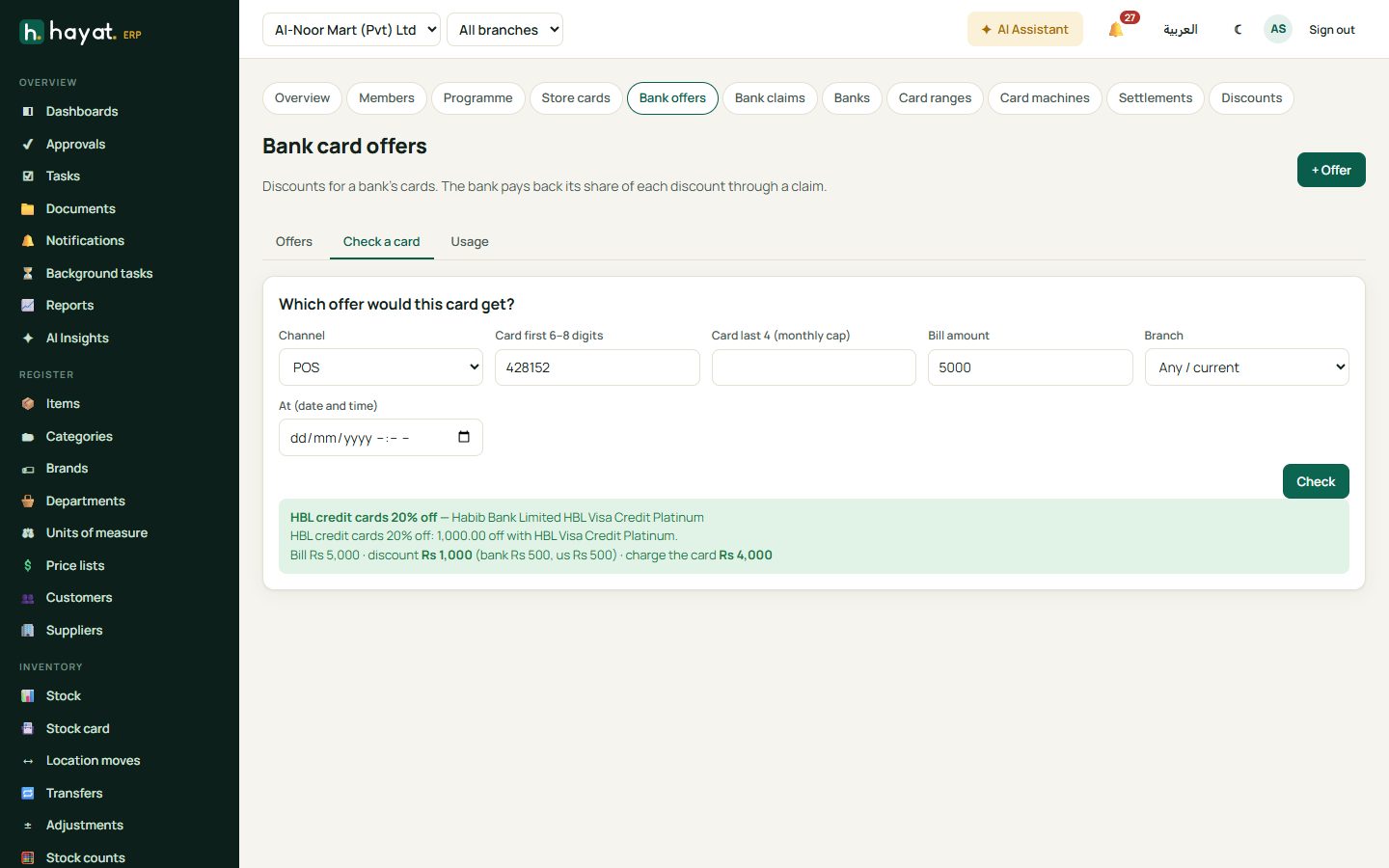
Check a card answers "which offer would this card get on this bill?" — channel, the card's first 6–8 and last 4 digits, amount, branch and time. The Usage tab lists every bill that got an offer.
Offers at the till
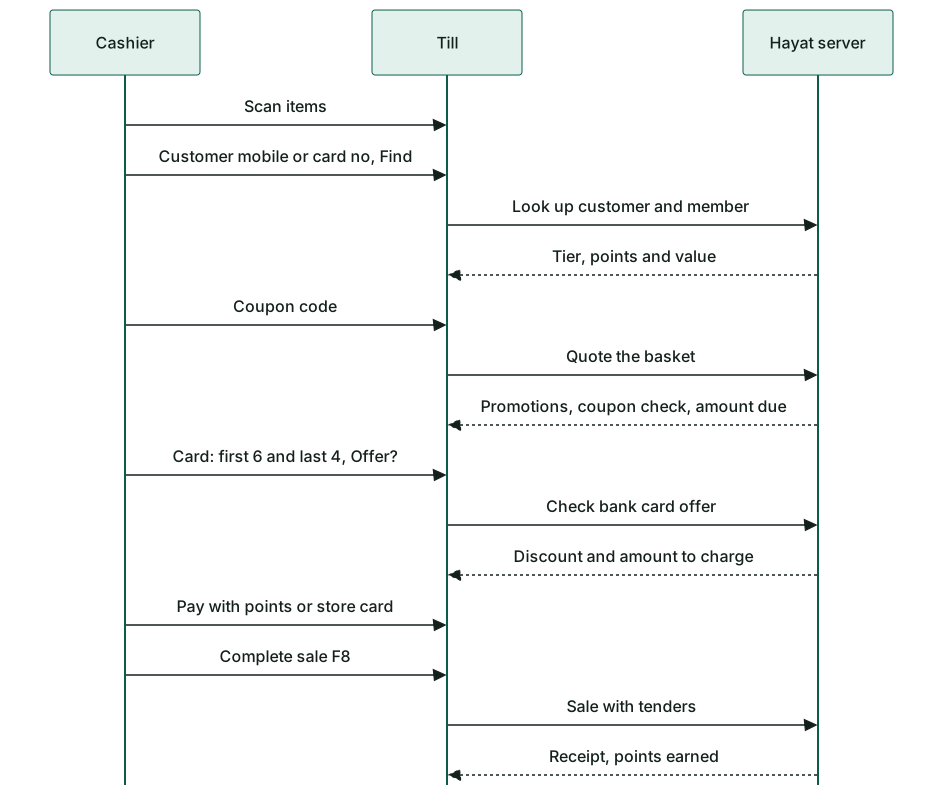
- Add the items and, if you like, the customer and coupon as usual.
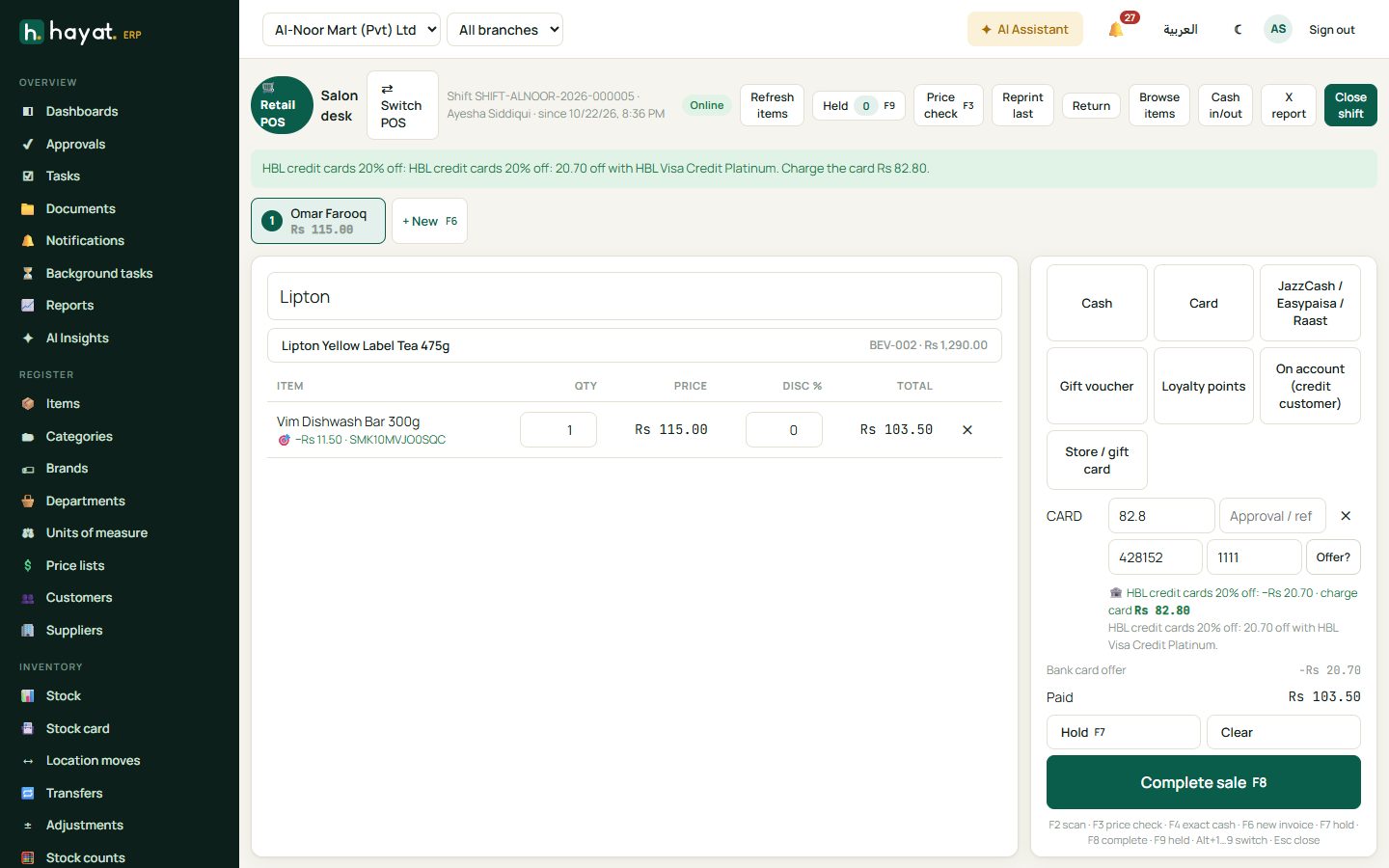
- Click the Card payment. Type the card's first 6 digits and last 4, and press Offer?.
- If an offer applies, the till shows it — e.g. HBL Credit 20% off: −Rs 600 · charge card Rs 2,400. Charge exactly that on the card machine and type the approval code.
- Complete sale. The receipt prints the bank offer line.
- One offer per bill. If the basket changes after the check, press Offer? again.
- The offer is not counted as cash at cash-up; the X and Z reports show it on its own line.
- A return gives back the offer in proportion; it never becomes a cash refund.
Hotel, travel, school and hospital desks type the first 6 (and last 4) digits in the card payment; Hayat takes the offer off and charges only the rest by card. The hotel and travel apps have a Check bank offer button.
Bank claims
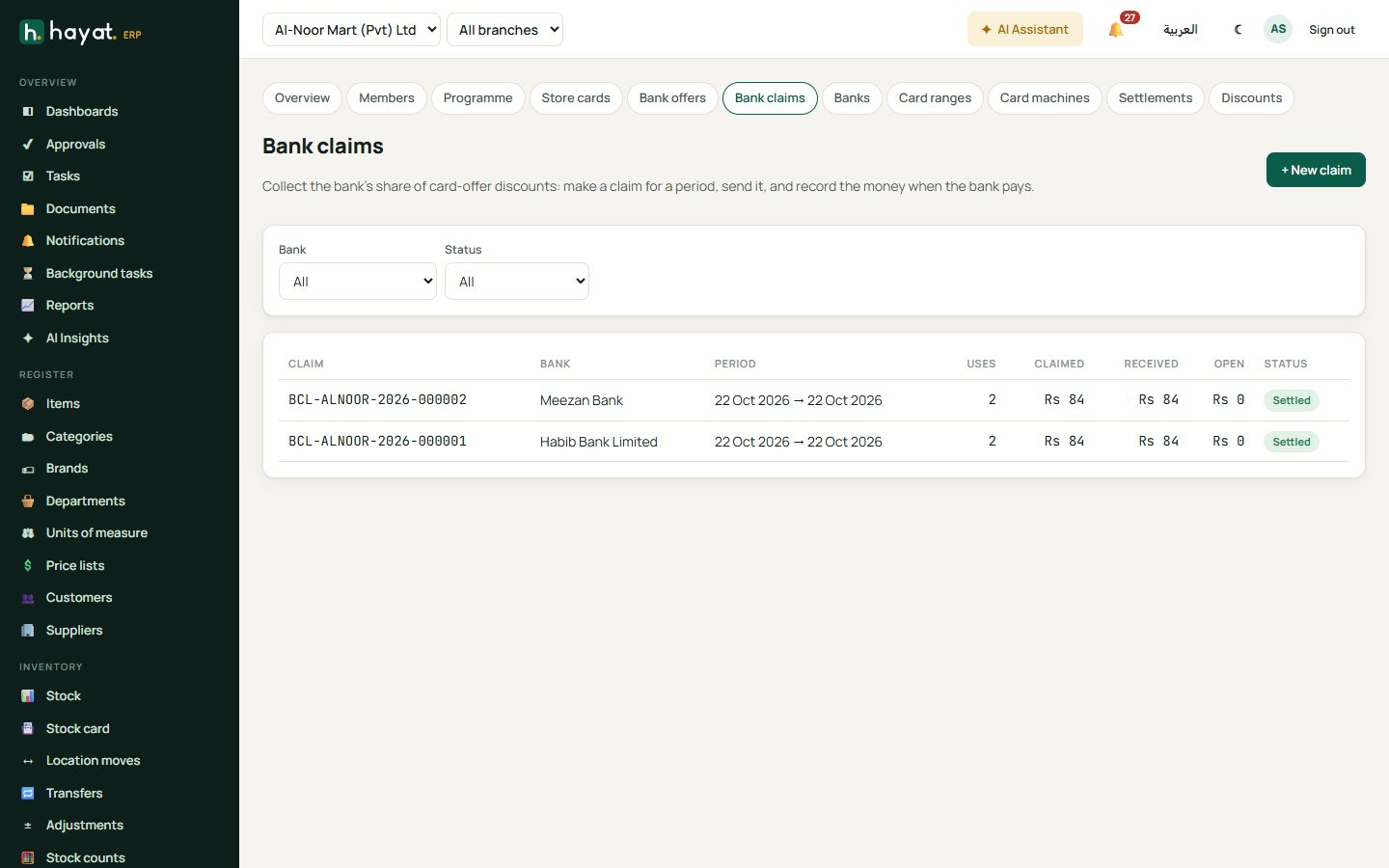
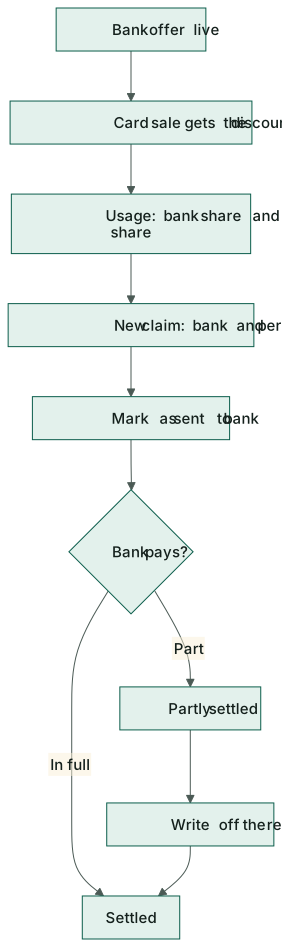
- Bank claims → + New claim: choose the bank and the period. Every unclaimed offer usage of that bank in the period goes in.
- Print the statement and Mark as sent to bank.
- When the bank pays, Record payment: amount received, date, reference and the account it was received into. Tick write off the rest if the bank will not pay a shortfall.
A claim is Draft, Submitted, Partly settled or Settled. A draft can be deleted — its usage becomes unclaimed again.
Card machines and settlements
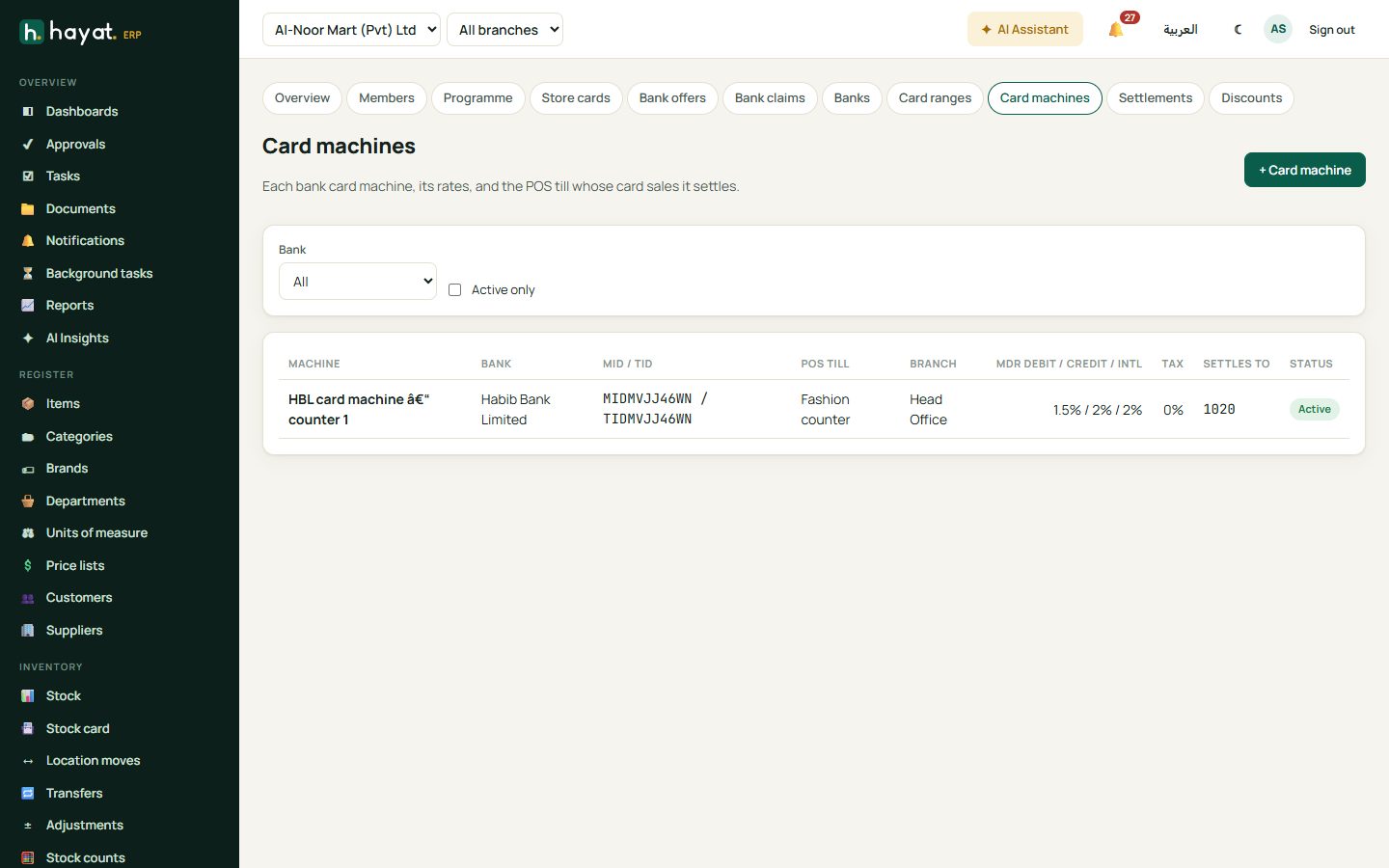
Card machines: each bank terminal with its MID and TID, the POS till it sits at, the branch, the bank's commission (MDR) for debit, credit and international cards, the tax the bank withholds, and the account deposits go into.
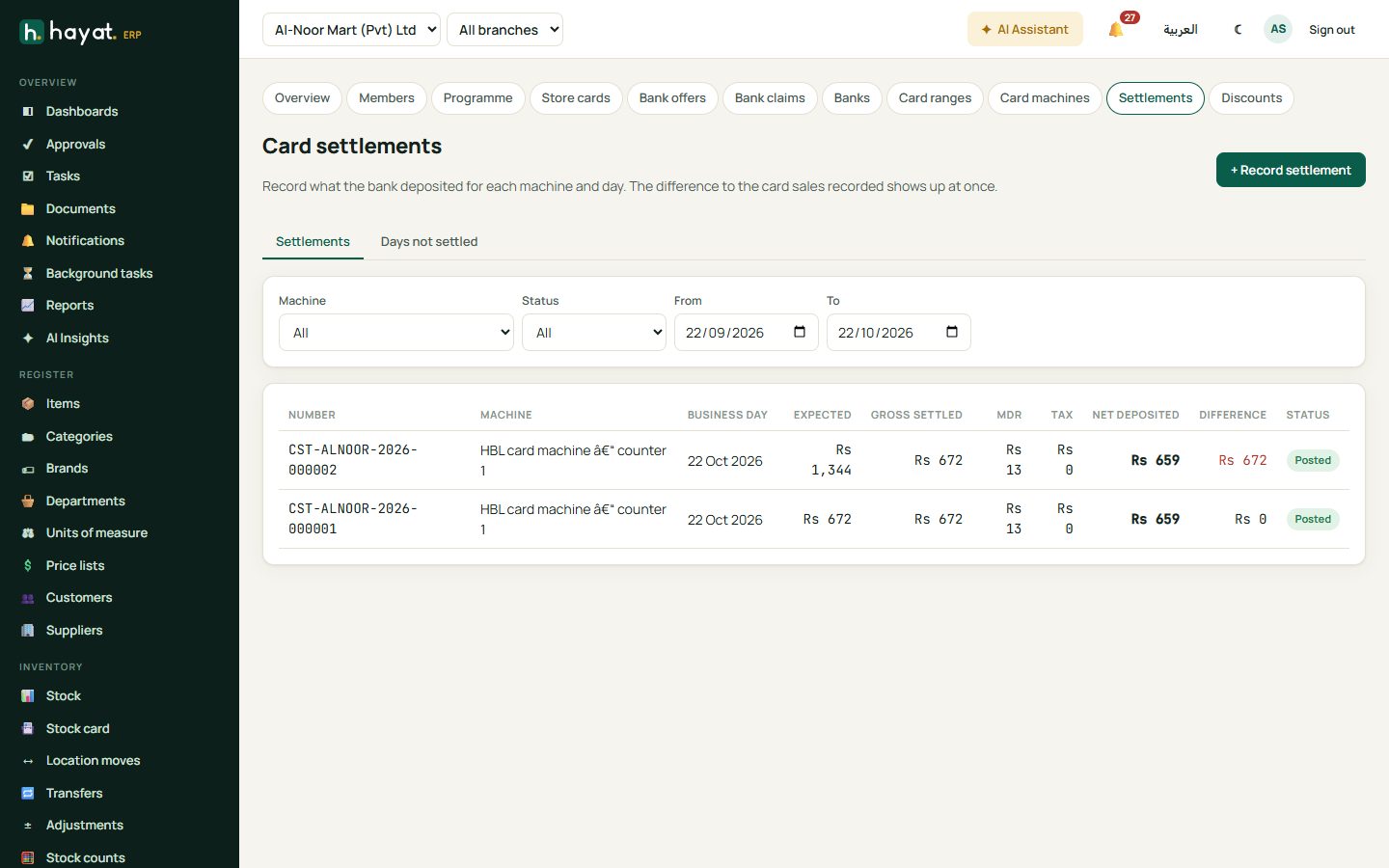
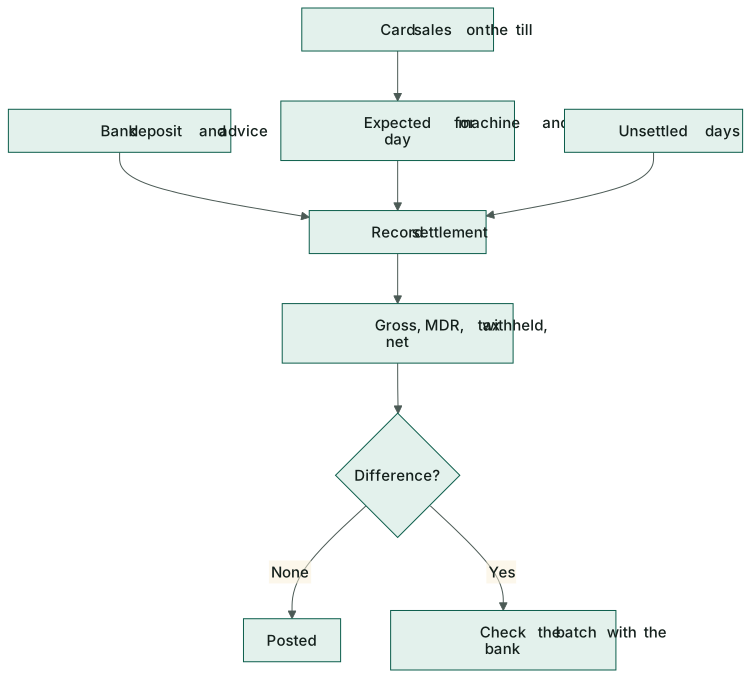
- Card settlements → + Record settlement. Choose the machine and the business day (batch date). Hayat loads the card sales recorded on that machine's till for the day.
- Type the gross the bank settled (and how much was debit and international). MDR, tax and net are worked out from the machine's rates — untick to type the bank's own figures.
- Add the bank's reference and the deposit date, and Post settlement.
- Any difference between card sales and gross settled shows at once — check the batch with the bank.
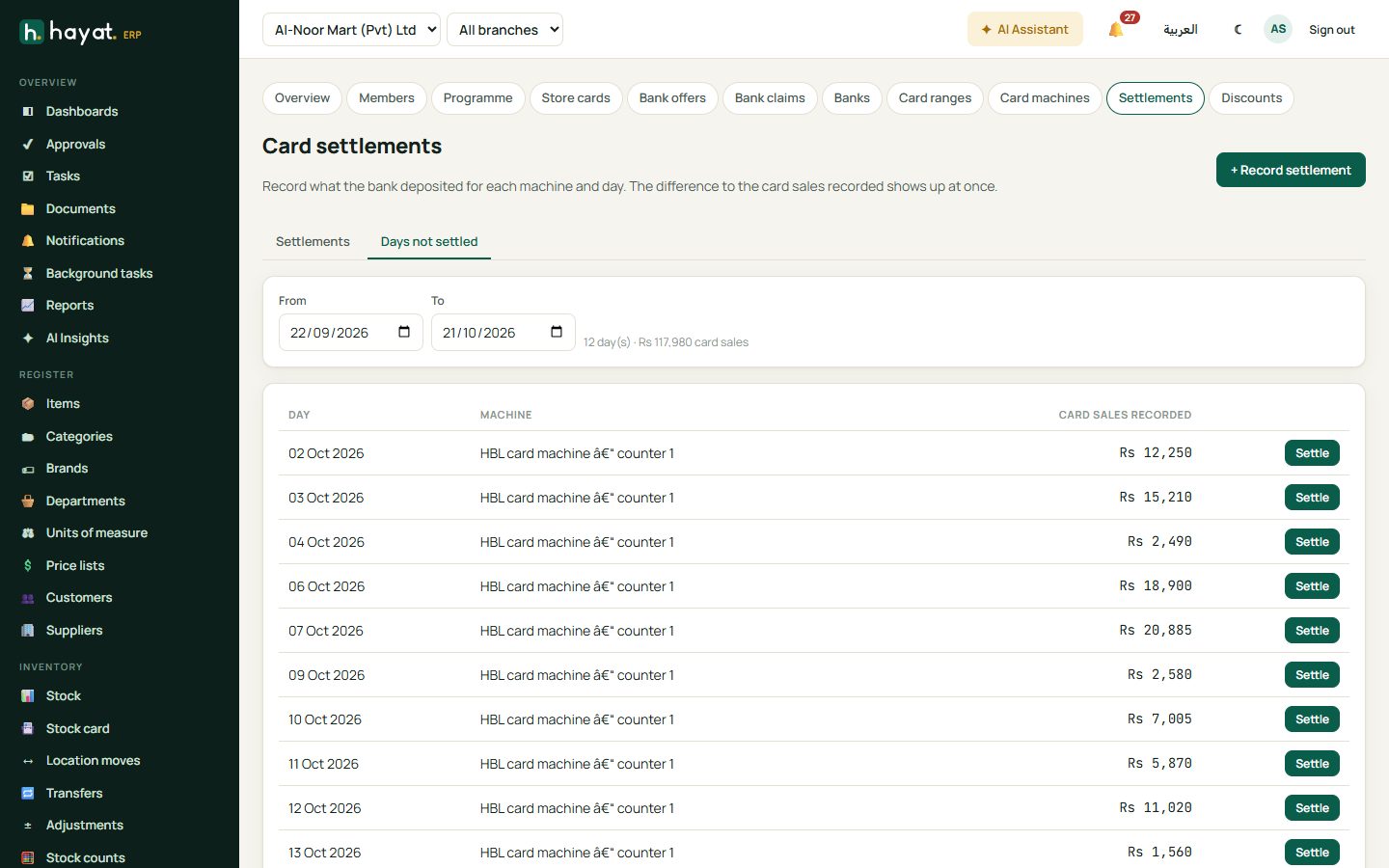
Days not settled lists machine-days with card sales and no settlement yet (last 30 days). A settlement can be reversed from its detail.
Workflow
Where the money goes
See How every module reaches the accounts.
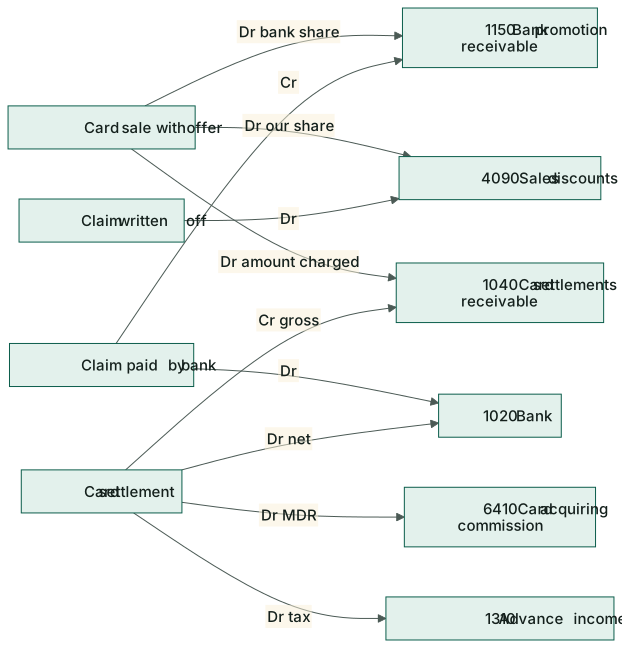
| Event | Debit | Credit |
|---|---|---|
| Card sale with an offer | 1040 Card settlements receivable (amount charged); 1150 Bank promotion receivable (bank's share); 4090 Sales discounts (our share) | 4010 Sales, 2100 Output tax (the full sale) |
| Offer given back on a return | 4010 Sales … | 1150 / 4090 (in proportion) |
| Bank pays the claim | 1020 Bank (or the bank's account) | 1150 Bank promotion receivable |
| Shortfall written off | 4090 Sales discounts & promotions | 1150 Bank promotion receivable |
| Card settlement posted | 1020 Bank (net deposited); 6410 Card acquiring commission (MDR); 1310 Advance income tax (tax withheld) | 1040 Card settlements receivable (gross) |