
Loyalty programme and store cards
hayaterp.com/rewards ↗Reward customers with points and tiers, run bonus-point campaigns, enrol members and print their cards, and sell prepaid store and gift cards.
Loyalty & cards is one module for everything that rewards or pays on behalf of a customer: the loyalty programme and its members, store and gift cards, bank card offers and claims and discount control. Points and cards work at the till, in the online shop, on sales invoices and in the hotel, travel, school and hospital workspaces.
Who does what
| Role | Typical person | Can do |
|---|---|---|
| Admin / Management | Owner, marketing | Set the programme, tiers and bonus campaigns (rewards.manage). |
| Branch Manager | Store manager | Enrol members, adjust points, sell, load and block cards. |
| POS Supervisor | Senior cashier | Enrol members, sell and load cards, check balances. |
| Cashier | Till operator | Find the member at the till, pay with points or a store card — no access to the screens here. |
| Accountant | Accounts | See members and card balances; bank claims and settlements (see Bank card offers). |
The overview
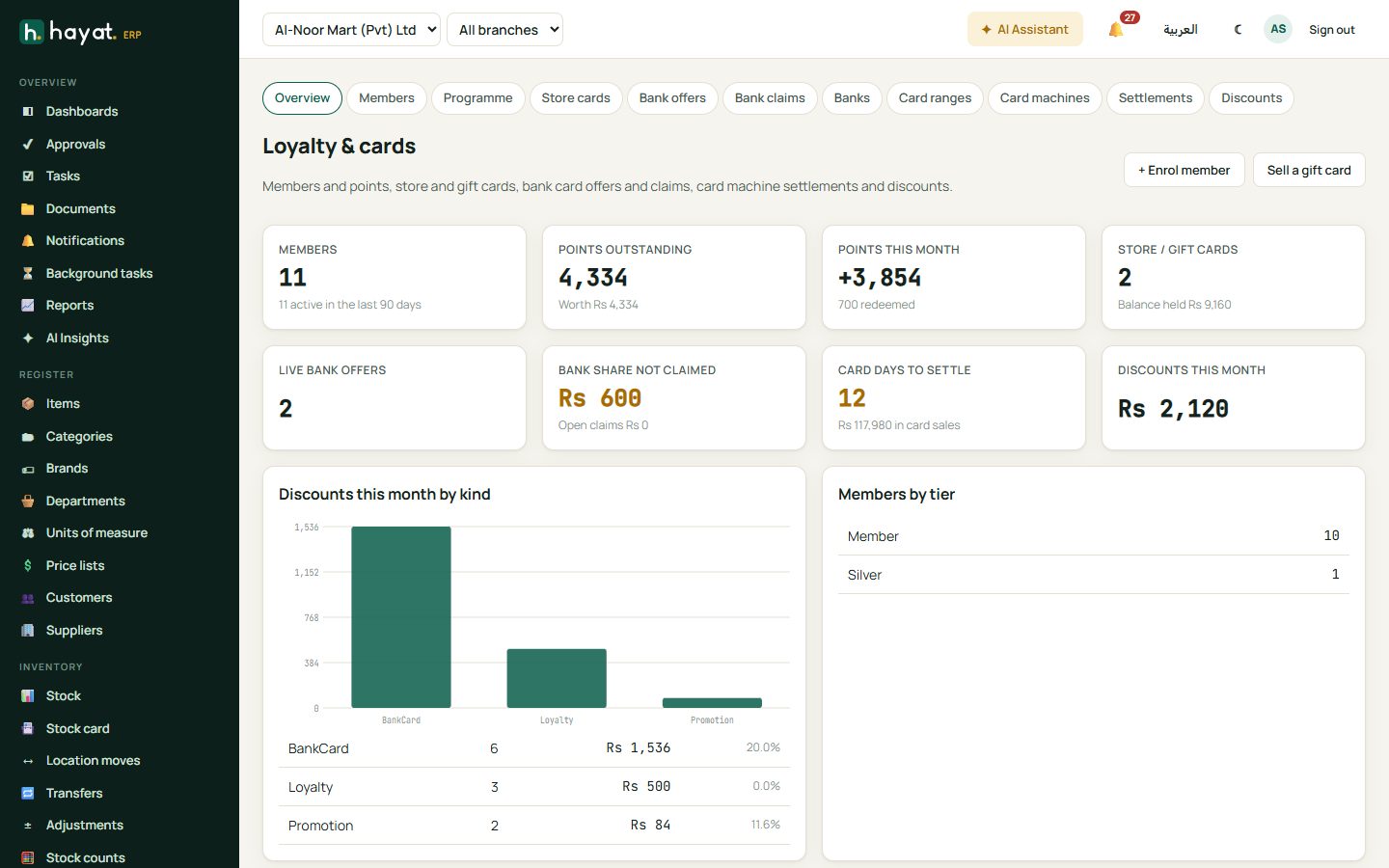
Loyalty & cards shows members (and how many were active in the last 90 days), members by tier, points outstanding and what they are worth, points earned and used this month, active store cards and their balance, live bank offers, bank money still to claim, open claims, card days not settled and discounts given this month. + Enrol member and Sell a gift card are at the top.
Set up the programme
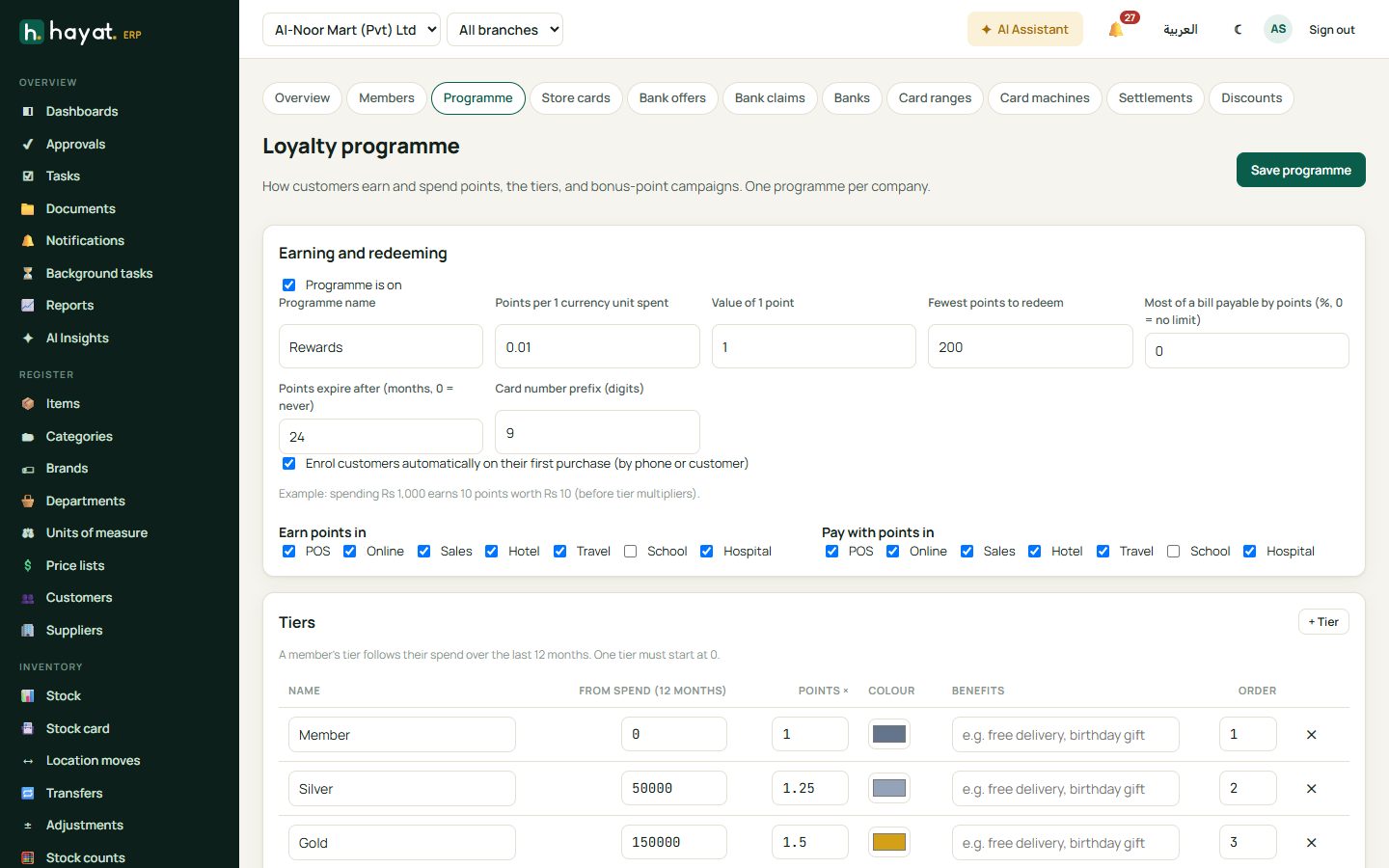
- Loyalty & cards → Loyalty programme. Tick enabled and give it a name (e.g. Al-Noor Rewards).
- Points per 1 currency unit spent and Value of 1 point — e.g. 1 point per Rs 100 (0.01) and each point worth Rs 1. The example line shows what Rs 1,000 earns.
- Fewest points to redeem, Most of a bill payable by points (%, 0 = no limit) and Points expire after (months, 0 = never).
- Card number prefix — the first digits of every member card.
- Tick auto-enrol to make a member from the customer's phone at their first purchase.
- Tick where points are earned and where they can pay — the till, online shop, sales invoices, hotel, travel, school and hospital. New programmes start with POS, online, sales, hotel and travel.
- Check the tiers and click Save programme.
Tiers
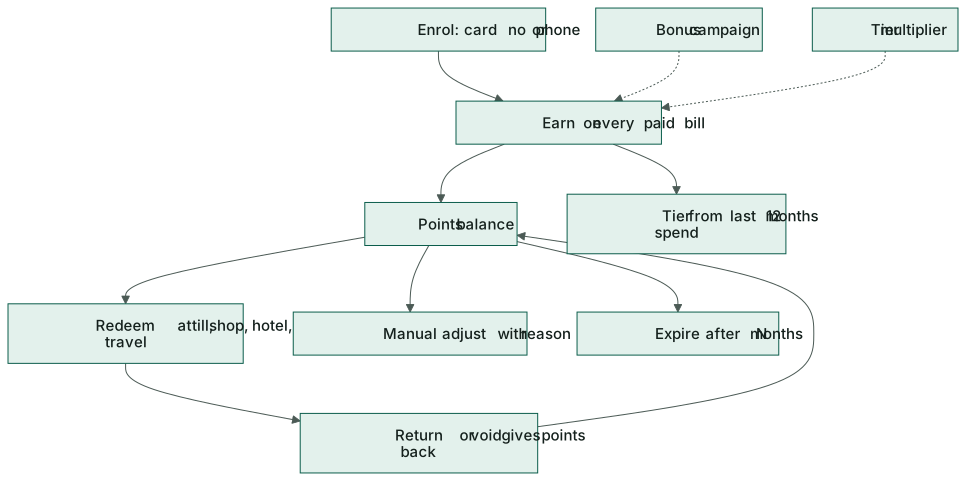
Each tier has the spend needed in the last 12 months, an earn multiplier, a colour and a benefits line. The standard tiers are:
| Tier | Spend in the last 12 months | Earns |
|---|---|---|
| Member | 0 | ×1 |
| Silver | 50,000 | ×1.25 |
| Gold | 150,000 | ×1.5 |
| Platinum | 400,000 | ×2 |
A member's tier is worked out again after every purchase.
Bonus-point campaigns
+ Campaign gives extra points for a while: a name (Double points weekend), dates, days of the week, channels, categories (blank = whole bill), a multiplier (2 = double points) and/or bonus points once per bill, and a minimum spend.
Members
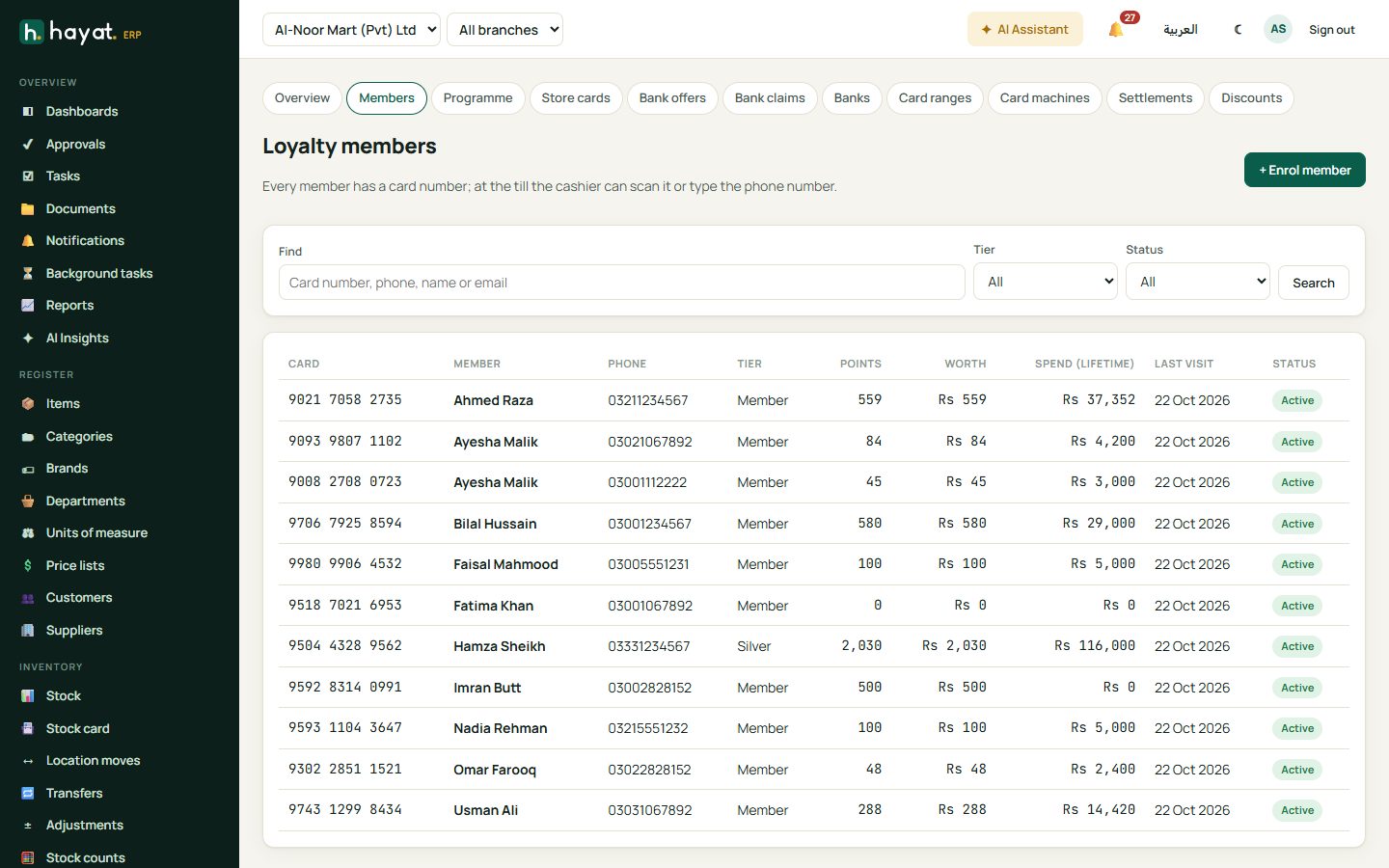
Members lists everyone with a card: card number, name, phone, tier, points and their value, lifetime spend and last activity. Search by card number, phone, name or email; filter by tier or status.
Enrol a member
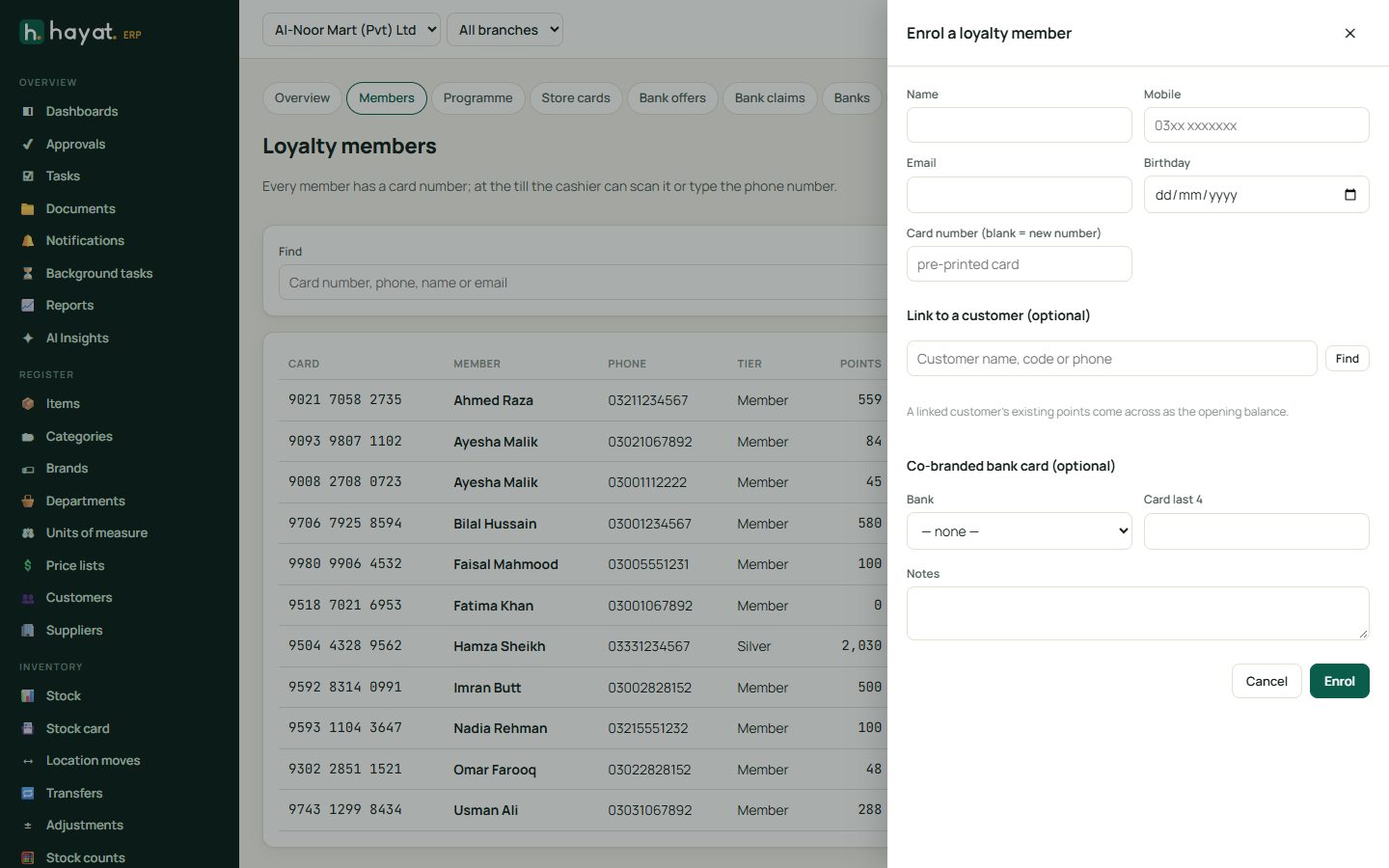
- + Enrol member.
- Type the name and mobile (each mobile can have one card), and optionally email and birthday.
- Leave Card number blank for a new number, or type the number of a pre-printed card.
- Link the member to a customer if they buy on credit — any old loyalty points of that customer come across.
- For a co-branded bank card, choose the bank and the card's last 4 digits; that bank's cards then earn extra points.
- Click Enrol. 🖨 Print card prints a card-sized loyalty card in the tier colour with the card number, name and member-since date.
A member's card
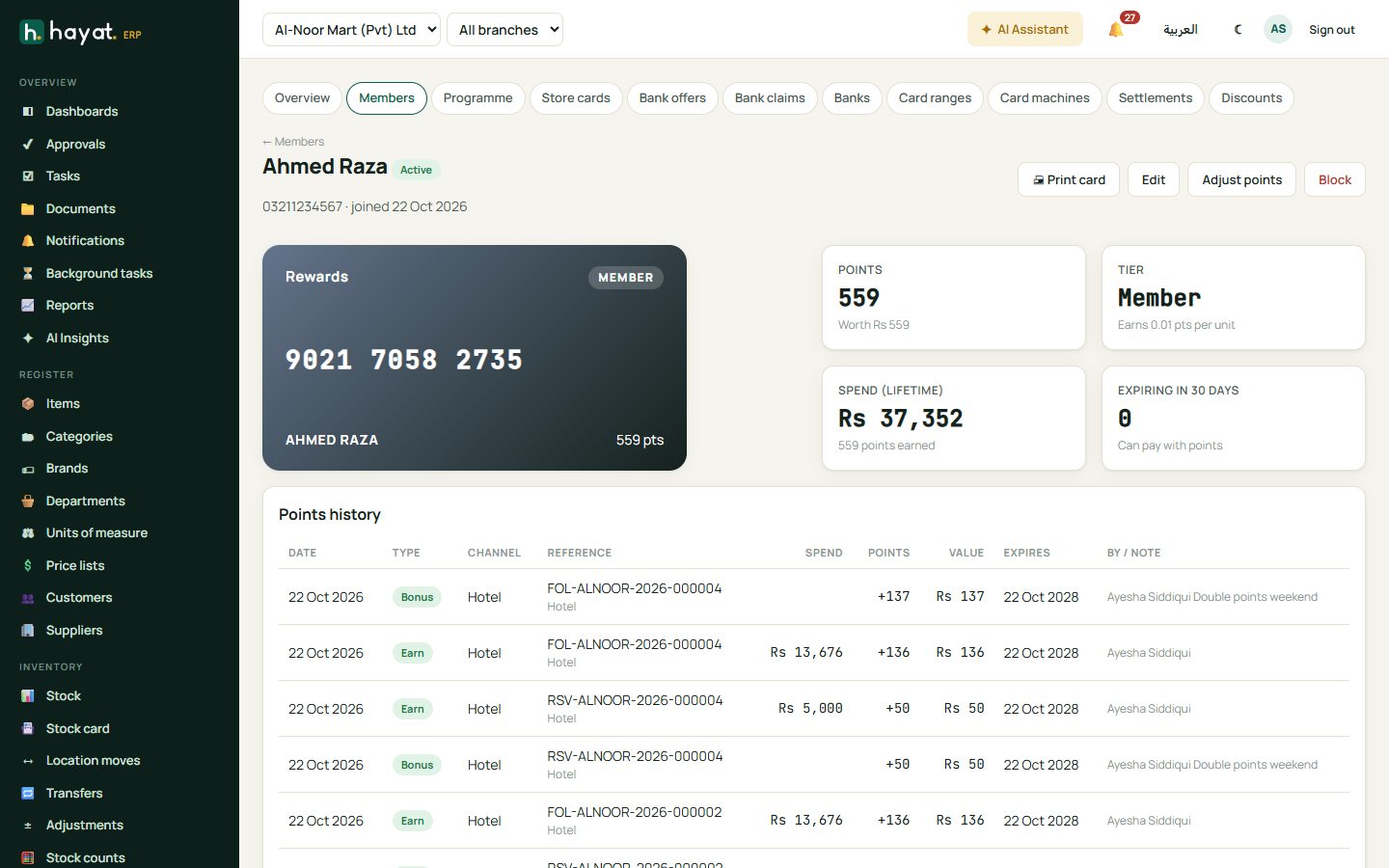
Open a member to see the card, tier, points and their value, points expiring in the next 30 days and every entry: opening balance, earned, bonus, used, expired, adjusted and given back. Adjust points adds or removes points with a reason (goodwill, correction, complaint); Block stops a lost card; Edit changes the details.
Earning and using points
- At the till the cashier types the customer's mobile or scans the card and presses Find; the member's tier and points show. Pay with points uses them, up to the programme's limits. Points are earned on what the customer paid (not on points, the bank's share of a card offer or the FBR fee). See Point of sale.
- Online shoppers who are members see their card and Use my points at the cart. See Shopping at shop.hayaterp.com.
- Sales invoices earn points for member customers when posted.
- Hotel, travel, school and hospital payments can be made by Loyalty points: choose it as the payment method and type the member's card number or phone. Money received in these workspaces also earns points where the programme allows.
- Returns, credit notes and cancellations take back the points earned and give back points that were used, in proportion.
- Expiry: every night points older than the expiry period are expired, oldest first.
Store and gift cards
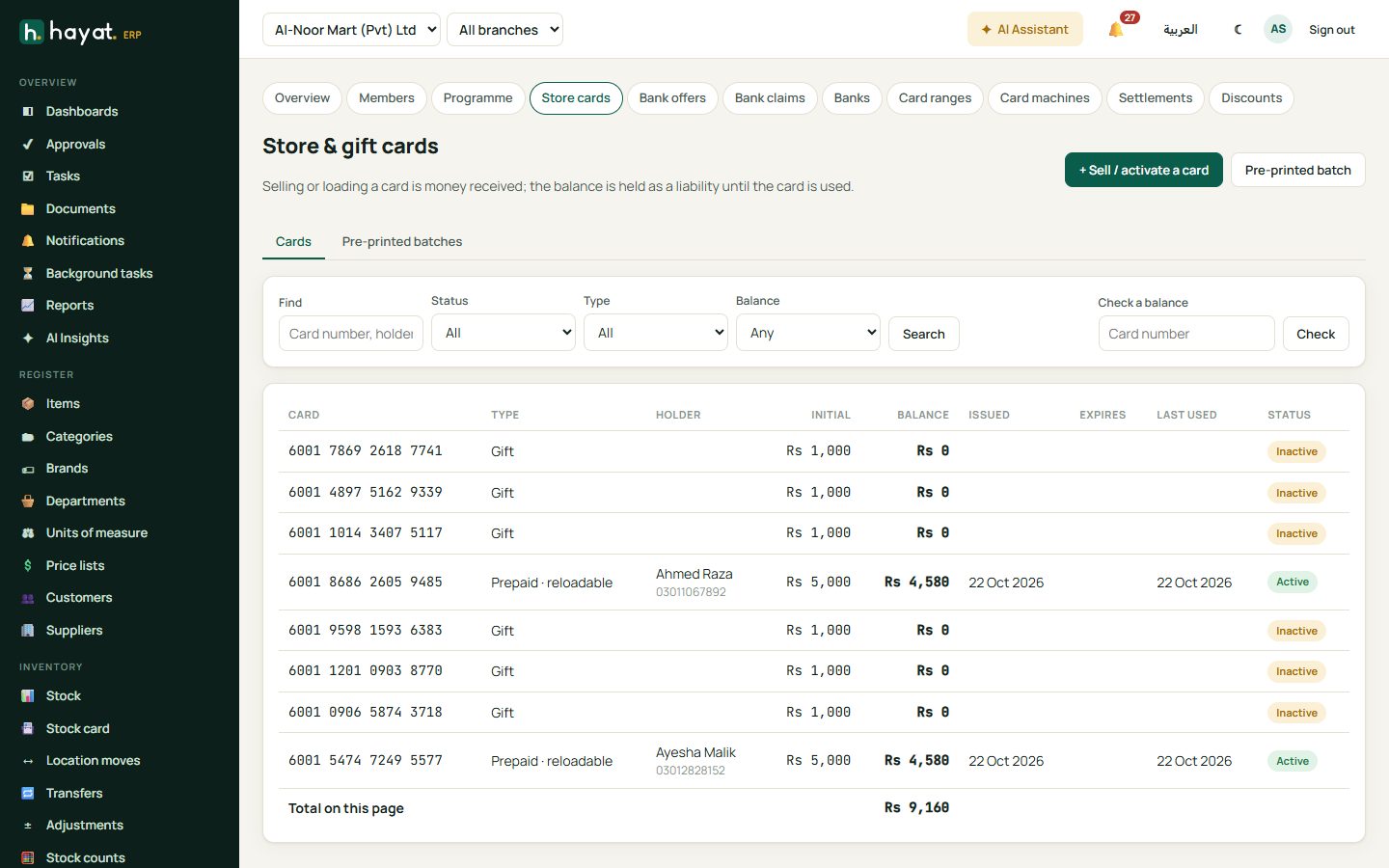
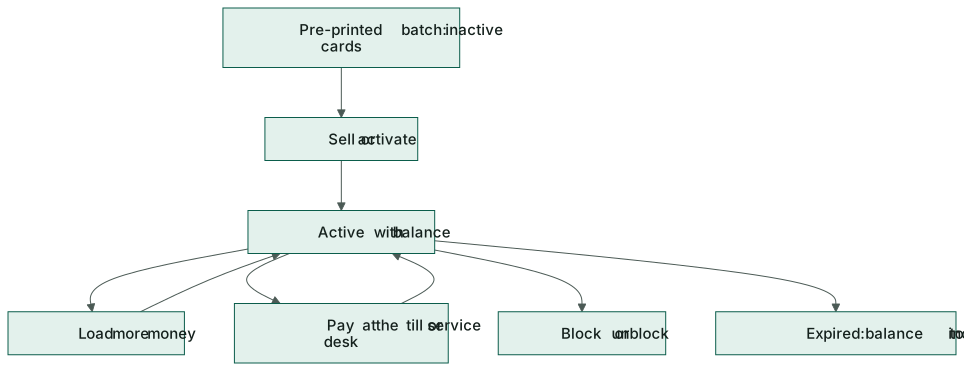
Store & gift cards are prepaid cards with a 16-digit number. Selling or loading one is money received; the balance is owed to the customer until the card is used.
Sell or activate a card
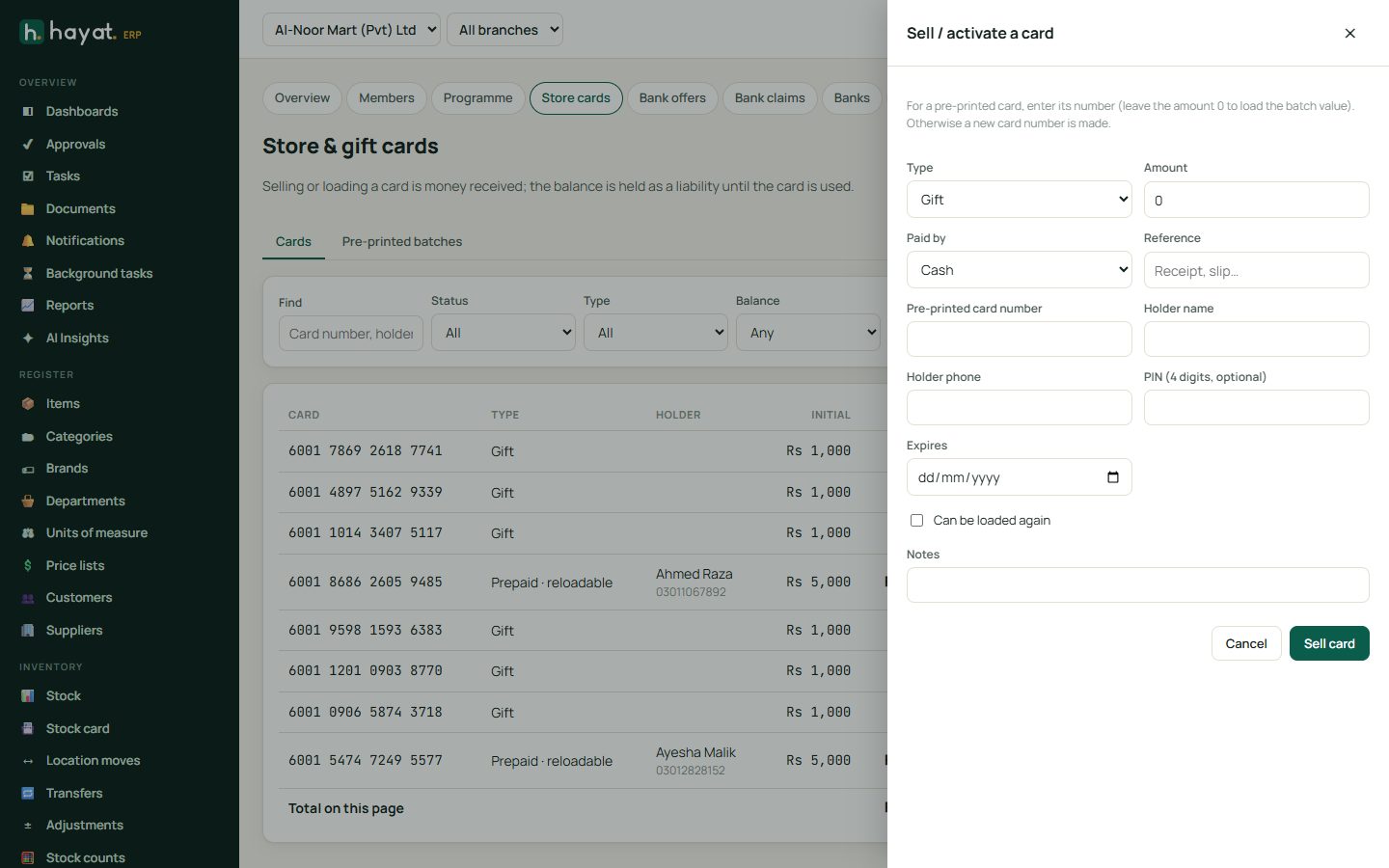
- + Sell / activate a card.
- Choose Gift or Prepaid, the amount and how it was paid, and a reference.
- To activate a pre-printed card, type its number (amount 0 uses the card's printed value).
- Optional: holder name and phone, a 4-digit PIN, reloadable, and an expiry date.
- Click Sell card.
Check a balance by typing the card number. Open a card to Load money (reloadable cards), Block or Unblock it, and see every use.
Pre-printed batches
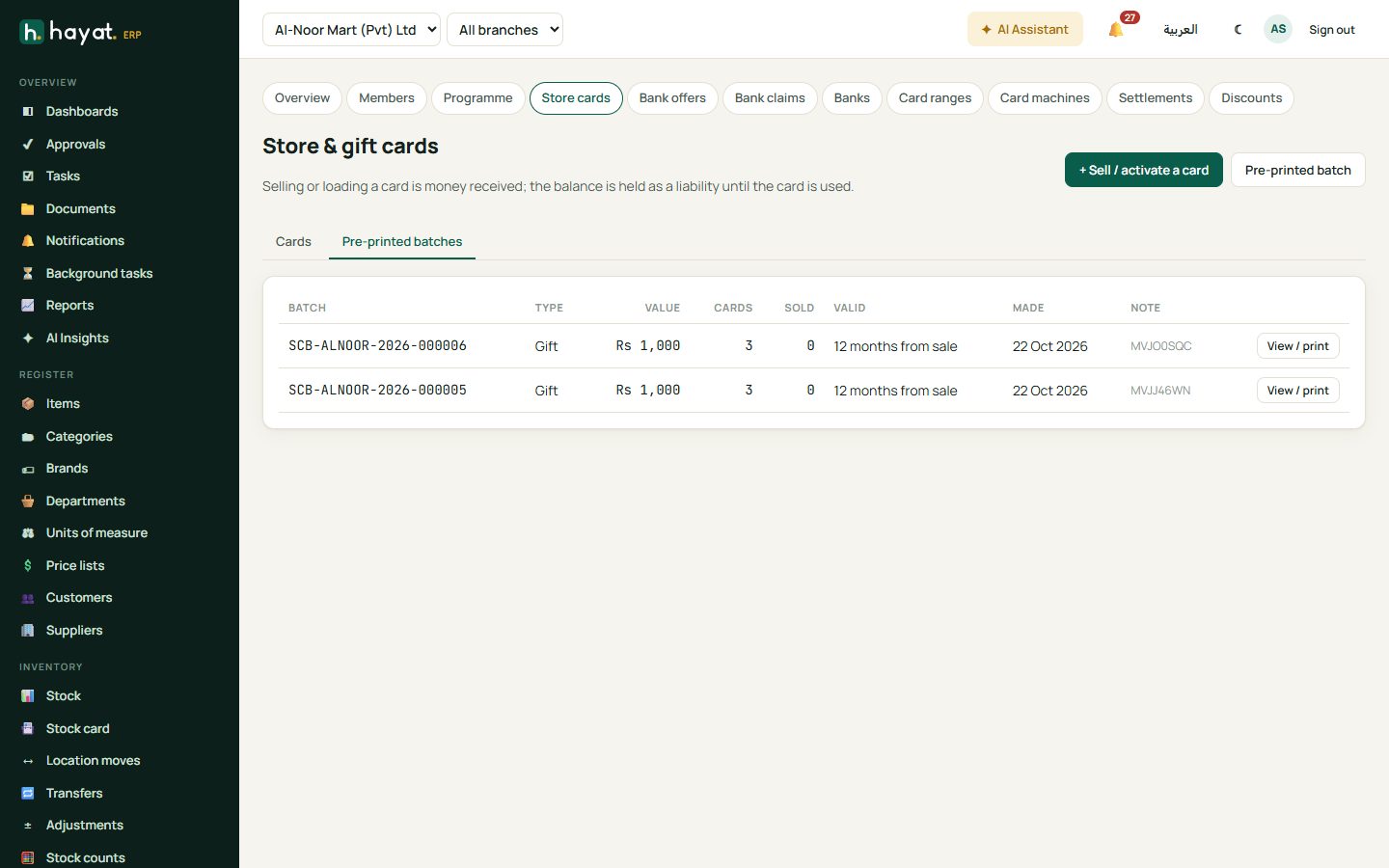
Pre-printed batch makes up to 5,000 inactive cards of one value (e.g. Eid gift cards 2026), with how many months they stay valid from the day they are sold. View / print prints the numbers for the card printer. A batch card works only after it is sold.
Using a store card
At the till choose Store card as the payment, type the card number and PIN — Balance shows what is left. Hotel, travel, school and hospital desks choose Store card in Paid by the same way. Refunds can go back onto the card. Cards past their expiry date are closed every night.
Workflow
Where the money goes
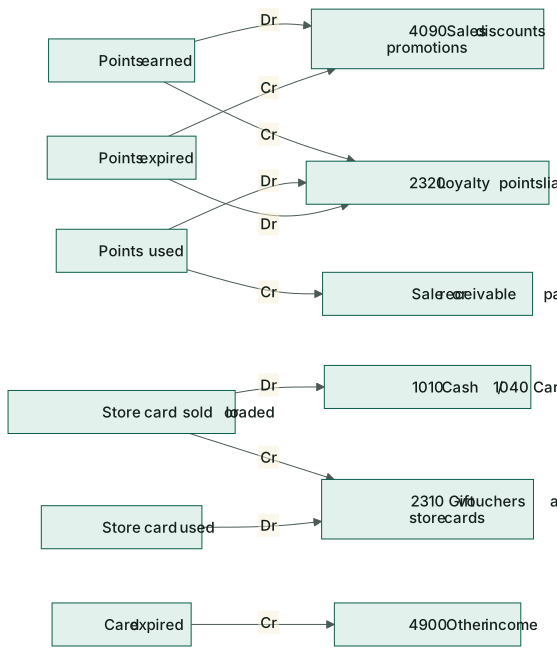
Points and card balances are liabilities: money you owe your customers in goods. See How every module reaches the accounts.
| Event | Debit | Credit |
|---|---|---|
| Points earned | 4090 Sales discounts & promotions | 2320 Loyalty points liability |
| Points used to pay | 2320 Loyalty points liability | the sale or 1100–1140 receivable |
| Points expired | 2320 Loyalty points liability | 4090 Sales discounts & promotions |
| Points adjusted up / down | 4090 / 2320 | 2320 / 4090 |
| Store card sold or loaded | 1010 Cash / 1040 Card / 1020 Bank | 2310 Gift vouchers & store cards outstanding |
| Store card used | 2310 Gift vouchers & store cards | the sale or receivable |
| Store card expired | 2310 Gift vouchers & store cards | 4900 Other income |