
Discounts, promotions and coupons
hayaterp.com/discounts ↗Discount reasons and schemes, who may give how much, promotions and their approval, single-use coupon codes, and one report for every discount given.
Hayat keeps every discount under control, wherever it is given — the till, the online shop, sales invoices, and the hotel, travel, school and hospital desks:
- Manual discounts need to stay within the user's limit and the reason's cap, or get a supervisor's approval.
- Promotions are set up once, approved, and then applied automatically (or by a coupon code).
- Bank card offers and loyalty points are covered in Bank card offers and Loyalty programme.
- The discount report shows all of them together.
Who does what
| Role | Can do |
|---|---|
| Cashier | Give discounts at the till up to their own limit, with a reason when asked. |
| POS Supervisor / Branch Manager | Approve bigger discounts, price changes and voids at the till with their PIN; see the discount report. |
| Accountant | See the discount report and log. |
| Management | Approve, pause and end promotions. |
| Admin | Discount reasons and rules (discounts.manage), users' discount limits, create promotions and coupon codes. |
Reasons and schemes
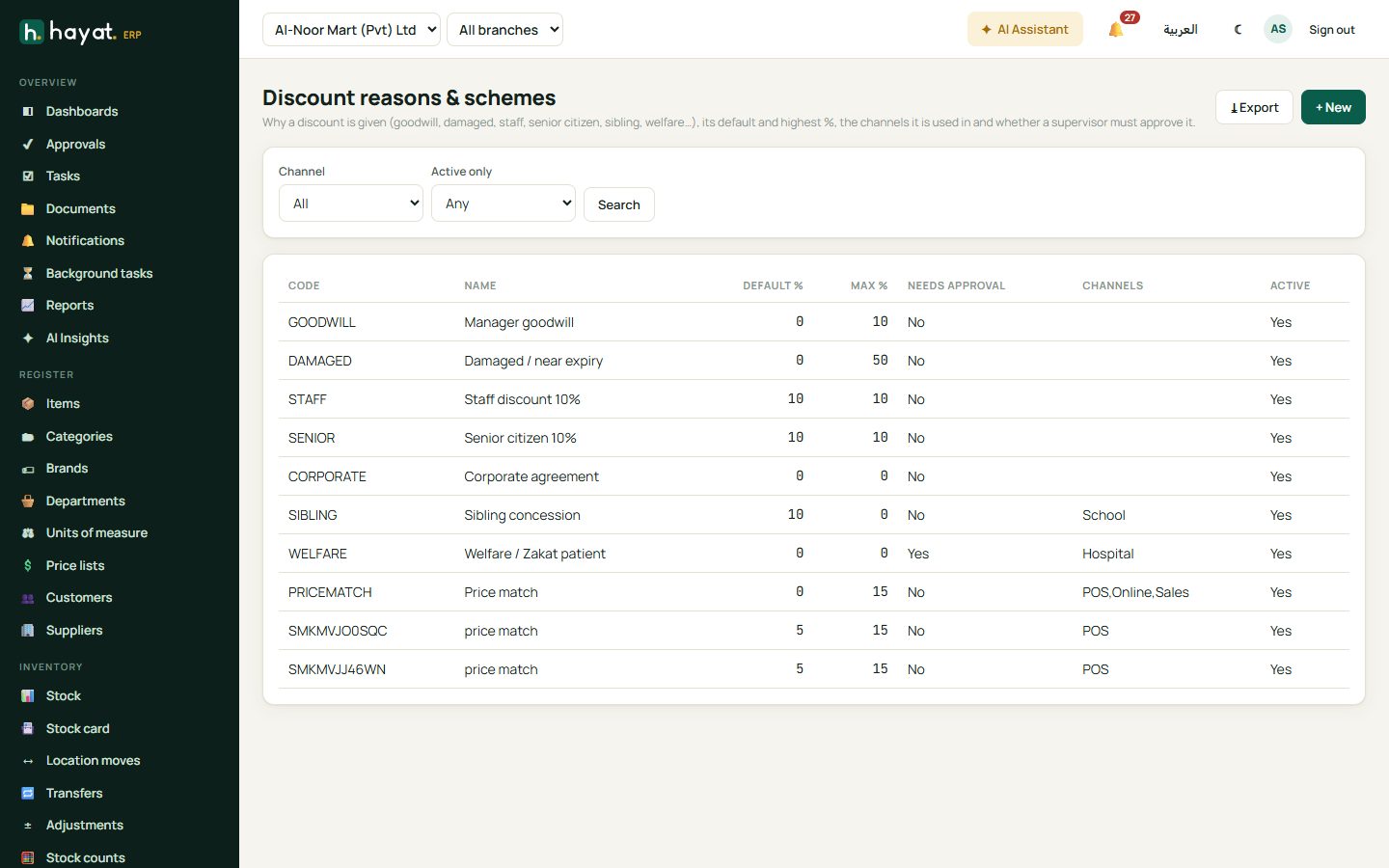
Sales → Discount reasons lists why a discount may be given. Each reason has a default % (a scheme — it fills the discount for you), a highest % (0 = no cap), the channels it is used in and whether it needs supervisor approval. These are ready the first time you open the list:
| Code | Reason | Rule |
|---|---|---|
| GOODWILL | Manager goodwill | at most 10% |
| DAMAGED | Damaged / near expiry | at most 50% |
| STAFF | Staff discount | 10% |
| SENIOR | Senior citizen | 10% |
| CORPORATE | Corporate agreement | — |
| SIBLING | Sibling concession (school) | 10% |
| WELFARE | Welfare / zakat patient (hospital) | needs approval |
| PRICEMATCH | Price match (till, online, sales) | at most 15% |
Add, change or switch off reasons as you like.
Limits and approval
- Set each user's maximum discount % on the user (Settings → Users). Cashiers' supervisors get a PIN.
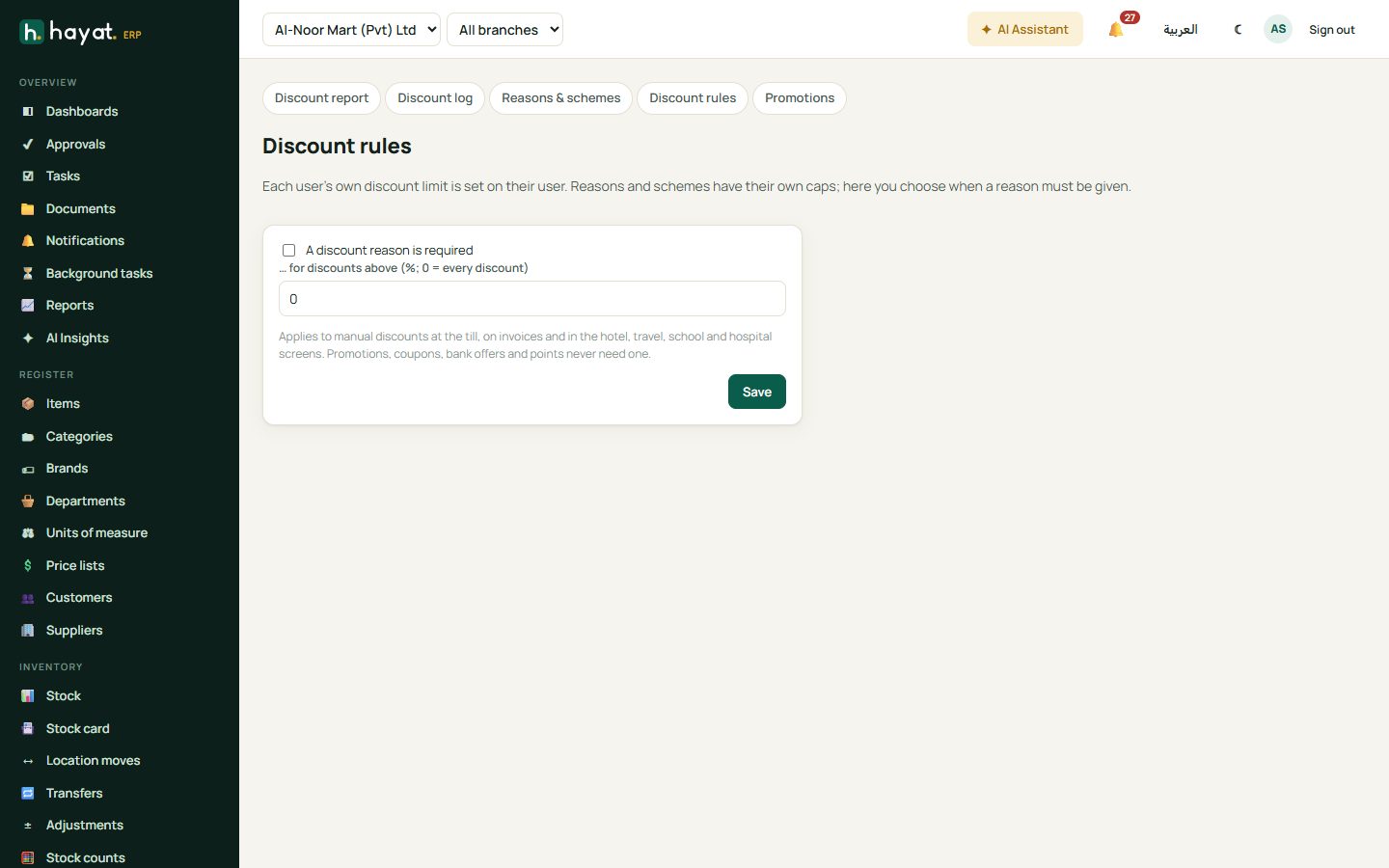
- In Sales → Discount rules tick A discount reason is required, for every discount or only above a % you choose.
- At the till, a discount above the cashier's limit — or with a reason that needs approval — shows Manager approval: the supervisor picks their name and types their PIN.
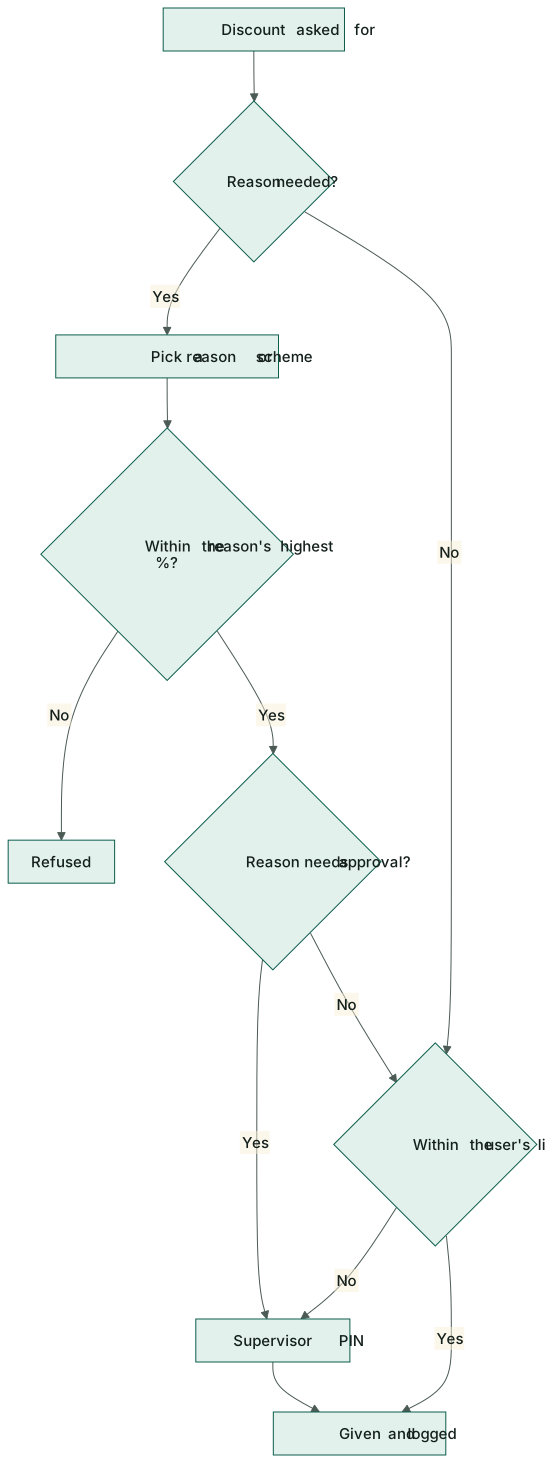
How Hayat decides:
- The reason's highest % always applies, even with approval.
- Within the reason's default % (a scheme like Staff 10%) the user's own limit does not matter.
- Otherwise the discount must be within the user's limit, or approved.
- Every manual discount is written to the discount log with who gave it, the reason, who approved and the customer.
Promotions
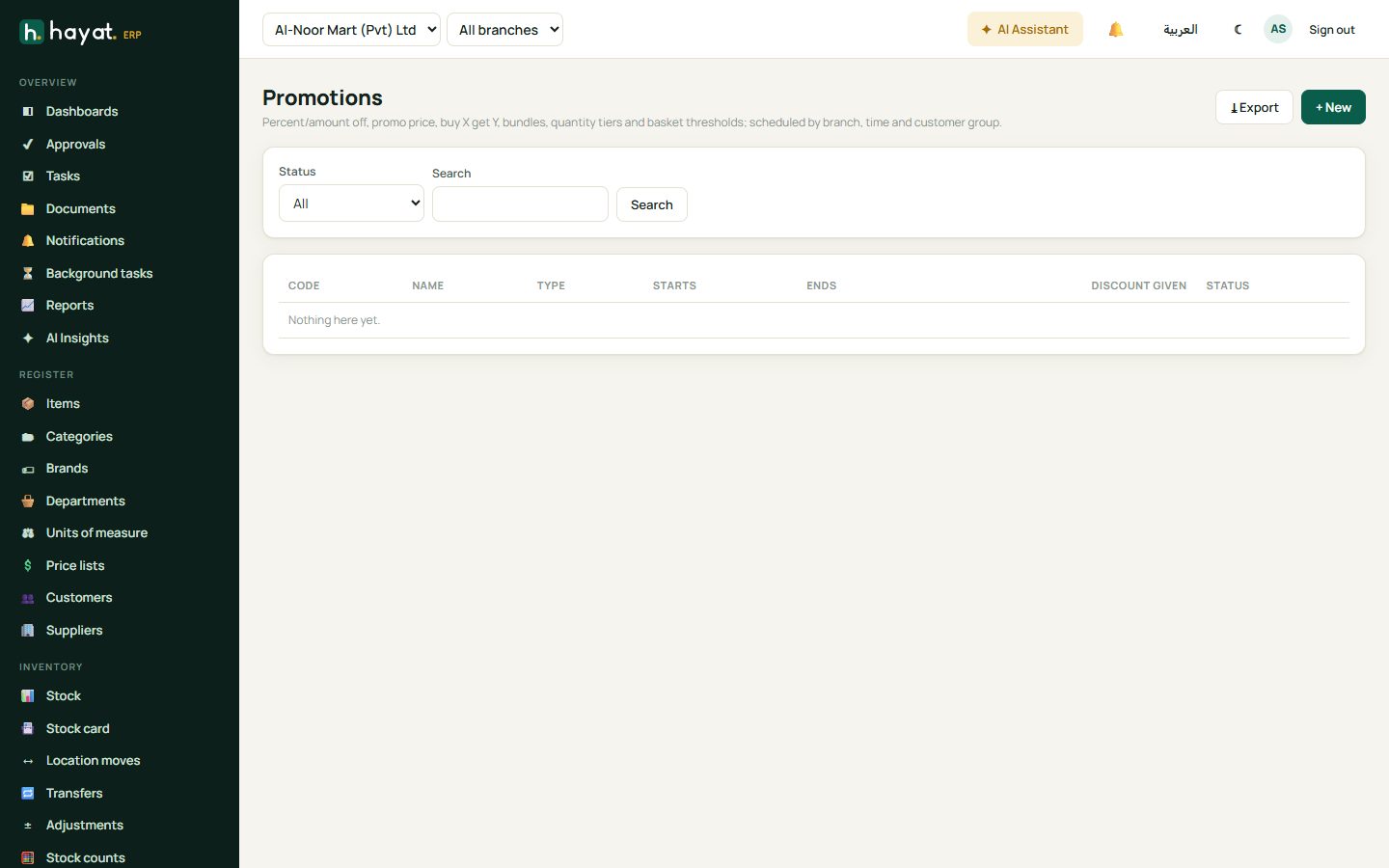
Sales → Promotions → + New sets a discount that applies by itself.
| Type | Example |
|---|---|
| Percent off / Amount off | 10% off all shampoos; Rs 200 off |
| Promo price | Cooking oil 5 L at Rs 2,499 |
| Buy X get Y | Buy 2 get 1 free (Get discount 100%) |
| Bundle | Burger + fries + drink at a bundle price |
| Quantity tiers | 5% off 6+, 10% off 12+ |
| Basket threshold | Rs 500 off bills above Rs 5,000 |
For each promotion choose the dates and times (a daily happy hour if you like), the channel (all, till, online shop, sales invoices & orders, hotel, travel, school or hospital), company and branches, customer classes, loyalty members only, items and categories it applies to (or excludes), priority and whether it combines with others, a budget and max uses per customer. A supplier-funded promotion records the supplier and the % they pay back; Promotions → Supplier claims shows what to claim.
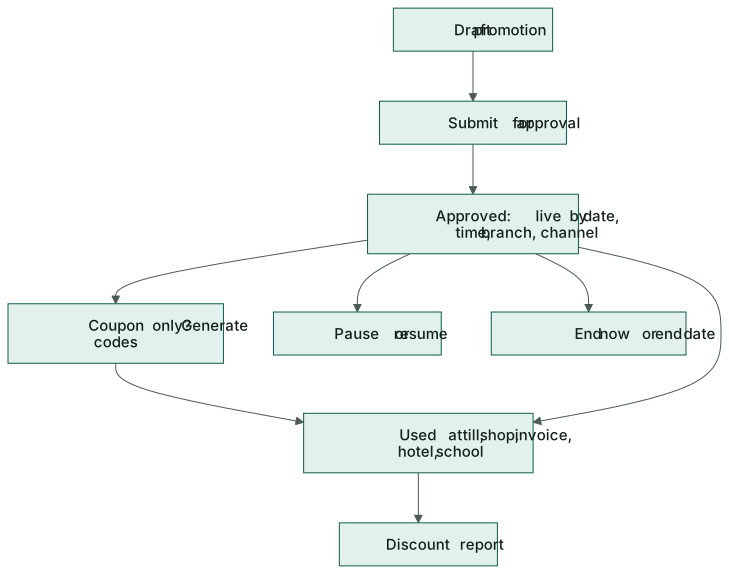
- Save the promotion — it is a Draft.
- Submit for approval. It appears in the approver's Approvals inbox.
- Once Approved it is live between its dates. Pause, Resume, End now and Copy are on the promotion.
Coupon codes
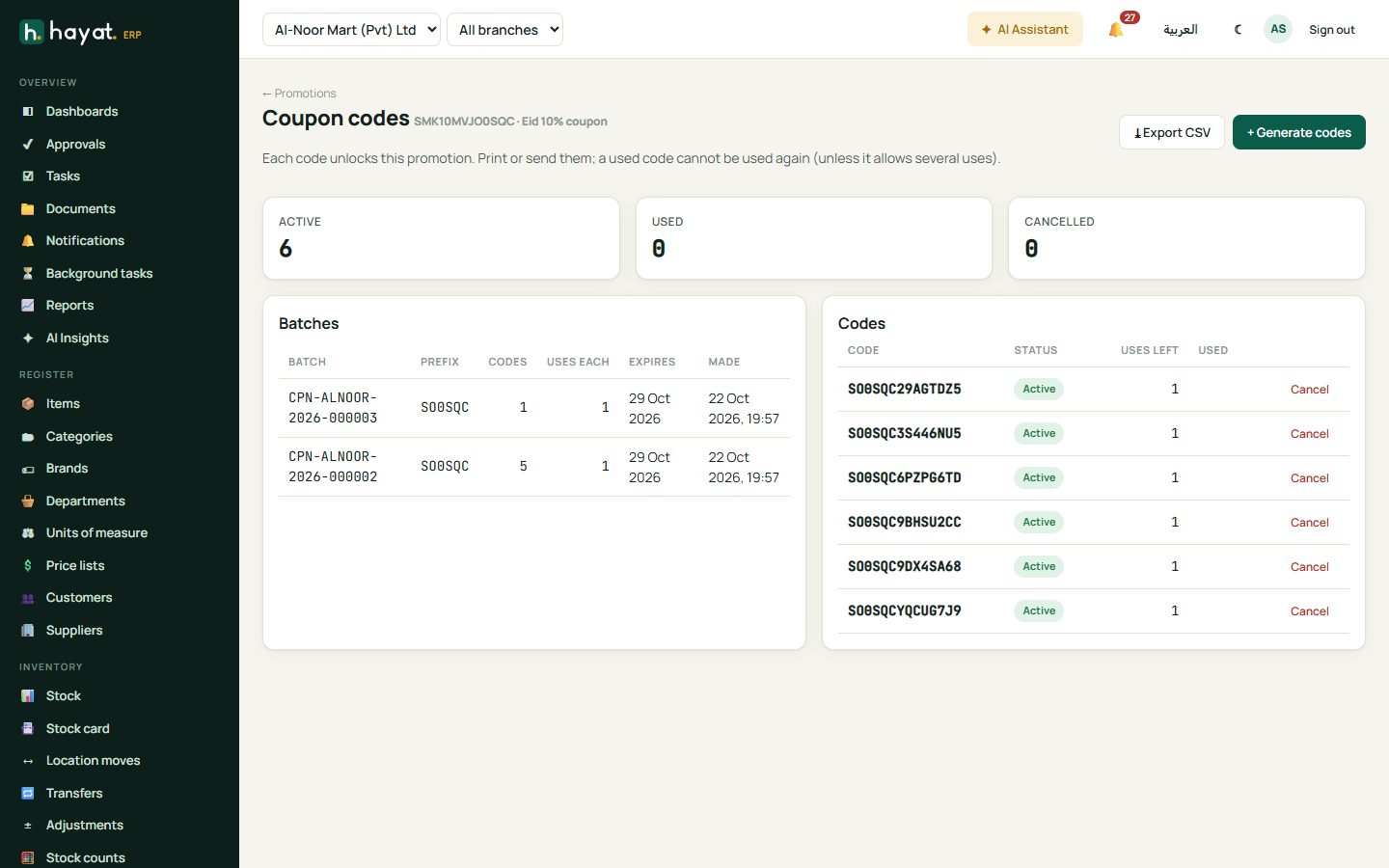
A promotion can be coupon only — tick Needs a coupon code. Either give it one shared code (e.g. EID26) or generate single-use codes:
- Open the promotion and click Coupon codes, then + Generate codes.
- How many codes (1–10,000), a prefix (e.g. EID26-), uses per code and an expiry date.
- Click Generate. Ten sample codes show; ⤓ Export CSV downloads them all for SMS, print or a partner.
The counts show how many are active, used and cancelled — click one to filter. Cancel stops a single code. A code used on a sale is released again if the whole sale is returned or the order cancelled.
Where coupons are typed: the Coupon code box on the till, the cart in the online shop, Coupon code + 🎯 Apply promotions on sales invoices and orders, and the promo code box at hotel check-out, travel invoices and seat sales, school vouchers and admissions, and hospital bills.
Discount report and log
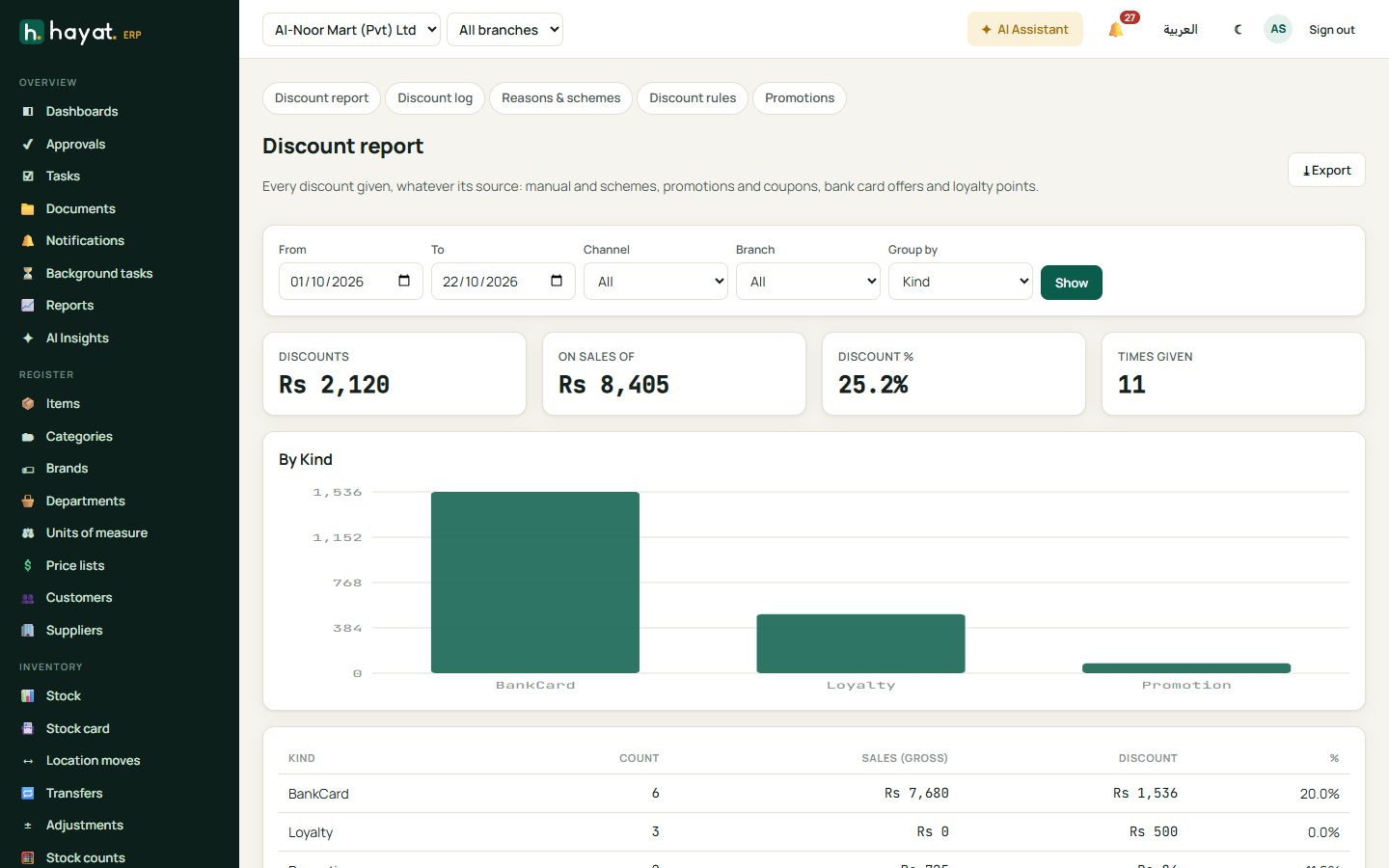
Sales → Discount report: choose the dates, channel and branch and group by kind, reason, user, channel, branch or day, then Show. One table holds every kind of discount:
| Kind | From |
|---|---|
| Manual, Scheme, Corporate | the discount log (till, invoices, workspaces) |
| Promotion, Coupon | promotions applied |
| BankCard | the shop's share of bank card offers |
| Loyalty | points used |
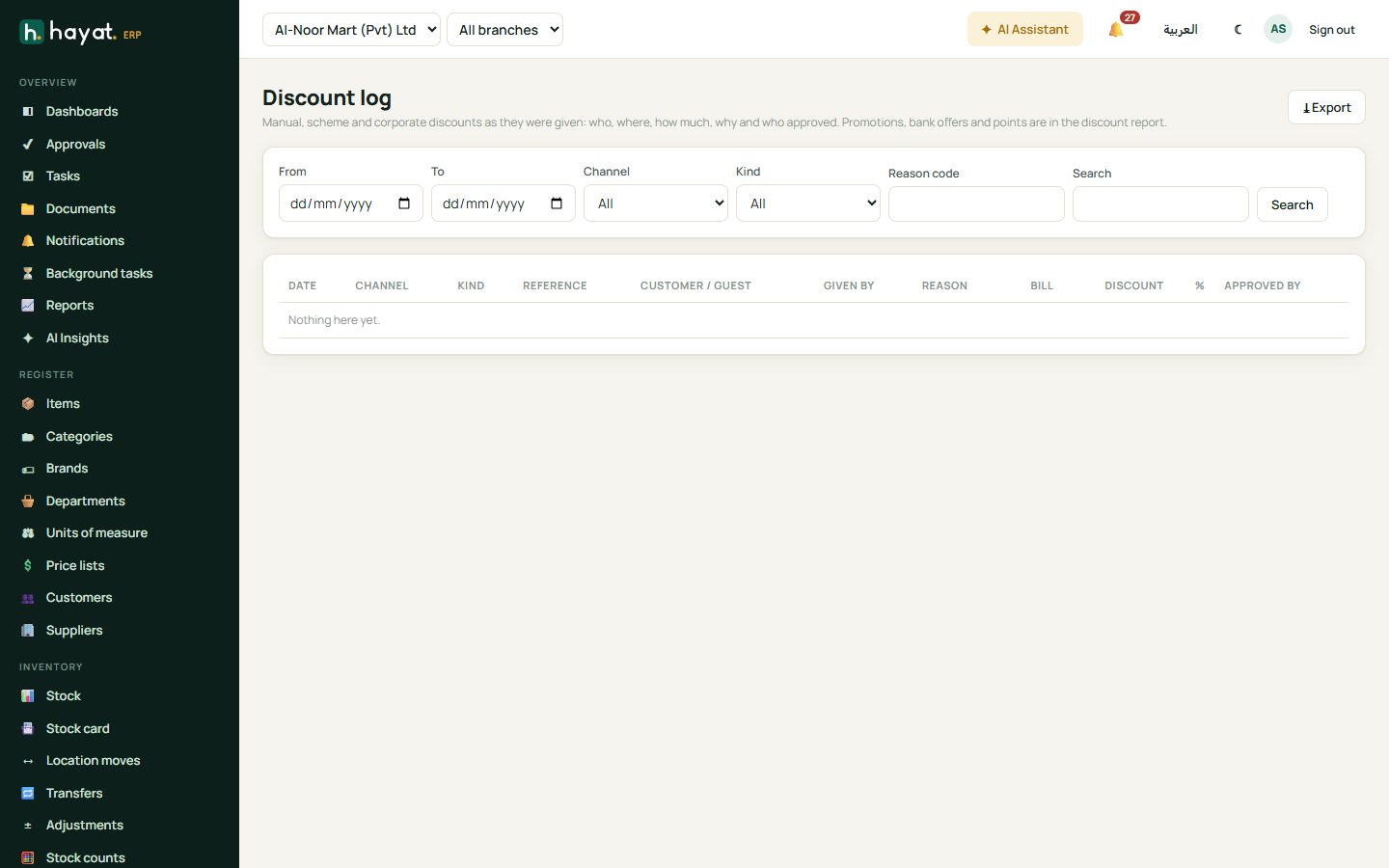
Export downloads it as a CSV file for Excel. Discount log lists each manual discount with the user, reason, approver and customer.
Workflow
The diagrams above show how a manual discount is checked and how a promotion goes live.
Where the money goes
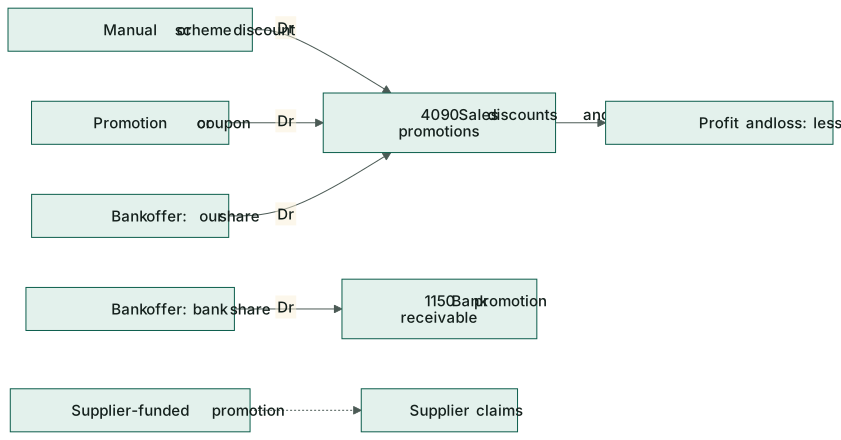
Discounts reduce sales: they post to 4090 Sales discounts & promotions, which the profit and loss shows under income. See How every module reaches the accounts.
| Discount | Debit | Credit |
|---|---|---|
| Manual or promotion discount on a till sale or invoice | 4090 Sales discounts & promotions | (the sale is recorded net) |
| Discount on a hotel folio, hospital bill, school voucher or travel invoice | 4090 Sales discounts & promotions | 1130 / 1110 / 1120 / 1140 receivable |
| Bank card offer — the bank's share | 1150 Bank promotion receivable | the sale |
| Bank card offer — the shop's share | 4090 Sales discounts & promotions | the sale |
| Points used online (order placed) | 2320 Loyalty points liability | 4090 Sales discounts & promotions |