
Mobile apps
The 13 Hayat phone apps — who uses which, what each one does, and how to install and sign in.
Hayat has a phone app for each kind of work. They all use the same server and the same sign-in as the website, so a sale, fee or delivery recorded on a phone shows on the web at once. Each app shows only the tabs your role and your business's modules allow.
Which app for whom
| App | For | What it does |
|---|---|---|
| Hayat Manager | Owners and managers | Dashboard KPIs, approvals, tasks, Ask Hayat (the AI assistant) and More — documents, and Offers & loyalty: live and paused promotions (pause / resume), discounts today and this month, loyalty members and points, open bank claims and card days not settled. |
| Hayat Sales | Field sales staff | Customers and statements, new orders with Apply promotions, collections, stock check and tasks. |
| Hayat Stock | Storekeepers | Barcode stock lookup, stock counts, branch transfers and tasks. |
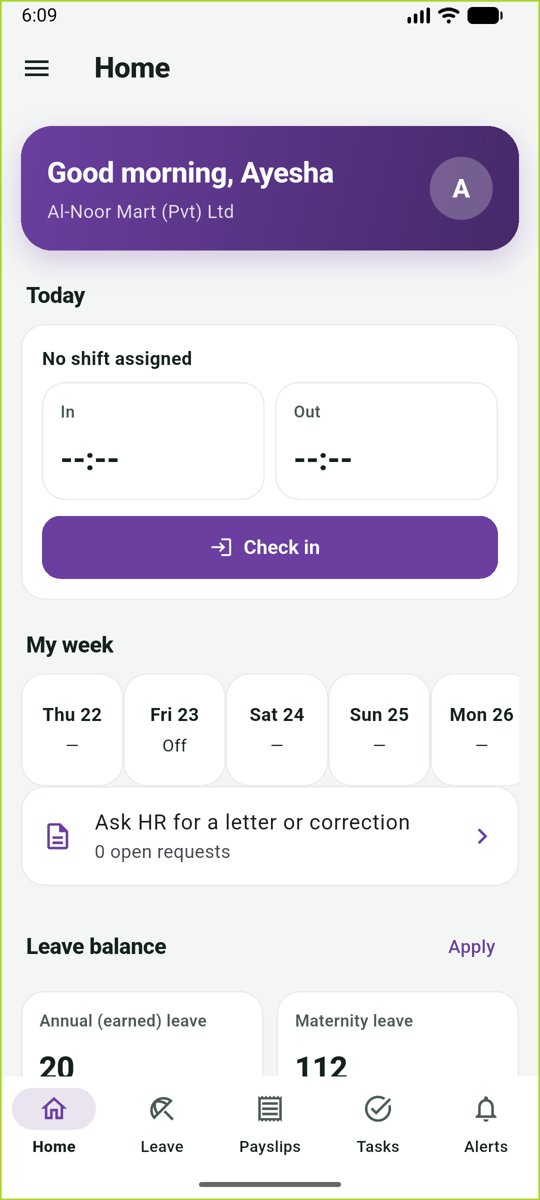
| Hayat People | All employees | Payslips, leave, tasks and alerts. |
| Hayat Lite | Small shops | A simple till (Sell), Today, khata (customer credit), stock and expenses, in English or Urdu. At payment: coupon, loyalty member, pay with points, bank card offer and store card. Keeps selling offline. New shops can Open my shop — free from the sign-in screen. |
| Hayat Shop | Your shoppers | Your own branded shopping app (one per store): browse, cart, coupon, Use my points, checkout, order tracking and My loyalty card. |
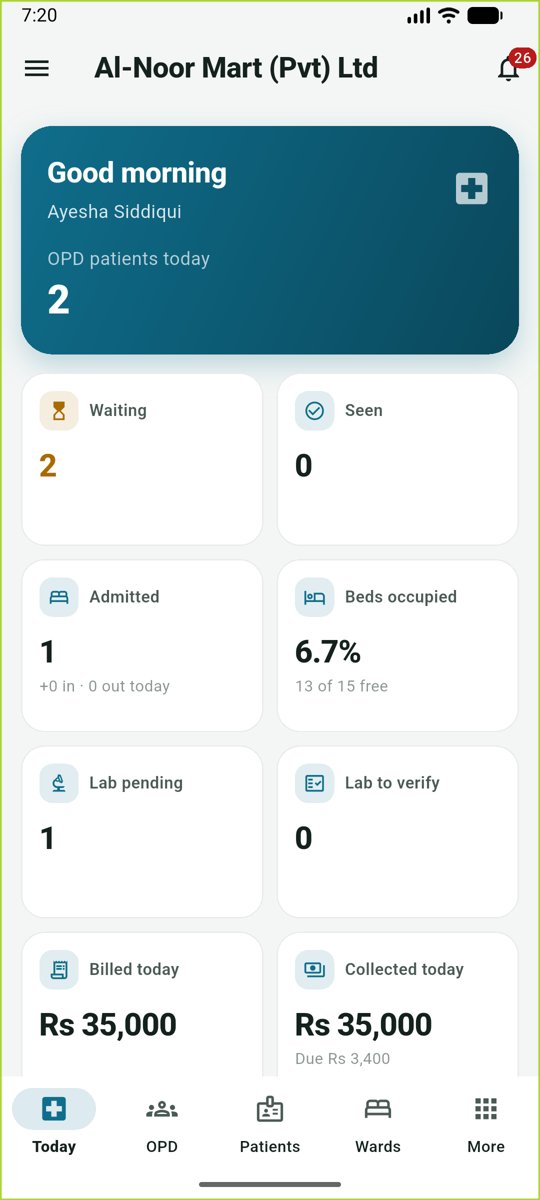
| Hayat Hospital | Hospital staff | Today, OPD queue (or My patients for doctors), patients, wards, lab, Emergency, OT, Radiology, Blood bank and more. |
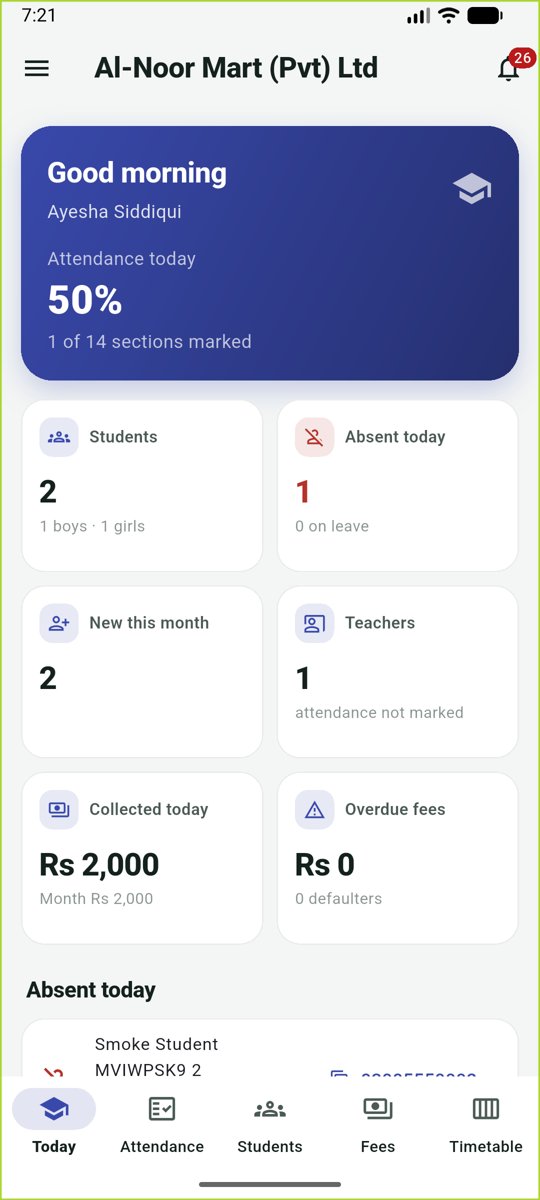
| Hayat School | School staff | Today, attendance, students, fee collection and the timetable. |
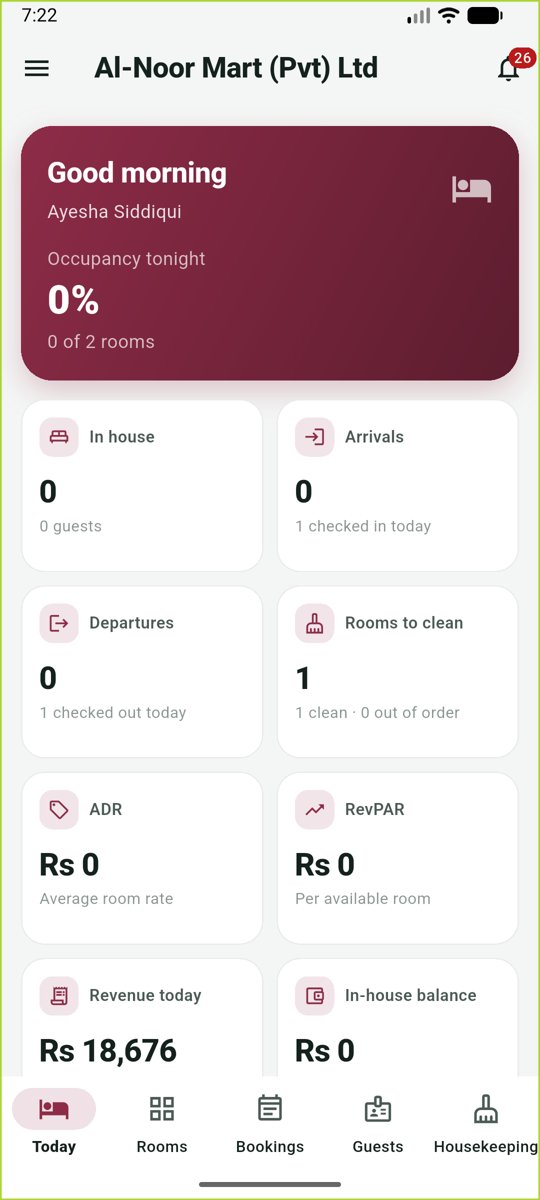
| Hayat Hotel | Hotel staff | Today's arrivals and departures, room status board, bookings with check-in and check-out, guests, folio payments (points, store card, Check bank offer) and housekeeping. |
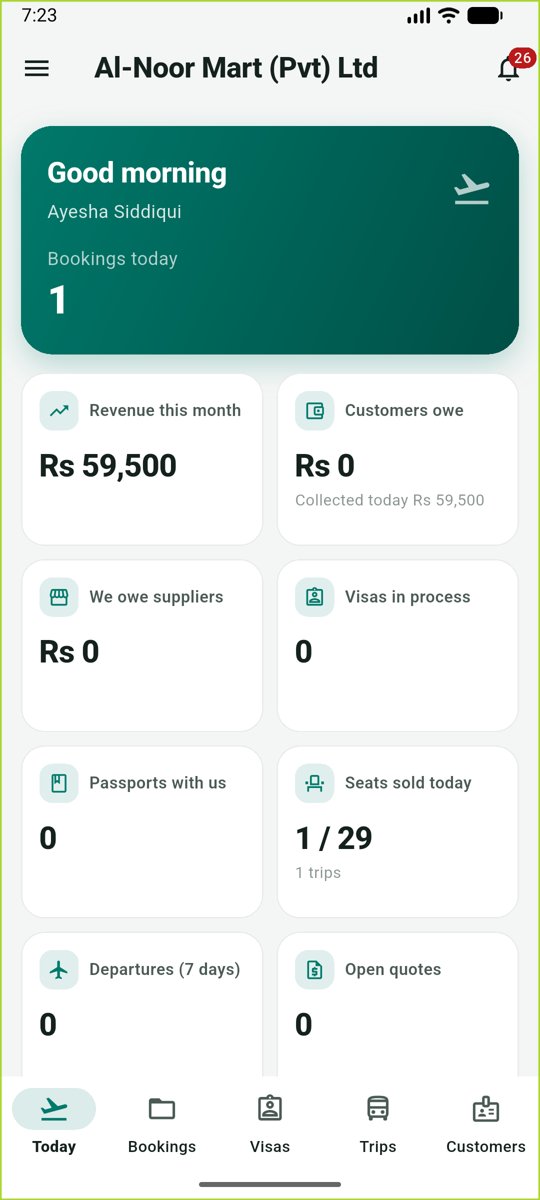
| Hayat Travel | Agency and transport staff | Today, bookings and payments, visa tracker, trips with seat booking, customers. |
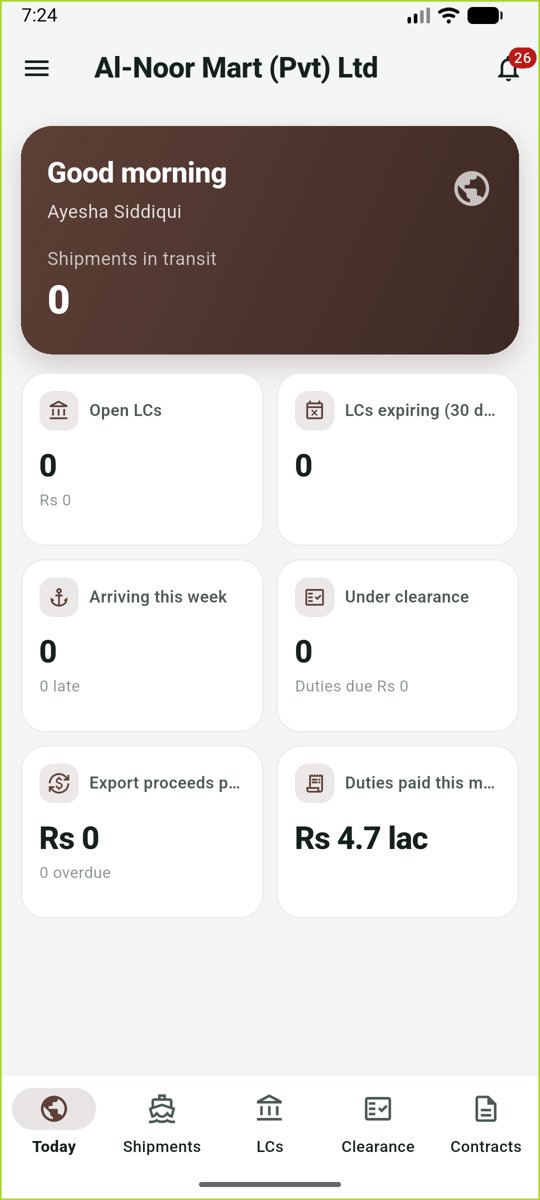
| Hayat Trade | Import / export staff | Today, shipments and documents, LCs, customs clearance and contracts. |
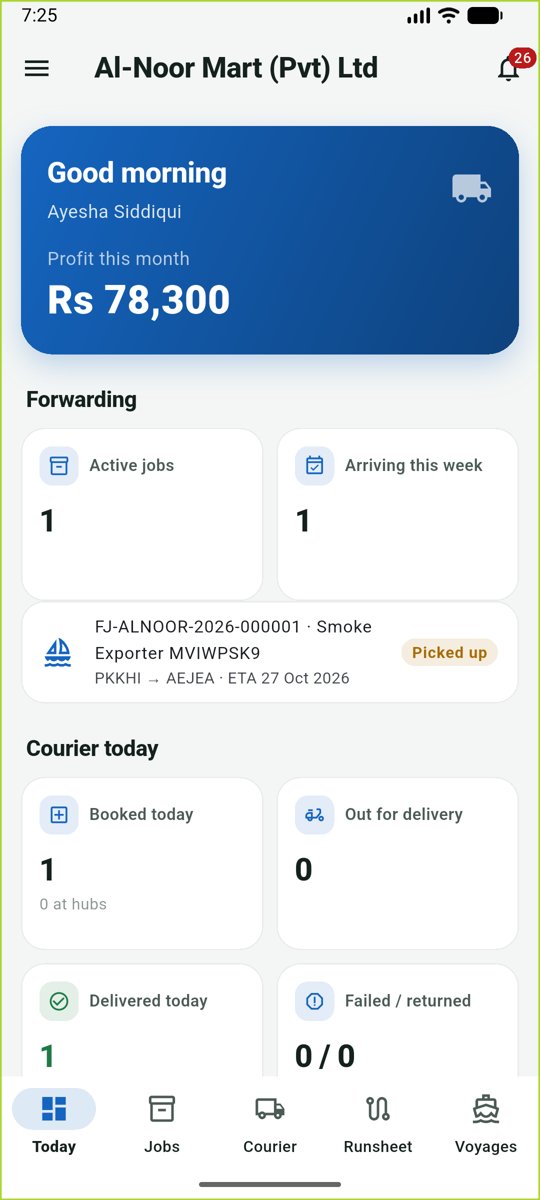
| Hayat Shipping | Forwarders, couriers, riders | Today, forwarding job milestones, courier booking and parcel scans, the rider's runsheet with proof of delivery and COD, and vessel voyages. |
| Hayat Admin | Hayat team only | Overview, subscribers (with their modules), plans and renewals. |
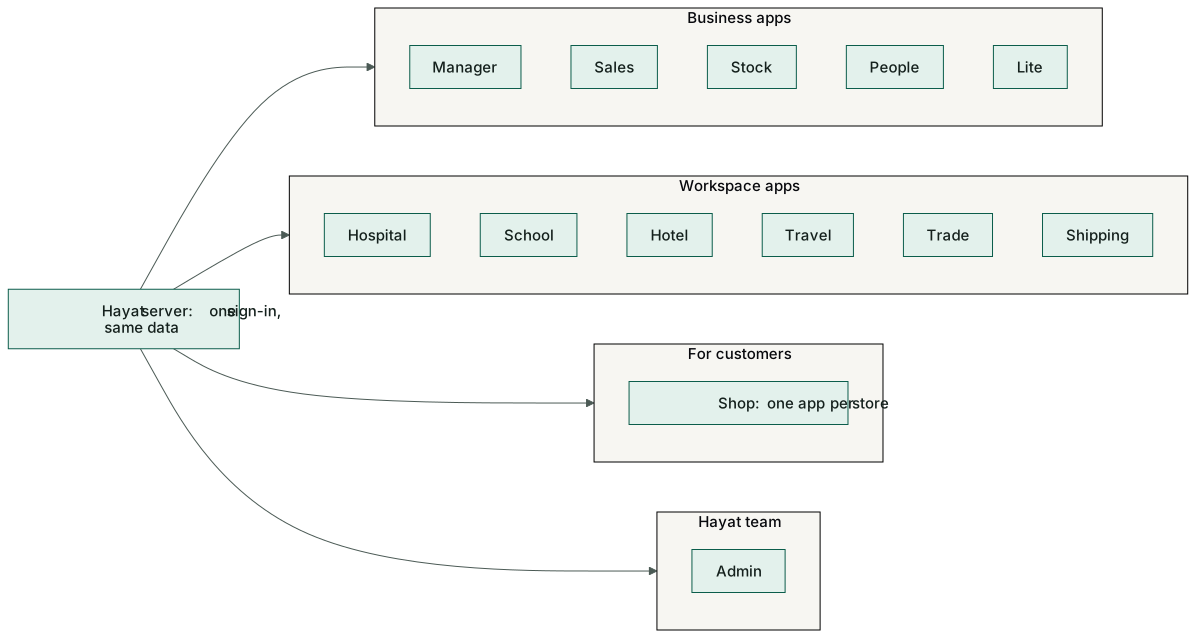
What the apps look like
Each app opens on a "today" screen for the signed-in person's work, with tabs at the bottom. These are the apps on an Android phone with the demo business.
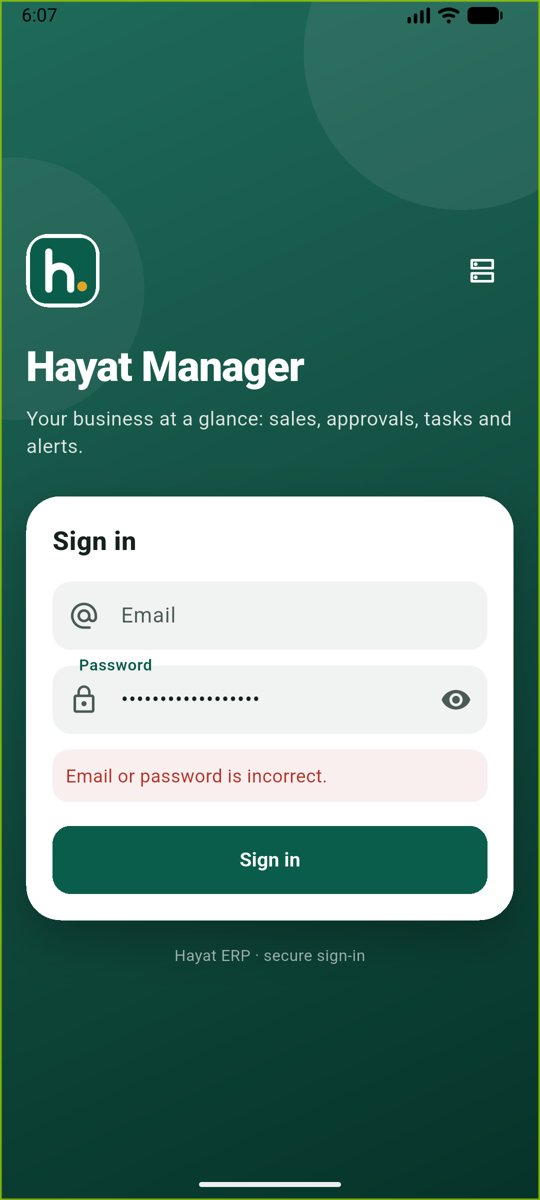
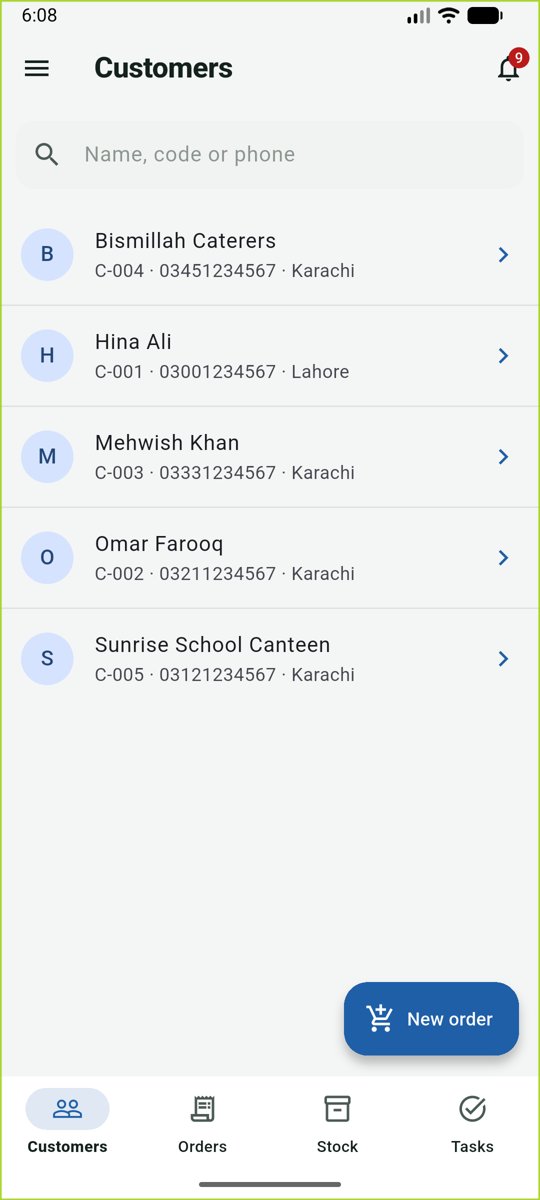
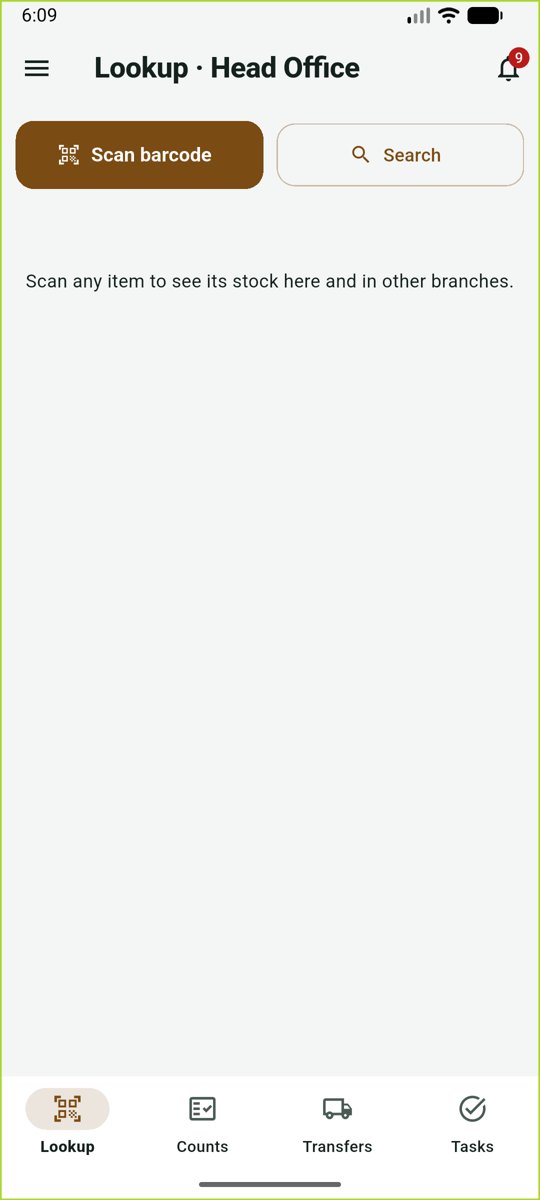
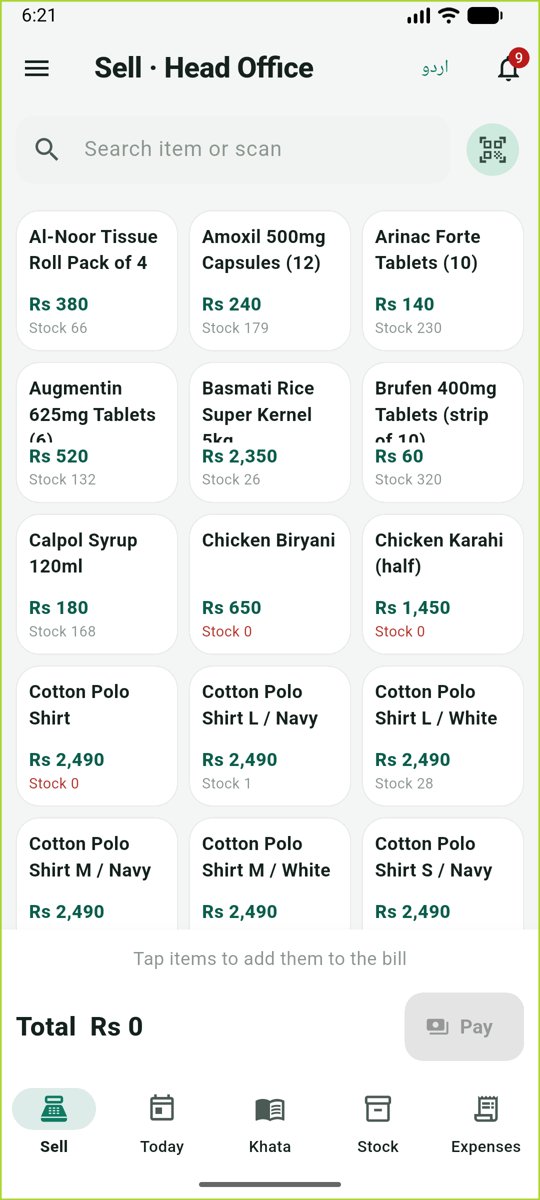
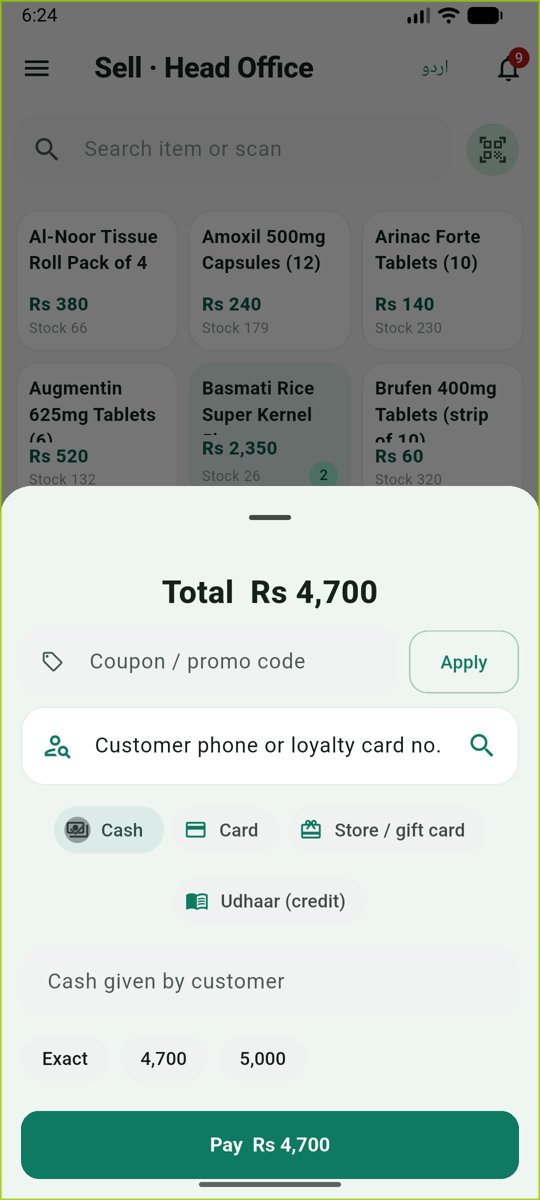
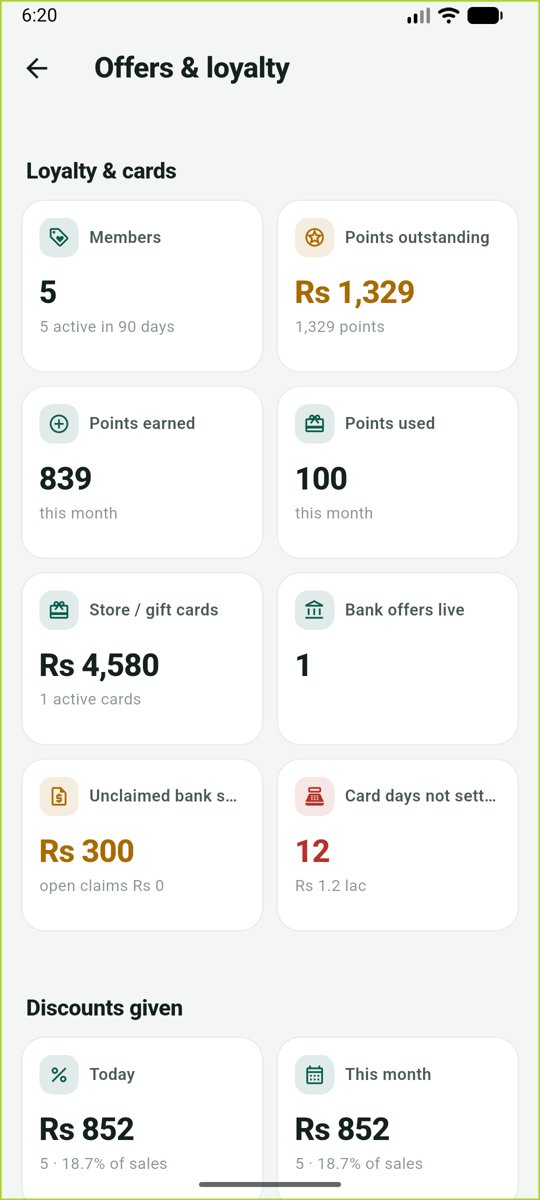
Hayat Lite asks the server for the real total before payment (promotions, coupons), and takes points, store cards and bank card offers. Hayat Manager → More → Offers & loyalty shows running promotions, discounts, loyalty and bank claims.
Who does what
| Person | Install |
|---|---|
| Owner, manager | Hayat Manager (and the workspace app of their business) |
| Cashier in a small shop | Hayat Lite |
| Salesman in the field | Hayat Sales |
| Storekeeper | Hayat Stock |
| Every employee | Hayat People |
| Doctor, nurse, ER, OT, radiology, blood bank | Hayat Hospital |
| Teacher, fee clerk, principal | Hayat School |
| Front desk, housekeeping | Hayat Hotel |
| Travel agent, visa desk, transport | Hayat Travel |
| Import / export officer | Hayat Trade |
| Courier counter, rider, operations | Hayat Shipping |
| Shoppers | Your store's Hayat Shop app |
Install and sign in
- Ask your administrator or Hayat support for the app — the Android install file or store link. The Shop app is published under your store's own name.
- Open the app. Type the email and password you use on the website and tap Sign in. If two-step sign-in is on, type the authenticator code too.
- Choose your company and branch if asked. The app remembers you.
- If your business runs Hayat on its own server, tap the server button on the sign-in screen and type its address (the default is Hayat's own server).
- Change password: from the menu (☰) in any app.
- Notifications: the bell shows approvals, alerts and messages; with push set up they arrive instantly.
- No internet: the apps show an offline banner and keep what was loaded. Hayat Lite keeps selling and sends the sales when the connection returns — as the web till does.
- Sign out from the menu, for example on a shared phone.
Workflow
- The business admin creates your user and role on the website.
- You install the app for your job and sign in with the same email and password.
- Everything you do in the app is saved on the server — the website, dashboards and reports show it at once.
Where the money goes
Apps post exactly like the website: a sale in Hayat Lite, a fee collected in Hayat School, a COD on a rider's runsheet or a folio payment in Hayat Hotel posts the same journal as the web screen. See How every module reaches the accounts.