
Import & export workspace
trade.hayaterp.com ↗For importers, exporters and indenters — contracts, letters of credit, shipments and documents, customs clearance, landed cost, export proceeds and rebates.
Sign in
Trade staff sign in at trade.hayaterp.com with their Hayat email and password. The same screens are in the ERP under Import & export.
Who does what
| Role | Typical person | Can do |
|---|---|---|
| Trade Admin | Owner | Everything in import & export, plus users and roles. |
| Import Officer | Import desk | Import contracts, LCs, shipments and customs clearance. |
| Export Officer | Export desk | Export contracts, invoices, packing lists, Form E and rebate claims. |
| Documentation | Documents clerk | Shipping documents, shipment status and LC document checklists. |
| Trade Accounts | Accounts | LC margin and bank charges, duties paid, supplier payments, proceeds realised, commission. |
The trade dashboard
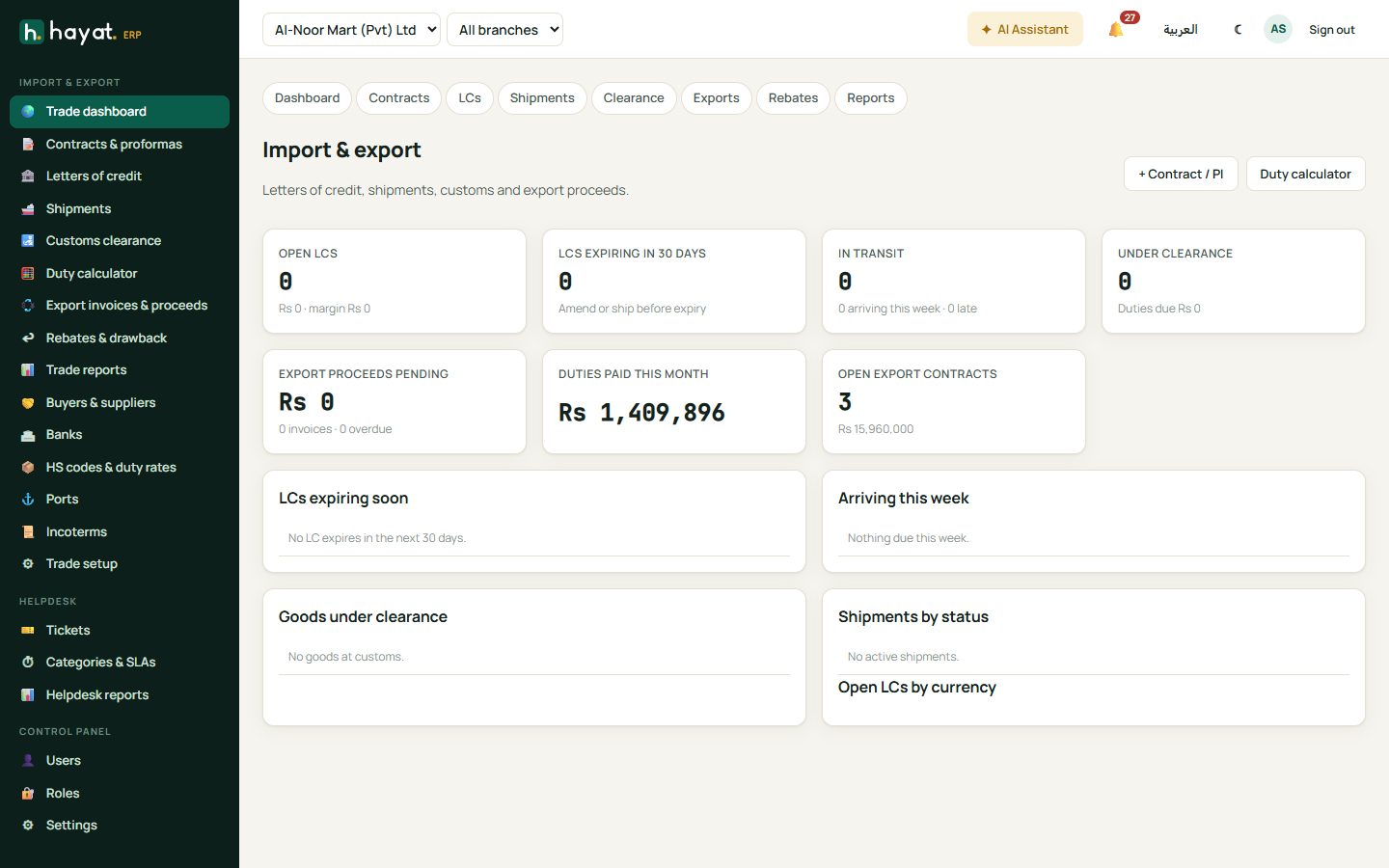
Open LCs and those expiring in 30 days, shipments in transit and under clearance, export proceeds pending, duties paid this month and open contracts — with lists of LCs expiring soon, arrivals this week, goods under clearance, shipments by status and open LCs by currency.
Setup
Trade setup links to the lists you need first: Buyers & suppliers (foreign parties), Banks, HS codes & duty rates, Ports and Incoterms.
Contracts and proformas
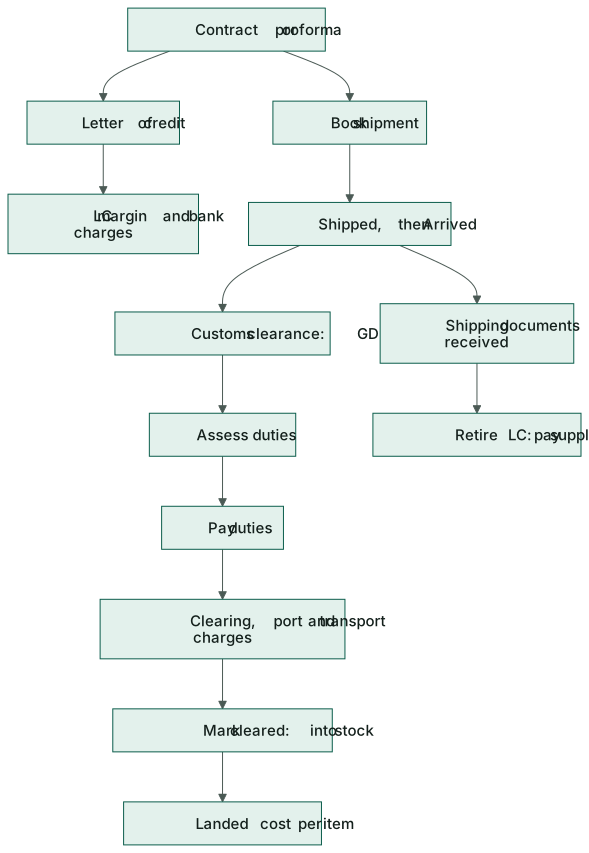
+ New contract records a purchase contract with a foreign supplier (Import), a sales contract with a foreign buyer (Export) or an Indent where you earn a commission. Enter the party, their PI number, currency and rate, Incoterm, payment term (LC at sight, LC usance, advance TT, CAD or open account) and the goods with HS codes.
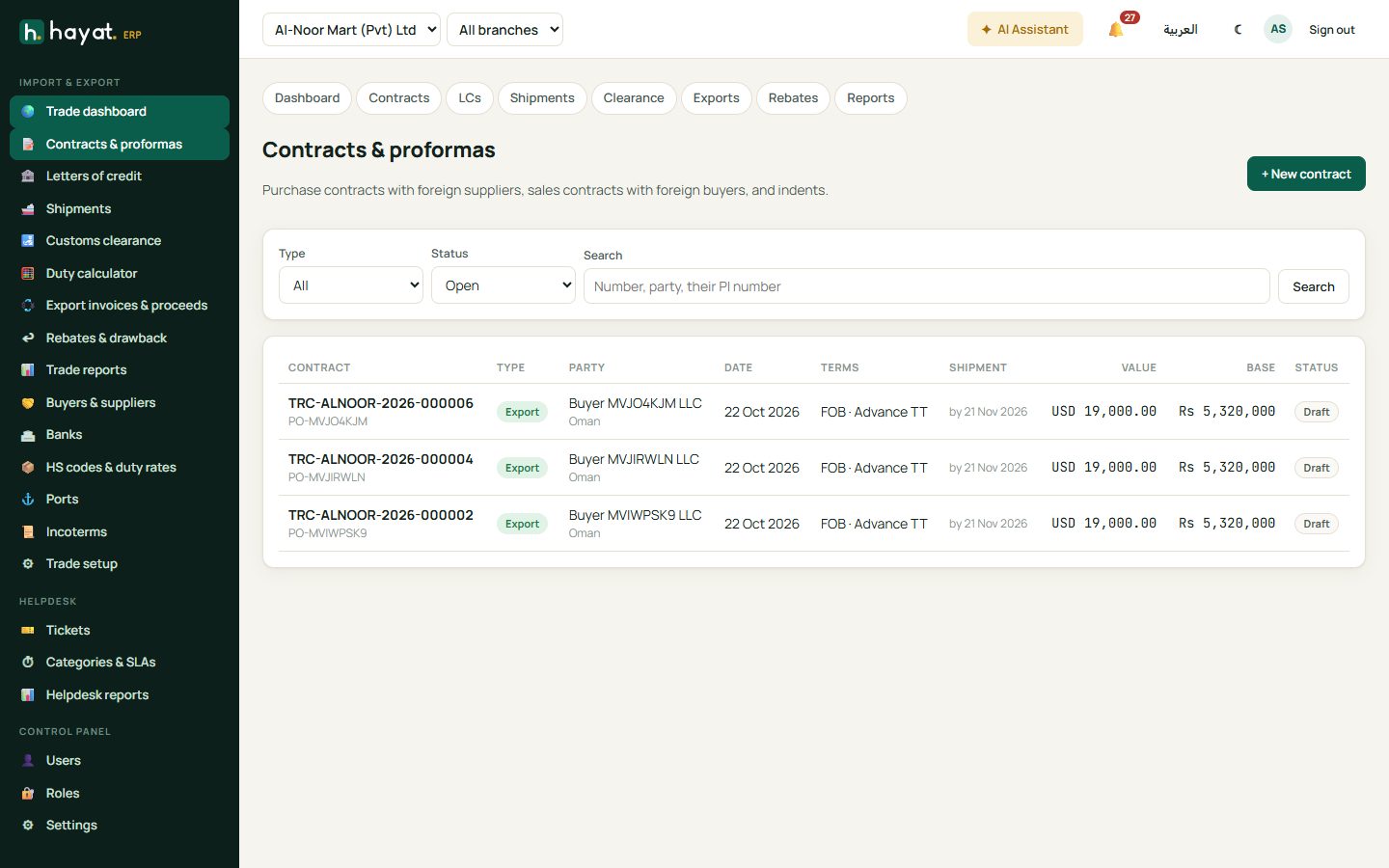
From a contract, + LC opens a letter of credit and + Shipment books a shipment. For an indent, record the commission billed and received.
Letters of credit
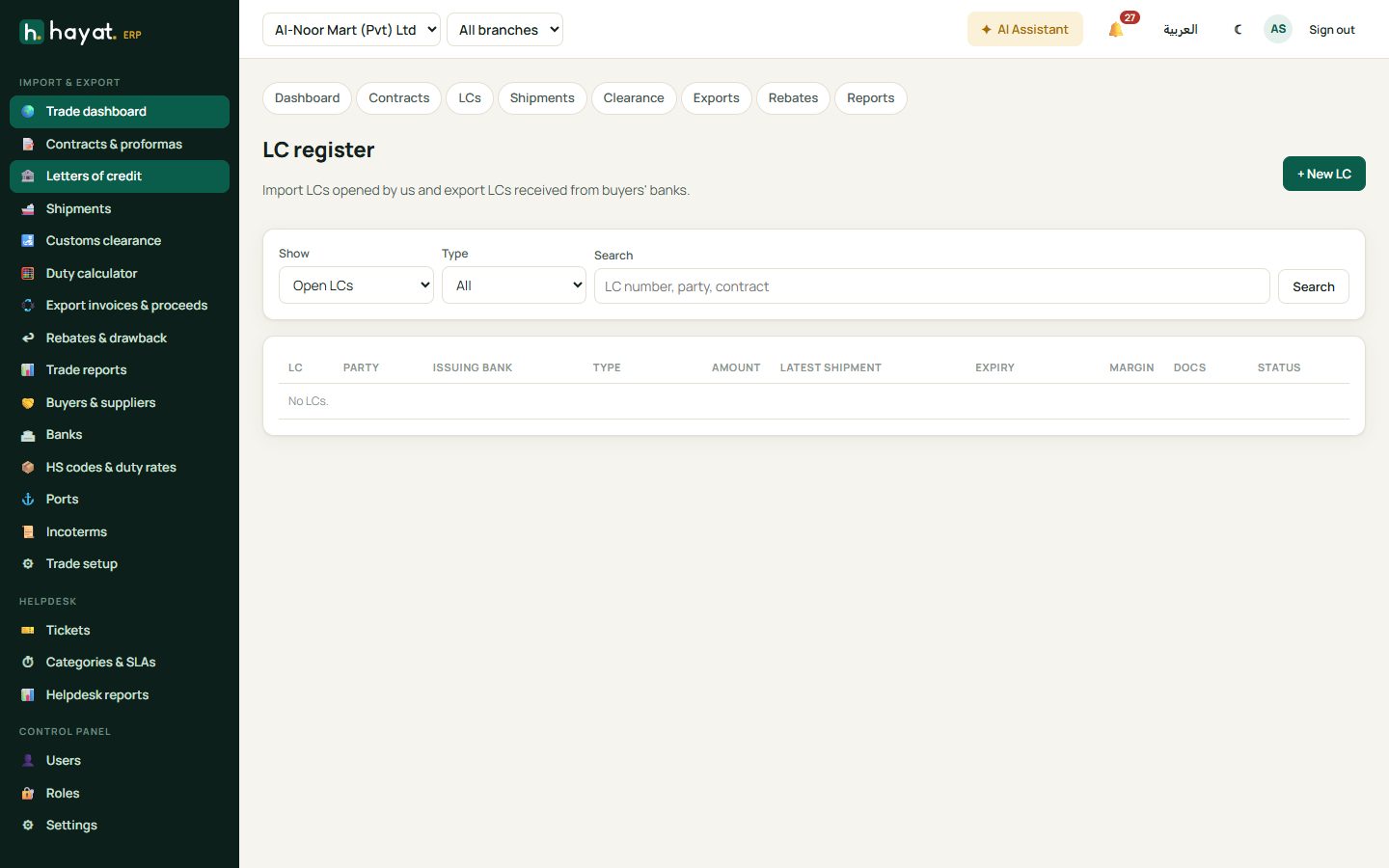
- LC register → + New LC, choose the contract, the issuing bank, amount, expiry and latest shipment date. It starts as a draft.
- Mark opened when the bank issues it and enter the LC number.
- Pay margin and Bank charges as the bank debits them. Record amendments with their charges.
- When the documents arrive, tick them off the document checklist.
- Retire the LC: the margin is applied and the rest paid to the supplier at the day's rate.
An expired LC with no shipment releases its margin. Export LCs received from buyers' banks are kept in the same register.
Shipments
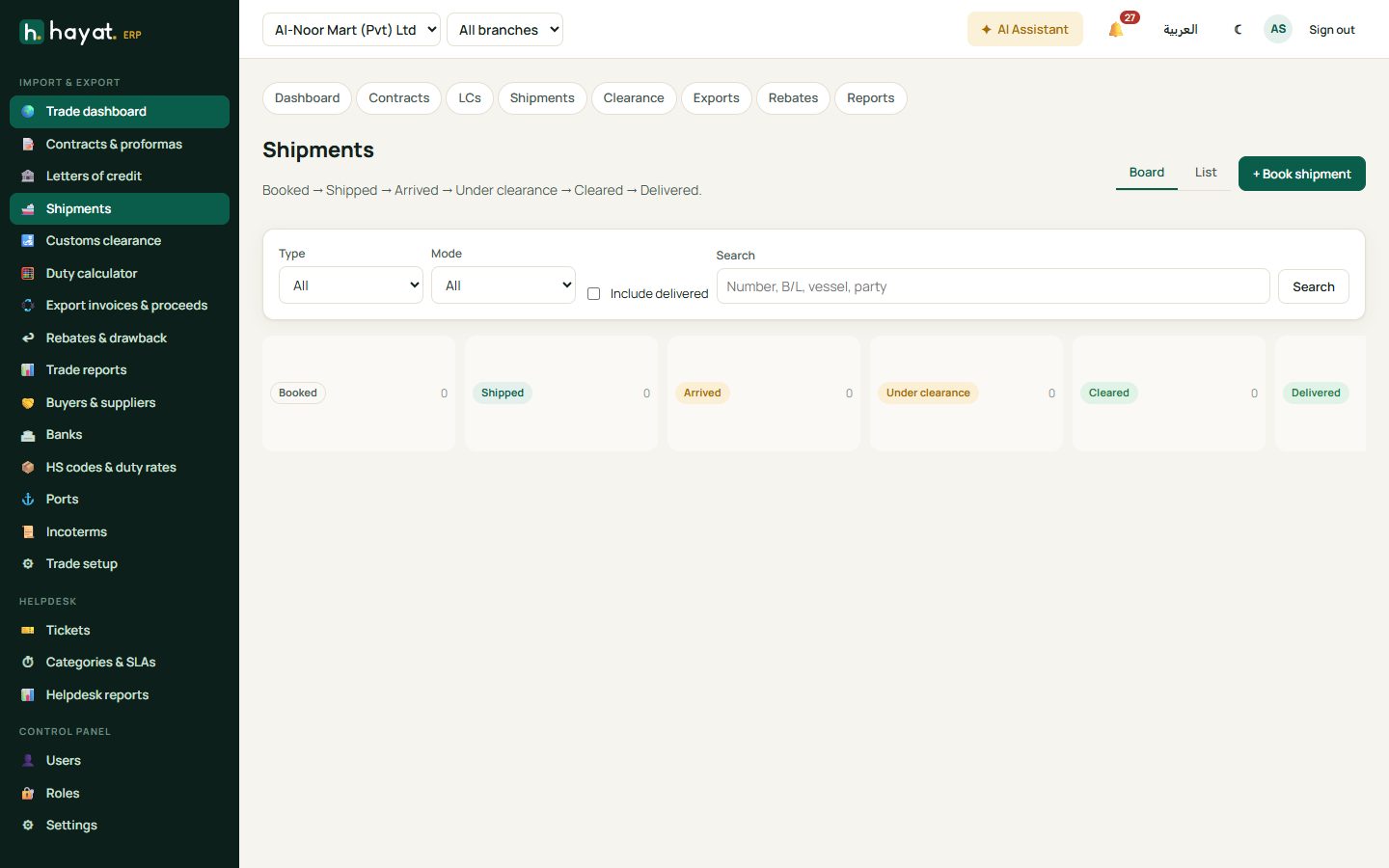
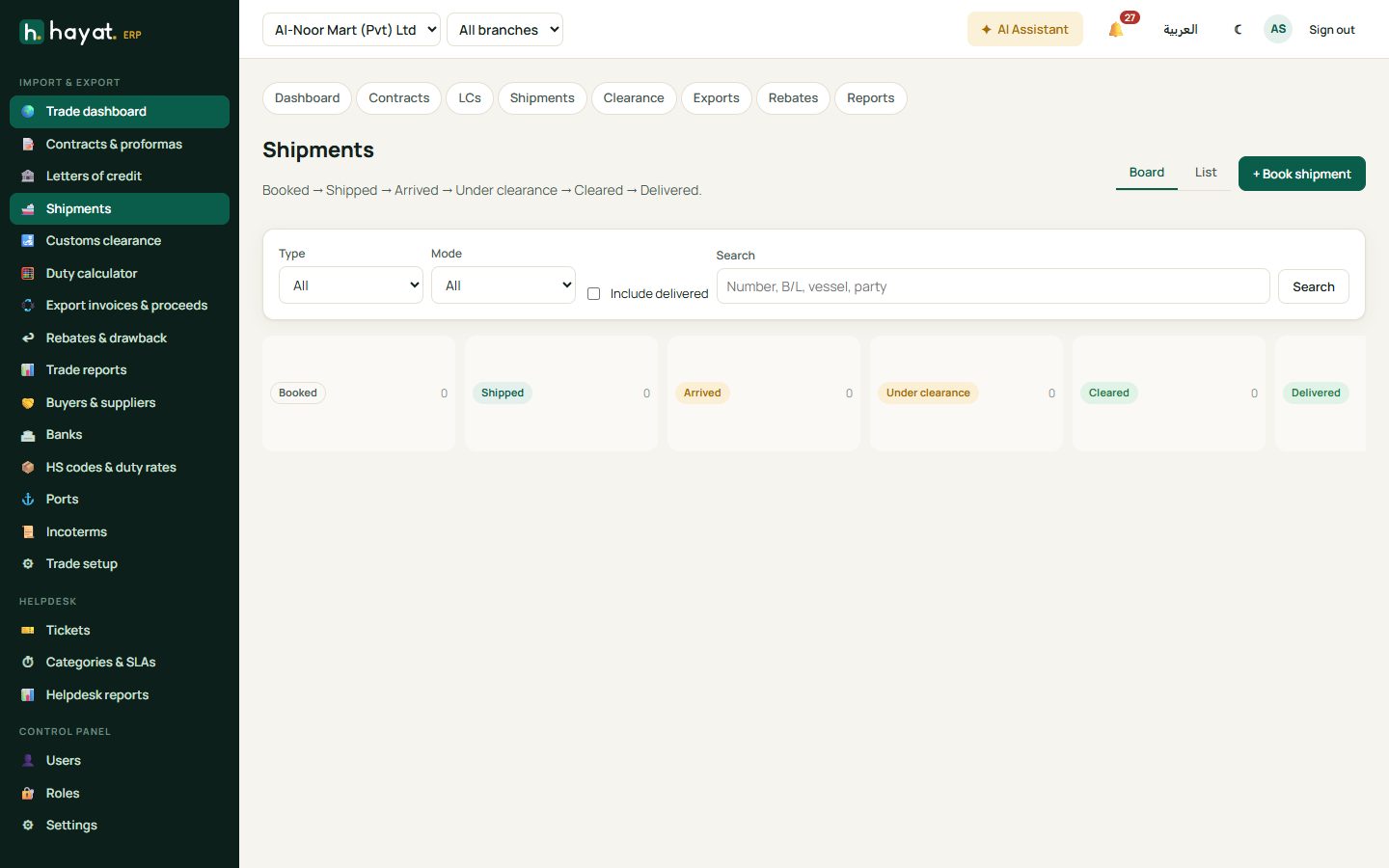
+ Book shipment from a contract: mode (sea, air, road), B/L or AWB, vessel, ports, ETD and ETA, invoice value, freight, insurance and container numbers. A shipment moves Booked → Shipped → Arrived → Under clearance → Cleared → Delivered; click Mark … to move it on. The document list (invoice, packing list, B/L, certificate of origin…) shows what has been received.
Customs clearance and landed cost
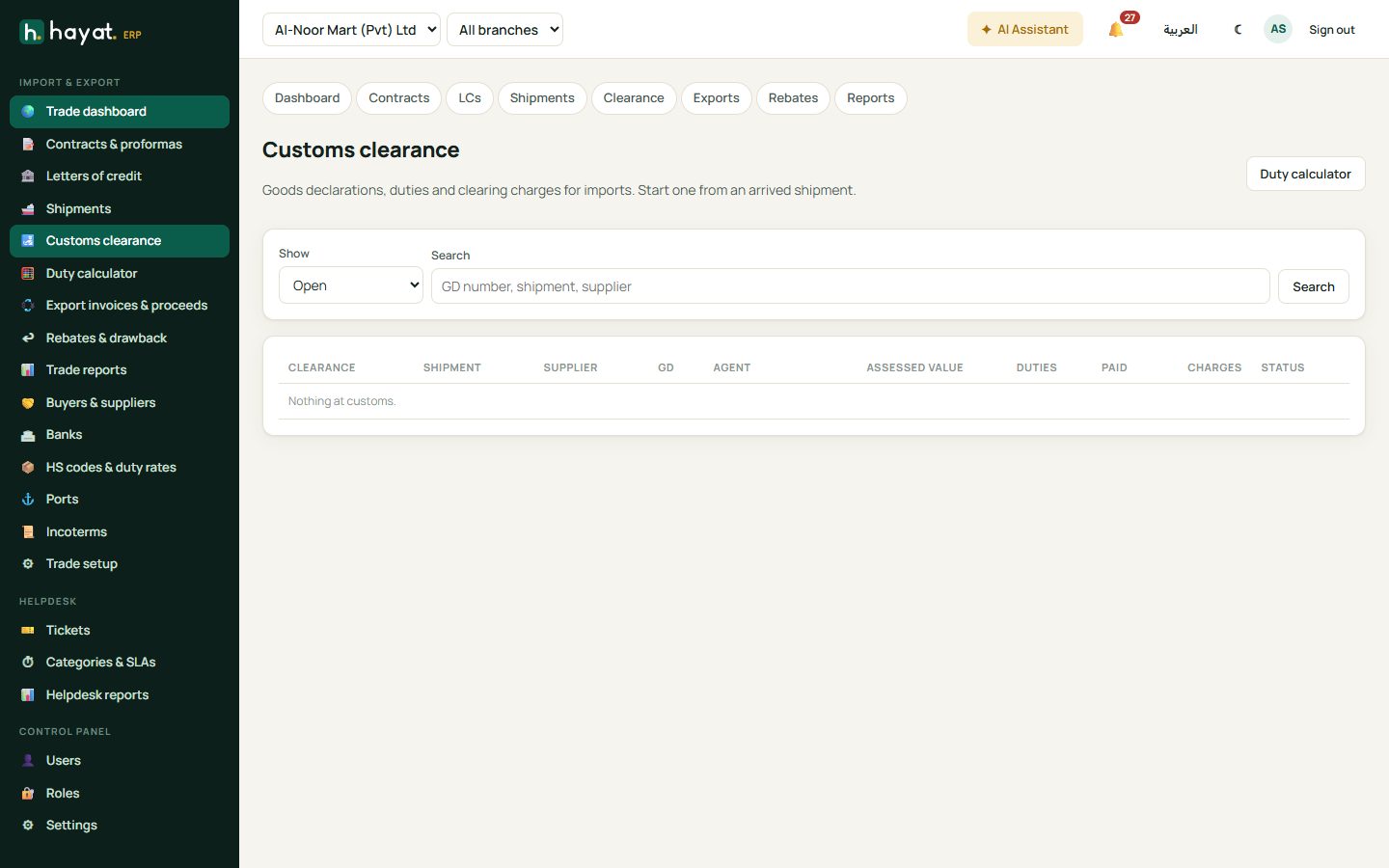
- From an arrived import shipment, start a clearance and enter the GD number and the assessed values.
- Assess duties: customs duty (CD), regulatory duty (RD), additional customs duty (ACD), sales tax and income tax at import, from each item's HS code rates (change them if customs assessed differently and Save & recalculate).
- Pay duties when they are paid to customs.
- + Charge for the clearing agent, port, shipping line DO, transport and others; Pay each one now or later.
- Mark cleared (into stock). The goods value, duties and charges become the item cost.
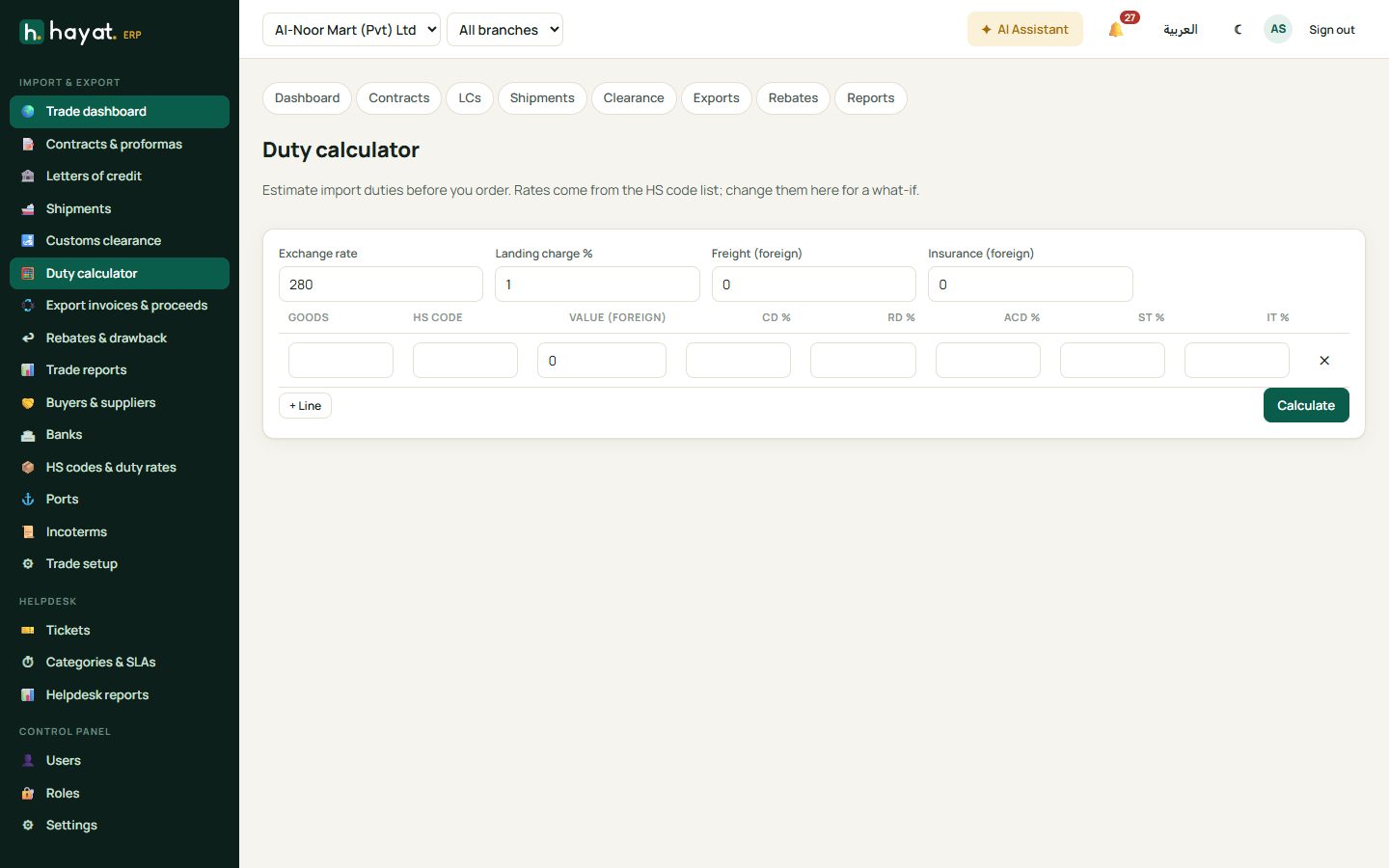
Landed cost shows the cost per item, split by value or quantity. The Duty calculator estimates duties from the HS code before you even order.
Export invoices and proceeds
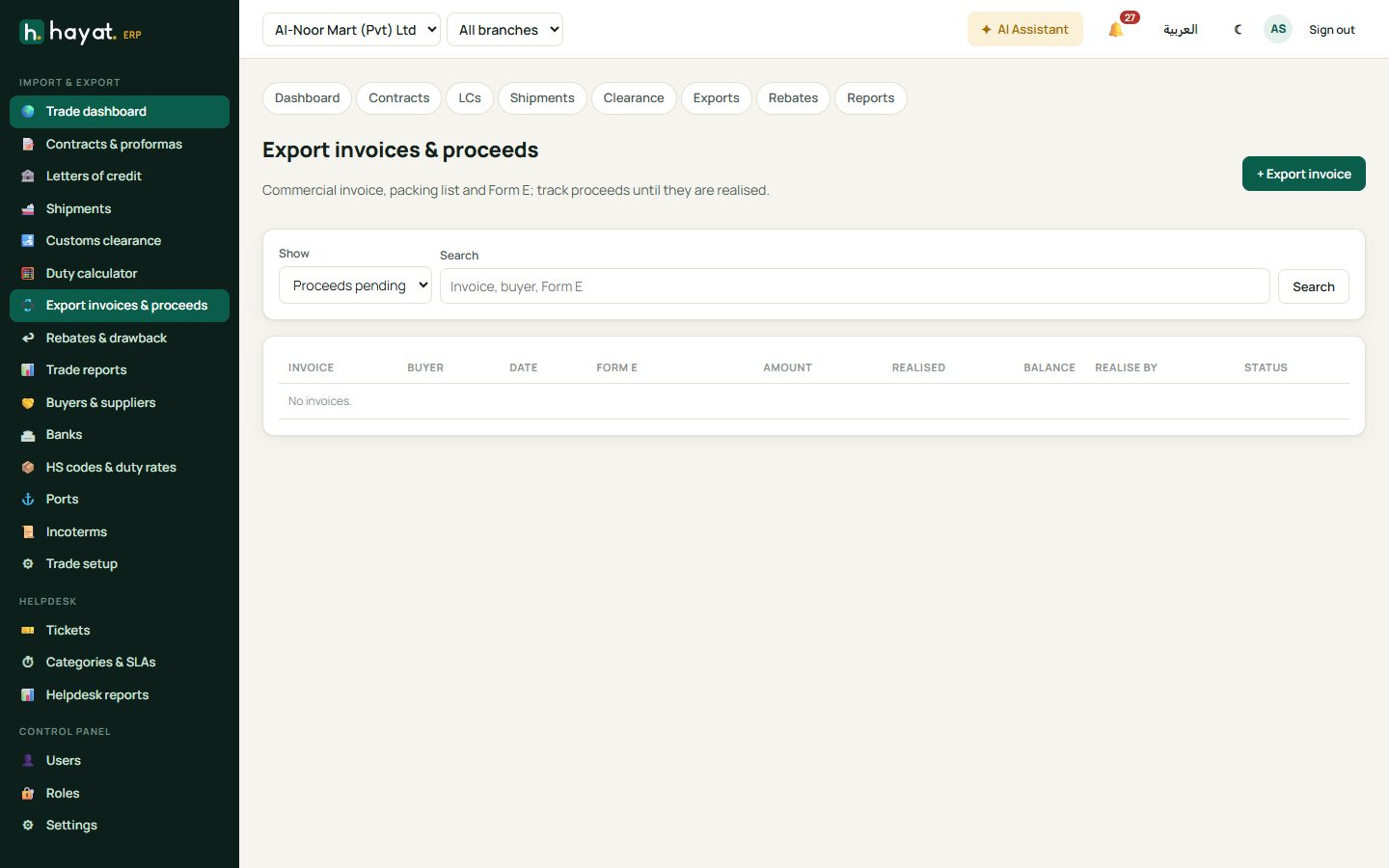
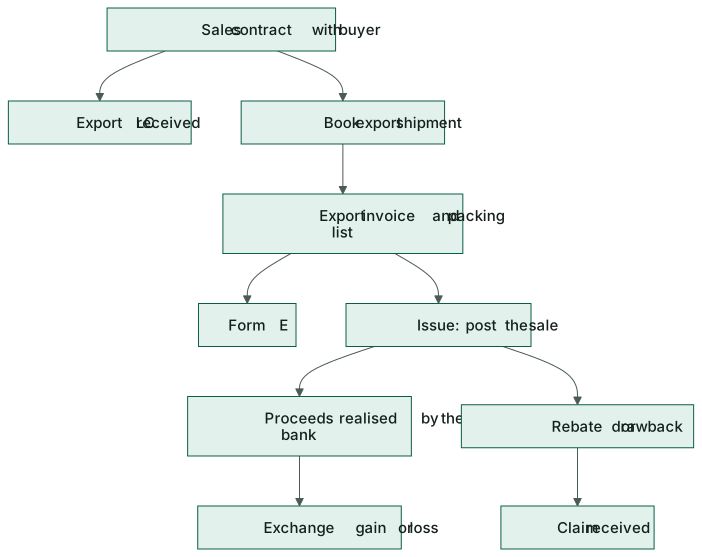
- Export invoices & proceeds → + Export invoice from the sales contract: goods, currency and rate, packing list and the Form E number. Save as a draft.
- Issue (post sale) posts the sale at the invoice rate.
- When the bank credits the money, record the proceeds realised: the foreign amount, the bank's rate and its charges. The difference from the invoice rate is booked as an exchange gain or loss.
Invoices not realised by their due date are listed so you can follow them up.
Rebates and drawback
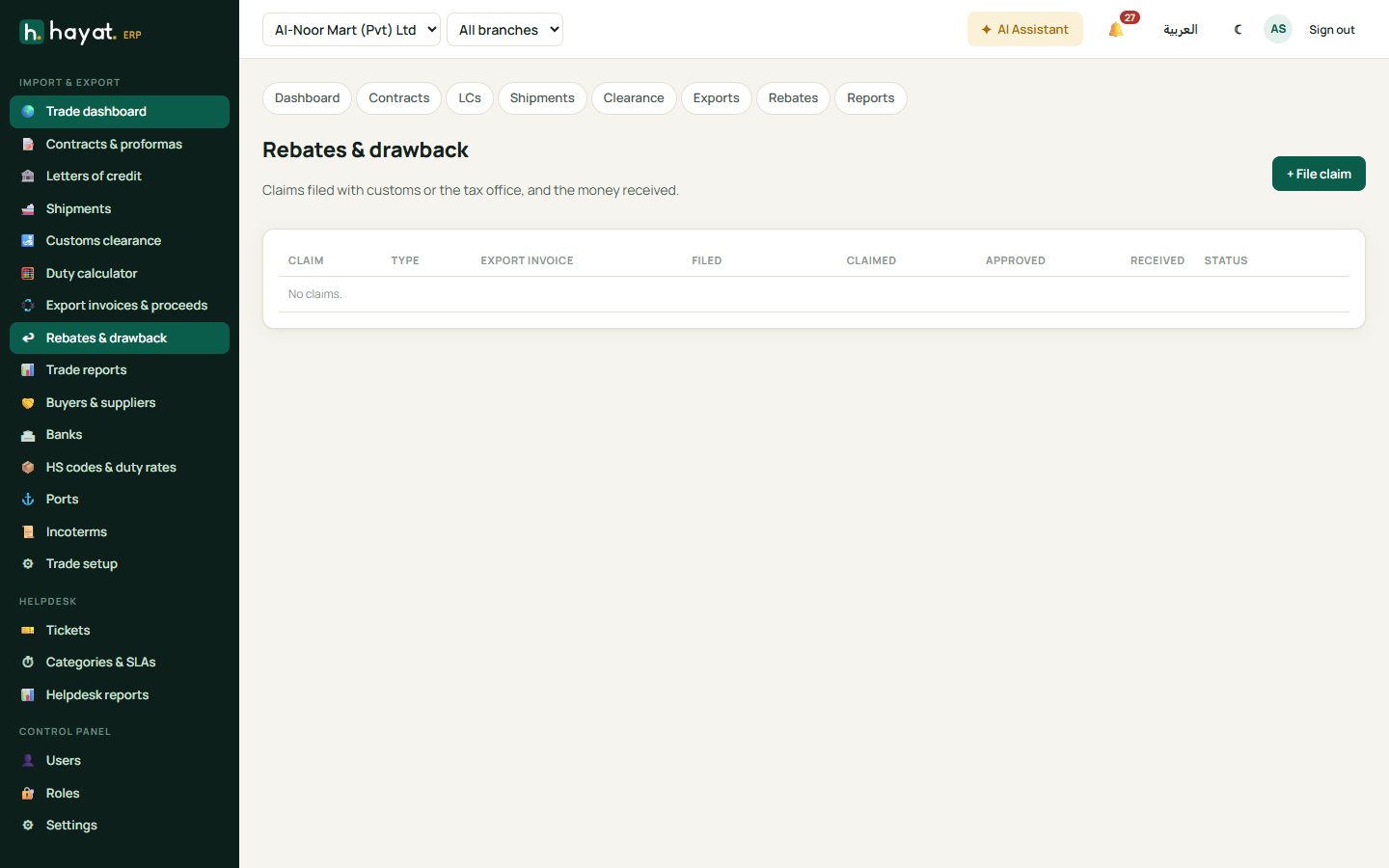
Rebates & drawback records claims filed with customs or the tax office, their status (Filed → Approved → Received or Rejected) and the money received.
Reports
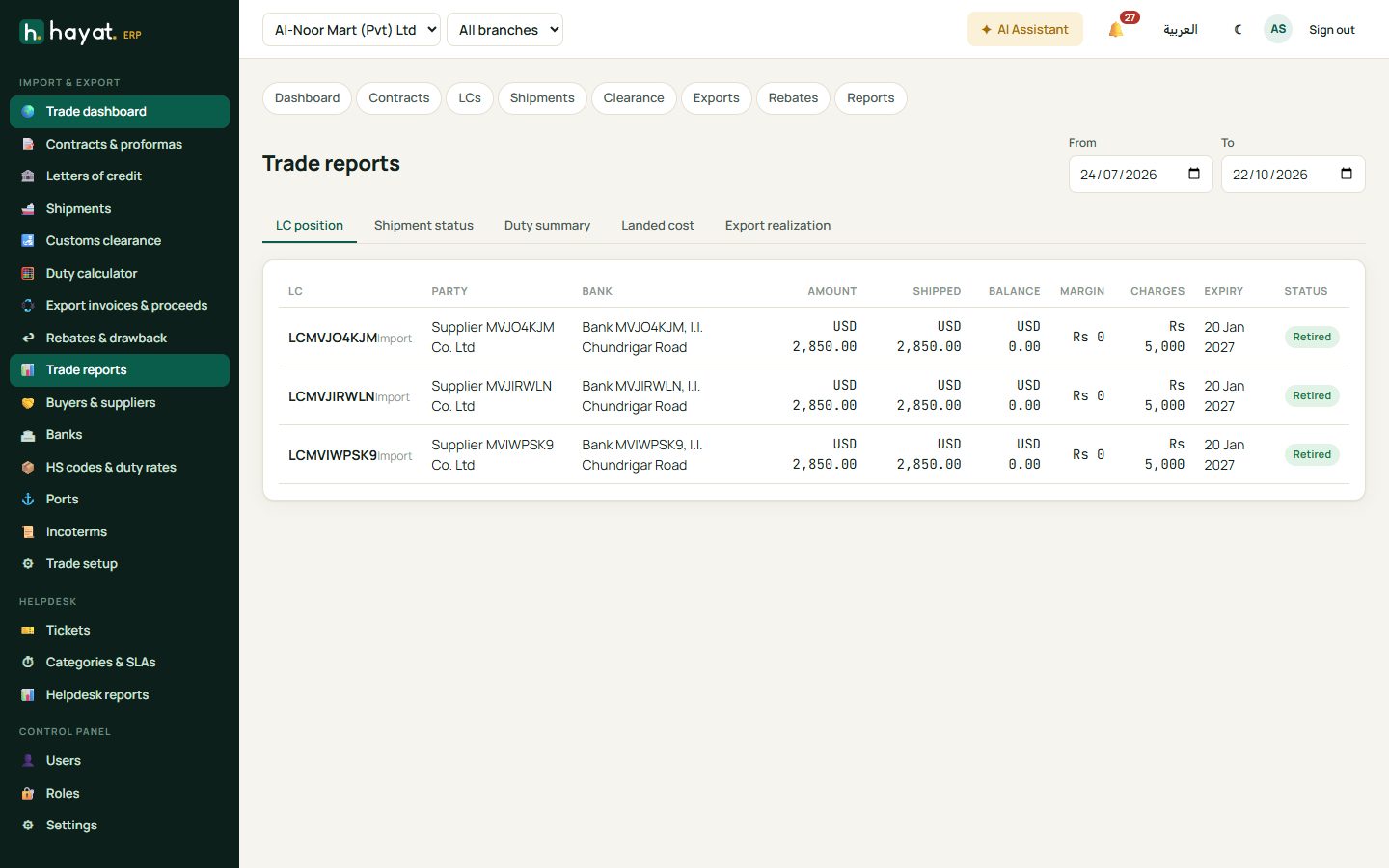
Trade reports: LC position, shipment status, duty summary, landed cost and export realisation.
Workflow
Where the money goes
See How every module reaches the accounts.
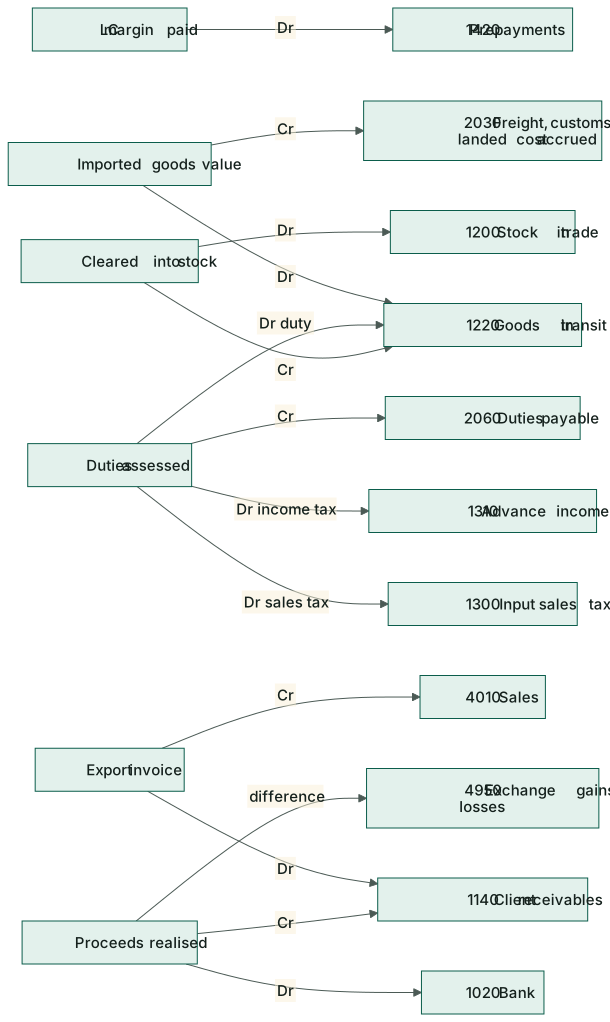
| Event | Debit | Credit |
|---|---|---|
| Imported goods value booked | 1220 Goods in transit | 2030 Freight, customs & landed cost accrued |
| LC margin paid | 1420 Prepayments | 1020 Bank |
| LC / bank charges | 6400 Bank charges | 1020 Bank |
| LC retired (margin applied) | 2030 (or 2010 Accounts payable) | 1420 Prepayments; 1020 Bank for the rest |
| Duties assessed | 1220 Goods in transit (duty); 1300 Input sales tax; 1310 Advance income tax | 2060 Customs duties & port charges payable |
| Duties paid | 2060 | 1020 Bank |
| Clearing / port charge | 1220 Goods in transit (or 1200 after clearance) | 2030 |
| Cleared into stock | 1200 Stock in trade | 1220 Goods in transit |
| Export invoice issued | 1140 Client receivables | 4010 Sales |
| Proceeds realised | 1020 Bank; 6400 Bank charges | 1140 Client receivables; ± 4950 Exchange gains / losses |
| Indent commission billed | 1140 Client receivables | 4530 Trade services |
| Rebate received | 1020 Bank | 4900 Other income |
On the phone
The Hayat Trade app has Today, Shipments, LCs, Clearance and Contracts tabs — update shipment status and tick documents from the port. See Mobile apps.