
Couriers for your store orders
hayaterp.com/couriers ↗Send online-store orders through TCS, Leopards, PostEx, Trax, M&P or a courier company on Hayat — courier accounts, booking one or many orders, labels, tracking, delivered and returned orders, and COD payouts with reconciliation.
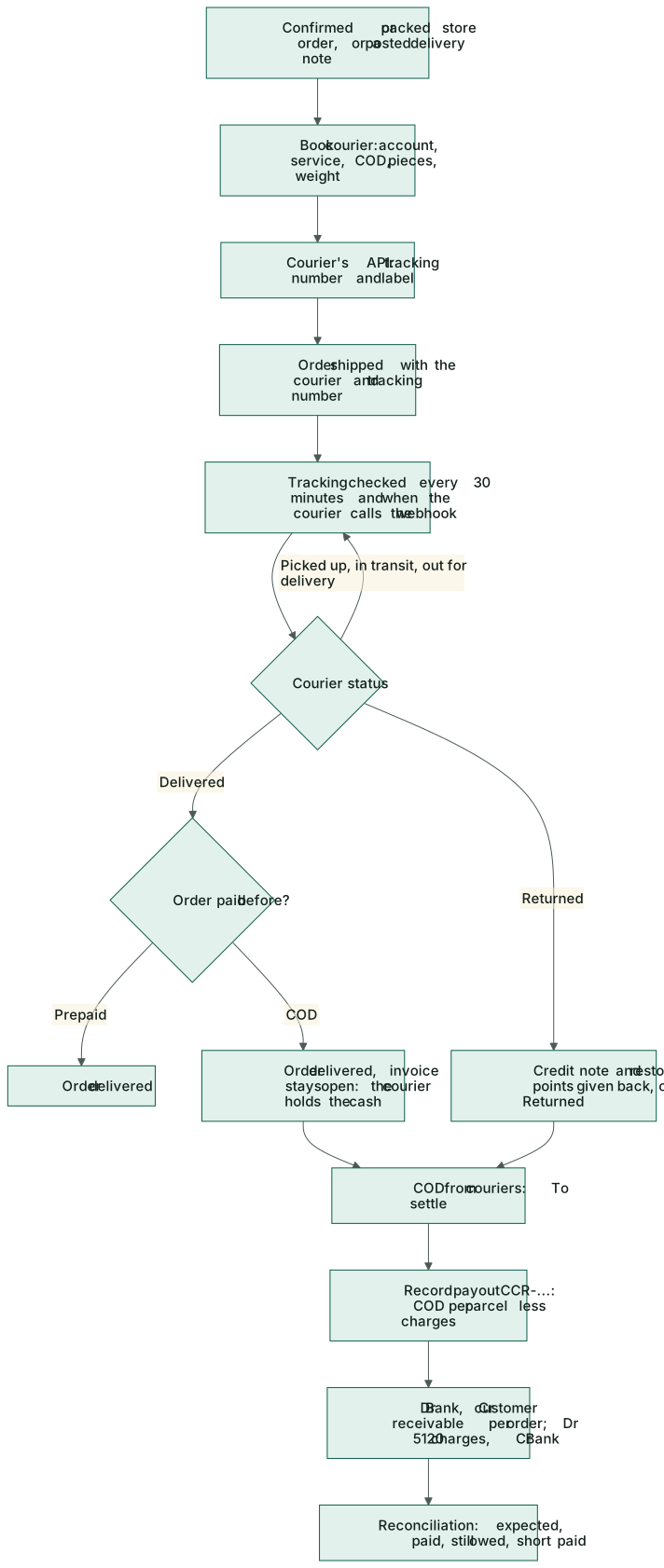
The Couriers menu connects your business to the courier companies you already have merchant accounts with. Book a parcel from an online-store order, print the label, and Hayat follows the tracking by itself: a delivered order is marked delivered, a returned one is credited and restocked, and when the courier pays you the COD, one entry books it against the orders and the courier's charges. The screens are Courier parcels, COD from couriers and Courier accounts.
Who does what
Couriers uses the online-store permissions.
| Permission | Typical person | Can do |
|---|---|---|
| See online orders and store settings (store.view) | Store staff | See parcels, tracking and the courier accounts. |
| Confirm, ship, deliver and cancel online orders (store.orders) | Dispatch clerk | Book, track and cancel parcels; book many orders at once. |
| Store settings, branding, products and payment methods (store.manage) | Store manager, accounts | Add and change courier accounts; COD to settle, payouts and reconciliation. |
Courier accounts
Couriers → Courier accounts → + Account.
- Type a Name (TCS – Lahore) and choose the Courier: TCS, Leopards, PostEx, Trax, M&P, Hayat Shipping (a courier company that runs Hayat) or the test courier.
- Fill the login fields that courier asks for — they change with the courier (for example the TCS client id and cost centre, the Leopards API key and password, the PostEx token and pickup address code, the Trax API key and pickup address id, the M&P user, password, account number and location id). Secret fields show saved — blank keeps it once stored; they are kept encrypted and never shown again.
- Choose the Default service and the Charges account (default 5120 Freight & carrier costs).
- Pickup: the Name, Phone, City and Address the courier collects from.
- Tick Cash on delivery, Default account and Active. Save.
- Test connection asks the courier for its city list and shows the result under Last test.
- Copy the Webhook address (give it to the courier) into the courier's merchant portal, so status changes reach Hayat at once. New address replaces it.
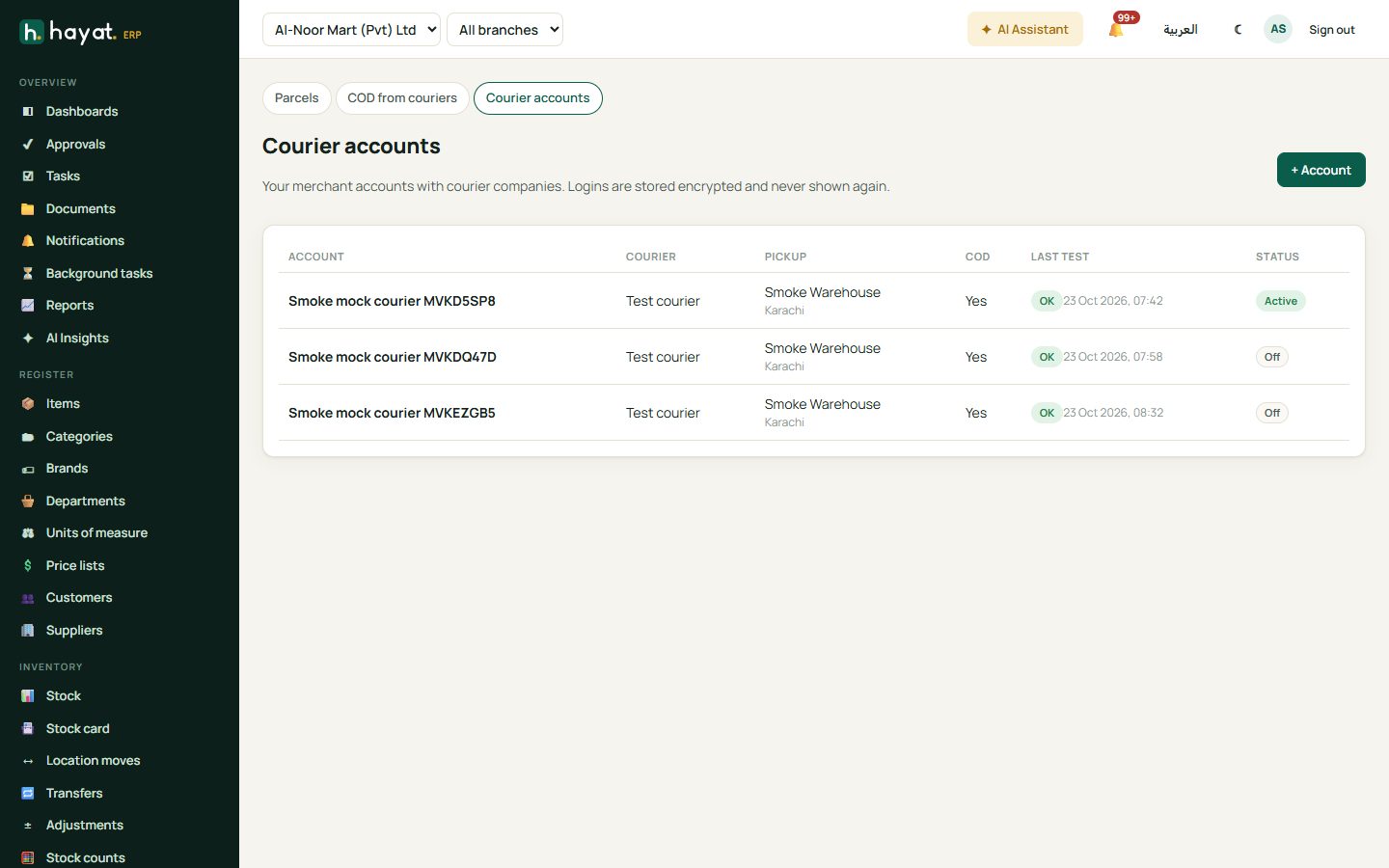
Delete removes an account that was never used; a used one is switched off.
Book store orders
From one order. In Online store → Orders, open a Confirmed or Packed order. Under Courier, click 🚚 Book courier, choose the Courier account and Service, check COD (a cash-on-delivery order sends its total), Pieces and Weight (kg) (the items' weight, else 0.5 kg a piece), add Instructions and Book. An order paid by card or wallet must be paid before it can be booked.
Many orders at once. Couriers → Courier parcels → Book store orders lists confirmed and packed orders without tracking. Choose the Courier account, tick the orders (or Select all) and Book n. The answer says how many were booked and why the others failed.
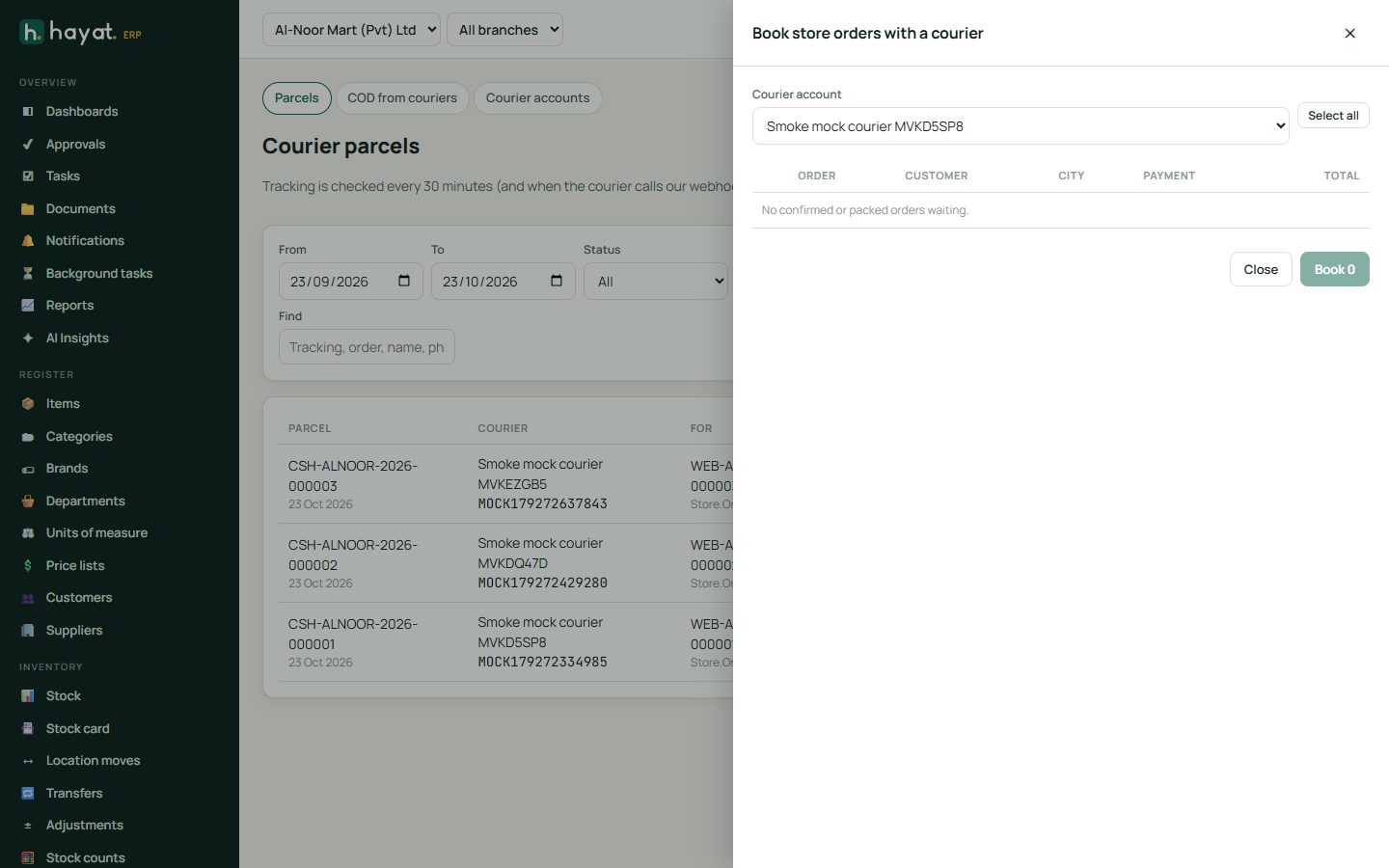
When the courier accepts the booking, the order is shipped at once with the courier's name and tracking number — the delivery note and invoice are made, as with Ship & invoice. The shopper sees Sent with … tracking … on their order page.
+ Parcel books a parcel that has no order: receiver, phone, city, address, pieces, weight, COD, declared value, contents and instructions.
Labels and tracking
Couriers → Courier parcels lists every parcel; filter by dates, Status, Account, Not finished, COD not paid or Find a tracking number, order, name or phone.
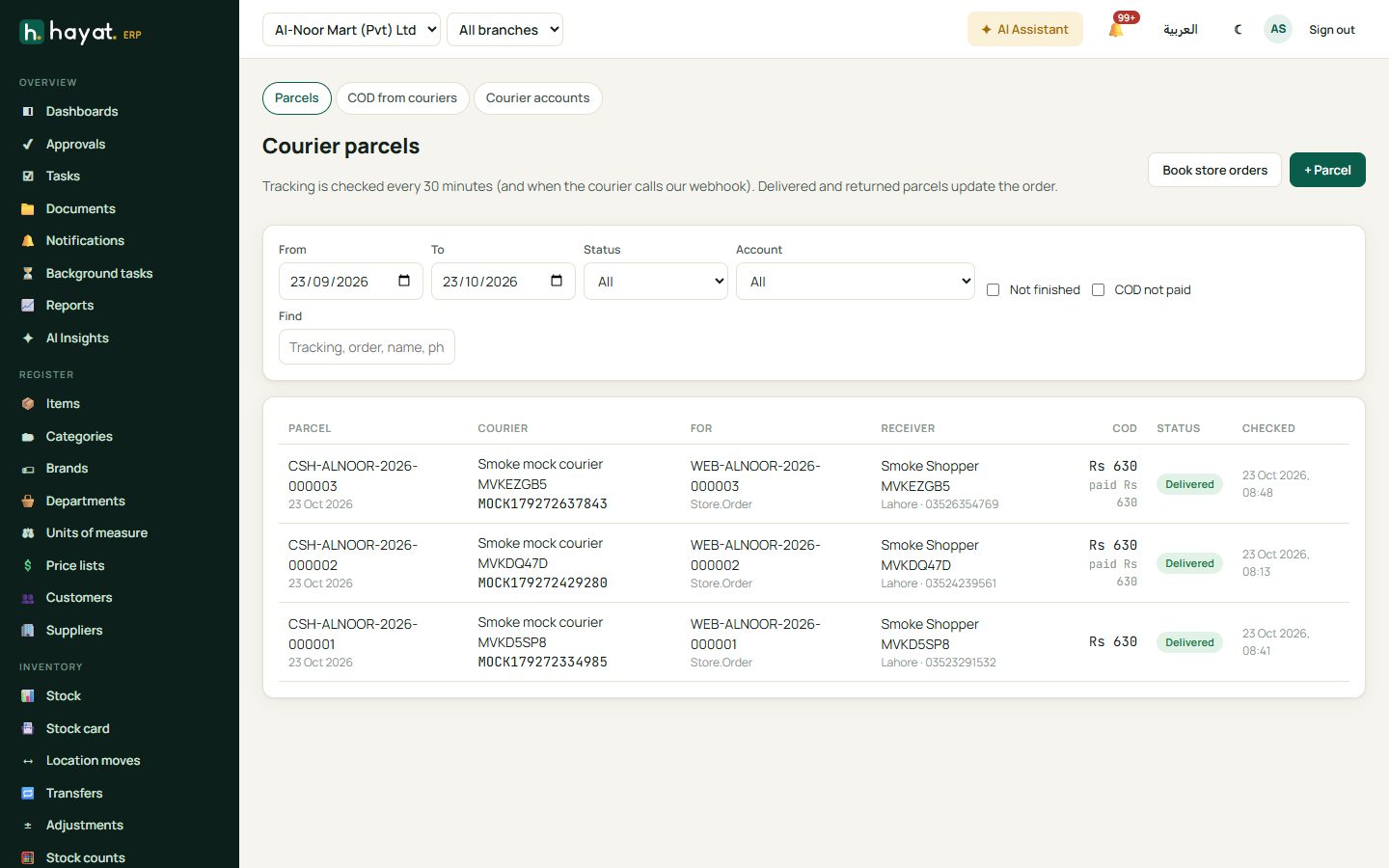
Open a parcel to see the receiver, pieces, weight, COD, charges, who received it and every tracking event. 🖨 Label opens the courier's PDF when it sent one, otherwise Hayat's own label with a QR of the tracking number and the COD; Courier label opens the courier's own link. Check tracking asks the courier now. Cancel booking works only while the parcel is Booked. If the order could not be updated (shown with ⚠), Update the order again retries.
Hayat checks open parcels every 30 minutes, and at once when the courier calls the webhook. A courier that keeps failing is asked less often, up to every 6 hours; after 60 days without news the parcel is no longer followed.
| Courier status | What happens to the order |
|---|---|
| Booked, picked up, in transit, out for delivery | The parcel's status changes. |
| Delivered, order paid before | The order is delivered. |
| Delivered, cash on delivery | The order is delivered without a cash receipt: the invoice stays open until the courier pays you. |
| Returned | In one step: a credit note for the order's remaining items with the stock put back, points used are given back and promotion use is reversed, the order becomes Returned and staff are told. A prepaid order is left with a customer credit (refund due). |
| Booking cancelled | A note on the order and the tracking number cleared. |
COD payouts and reconciliation
Couriers → COD from couriers has three tabs.
- To settle shows, per courier, the delivered COD parcels and returned parcels not settled yet, with COD − charges = net, and Record payout.
- Payouts lists every payout recorded (CCR-…), with the courier's reference, parcels, COD, charges and amount received.
- Reconciliation (default: the last 60 days) shows Expected COD (delivered in the period), Paid by couriers and their charges, Still owed and Short paid; By courier with what is over 7 and over 14 days; Not paid yet and the Short paid parcels.
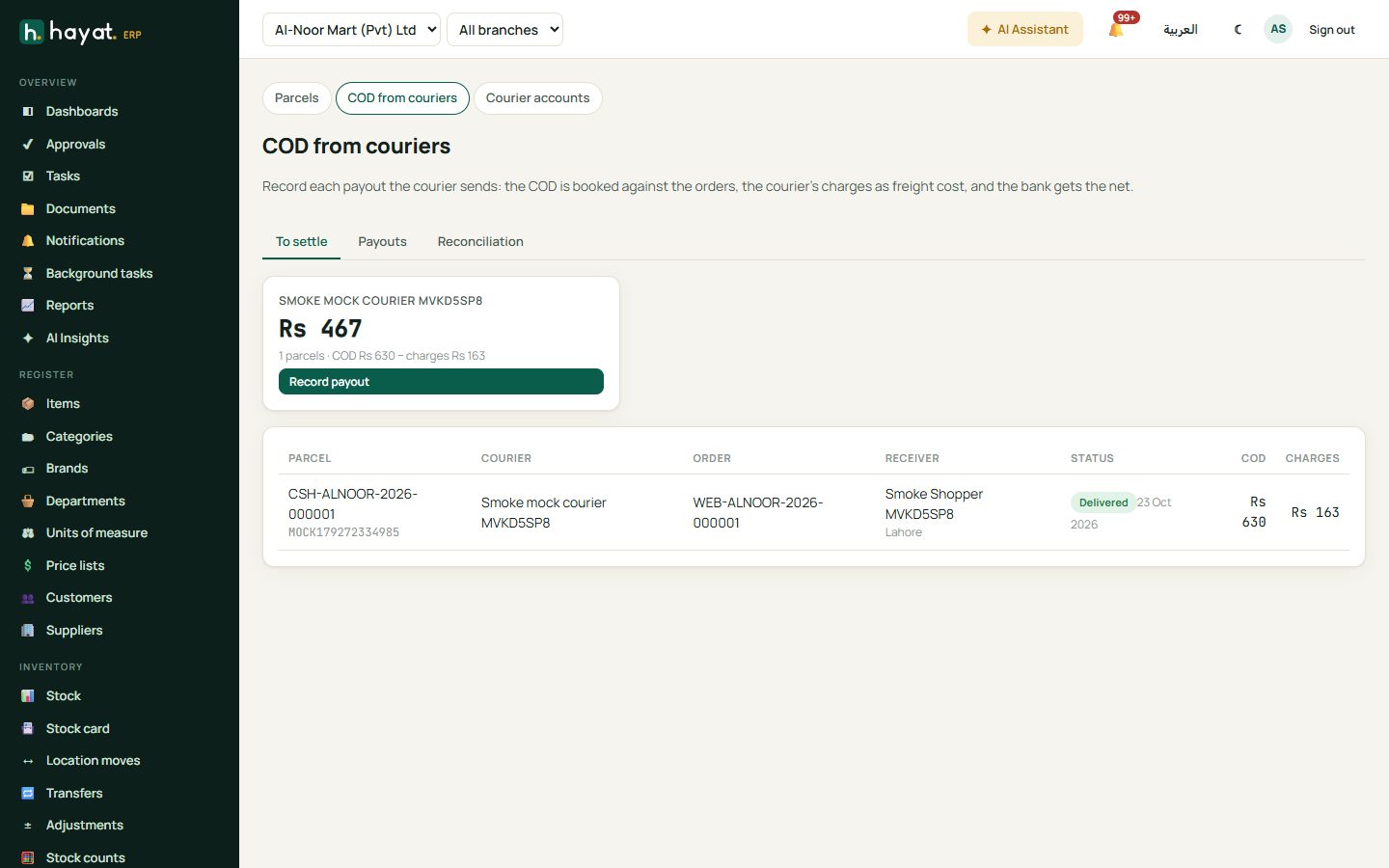
- When the courier's payment reaches your bank, click Record payout on that courier.
- Type the Date, the Courier's reference, and choose Into bank (or a Method: Bank, Raast, JazzCash, Easypaisa, Cash).
- Tick the parcels in the payout and correct the COD and Charges per parcel to match the courier's statement. A returned parcel has charges only.
- Type the Amount received (check): it must equal COD − charges, shown as Net.
- Record payout.
Every order in the payout is paid against its invoice in the same step; if one order refuses (for example a closed period), nothing is recorded and its message is shown.
Workflow
Where the money goes
Booking a parcel posts nothing. The order's own delivery note and invoice post as an online-store sale (How every module reaches the accounts).
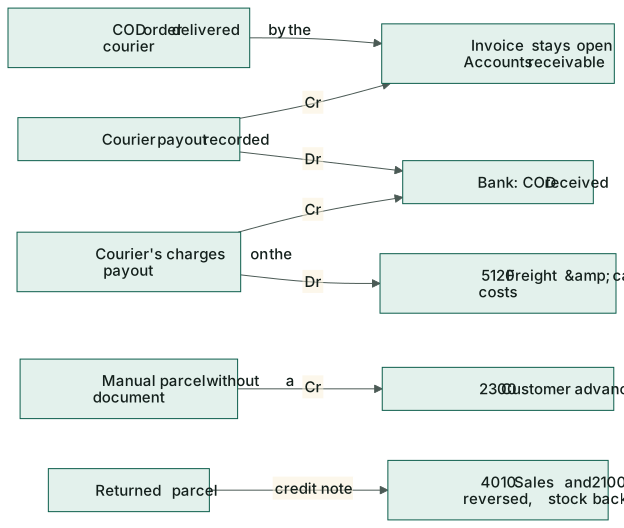
| Event | Debit | Credit |
|---|---|---|
| COD order delivered by the courier | — (the invoice stays in 1100 Accounts receivable) | |
| Courier payout: COD per order | the bank account (or the method's account) | 1100 Accounts receivable (the order's invoice); any extra becomes 2300 Customer advances |
| Courier payout: charges | 5120 Freight & carrier costs (or the account's charges account) | the bank account |
| Parcel without an order: COD received | the bank account | 2300 Customer advances (the receiver) |
| Returned order | the credit note reverses 4010 Sales and 2100 Output tax and clears 1100; the stock comes back |
So the bank moves by COD − charges, the orders are paid in full and the courier's fee is a cost.