
Subscriber billing, plans and add-ons
admin.hayaterp.com ↗For the Hayat team — plan prices and terms, subscriptions, SUB invoices in the operator's own books, reminders, past due and suspension, coupons, the add-on catalogue and usage; and what a subscriber sees on the billing page.
Subscriber billing turns the plans in the super-admin panel into real invoices. Each subscriber has a subscription (plan, monthly or annual cycle, currency, add-ons, discount). Hayat issues the invoices before each period, sends reminders with a pay link, marks unpaid subscribers past due, and after the grace days limits them to read-only or the billing page until they pay. The invoices are posted in the operator's own Hayat company like any other customer invoice.
In the admin console the Billing section of the menu has Billing overview, Subscriptions, Invoices, Plan prices & terms, Coupons, Add-on catalogue, Add-on requests, Usage and Billing settings. Subscribers see Settings → Billing & plan.
The lifecycle
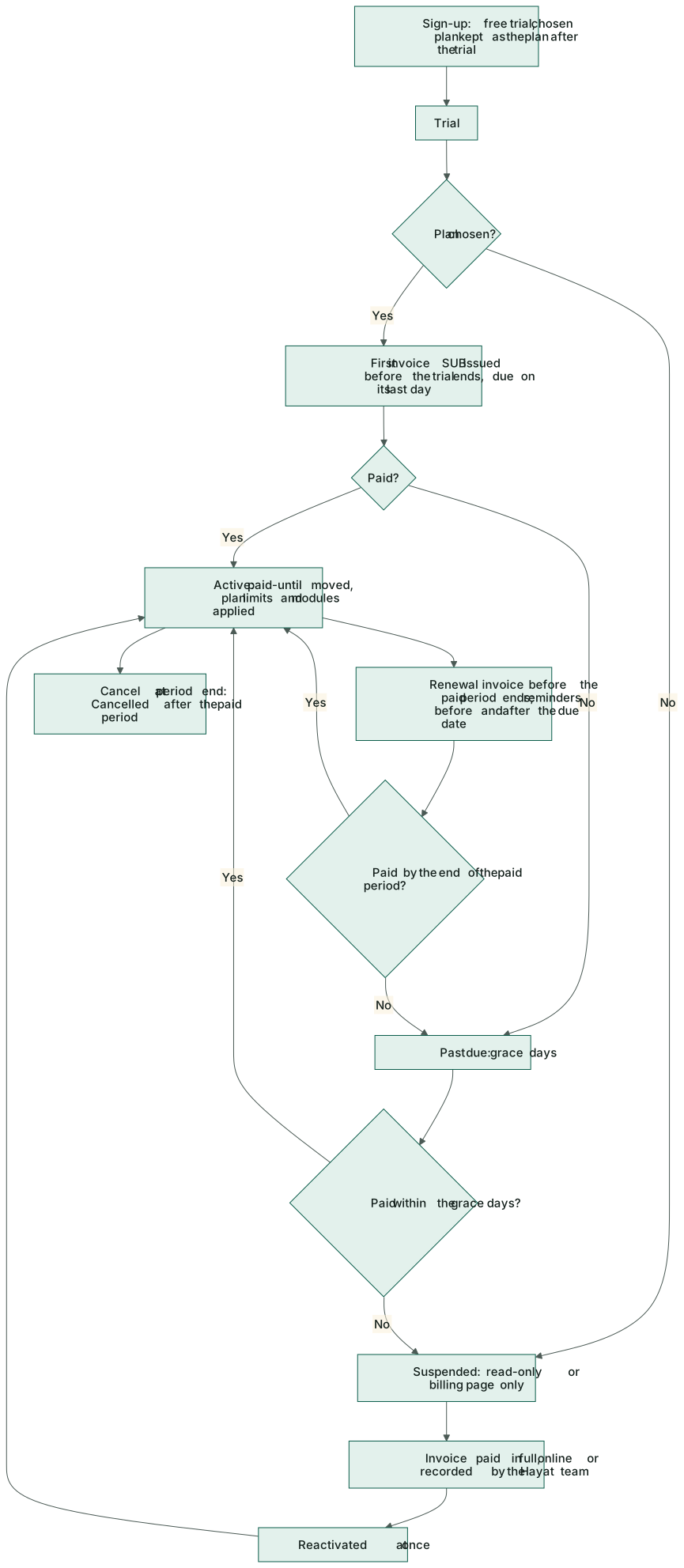
| Status | When | What the subscriber can do |
|---|---|---|
| Trial | After sign-up (14 days on the trial plan). A plan chosen on the website is kept for after the trial. | Everything in the trial. |
| Active | The current period is paid. | Everything their plan allows. |
| Past due | The paid period ended with an invoice still open. | Everything, during the grace days (default 7). |
| Suspended | Grace days are over, or a trial ended with no plan. | ReadOnly (look, no changes) or BillingOnly (only the billing page), as set. |
| Cancelled | Cancel at period end and the period is over. | — |
Paying the invoice in full moves the paid-until date, applies the plan's limits and modules, switches on paid add-ons and makes the subscription Active again at once.
Billing overview
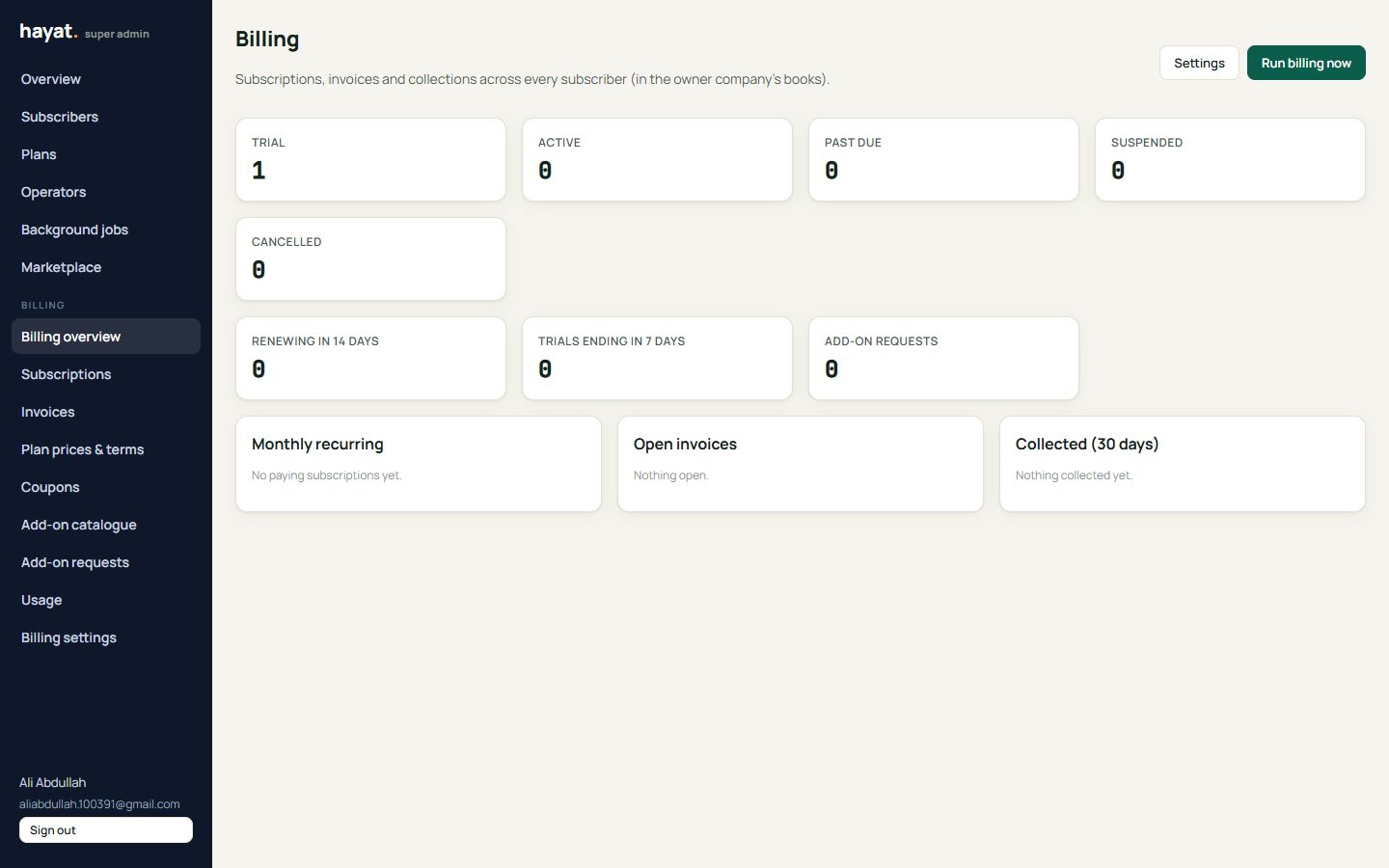
Billing overview counts subscriptions by status, Renewing in 14 days, Trials ending in 7 days and Add-on requests, with Monthly recurring, Open invoices and Collected (30 days) per currency. Run billing now runs the daily cycle at once; Settings opens the billing settings.
Billing settings (Hayat team)
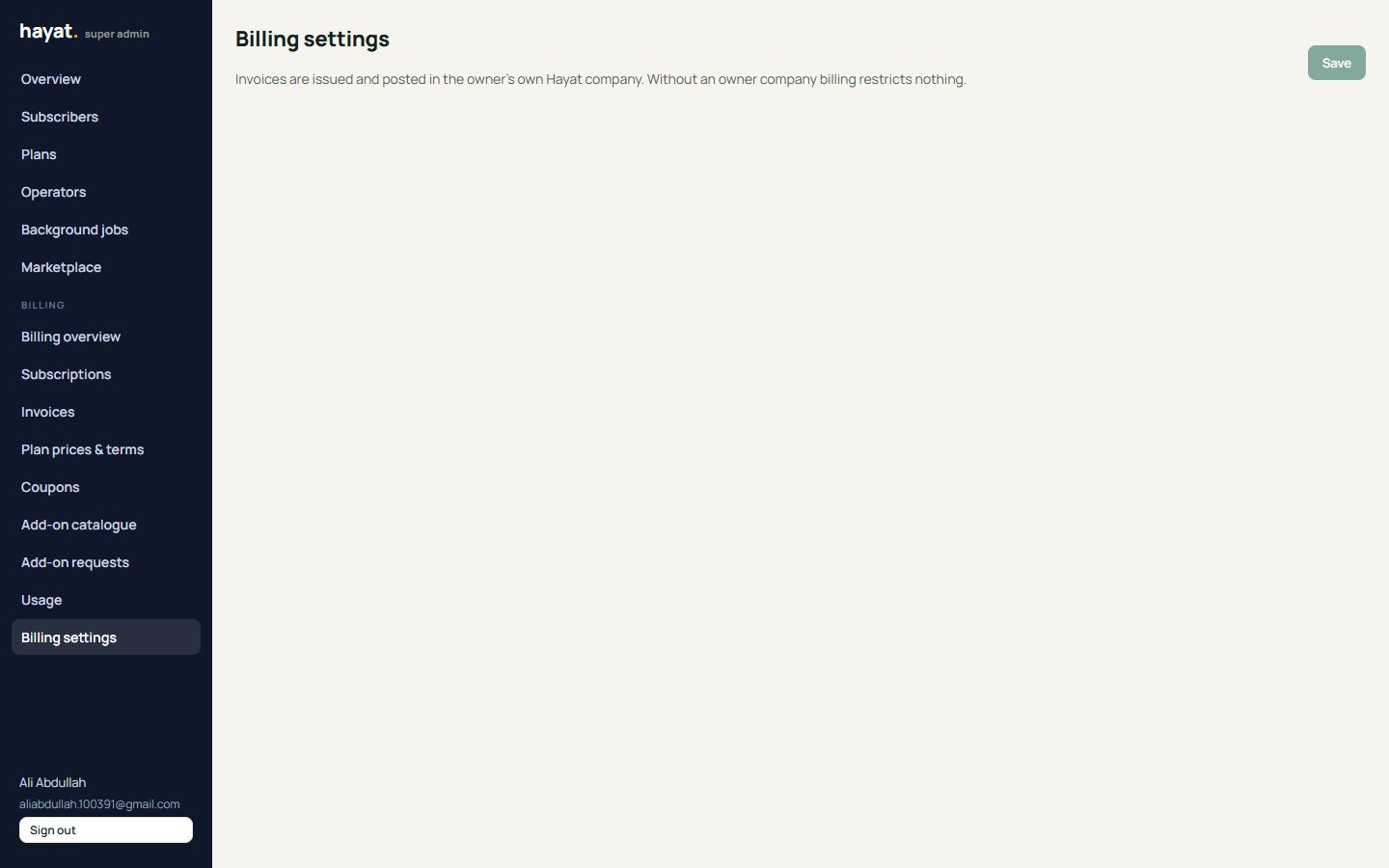
Billing settings, set once:
- the owner tenant, company and branch — the operator's own Hayat company whose books receive the invoices;
- the receivable (default 1140), revenue (4020 Service revenue) and tax (2100) accounts, the tax % and its label, the default currency;
- invoice days before the period (7), due days (7), grace days (7) and the suspend mode (ReadOnly or BillingOnly);
- reminder days before the due date (7, 3, 1) and after it (1, 3, 6); auto invoice, auto suspend, send email, send SMS; how long the pay link works (336 hours); the invoice footer.
The daily run (every hour it checks; a run happens at most once in 20 hours, or on demand) issues invoices, sends reminders and moves subscriptions to past due, suspended or cancelled. It reports how many of each.
Plans, prices and coupons
Plan prices & terms: each plan (code, limits, trial days — still set in Plans) gets a Tagline, Prices per currency (+ Currency), Included modules, Included industry packs, Invoices a month and SMS a month (0 = no limit) and Features (one per line, for the pricing table). In full, the terms are: a tagline, the included modules (empty = leave the subscriber's modules alone; otherwise every other module is switched off), included industry packs, prices per currency (PKR, OMR, SAR, AED, USD; monthly and annual), invoices and SMS per month (shown, not enforced), features, a highlight, price on request and whether it can be chosen on the website.
Coupons → + Coupon: a code, % or amount off, the plans it is for, how many cycles (blank = for ever), valid dates, maximum redemptions and new subscribers only.
Subscriptions and invoices
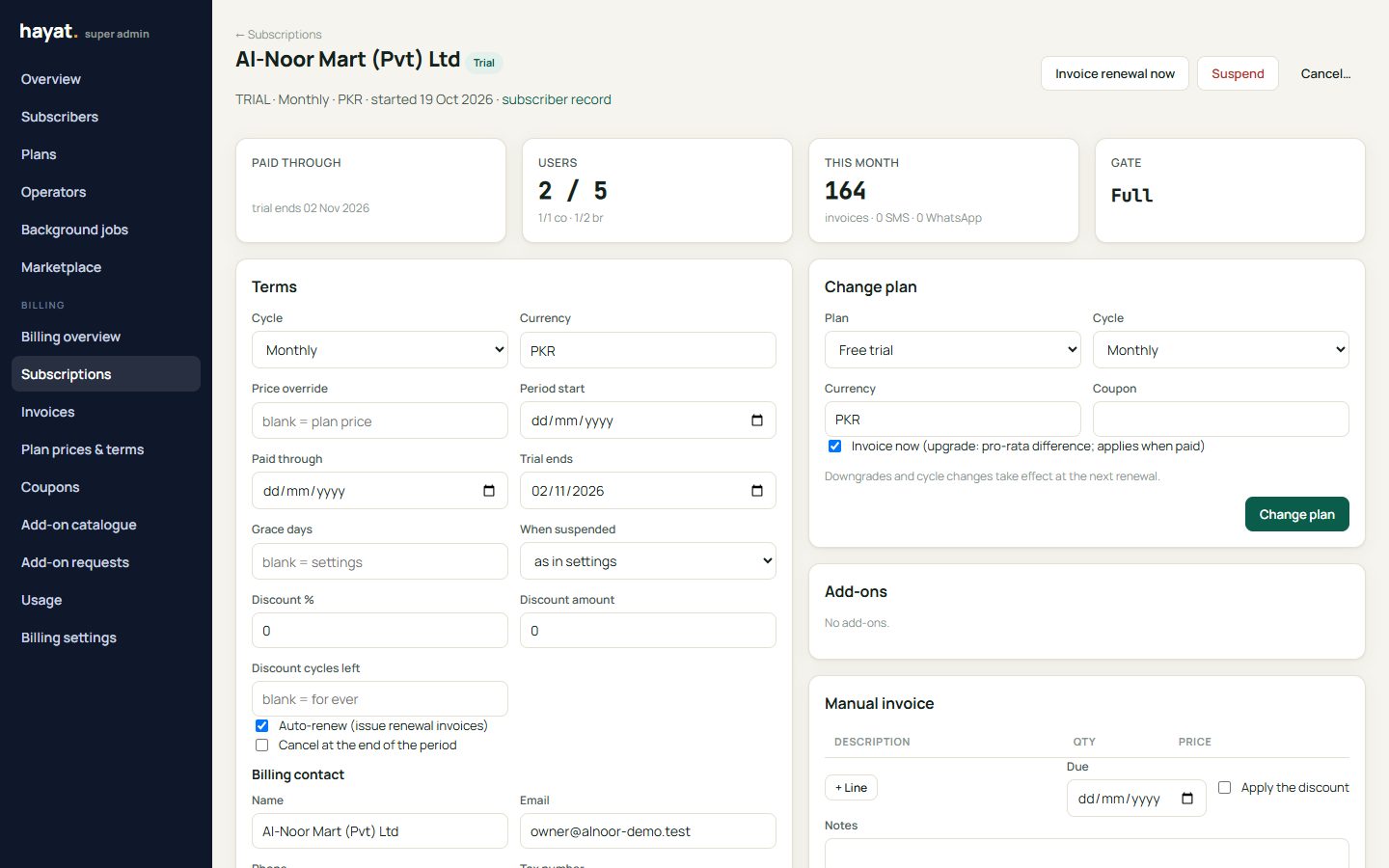
Subscriptions lists one row per subscriber, filtered by Status (a subscription is made from the subscriber's plan and dates the first time it is opened). Billing & invoices on a subscriber's page opens the same screen. For one subscriber the tiles show Paid through, Users, This month and the Gate, with the subscription, the tenant's limits and modules, the gate state, invoices, add-on requests and usage, and:
- Terms: change the cycle, currency, a price override, auto renew, cancel at period end, the period dates, grace days, suspend mode, the billing contact and tax number, and a discount (% or amount, for how many cycles);
- Change plan with a Coupon (an upgrade mid-period makes a pro-rata Upgrade invoice and applies when paid; a downgrade or cycle change waits for the next renewal);
- Invoice renewal now, or a Manual invoice (+ Line, Due, Issue invoice);
- Suspend, Reactivate or Cancel… (now or at the period end); Remove an add-on.
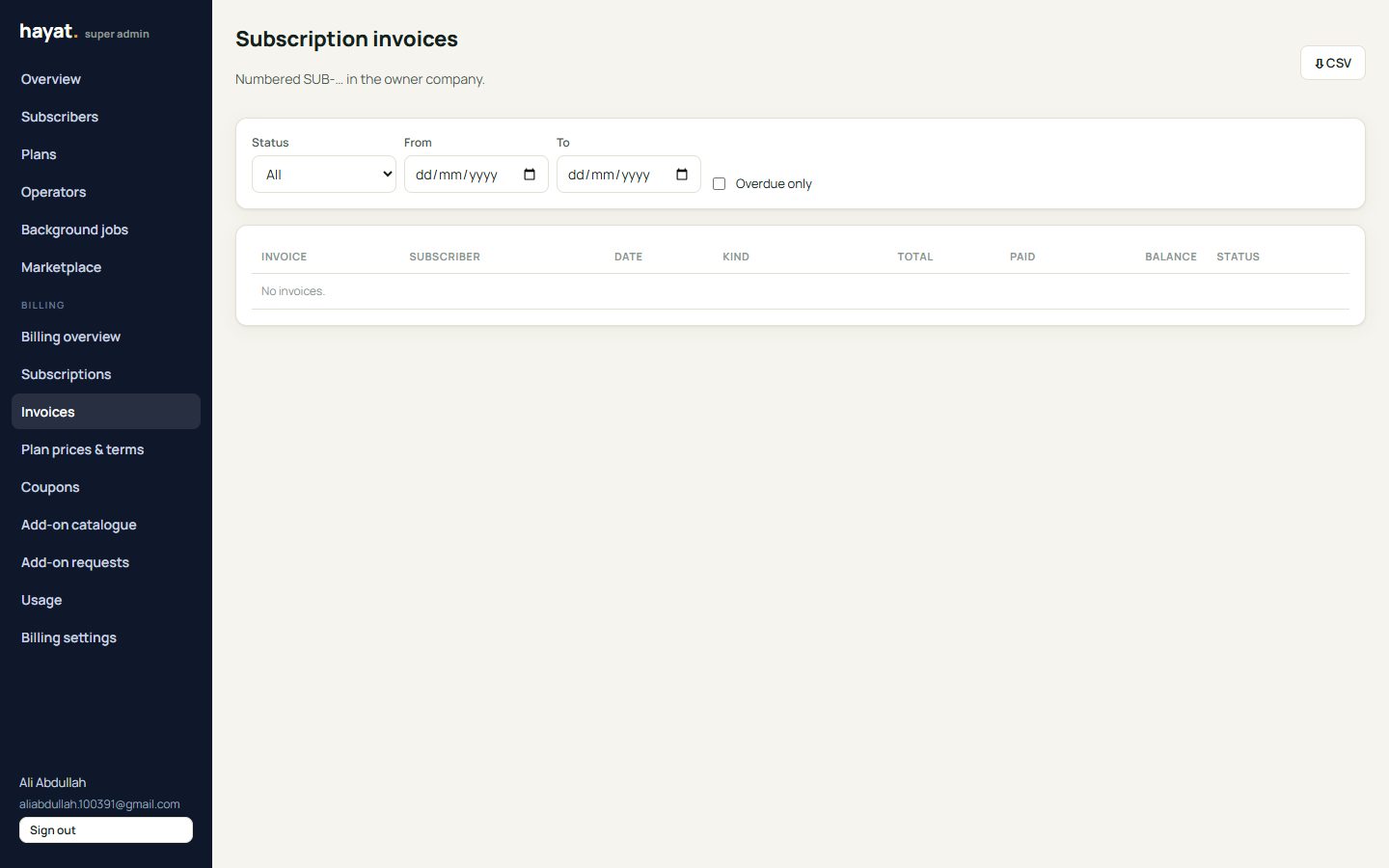
Invoices are numbered SUB-… in the owner company. Subscription invoices lists them with dates and ⇩ CSV. Open one to 🖨 Printable, Record payment (amount, method, reference, date), make a 🔗 Pay link (the owner's online payments pay page), ✉ Send it by email, SMS or WhatsApp, or Void (unpaid only).
Add-on catalogue and usage
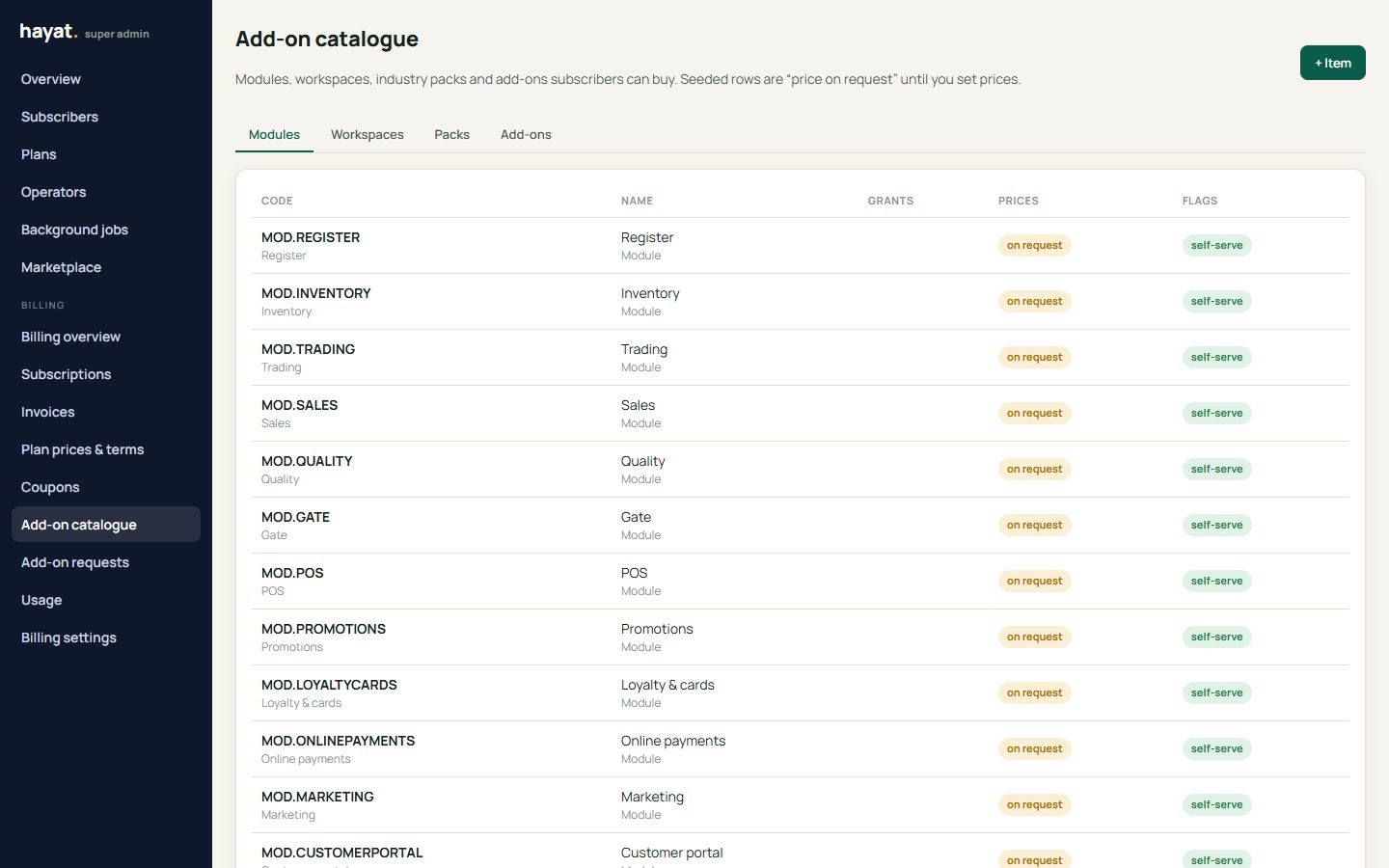
Add-on catalogue has one row for each selectable module (MOD.…), opt-in workspace (WS.…), industry pack (PACK.…) and the add-ons extra user, extra branch, extra company and 1,000 SMS. Every row starts as price on request with no prices, so nothing can be switched on for free by accident: set the prices per currency and untick price on request. Each item can carry screenshots, what it grants (users, branches, companies, SMS per quantity), whether it is public and whether a subscriber may order it themselves.
Add-on requests from subscribers wait for Approve (an invoice is made, or the add-on is switched on if free) or Reject.
Usage for a month shows per subscriber the users, companies and branches against the limits, invoices (posted sales invoices and POS receipts), SMS and WhatsApp sent, SMS credits and what is over the limit. Monthly invoice and SMS limits are only shown, not enforced.
What a subscriber sees
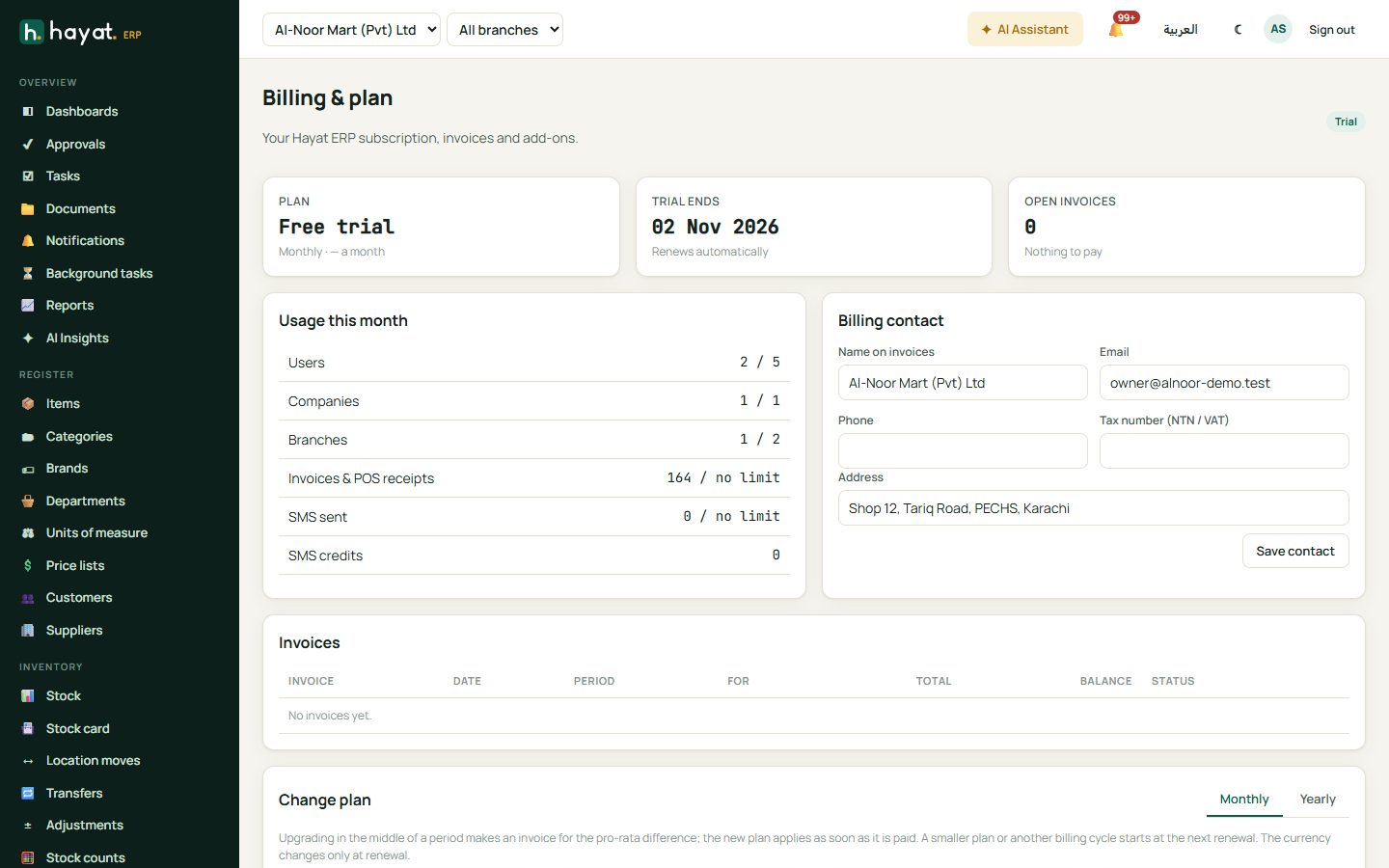
Settings → Billing & plan (the subscriber's admin, permission admin.settings) shows the Plan, when the trial ends or what is paid until, Open invoices with Pay online, Usage this month, Billing contact (name on invoices, email, phone, NTN / VAT tax number, address — Save contact), Invoices (View), Change plan (Monthly / Yearly, Choose plan, a coupon Check, Confirm; Contact us when the price is on request), the Add-on marketplace, and Cancel at the end of the period / Resume subscription.
When the subscription is past due or suspended, every user sees a banner; admins get a Billing & plan button, others are told to ask their administrator. In BillingOnly mode only the billing page opens; in ReadOnly mode nothing can be changed until the invoice is paid.
The public website shows the plans and catalogue priced in the visitor's currency, and its sign-up form starts a trial with the chosen plan kept for after it.
Where the money goes
In the owner company (the Hayat operator's own books), source Subscription:
| Event | Debit | Credit |
|---|---|---|
| Invoice issued | 1140 Client receivables (total); 4090 Sales discount (discount) | 4020 Service revenue (subtotal); 2100 Output tax |
| Payment (online or recorded) | the method's account (bank, cash, JazzCash…) | 1140 Client receivables |
| Invoice voided (unpaid only) | 4020; 2100; 1140 (discount) | 1140; 1140; 4090 |
Amounts in another currency are converted to the owner company's base currency with its Accounts exchange rate; without a rate the invoice is refused. Online payment uses the owner company's Pakistani gateways, so non-PKR invoices show in the base currency on the pay page.