
Gate passes and the security gate
hayaterp.com/gate ↗Inward passes for vehicles bringing goods (before the GRN), outward passes for deliveries, transfers, returns and returnable items, approval, the guard's check-in and check-out with vehicle, seal and weighbridge, the gate register and returnables still out.
Gate & quality → Gate passes controls what comes in and goes out of a warehouse, factory or store. An inward pass logs a truck at the gate before the stores count the goods; an outward pass is the permission for goods to leave — a delivery to a customer, a transfer to another branch, a return to a supplier, or a tool sent for repair that must come back. The security guard checks each vehicle against its pass, and the time, guard and vehicle details are stamped on it.
Who does what
| Permission | Typical person | Can do |
|---|---|---|
| See gate passes and the gate register (gate.view) | Guard, stores, managers | Open the lists, passes, gate register and returnables. |
| Raise inward and outward gate passes (gate.issue) | Stores, dispatch, sales office | Create and change draft passes, raise a pass from a document, Approve outward passes, Cancel and Close. |
| Check vehicles and goods in and out at the gate (gate.check) | Security guard | Check in vehicle / Check out at gate, record items returned on a returnable pass. |
The ready-made Security Guard role has See and Check. See and Raise inward and outward gate passes are also in the ready-made Branch Manager, Sales, Purchase and Inventory roles, so the people who make deliveries, receipts and transfers raise their own passes (see Roles).
The gate desk
The screen has five tabs:
- Inward and Outward — open passes by default; change the status filter to All or one status, search a number, party, vehicle or document, and pick dates. Each row shows the party, the document, vehicle, driver, quantity, when it passed the gate and the guard.
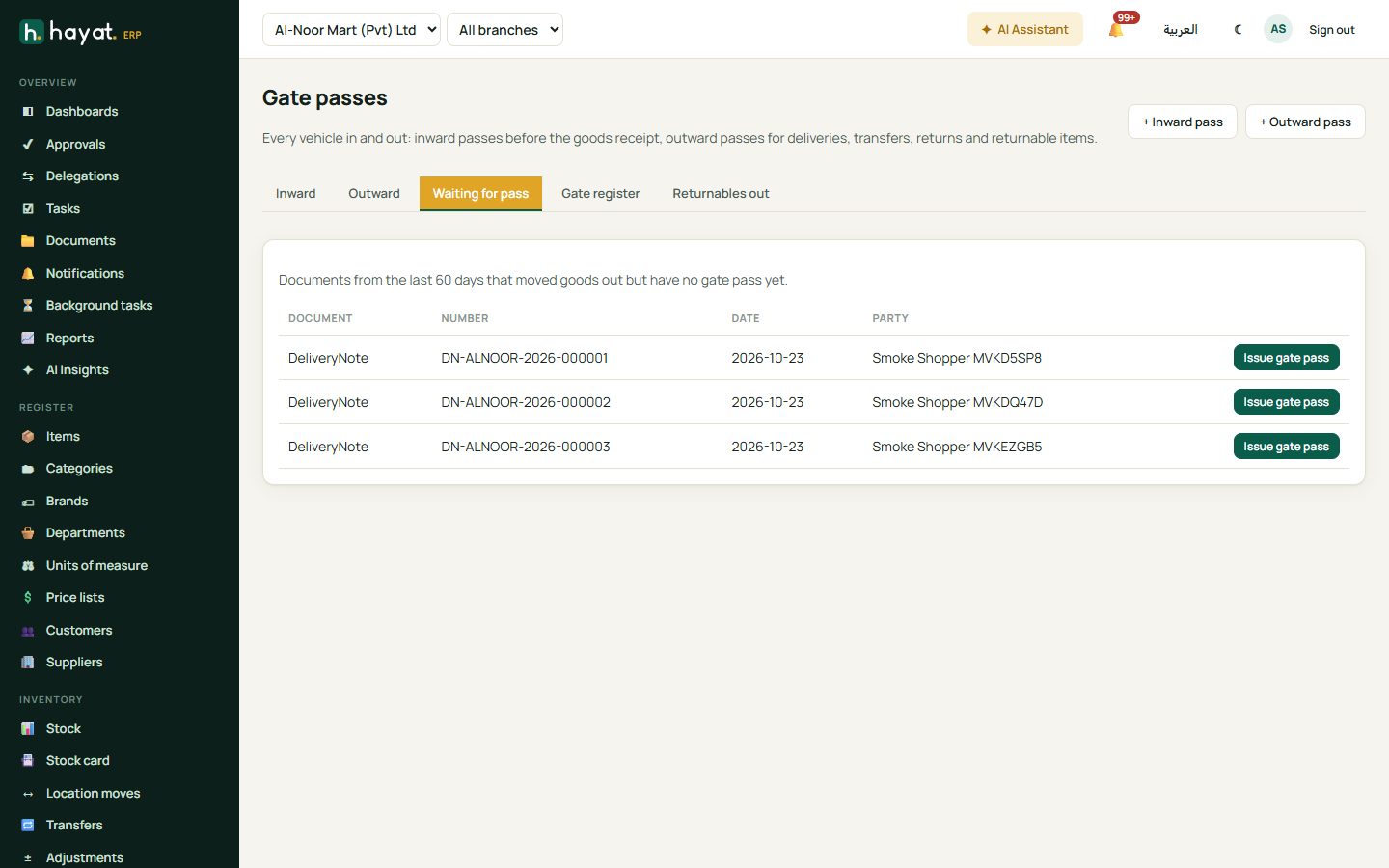
- Waiting for pass — documents from the last 60 days that moved goods out but have no gate pass yet: posted delivery notes, approved or dispatched stock transfers and posted purchase returns. Issue gate pass makes the pass from the document.
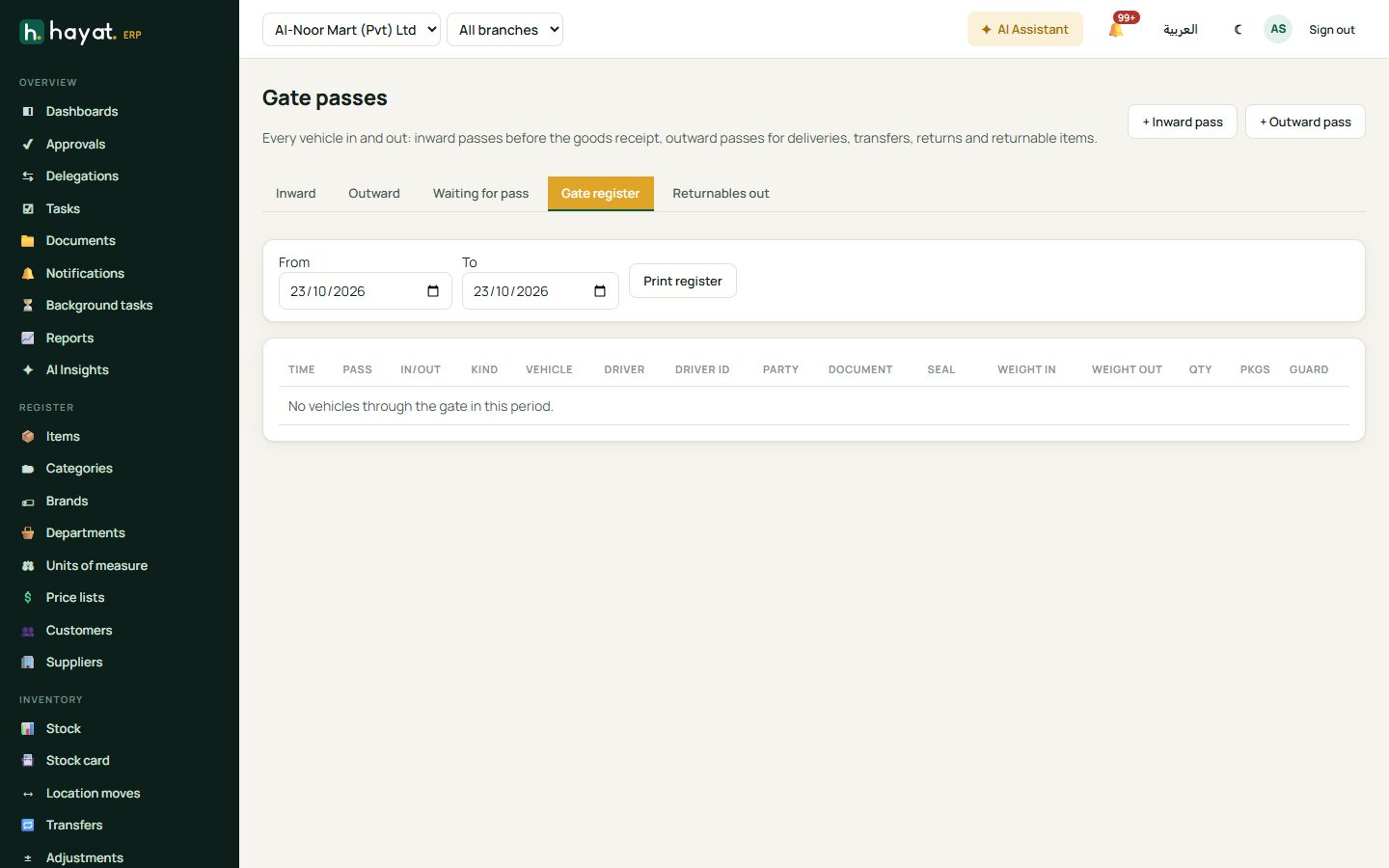
- Gate register — every vehicle that passed the gate in a period (today by default): time, pass, in / out, purpose, vehicle, driver and driver ID, party, document, seal, weight in and out, quantity, packages and guard. Print register prints it for the security file.
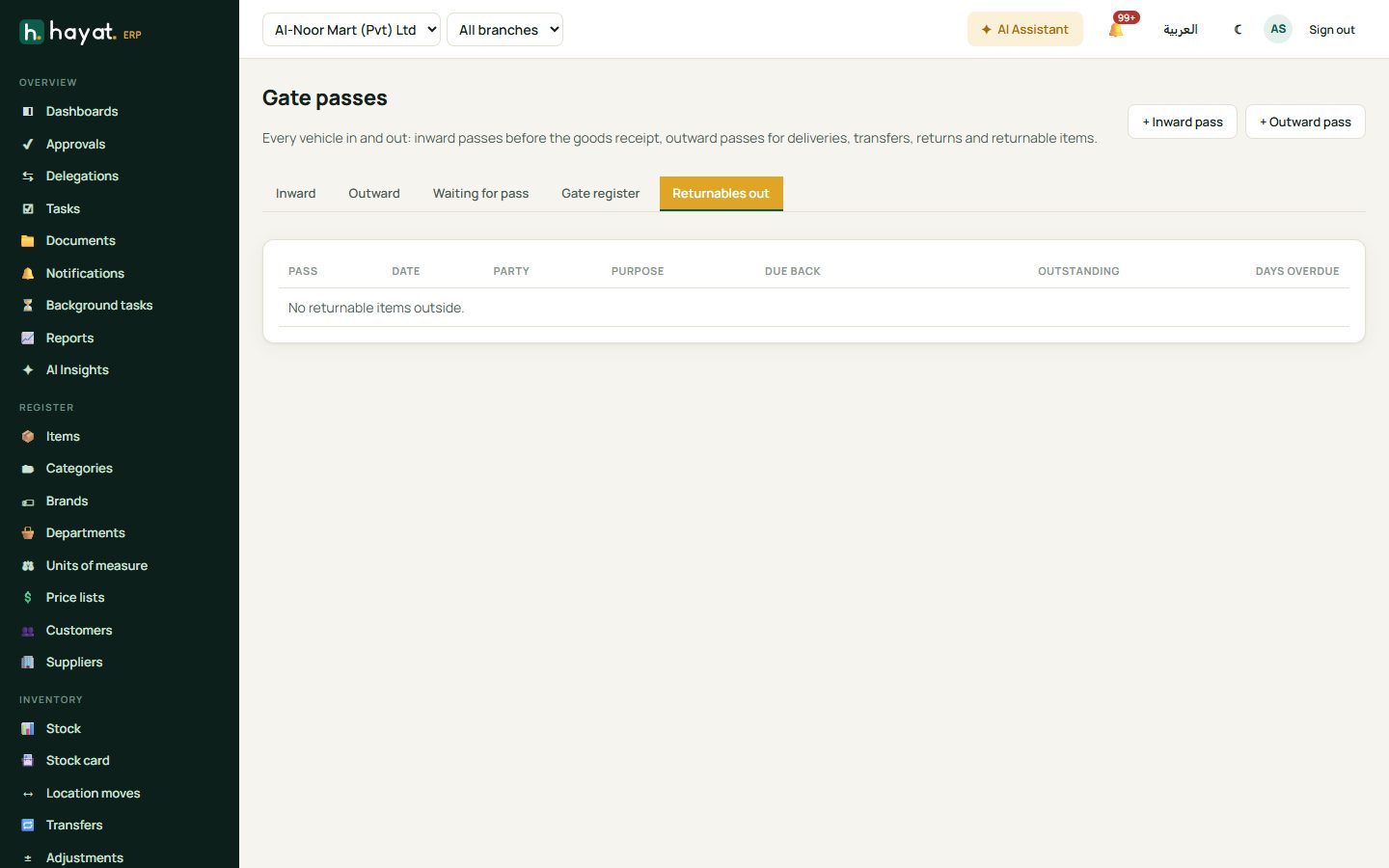
- Returnables out — returnable items still outside, with the date they are due back, the quantity outstanding and days overdue (red).
Raise a pass
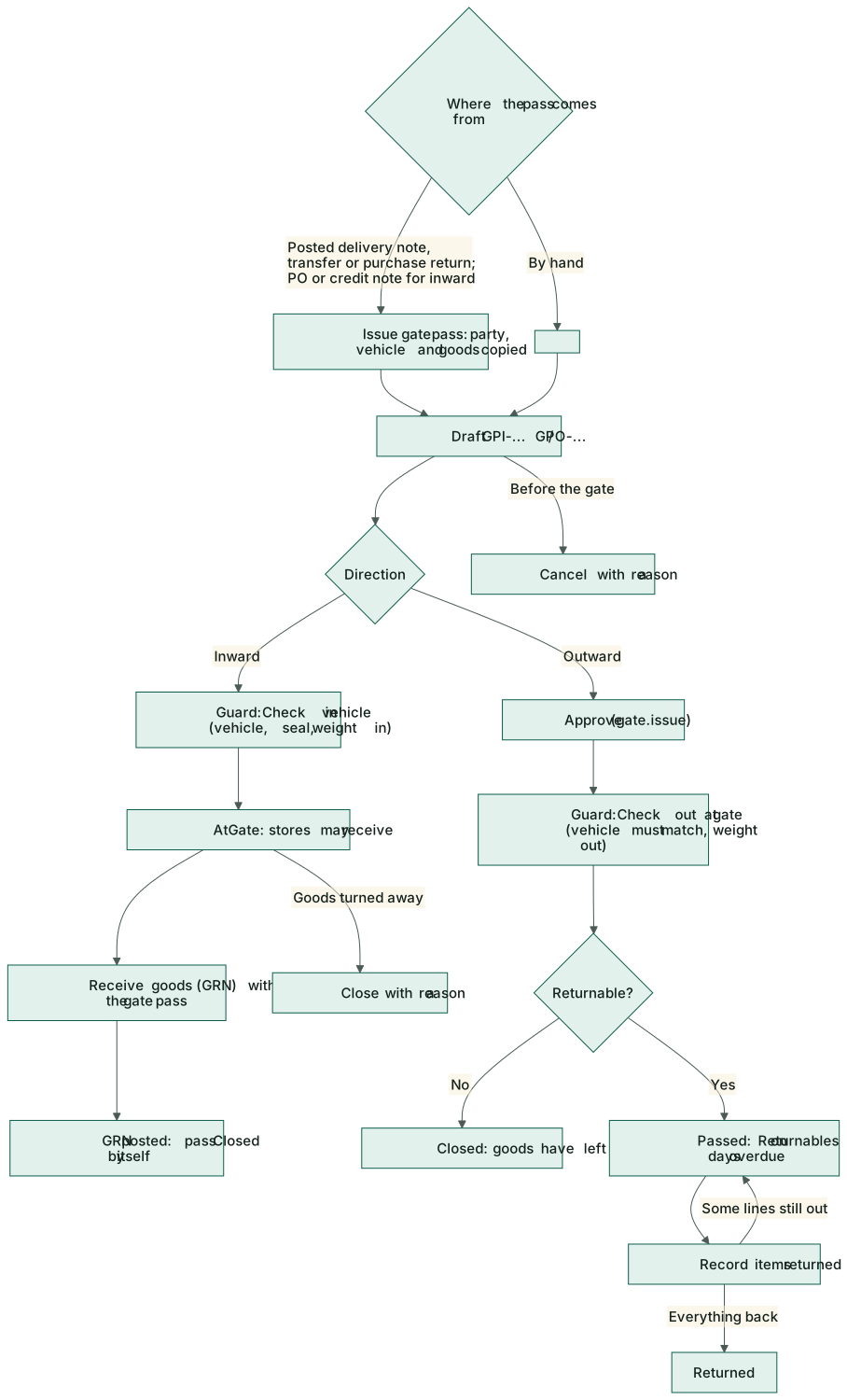
From a document (best). On a posted delivery note click Gate pass (Sales → Deliveries), or use Issue gate pass on the Waiting for pass tab. The party, vehicle, driver, transporter and goods are copied from the document. Passes can be made from delivery notes, stock transfers, purchase returns, purchase orders (inward, the quantities not yet received) and sales credit notes (inward, goods coming back). One document gets only one pass; a delivery note must be posted first.
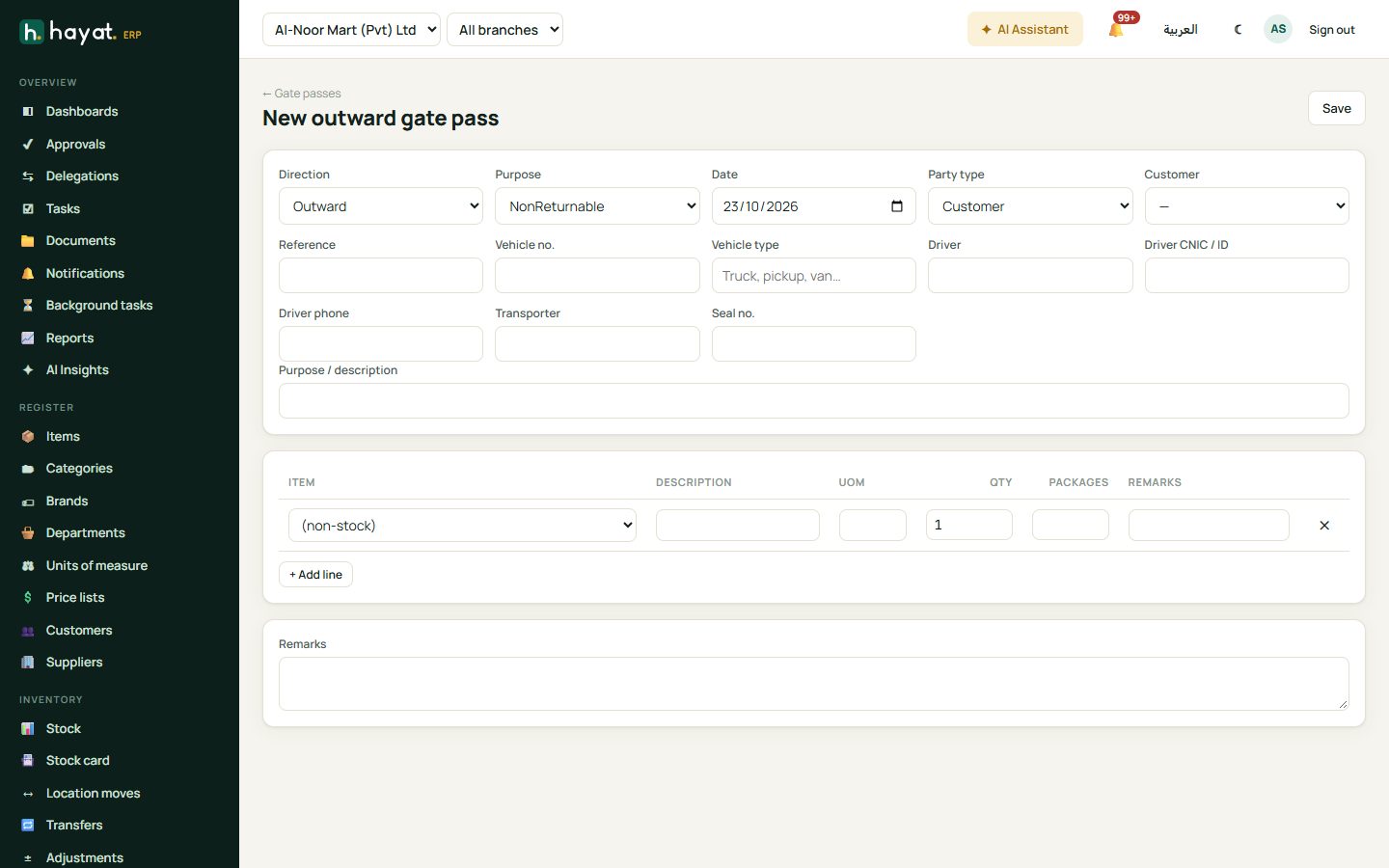
By hand. + Inward pass or + Outward pass:
- Choose the Purpose: purchase receipt, sales delivery, stock transfer, purchase return, sales return, Returnable, NonReturnable or Other.
- Choose the Party type — Supplier, Customer, Branch, Employee, Contractor or Other — and the supplier or customer, or type the name.
- Inward: type the Supplier's DC / bilty no.. Outward: an optional Reference.
- Fill the Vehicle no., Vehicle type, Driver, Driver CNIC / ID, Driver phone, Transporter and Seal no. as far as you know them.
- A returnable pass needs Expected back (a date).
- Add the goods: pick an item (its name and unit are filled in) or leave (non-stock) and describe it — a generator for repair, tools, samples. Type the Qty, Packages and remarks. + Add line for more.
- Save. The pass gets its number (GPI-… inward, GPO-… outward) and stays Draft while it can still be changed.
Approve an outward pass
Goods may not leave on a draft. Someone with Raise inward and outward gate passes — the stores or dispatch supervisor — opens the outward pass and clicks Approve (status Approved); Hayat records who approved and when. The guard's Check out at gate is refused on an unapproved pass: "This outward pass is not approved yet; goods may not leave." Inward passes need no approval.
At the gate: check in and check out
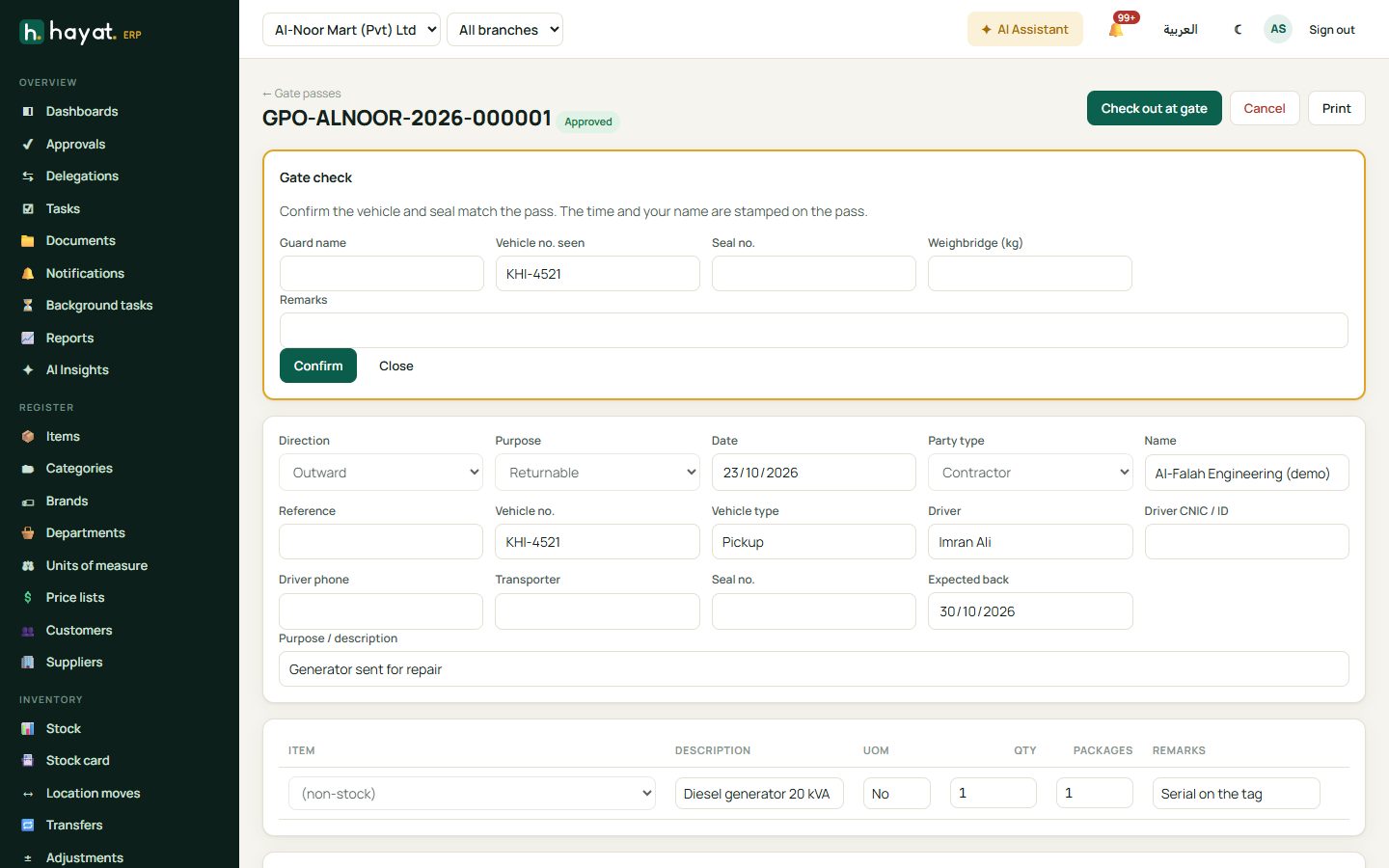
The guard opens the pass (search the number or vehicle on the tab) and clicks Check in vehicle (inward) or Check out at gate (outward):
- Type the Guard name, the Vehicle no. seen, the Seal no. and the Weighbridge (kg) reading if there is one, and any Remarks.
- Confirm. If the vehicle number does not match the pass, Hayat refuses: "Stop the vehicle and call the issuing department."
- The time and your name are stamped on the pass, with the weight as weight in (inward) or weight out (outward).
What happens next depends on the pass:
| Pass | After the gate check |
|---|---|
| Inward | AtGate: stores can receive the goods. Receive goods (GRN) opens a goods receipt with the pass already chosen. When that GRN is posted, the pass closes by itself. |
| Outward, not returnable | Closed — the goods have left. |
| Outward, returnable | Passed — it waits on Returnables out until the items come back. |
On a goods receipt you can also pick the Inward gate pass yourself: the list shows the open inward passes and copies the supplier's DC and vehicle number. See Receive the goods.
Returnable items
When repaired equipment, loaned tools or samples come back, the guard opens the pass, types the quantity in Return now on each line and clicks Record items returned. The pass is PartiallyReturned until every line is back, then Returned. A line can never take back more than went out.
Cancel or close
- Cancel (with a reason) works only before the vehicle passed the gate — on a Draft or Approved pass.
- Close (with a reason) ends a pass that has passed the gate but will not be finished normally — for example an inward truck turned away without a GRN.
- Print prints the pass with signature boxes for Issued by, Approved by, Security guard and Driver.
Employee gate passes
HR & Payroll → Short leave / gate pass is the pass for a person, not goods: the employee or HR asks, the manager approves, and security stamps the pass Check out and Back in from the At the gate today box (or Gate out / Gate in on the row). Personal passes beyond the monthly allowance are deducted in payroll; official ones are not. The stamping buttons need Check vehicles and goods in and out at the gate; the screen opens with either See employees or that gate permission, so the Security Guard role can stamp employees without seeing the employee list. See HR → Leave and requests and Short leave in the employee portal.
Workflow
Where the money goes
A gate pass never posts to the accounts and never moves stock. The documents behind it do: the goods receipt puts stock in and owes the supplier, the delivery note takes stock out, the transfer moves it between branches. The pass is the security record that the vehicle and goods really passed the gate. See How every module reaches the accounts.