
Sustainability (ESG) and carbon footprint
hayaterp.com/esg ↗The carbon footprint by scope from fuel, electricity, travel, purchases and waste — emission factors, activity data, suggestions from the ERP, targets, the ESG metrics register and the GHG report.
Sustainability works out your business's greenhouse-gas footprint and keeps the other ESG figures (energy, water, waste, people, safety, governance) that lenders, buyers and boards ask for. Activity data — litres of diesel, kWh of electricity, flights, purchases — is turned into kg CO2e with an emission factor, and the results are grouped into Scope 1 (fuel you burn, refrigerants), Scope 2 (electricity) and Scope 3 (travel, commuting, purchases, waste, water).
The screens are in the ERP menu under Sustainability: Sustainability dashboard, Activity data, Suggestions from the ERP, ESG report, GHG annual summary, ESG metrics, Reduction targets, Emission factors, and for managers ESG mappings and ESG settings.
Sustainability is on for every subscriber unless the Hayat team switches it off. Nothing in it posts to the accounts.
Who does what
| Permission | Typical person | Can do |
|---|---|---|
| See the carbon footprint and ESG reports (esg.view) | Management, auditors | Dashboard, report, GHG summary, exports. |
| Enter activity data (fuel, electricity, travel, waste) (esg.edit) | Sustainability officer, accountant | Activities, CSV import, accepting suggestions, metric values, saved reports. |
| Emission factors, targets and ESG settings (esg.manage) | Sustainability manager | Factors and their versions, mappings, targets, settings, recalculation, removing an import. |
The ready-made Accountant role has esg.view and esg.edit; Management has esg.edit and esg.manage.
The dashboard
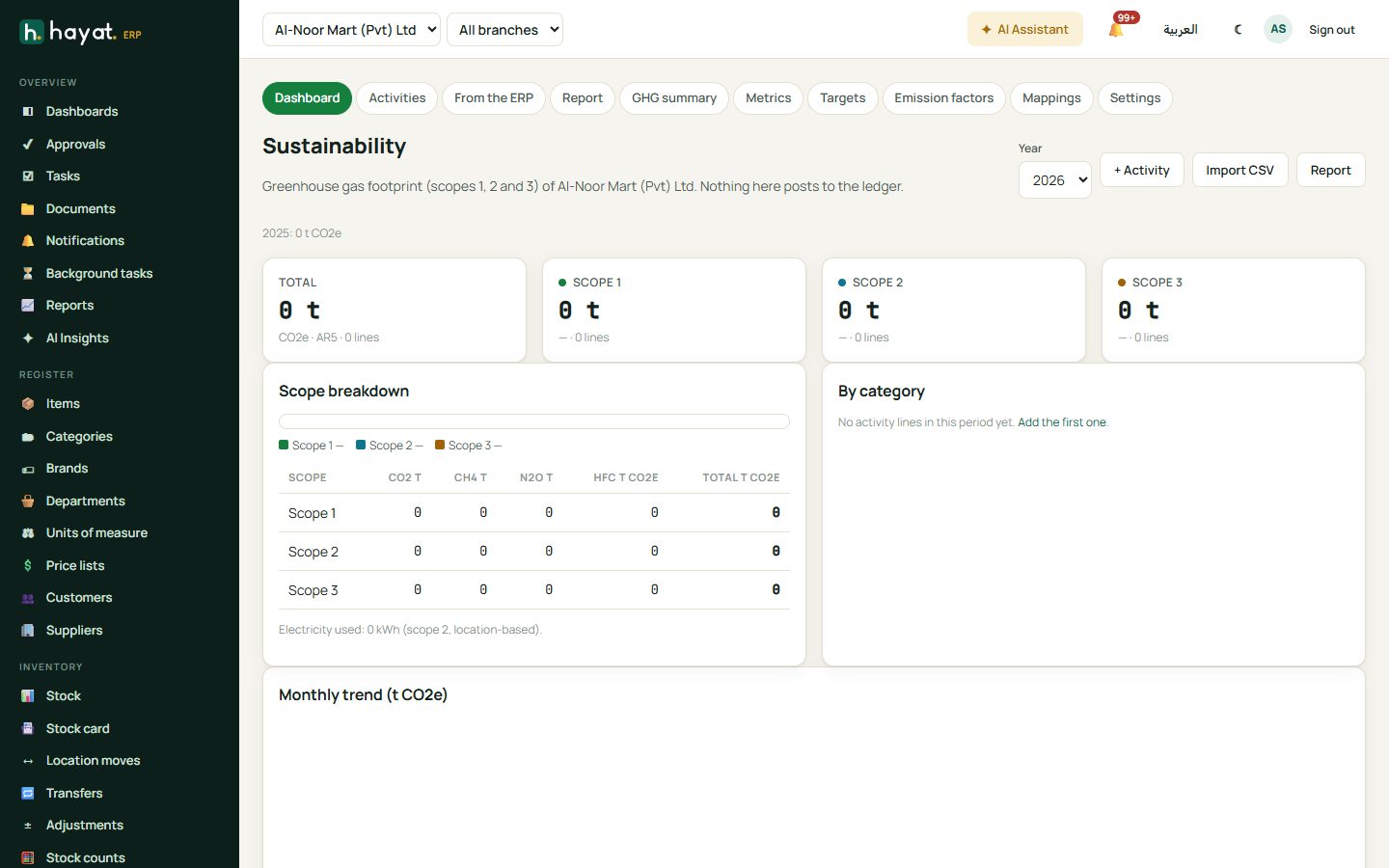
Sustainability dashboard shows the Total footprint of the chosen Year against last year, the Scope breakdown (with memo items outside Kyoto, not in the totals), By category, the Monthly trend (t CO2e), the Top sources and the Intensity. + Activity adds a line.
Settings
ESG settings (esg.manage), per company:
- Calculation: GWP set (AR4, AR5 or AR6 — AR5, with methane 28 and nitrous oxide 265, is the GHG Protocol default), Baseline year, Electricity factor and Hotel night factor for your country, Flight distance uplift % (DEFRA flight factors already include their 8 % uplift, so 0 is normal), Production unit (intensity), Collect suggestions from the ERP every day (this and last month) and the Report footer.
- Money → USD (spend factors): units of each currency per 1 USD, used only when Accounts has no exchange rate to USD.
- Staff travel (Travel module): the travel customers whose bookings are the company's own business travel (scope 3, category 6).
Emission factors
A factor library is seeded for every subscriber, with versions by year and source:
| Area | Factor codes (examples) |
|---|---|
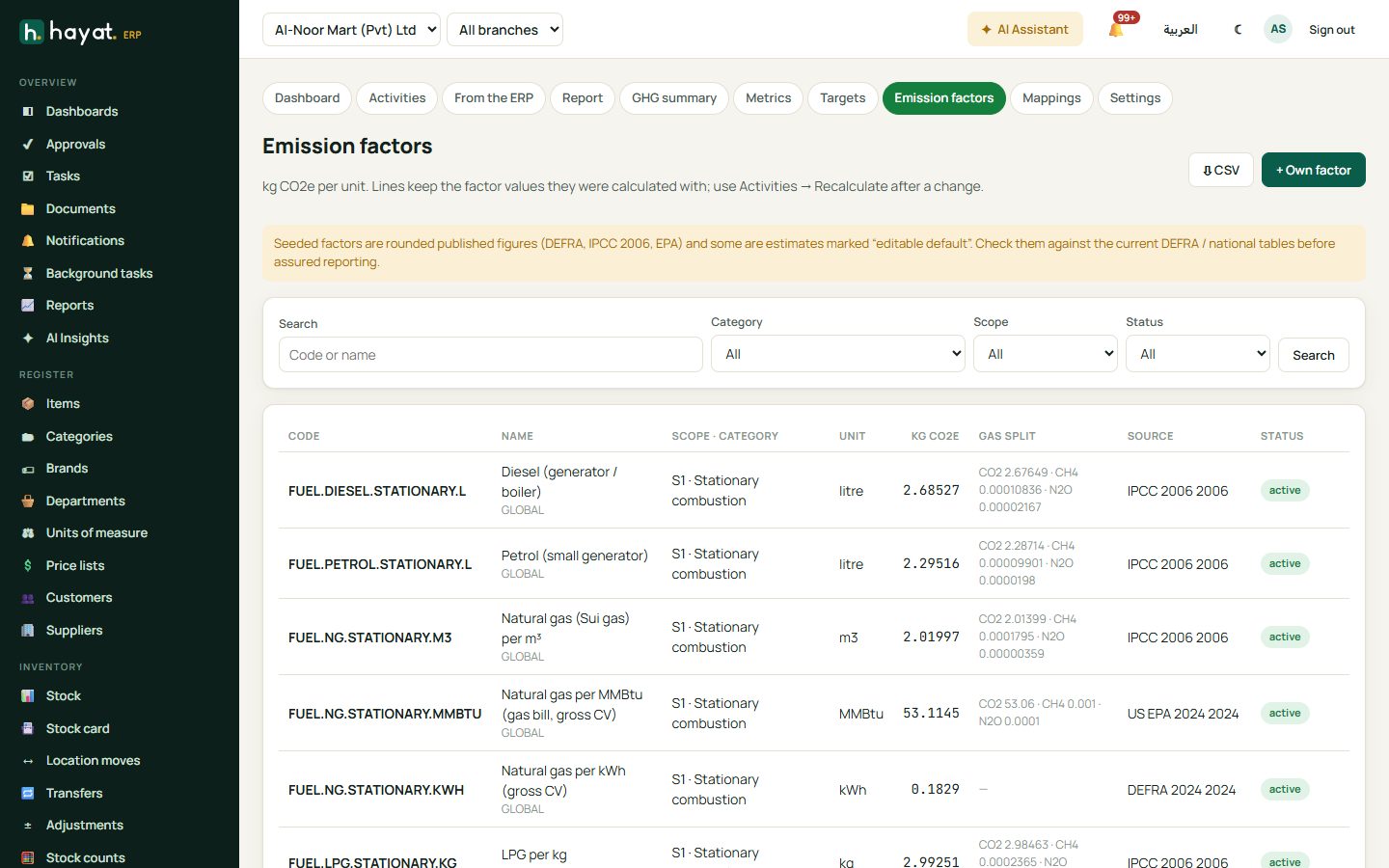
| Scope 1, burning fuel | FUEL.DIESEL.STATIONARY.L, FUEL.PETROL.MOBILE.L, FUEL.NG.STATIONARY.M3, FUEL.LPG.STATIONARY.KG, FUEL.CNG.MOBILE.KG, FUEL.COAL.STATIONARY.KG |
| Scope 1, refrigerants | REFR.R410A.KG, REFR.R134A.KG, REFR.R32.KG (R-22 is a memo item outside the totals) |
| Scope 2, electricity | ELEC.GRID.PK (0.45 kg per kWh), ELEC.GRID.OM, ELEC.GRID.SA, ELEC.GRID.AE, ELEC.SOLAR.OWN (0) |
| Scope 3, travel | AIR.DOMESTIC, AIR.SHORT.ECONOMY, AIR.LONG.BUSINESS, TRAVEL.CAR.KM, TRAVEL.RAIL.PKM, HOTEL.NIGHT.PK |
| Scope 3, commuting, waste, water | COMMUTE.BUS.PKM, WASTE.LANDFILL.T, WASTE.RECYCLED.T, WATER.SUPPLY.M3 |
| Scope 3, spend (per USD) | SPEND.FOOD, SPEND.PAPER, SPEND.IT, SPEND.FREIGHT, SPEND.SERVICES … |
Emission factors lists the library with filters by category, scope and status, and ⇩ CSV. A manager can add + Own factor (code, name, category, scope, unit, year, source, region and the values per unit: CO2, CH4, N2O or CO2e, or the gas and GWP of a refrigerant), Switch off a factor, or make a + New version (a new year or source) of the same code. Activity lines keep the factor values they were worked out with, so editing a factor changes nothing until Activity data → Recalculate… (tick Use the newest version of each factor code to move the lines to the newest version).
How the footprint is worked out
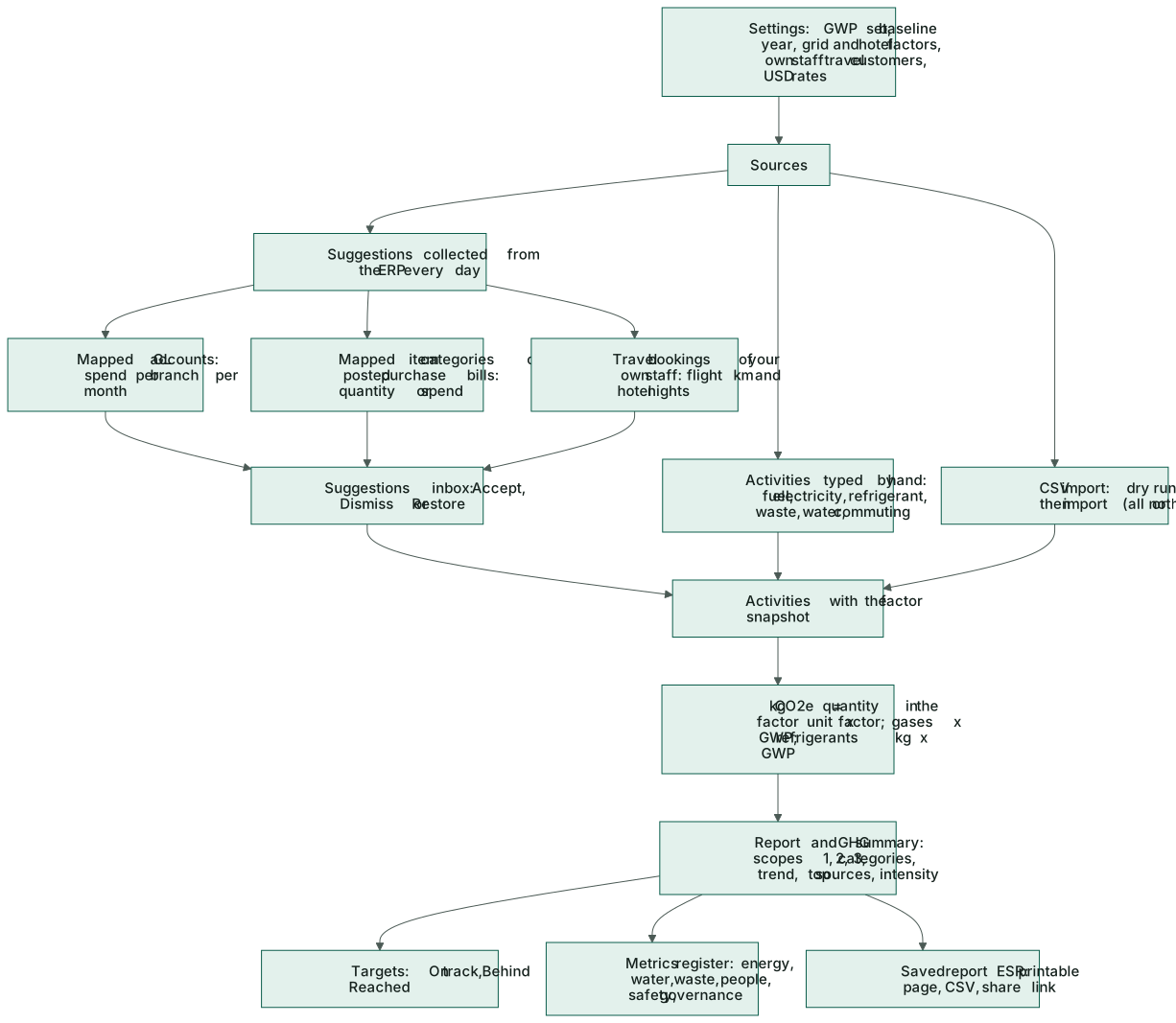
- kg CO2e = quantity, converted to the factor's unit (litres, m³, gallons; kg, tonnes; kWh, MWh, GJ, MMBtu; km, passenger-km) × the factor. Units of different kinds are refused.
- Where the factor has a gas split: CO2 + CH4 × GWP + N2O × GWP (AR5: 28 and 265).
- Refrigerants: kg leaked × the gas's GWP.
- Spend factors are per US dollar: the amount is converted with your Accounts exchange rates, then the ESG settings' rates, then defaults.
- Flights: the sector (e.g. KHI-DXB-KHI) gives the great-circle distance between the airports, a domestic, short-haul (under 3,700 km) or long-haul factor, and economy or business by class.
Getting the data in
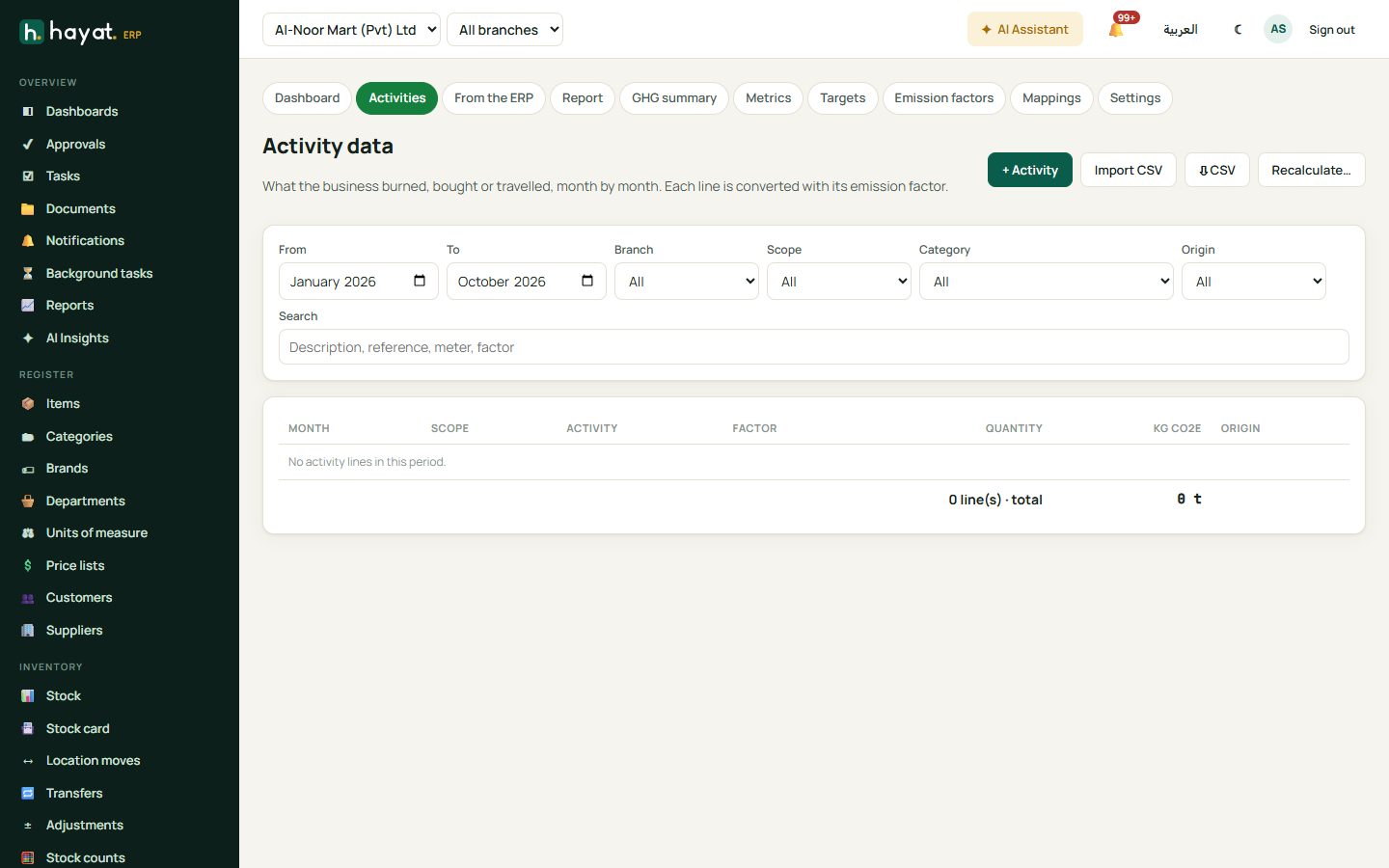
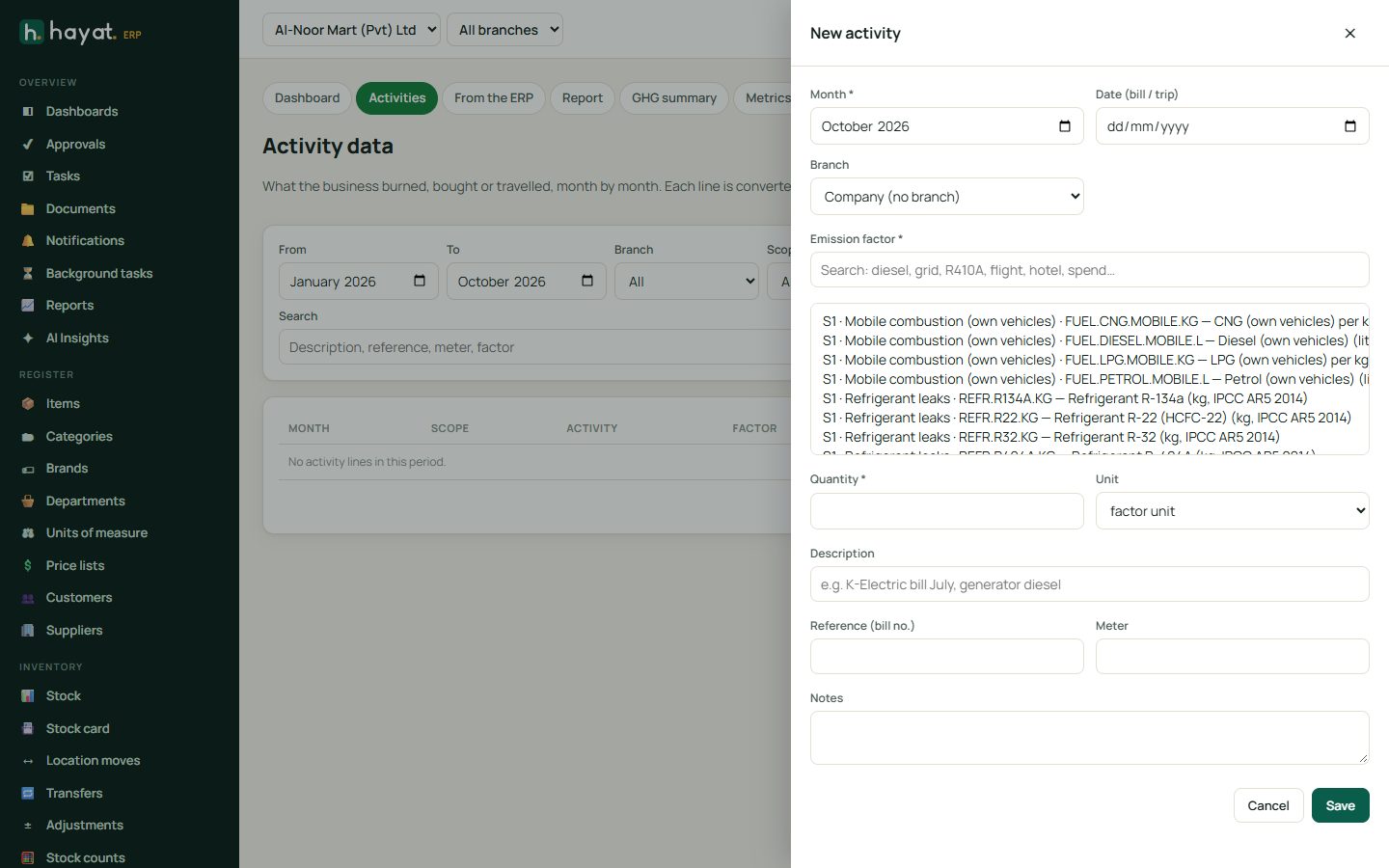
Activity data → + Activity (esg.edit): Month, Date (bill / trip), Branch, the Emission factor (search by name or code), Quantity, Unit, Currency (spend), Description, Reference (bill no.), Meter and notes. The kg CO2e shows as you type, before you Save. The list filters by months, branch, scope, category and origin (typed, imported or from a suggestion), with ⇩ CSV.
Import CSV: ⇩ Template, then Choose file or paste the lines. Columns month,branch,factor,quantity,unit,description,reference,meter,date,notes (month, factor and quantity required; branch = the branch code). Dry run checks every line first; Import is all or nothing, and Undo this import removes the whole batch again.
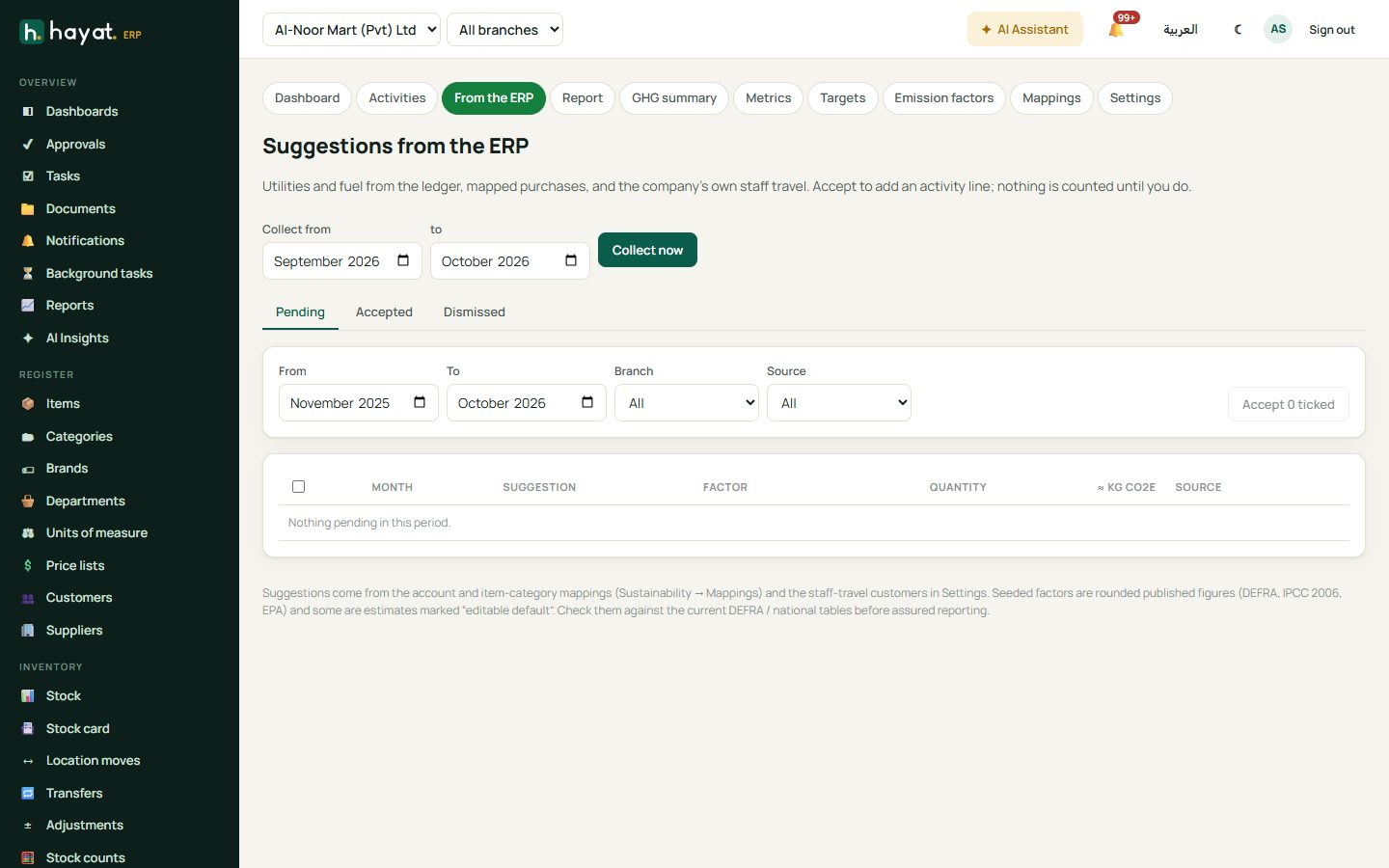
Suggestions from the ERP: collected every day when the setting is on, or with Collect now for the months you choose (up to 12):
- mapped GL accounts — e.g. electricity or fuel expense accounts, by branch and month (spend-based);
- mapped item categories on posted purchase bills — diesel litres or refrigerant kg (quantity), or the spend;
- Travel bookings of your own staff — flight km and hotel nights.
Each suggestion shows its estimated kg CO2e and waits to be Accepted (it becomes an activity and is never suggested again; Edit first to change the factor or quantity), Dismissed or Restored. Tick several and Accept n ticked. Deleting an accepted activity puts its suggestion back. ESG mappings (esg.manage, + Mapping) tells the collector where emissions hide: an Account code with a spend-based factor, or an Item category on purchase bills, by spend or by quantity with the Factor units per item unit.
Targets, metrics and the report
- Reduction targets → + Target: a name, the scopes (1,2), the baseline year (and its figure, or worked out from the activities), the target year and the reduction %. Progress reads On track, Behind, Reached, No baseline or No data yet.
- ESG metrics: a grid by month for the chosen months, branch and pillar; Enter values for a month (esg.edit), ⇩ CSV, and Metric register… (esg.manage) to add your own metrics. The register has monthly or yearly figures — energy (kWh), water (m³), waste and % recycled, production units, revenue and headcount (filled from the ERP), women %, joiners and leavers, training hours, injuries, fatalities, community spend, board members and meetings, and yes / no policies (code of conduct, anti-corruption, whistleblowing, data privacy, environment, health and safety). A typed value overrides the ERP figure for that period.
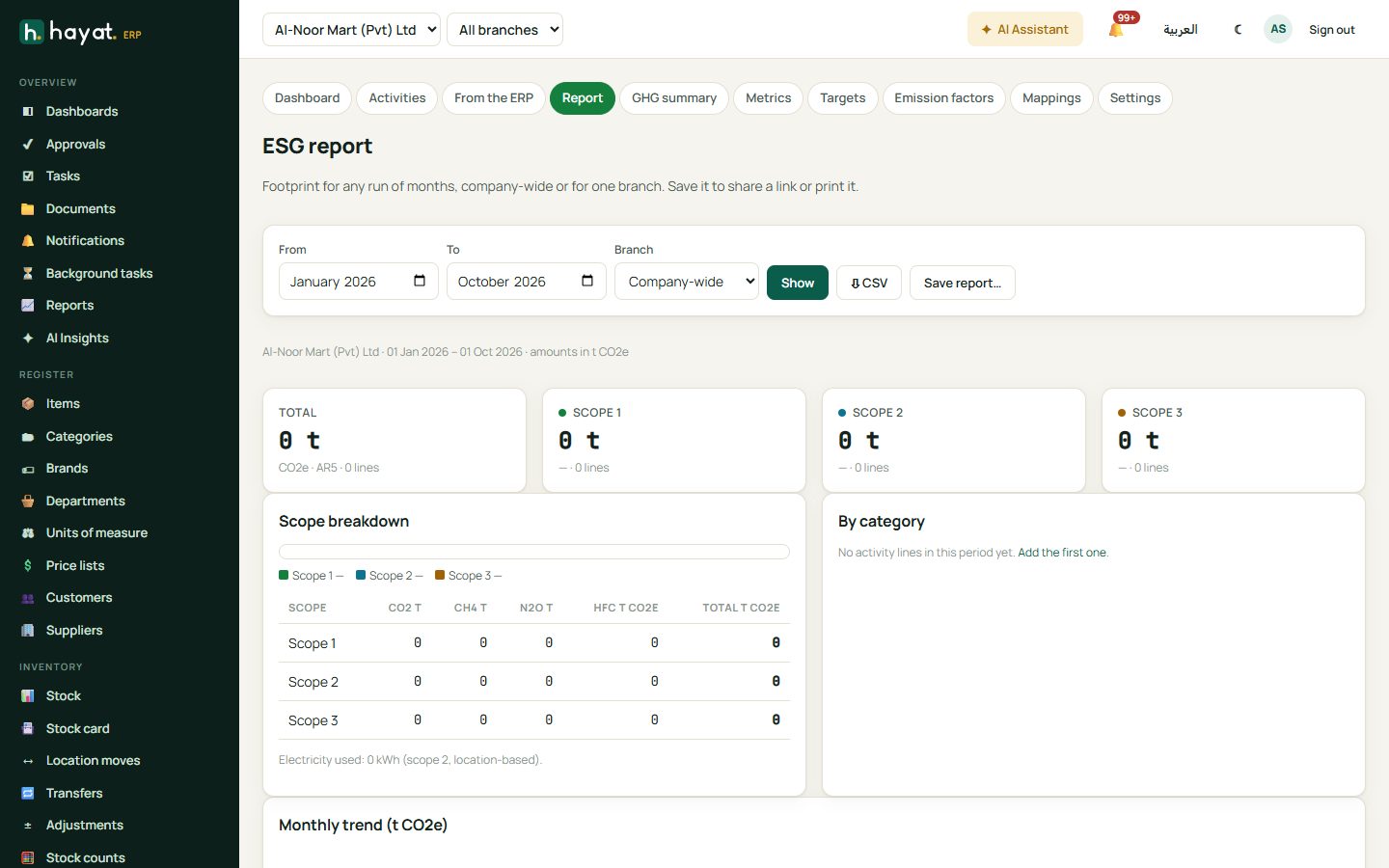
- ESG report: From, To and Branch, then Show — total tCO2e by scope and gas, categories with their share, the monthly trend, top sources, intensity per million of revenue, per employee and per production unit, and target progress.
- GHG annual summary for a Year (⇩ CSV, 🖨 Print): boundary (operational control), base year, Scope 1 breakdown, Scope 2 (location-based), Scope 3 by category, gases, the factors used and notes.
- Save report… on the ESG report (title, notes, Include the social & governance metrics) keeps it under Saved reports (ESR-…) with 🖨 Open, 🔗 Share link and Delete. A full calendar year, company-wide, also prints the GHG annual summary.
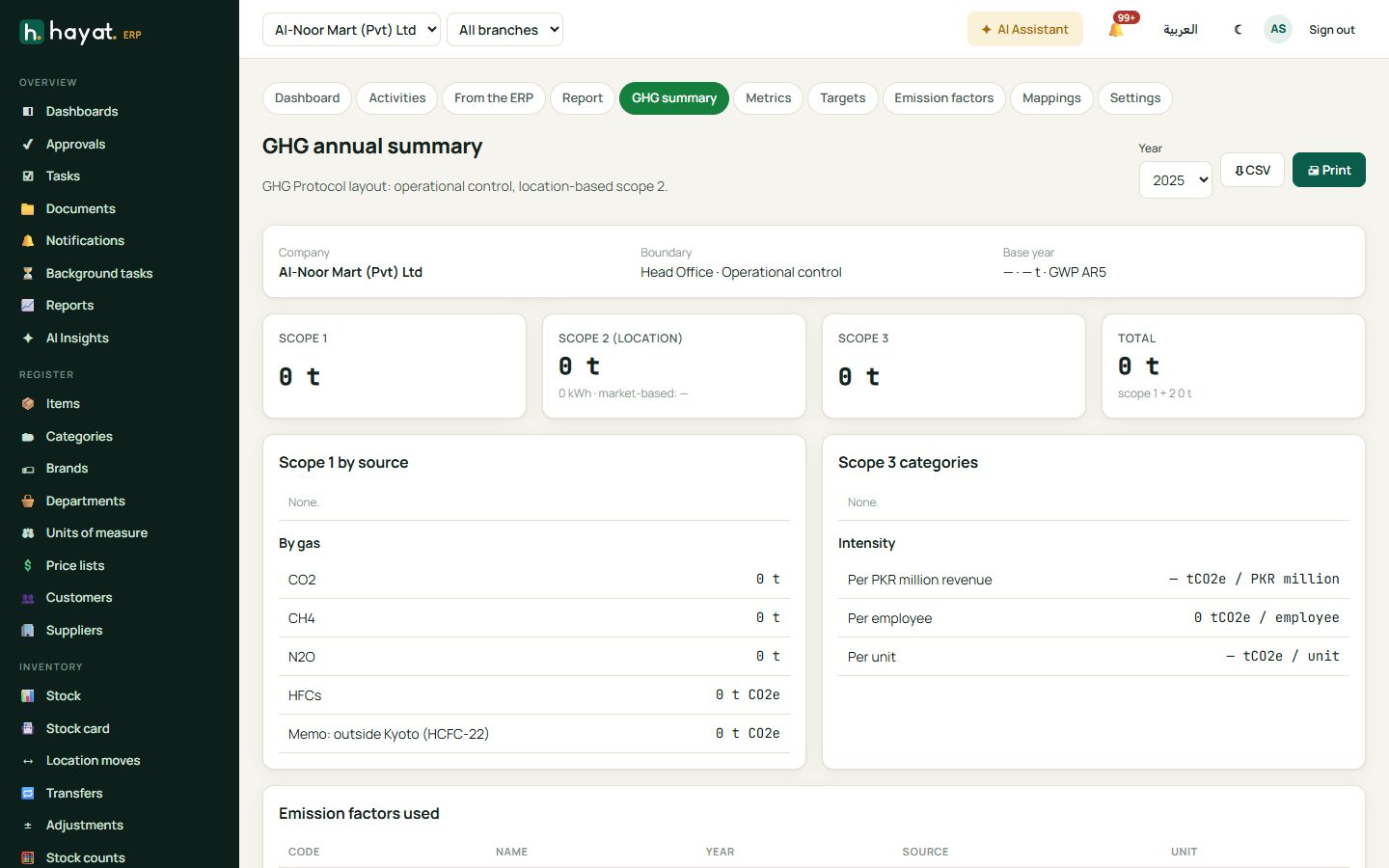
Scope 2 is location-based only: supplier-specific (market-based) figures and renewable certificates are not recorded.
Where the money goes
Nothing posts: ESG reads the ERP (journals, purchase bills, travel bookings, HR headcount) but never writes to the ledger.