
Quality control and inspections
hayaterp.com/quality ↗Inspection plans with measured and pass/fail checks, incoming inspection of goods receipts with stock held in a quality-hold location, outgoing inspection that can block dispatch, periodic stock checks, accept / reject / concession decisions, non-conformance reports (NCR) with root cause and corrective action, returns to the supplier and supplier quality reports.
Gate & quality → Quality control checks goods before you rely on them. An inspection plan says what to check, for which items and at which stage. Receipts and deliveries that need checking appear in a queue; the inspector records the results, the QA approver decides, and Hayat moves the stock: accepted goods back to their shelf, rejected goods to a Rejected location, with a non-conformance report (NCR) and, for a supplier, a purchase return from the rejected stock.
Who does what
| Permission | Typical person | Can do |
|---|---|---|
| See inspections and non-conformances (quality.view) | Stores, purchasing, managers | Open every tab, inspection and NCR. |
| Record inspections and non-conformances (quality.inspect) | Quality inspector | Start inspections (from the queue or a periodic check), enter results and quantities, raise and update NCRs. |
| Release, reject or concede inspected stock (quality.approve) | QA manager | Inspection plans, Decide & release, cancel an inspection, Return rejected stock to supplier. |
The ready-made Quality Inspector role has See and Record (plus items, stock, purchasing and sales to look things up, and reports). Release, reject or concede is in the Quality Inspector role too, and in Branch Manager (with See), so held stock can be released at the branch.
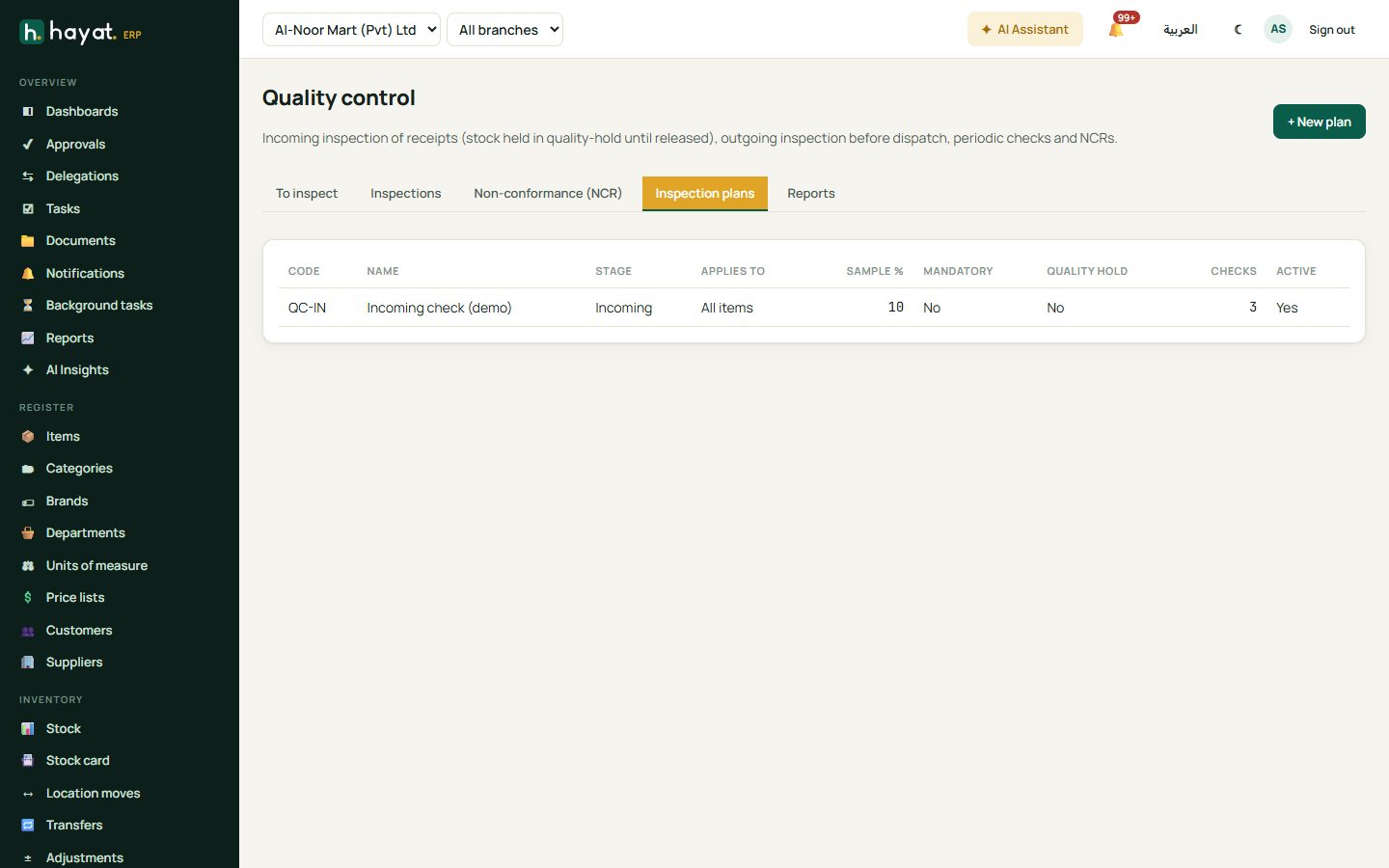
The screen has five tabs: To inspect, Inspections, Non-conformance (NCR), Inspection plans and Reports.
Inspection plans
Inspection plans → + New plan (QA manager).
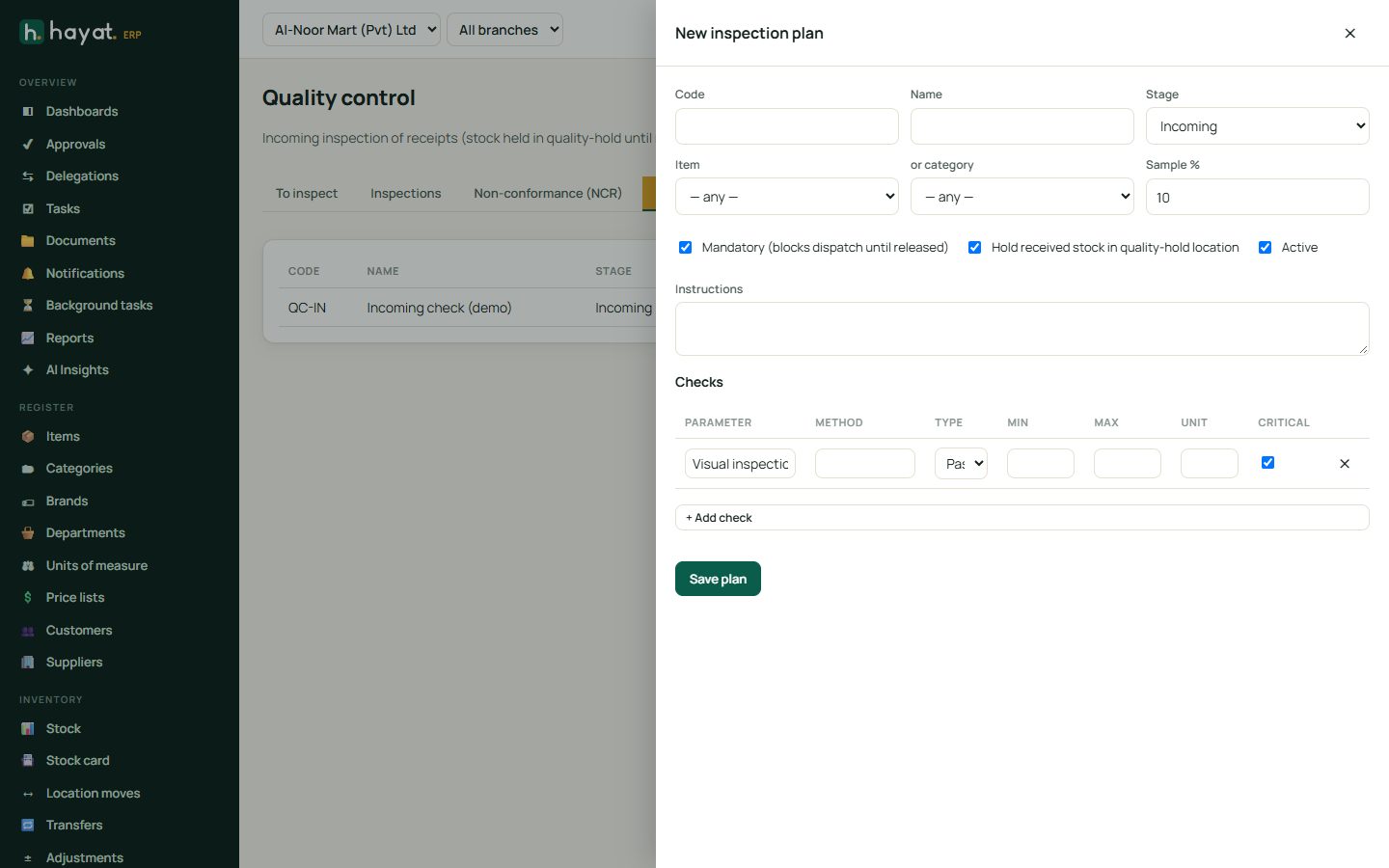
- Type a Code and Name and choose the Stage: Incoming (goods received), Outgoing (before dispatch), InProcess or Periodic (stock on the shelf).
- Choose one Item, or category, or leave both on — any — for a plan that covers every item. For an item, Hayat uses the item's own plan first, then its category's, then the any-item plan.
- Sample % — the share of each lot to check (0 = every unit). The sample is never less than 1.
- Tick Mandatory (blocks dispatch until released) for an outgoing plan that must stop a delivery until QA releases it.
- Tick Hold received stock in quality-hold location so the lot cannot be sold or issued during the inspection.
- Under Checks, + Add check for each thing to check: the Parameter (Moisture, Seal intact), the Method, the Type — Numeric (needs a Min and/or Max and a Unit), PassFail or Text — and tick Critical when a failure must reject the whole lot.
- Add Instructions, keep Active ticked and Save plan.
Inspect a goods receipt
Posted goods receipts of the last 90 days with an Incoming plan for any of their items, and draft delivery notes with an Outgoing plan, appear on To inspect with their stage, document, party and plans.
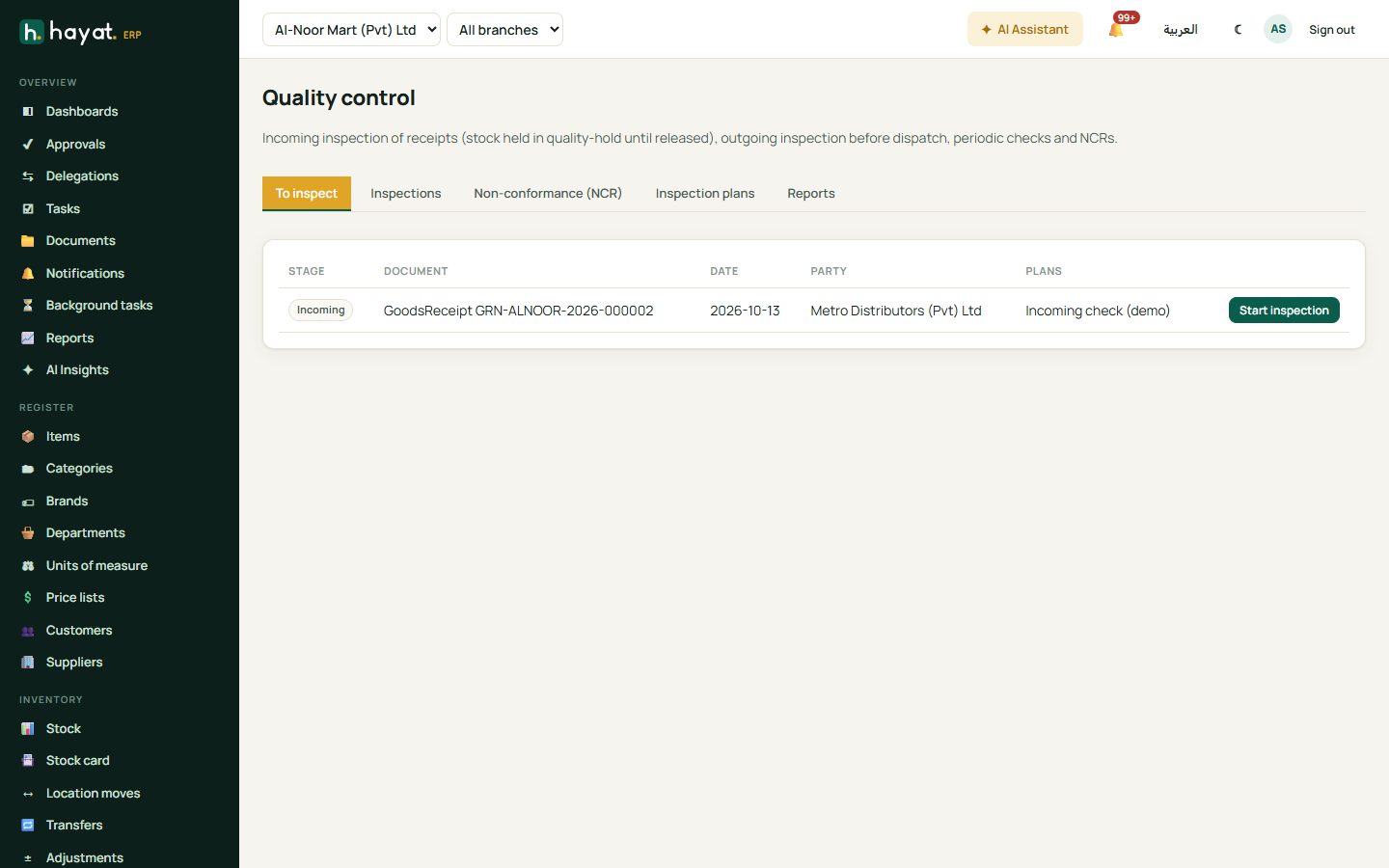
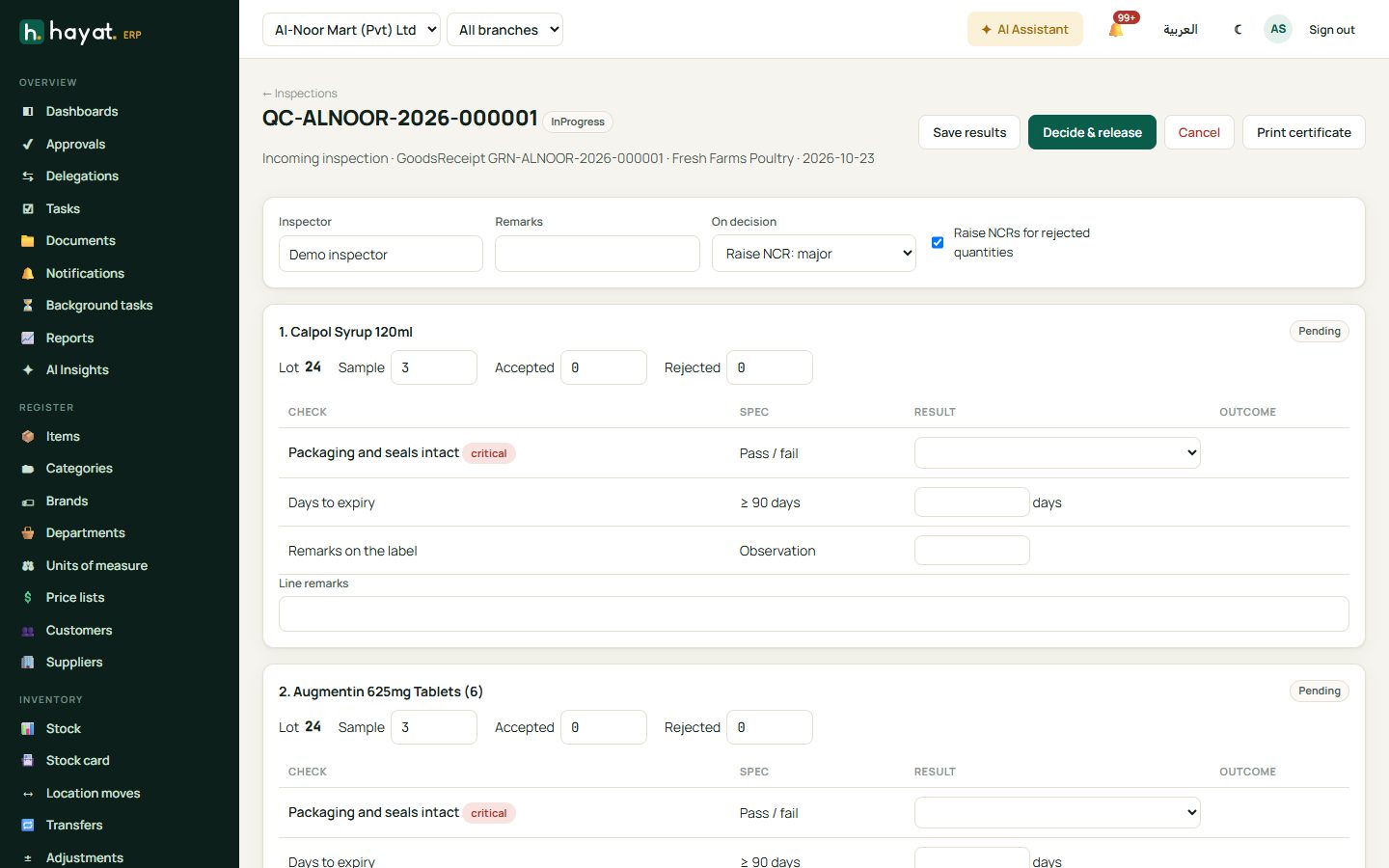
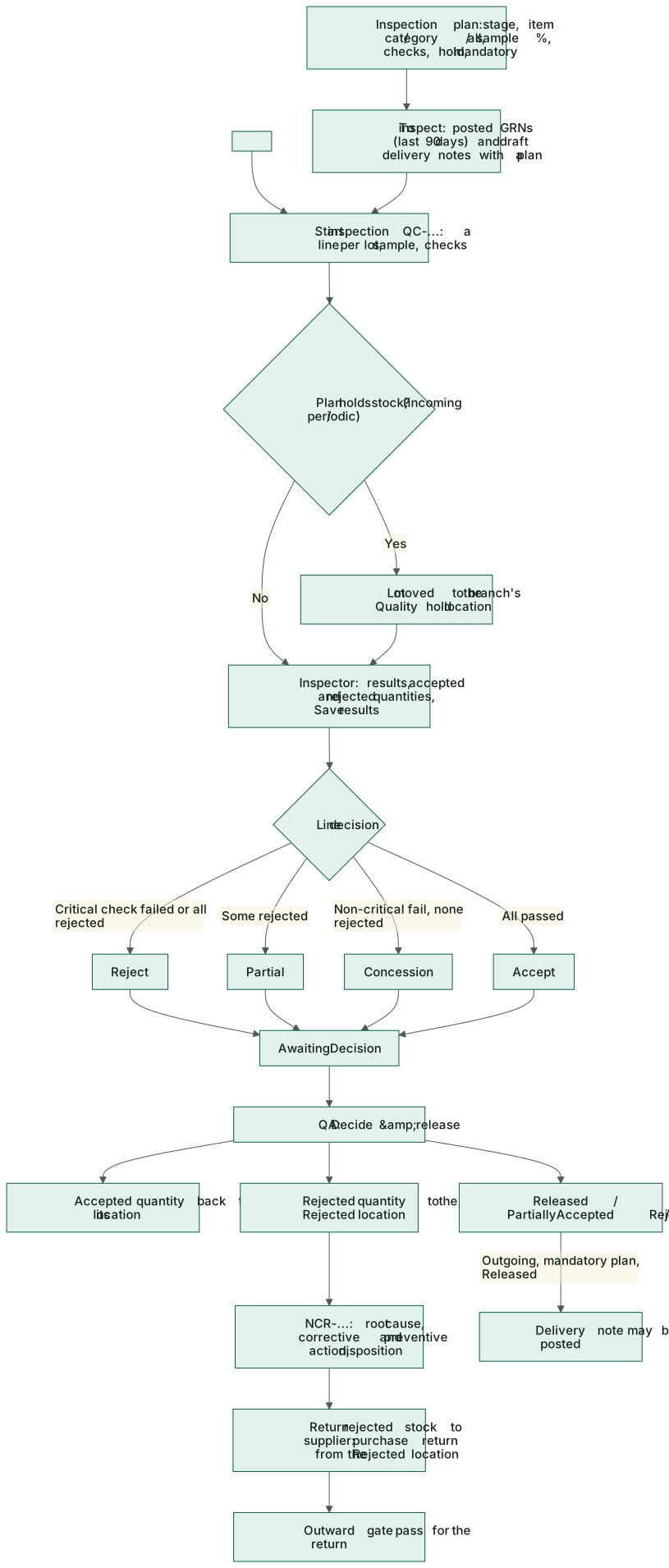
- Click Start inspection on the receipt. The inspection (QC-…) has a line per lot — item, batch and received quantity — with the sample size and the plan's checks. A plan with no checks gets one critical Visual inspection.
- If the plan holds stock, the whole lot moves at once into the branch's Quality hold location (Hayat creates it the first time, beside a Rejected location). The header says stock is on quality hold.
- For each line type the result of each check: a value for numeric and text checks, Pass / Fail for the others. A numeric value outside the min–max shows Fail.
- Type the Accepted and Rejected quantities (typing one fills the other) and the Sample taken; add Inspector, Remarks and line remarks.
- Save results. Each line gets its decision, and when every line has one the inspection is AwaitingDecision.
How a line is decided:
| Results | Line decision |
|---|---|
| A critical check failed | Reject — the whole lot, whatever quantities were typed. |
| The rejected quantity is the whole lot | Reject |
| Some quantity rejected | Partial |
| A non-critical check failed, nothing rejected | Concession — accepted as it is. |
| Every check passed | Accept — the whole lot when no quantity was typed. |
| A check not filled in yet | Pending |
Decide and release
The QA manager opens an inspection that is AwaitingDecision, chooses the NCR severity under On decision (Raise NCR: minor / major / critical), keeps Raise NCRs for rejected quantities ticked and clicks Decide & release:
- the accepted quantity (and a concession) goes back to its normal location;
- the rejected quantity goes to the Rejected location;
- anything still held goes back to the normal location;
- for every line with a rejection an NCR is raised with the failed checks in its description (disposition ReturnToSupplier when there is a supplier);
- the inspection becomes Released (nothing rejected), Rejected (nothing accepted) or PartiallyAccepted.
Cancel stops an inspection that is not decided yet and moves any held stock back. Print certificate prints the inspection with Inspected by and Approved by (QA) boxes.
Inspect before dispatch
An Outgoing plan inspects a delivery note while it is still a draft — once it is posted it is too late. With a Mandatory plan, posting the delivery note is refused with "Quality inspection required before dispatch (plan). Start it under Quality → Inspections." until the inspection is Released; while it is open the message says to wait for the quality decision. Outgoing rejections do not move stock: the goods never left the shelf.
Periodic and stock checks
For shelf-life checks, customer complaints or audits of stock on hand: Inspections → + Periodic / stock check, choose the Location, then the items, quantities and batches (+ Add lot), and Start inspection. With a holding plan the lots move to quality hold just like a receipt. Record and decide as above.
Non-conformance reports (NCR)
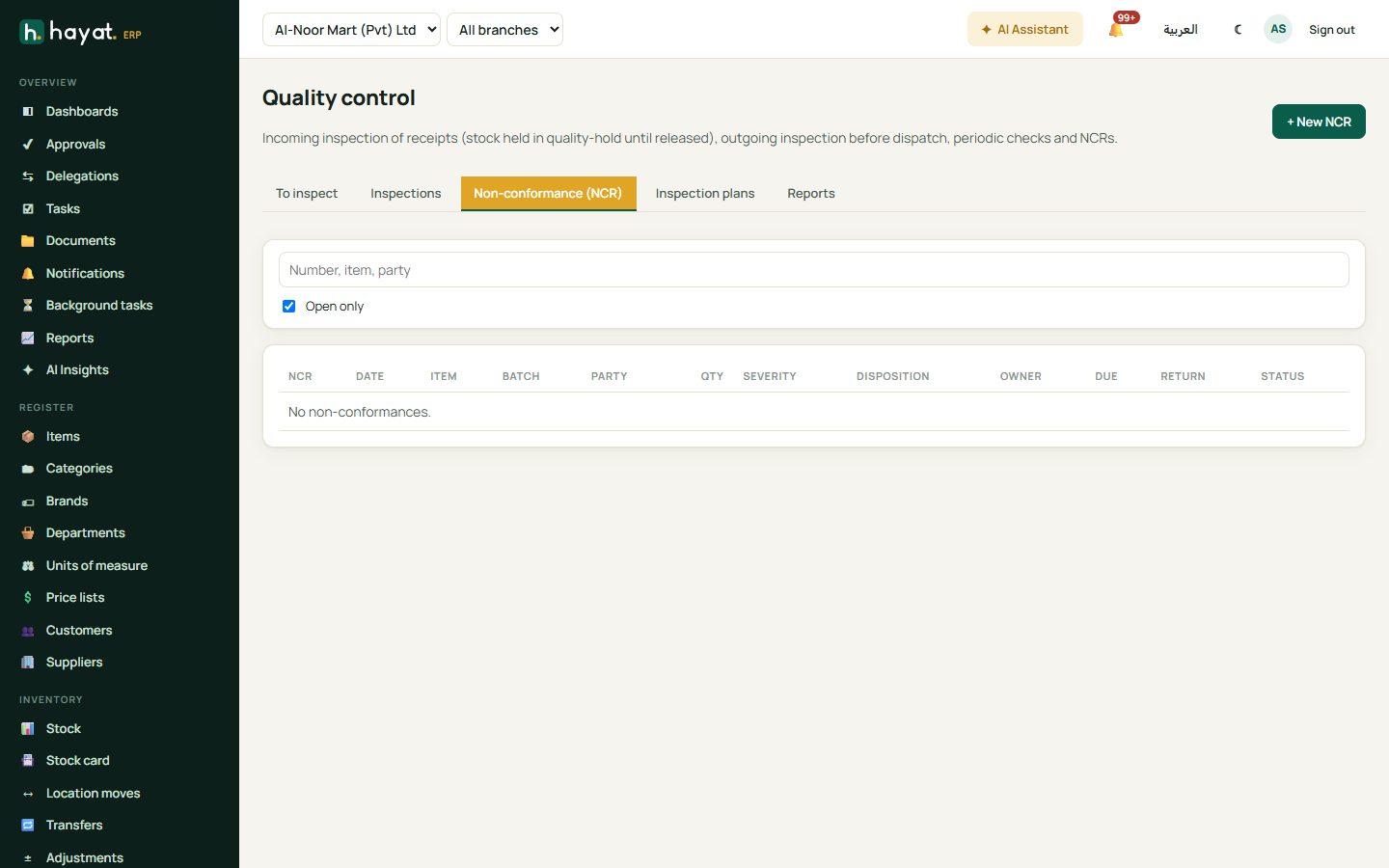
Non-conformance (NCR) lists NCRs (Open only by default) with item, batch, party, quantity, severity, disposition, owner, due date and the purchase return. NCRs come from inspections, or + New NCR for anything else — a complaint, a damaged pallet found later.
- Fill the Date, Item, Batch, Quantity, Supplier, Severity (Minor, Major, Critical), Owner, Due date and Cost of quality.
- Describe What is wrong, then the Root cause, Corrective action and Preventive action as the investigation goes on.
- Choose the Disposition — ReturnToSupplier, Scrap, Rework, UseAsIs, Downgrade or Pending — and move the Status through Open, Investigating, ActionPending, Closed (or Cancelled). An NCR cannot be closed without the root cause and the corrective action.
Return rejected stock to supplier (QA manager) appears on an NCR raised from an inspection with a supplier and an item. It creates a purchase return for the NCR quantity straight from the Rejected location, linked to the original goods receipt, and writes its number on the NCR. Then raise its outward gate pass so the goods can leave.
The other dispositions are a record of the decision: scrap the rejected stock with a write-off from the Rejected location, or move reworked goods back with a location move.
Reports
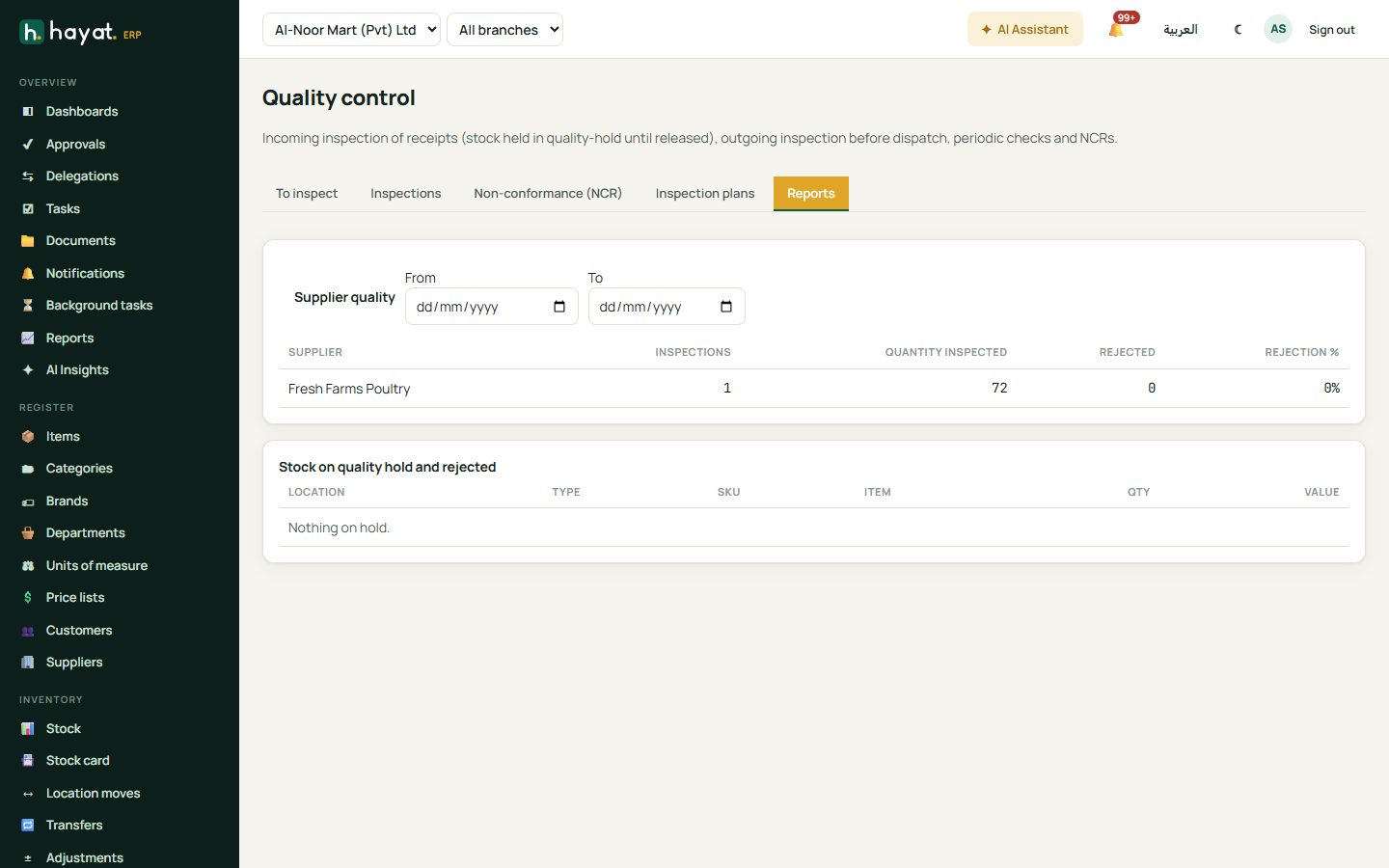
- Supplier quality (pick the dates) — per supplier: incoming inspections, quantity inspected, quantity rejected and the rejection % (red above 5%).
- Stock on quality hold and rejected — every quality-hold and rejected location with SKU, item, quantity and value, so nothing is forgotten there.
Workflow
Where the money goes
Inspections themselves post nothing. Moving the lot to quality hold, back to the shelf or to the Rejected location moves it between locations of the same branch at its cost; the stock value in 1200 Stock in trade does not change. The money moves with the documents around it:
| Event | Debit | Credit |
|---|---|---|
| Goods receipt (before inspection) | 1200 Stock in trade | 2020 Goods received not invoiced |
| Rejected stock returned to the supplier (debit note) | 2010 Accounts payable (the supplier) | 1200 Stock in trade at cost; 1300 Input sales tax reversed; 5020 Price variance for any difference |
| Rejected stock scrapped (a damaged or expired write-off; other adjustment kinds use 6100) | 6110 Stock write-off | 1200 Stock in trade |