
Hayat Marketplace: list your business
my.hayaterp.com/market ↗A free page for your business on the Hayat Marketplace, where people find salons, restaurants, clinics, hotels and shops by city, category, distance and verified reviews, with your booking, menu, shop and portal links added by themselves.
The Hayat Marketplace at my.hayaterp.com/market is a public directory of businesses that run on Hayat. Each business that opts in gets a page at my.hayaterp.com/market/your-name with pictures, opening hours, contacts, links and reviews. The links to your salon booking page, restaurant menu and table booking, online store, hotel booking website, hospital patient portal and customer portal are added by themselves when those are switched on.
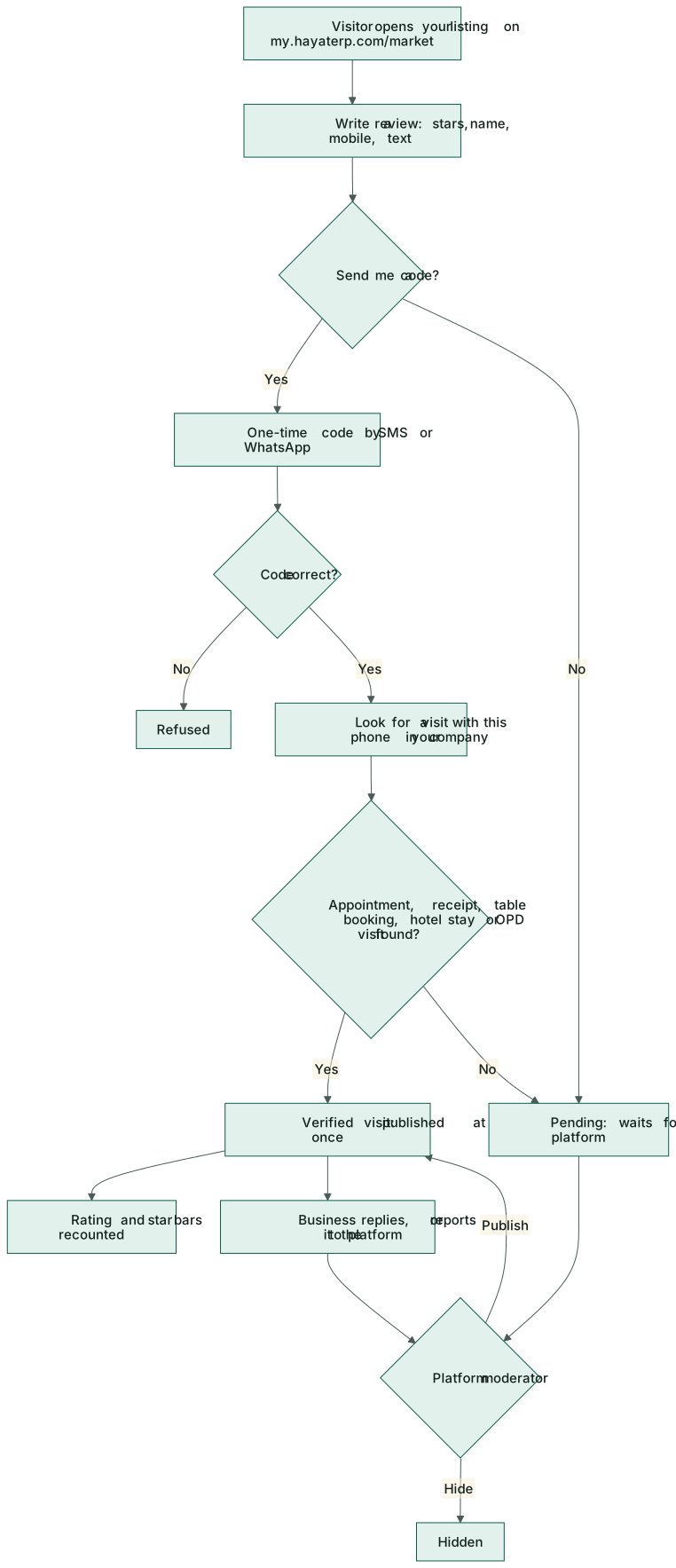
Reviews are verified when the reviewer's phone matches a real visit in your records. Those go live at once; the others wait for the Hayat team to check them.
Who does what
| Who | Permission | Does |
|---|---|---|
| Business admin | Customer portal settings (portal.manage) | Fills in and publishes the listing, adds pictures and the logo, replies to reviews and reports bad ones. Gets a notification for every new review. |
| Hayat team | super admin (admin.hayaterp.com → Marketplace) | Publishes or hides reviews that are waiting or reported, and hides a listing with a reason the business sees. |
| Visitors | none | Search, open a page and write a review. |
Your listing
Marketing → Marketplace listing (the screen has the tabs My listing and Reviews).
- Tick Show my business on the marketplace.
- Fill Name, Category (Salon, Spa, Restaurant, Clinic, Hotel, Travel, Shop, School, Other) and the Web address — 3 to 60 lower-case letters, digits or dashes, not used by anyone else. A City is needed to publish; add the Area (DHA Phase 6) and Address.
- Phone, WhatsApp, Email and Website. 📍 Use this device's location fills Latitude and Longitude for Near me and the map link.
- The Short description (search results), About and up to 20 Tags (bridal, keratin, kids) — every word a visitor searches for must be in one of these, the name, area, city or category.
- Opening hours per day, or Closed. Times past midnight (18:00–02:00) are fine. Leave every day empty to show no hours.
- Links: the automatic links are listed read-only; add up to 10 of your own (+ Link, label and https address).
- Save. Then add up to 12 pictures (3 MB each; the first is the cover; ‹ › reorder, ✕ removes) and a Logo (1 MB).
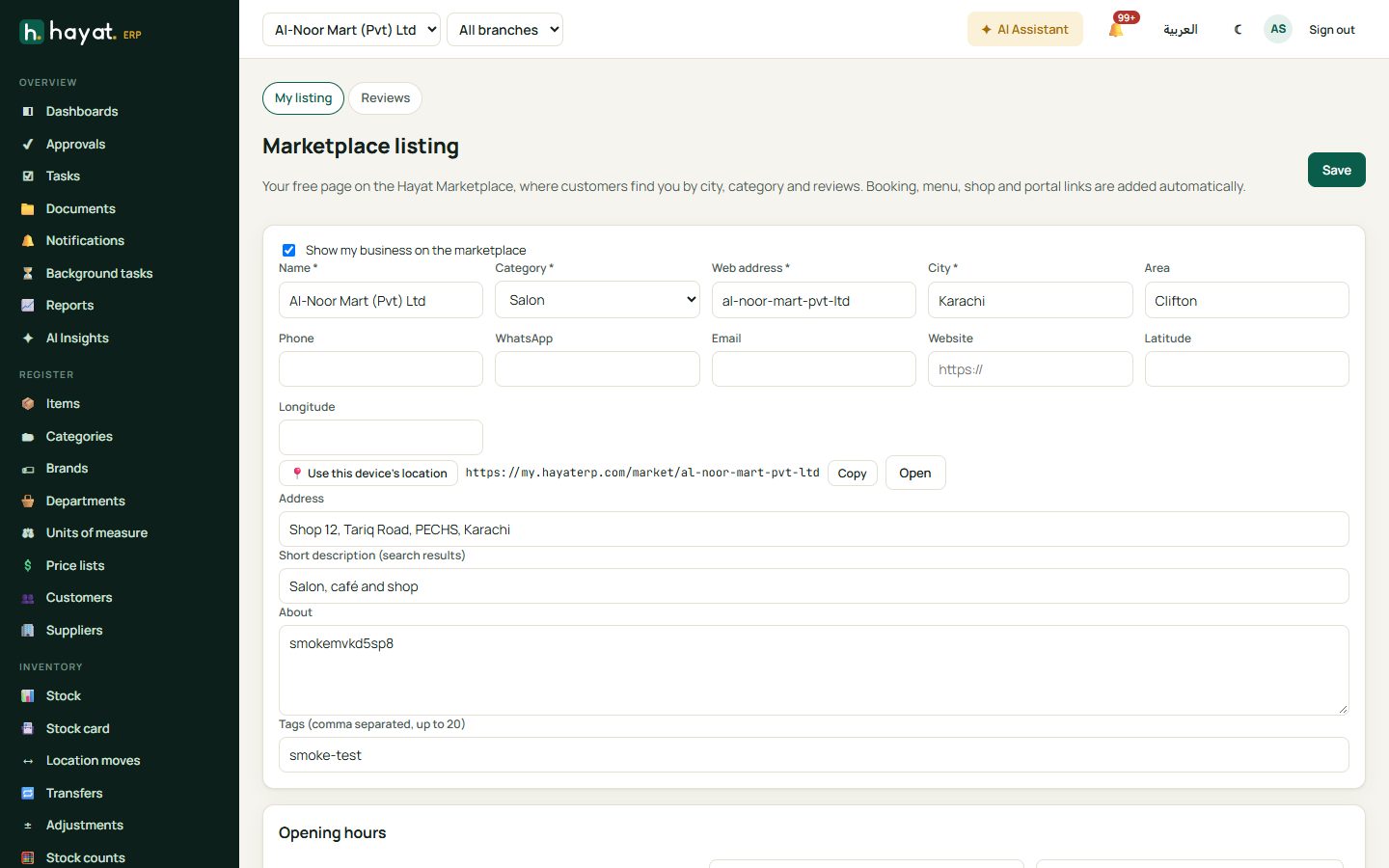
The saved page address shows with Copy and Open. If the Hayat team hides your listing, the screen shows their reason at the top.
What visitors see
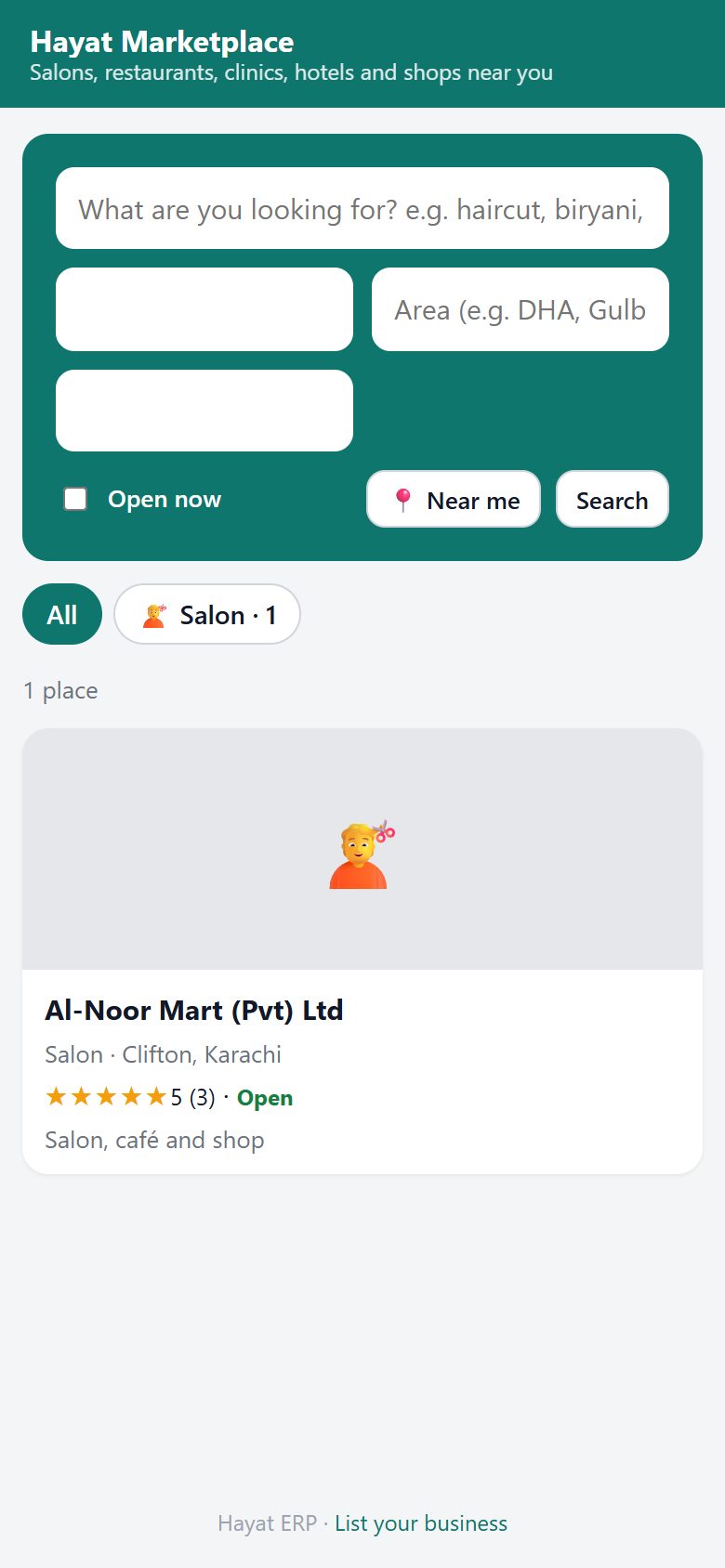
my.hayaterp.com/market searches by words, All cities or one city, Area, Open now, and sorts by Best rated, Nearest (needs 📍 Near me), Name or Newest. Category chips show how many places are in each. Best rated weighs the number of reviews, so two 5-star reviews do not outrank fifty 4.8s.
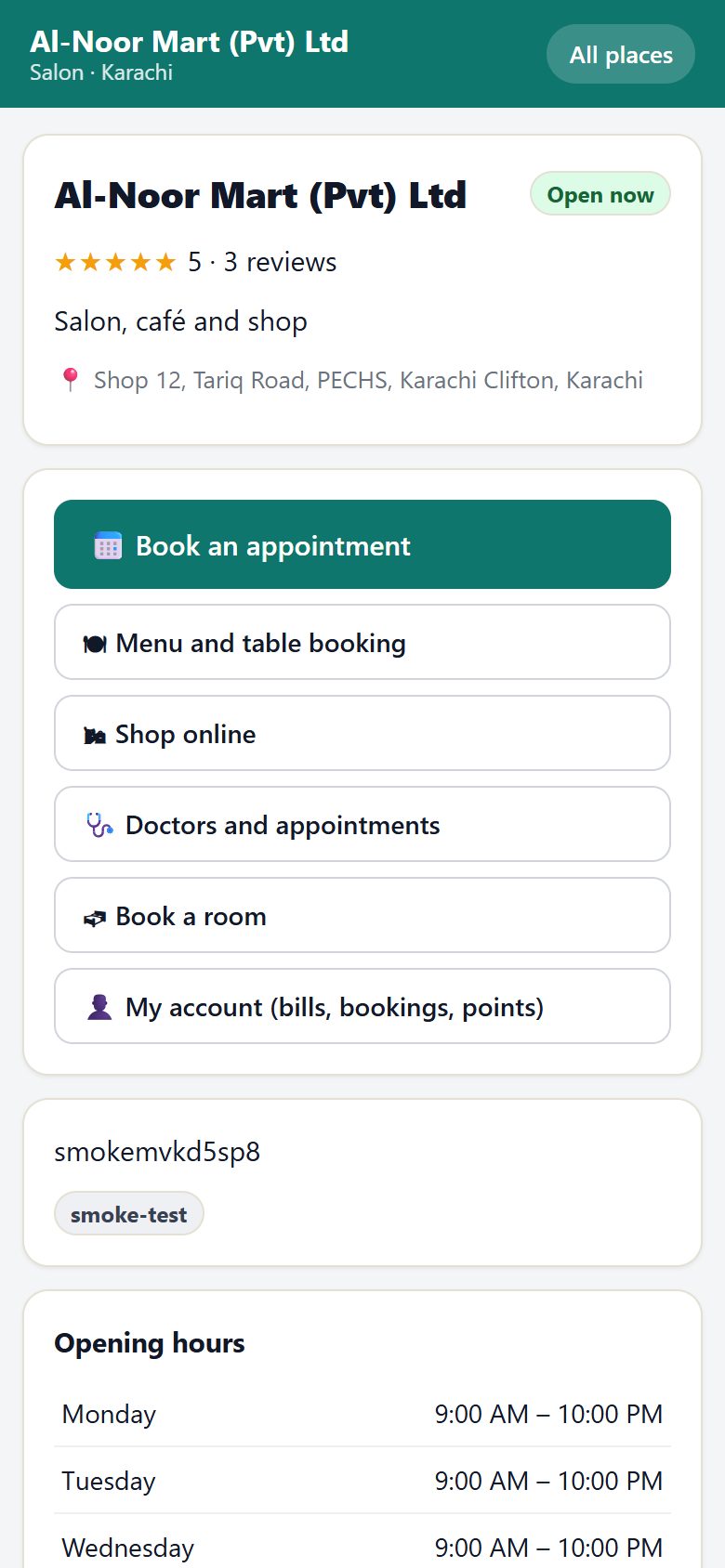
A listing page shows the pictures, open or closed now, the rating with a bar for each star, the address with a Map link, 📞, 💬 WhatsApp and ✉ Email, the link buttons (Book an appointment, Menu and table booking, the shop, the portal…), about, tags, the opening hours and the reviews (Newest, Highest, Lowest, More reviews).
Reviews
Writing a review
The visitor picks the stars, types Your name, Mobile, an optional Title and Your review. Your number is never shown.
- With Send me a code they get a one-time code by SMS or WhatsApp. If the code is right and the phone had a visit with you — a salon appointment that took place, a POS receipt of a customer with that phone, a seated or completed table booking, a hotel stay or a completed OPD visit — the review is marked ✓ Verified visit and published at once.
- Without a code, or with no visit found, it is Pending until the Hayat team checks it. A wrong code is refused.
- One review per phone per business every 180 days; a few posts or codes per 10 minutes from one connection.
Answering reviews
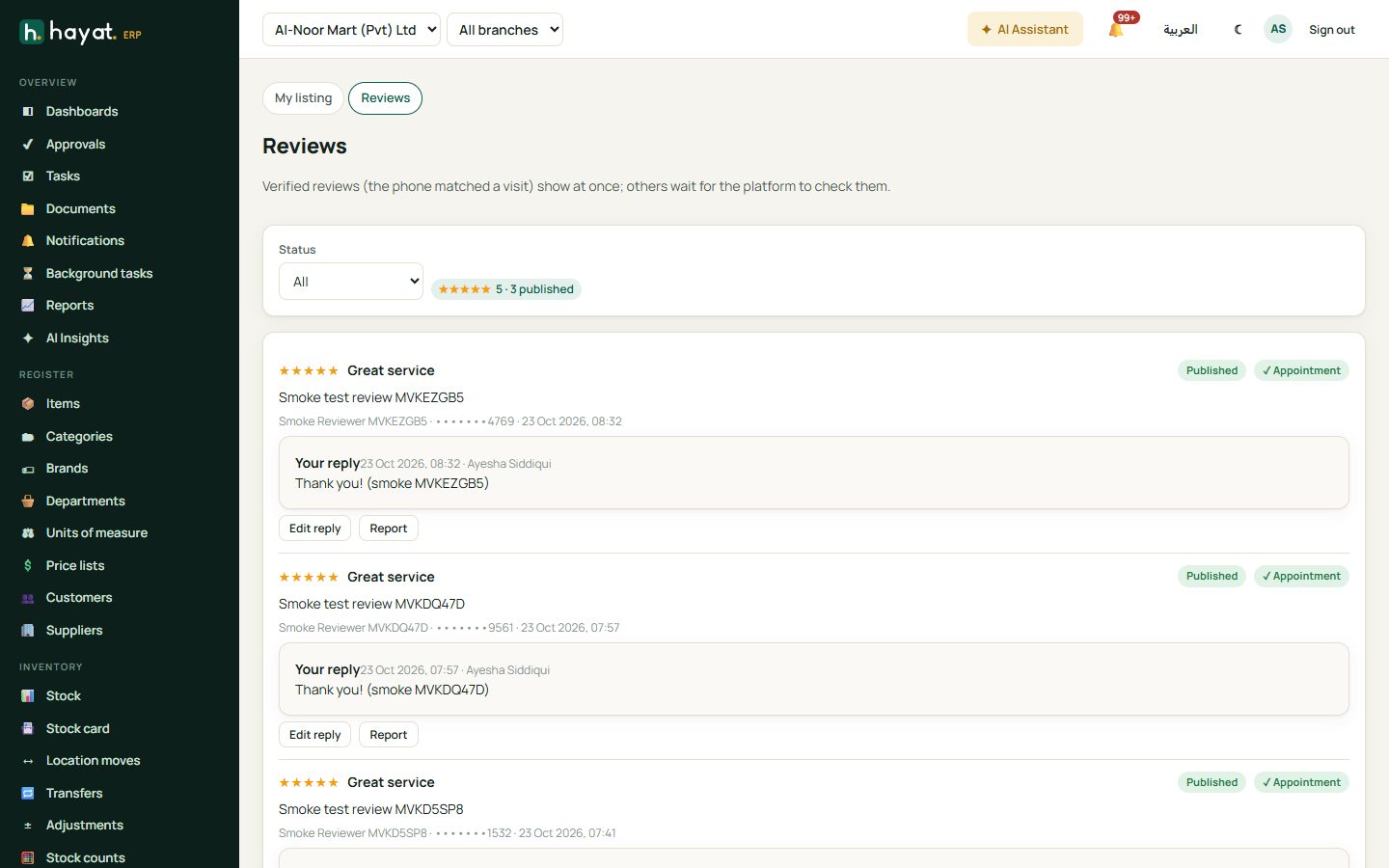
Marketing → Marketplace reviews filters by Status (Published, Pending, Hidden) and shows your rating. For each review you see the stars, text, a masked phone, how it was verified (Appointment, Receipt, Booking, Stay, Visit) and any note from the platform.
- Reply (or Edit reply) posts a public Reply from the business; an empty reply removes it.
- Report sends a review to the Hayat team with your reason. You cannot hide a review yourself.
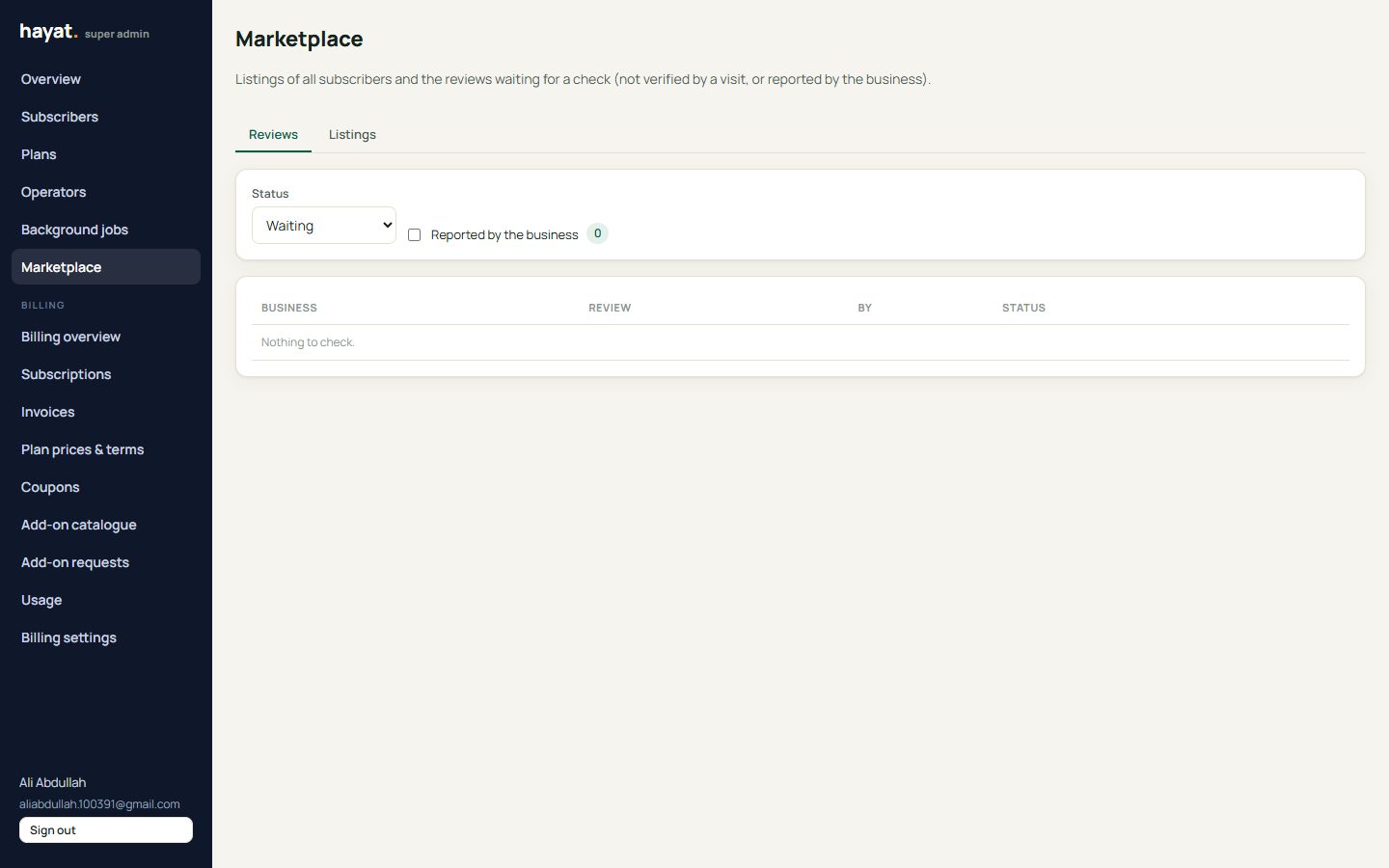
Moderation (Hayat team)
On admin.hayaterp.com → Marketplace, Reviews shows Waiting, Published, Hidden or Reported only, with the business, the text, the masked phone, the start of the sender's IP hash and how it was verified. Publish (also clears a report) or Hide, with a note. Listings searches every subscriber's listing; Hide asks for a reason the business sees, Show puts it back. The rating is counted again after every change.
Workflow
Where the money goes
Nothing. The marketplace, its pages and reviews post nothing to the accounts. Bookings, orders and payments made through its links post as described on their own pages.