
E-invoicing for Saudi Arabia, the UAE and Bahrain
hayaterp.com/compliance/einvoicing ↗ZATCA FATOORA phase 1 and phase 2 for Saudi Arabia (EGS units, onboarding, clearance and reporting, QR), PINT-AE through an accredited service provider for the UAE, Bahrain tax invoices, the submissions log and the Gulf VAT return worksheets.
For a company in Saudi Arabia, the UAE or Bahrain, Hayat makes the e-invoice of every posted sales invoice, credit note and POS receipt or return, signs or sends it as the country requires, and keeps it in one submissions log. Pakistan's FBR digital invoicing and Oman's Fawtara stay as they were, on Tax and FBR.
The screens are in the ERP under Finance: Gulf e-invoicing, ZATCA units (EGS), E-invoice submissions and Gulf VAT returns.
Who does what
| Permission | Typical person | Can do |
|---|---|---|
| See e-invoice submissions (einvoice.view) | Accountant | The summary, units and the submissions log; download the XML. |
| Submit and resubmit e-invoices (einvoice.submit) | Accountant | Resubmit a pending, submitted, rejected or not-configured document. |
| Tax authority onboarding, certificates and settings (einvoice.manage) | Finance manager, owner | Settings, EGS units and the onboarding wizard, revoking a unit. |
| See ledgers (finance.view) | Accountant | The Gulf VAT returns. |
The ready-made Accountant role has einvoice.view and einvoice.submit.
What each country needs
| Country | What Hayat does | Status in the log |
|---|---|---|
| Saudi Arabia, phase 1 | Makes the e-invoice for your archive and the QR code (seller, VAT number, time, total, VAT). Nothing is sent. | Generated |
| Saudi Arabia, phase 2 (integration) | Signs each document with the EGS unit's certificate and counter. Standard (B2B) invoices are cleared by ZATCA before you share them; simplified (B2C) ones are reported within 24 hours. | Cleared, Reported, Pending, Rejected |
| UAE (PINT-AE) | A tax invoice to a business with a valid TRN goes to your accredited service provider (ASP), which answers Accepted or Rejected. Simplified (B2C) invoices are only generated — B2C reporting is not in the first phase. | Submitted, Accepted, Rejected, Generated |
| Bahrain (NBR) | Checks the tax-invoice content (VAT account number, address, buyer VAT for B2B, BHD), keeps a copy and, when you want, prints a QR. There is no clearance. | Generated |
E-invoicing is on for a company when E-invoicing on is ticked here or e-invoicing is switched on for the company itself.
Settings
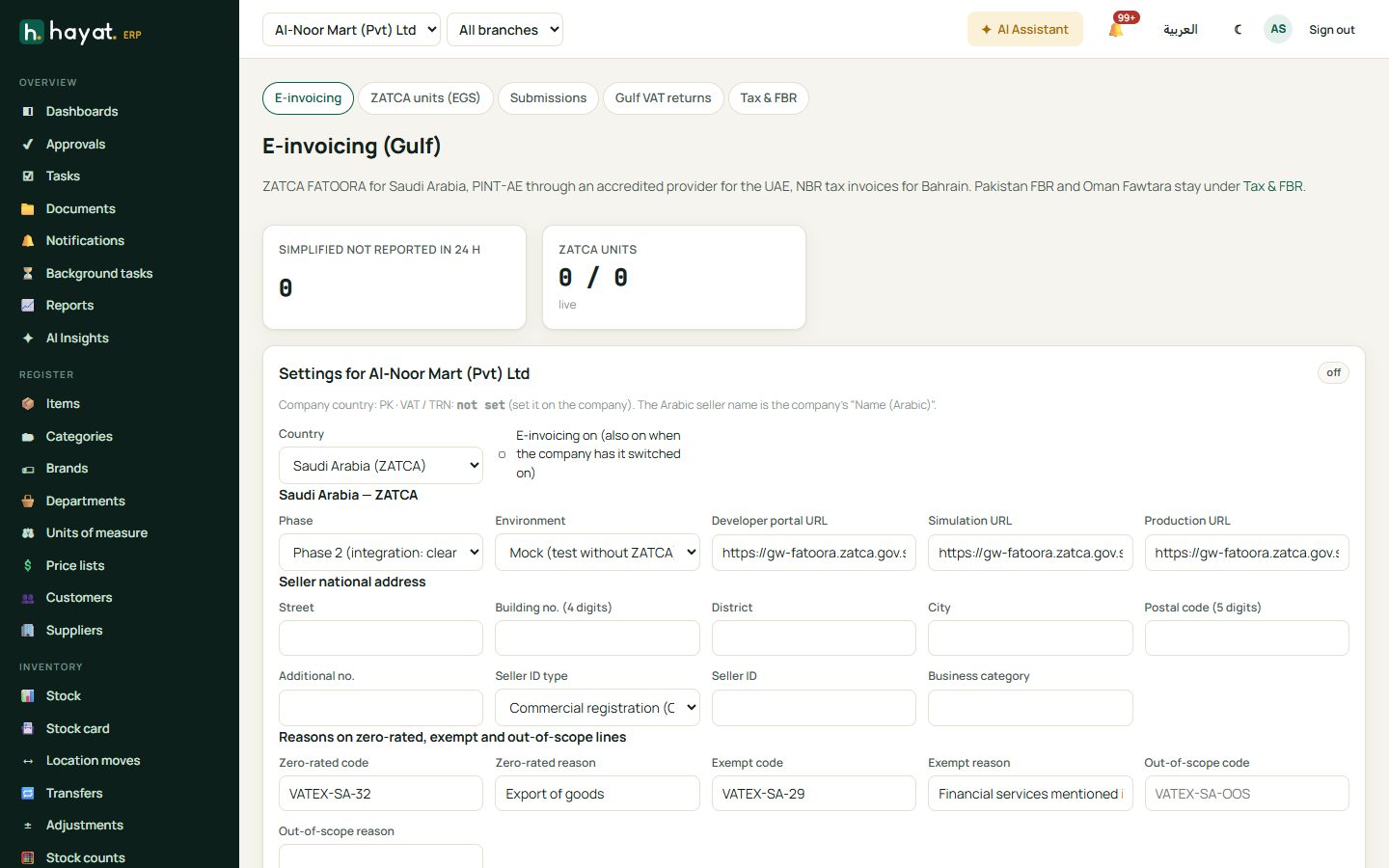
Gulf e-invoicing (einvoice.manage to save) shows tiles for each status, Simplified not reported in 24 h and ZATCA units live / all, and warns about certificates expiring soon. Under Settings for your company:
- Country: blank uses the company's country, or choose Saudi Arabia (ZATCA), United Arab Emirates (FTA) or Bahrain (NBR). Tick E-invoicing on. The company VAT / TRN number and the Arabic seller name come from the company record (Control panel → Companies, Name (Arabic)).
- Saudi Arabia: Phase (Phase 1 (generate, QR only) or Phase 2 (integration: clear / report)), Environment (Mock (test without ZATCA), Developer portal, Simulation, Production) and their URLs. The Seller national address: street, Building no. (4 digits), district, city, Postal code (5 digits), additional no., Seller ID type (CRN and others), Seller ID and business category.
- UAE: Accredited service provider (Mock (test) or Connect over HTTP), ASP URL, ASP API key (write-only: saved — blank keeps it), Peppol participant ID (0235:TRN) and Emirate.
- Bahrain: Print the QR code on invoices (optional in Bahrain).
- Reasons printed on zero-rated, exempt and out-of-scope lines: a code (e.g. VATEX-SA-32) and the wording for each.
- Save settings.
Saudi Arabia: onboard an EGS unit
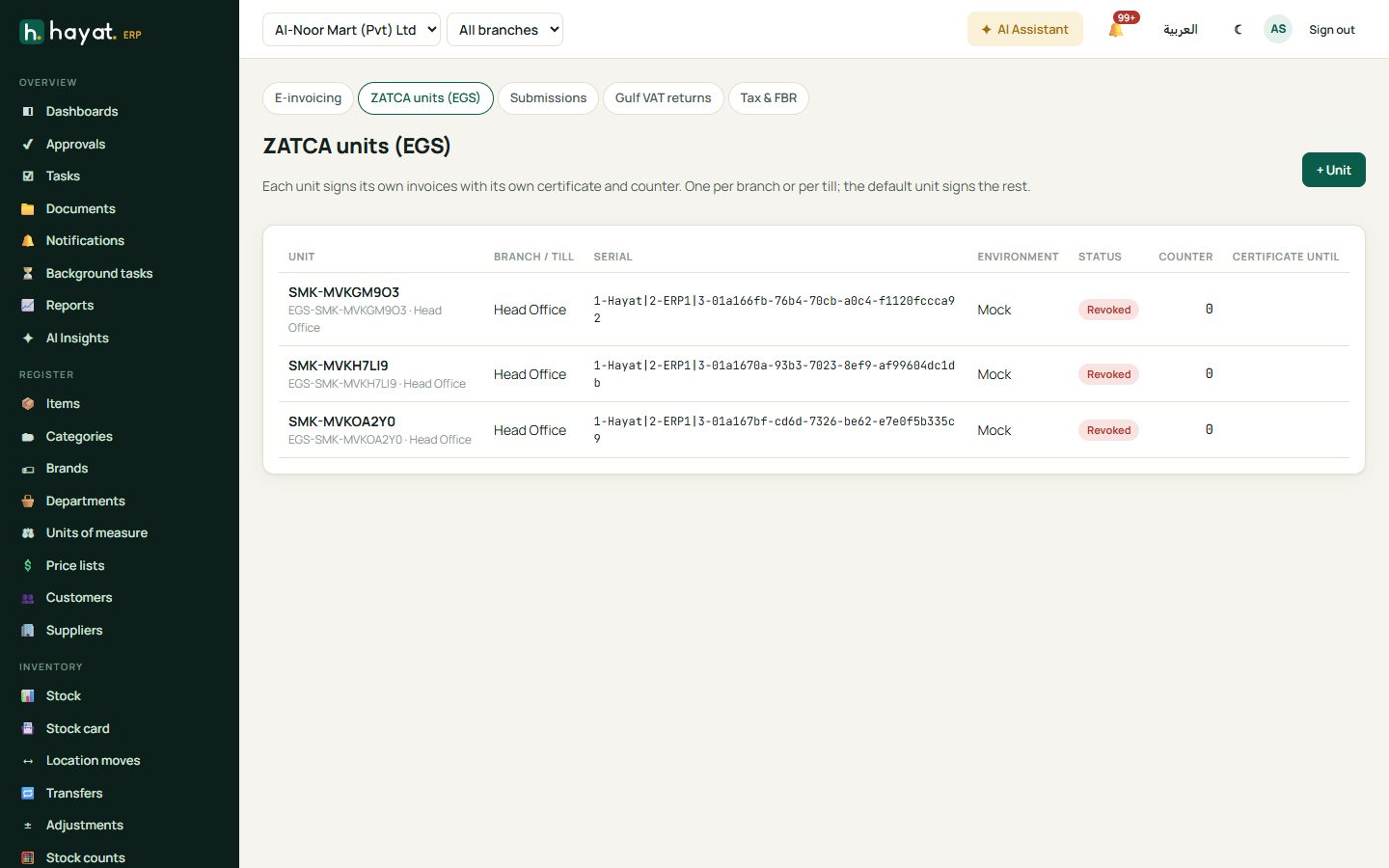
Each EGS unit signs its own documents with its own certificate and counter — one per branch, per till, or one default unit for everything. A till's unit is used first, then the branch's, then the default.
- ZATCA units (EGS) → + Unit: Name, Branch, POS till, Common name, Organisation unit (branch name or TIN), Invoice types (Standard and simplified, Standard (B2B) only, Simplified (B2C) only), location, and Default unit. Save. The certificate fields lock after the first step.
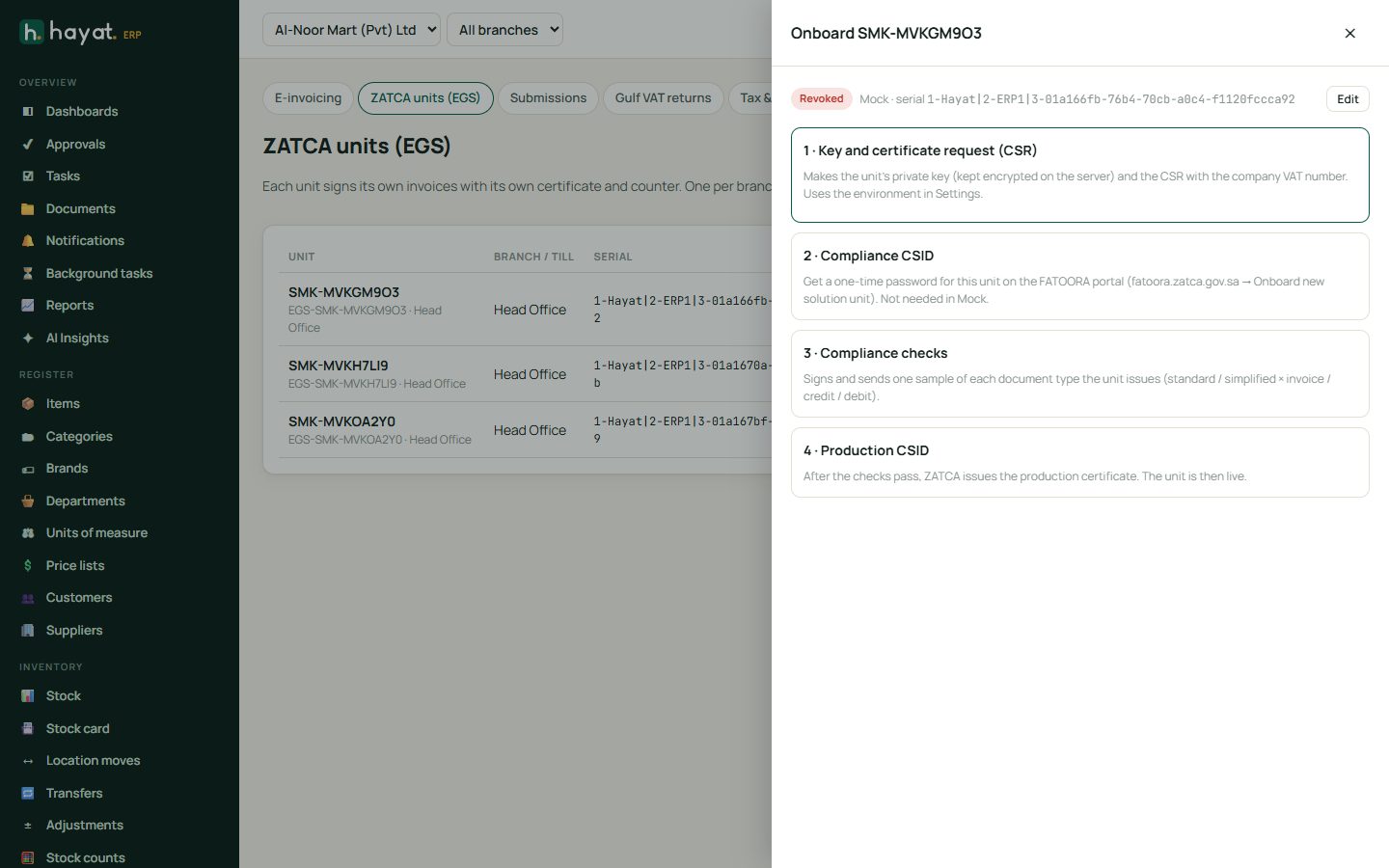
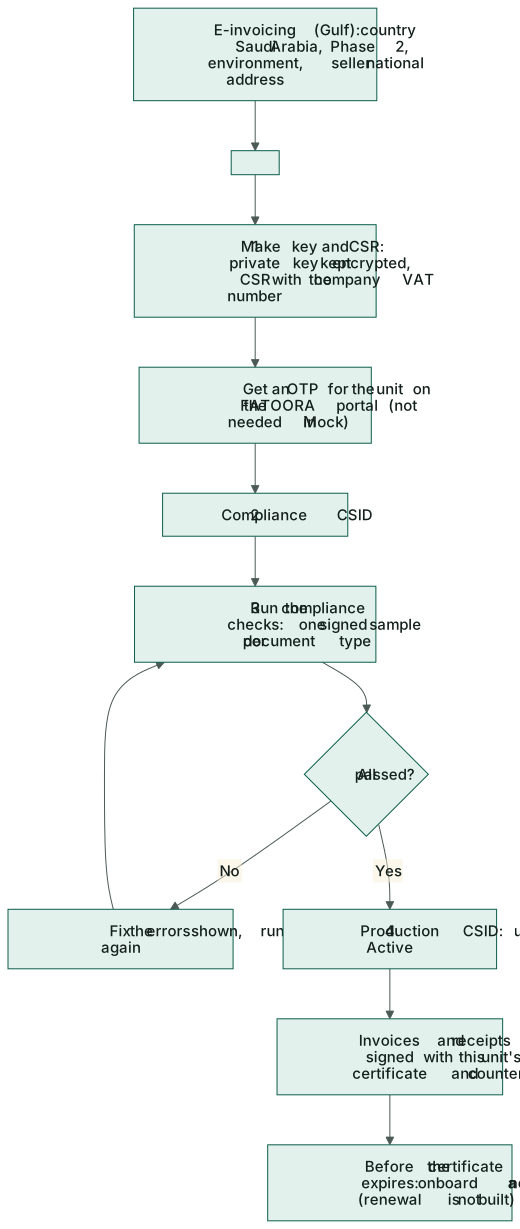
- Click the unit to open the four step cards. 1 · Key and certificate request (CSR): Make key and CSR (the private key is kept encrypted on the server), then Download CSR if you want a copy. It uses the environment chosen in the settings.
- 2 · Compliance CSID: on the FATOORA portal (fatoora.zatca.gov.sa → Onboard new solution unit) get a one-time password for this unit, type the OTP (6 digits) and press Get compliance CSID. In Mock no OTP is needed.
- 3 · Compliance checks: Run the checks. One sample of each document type the unit issues is signed and sent; the result shows per document with its errors and warnings. Fix and run again until All checks passed.
- 4 · Production CSID: Get production CSID. The unit is Active — Live · certificate until … with the number of documents signed.
Clearance and reporting
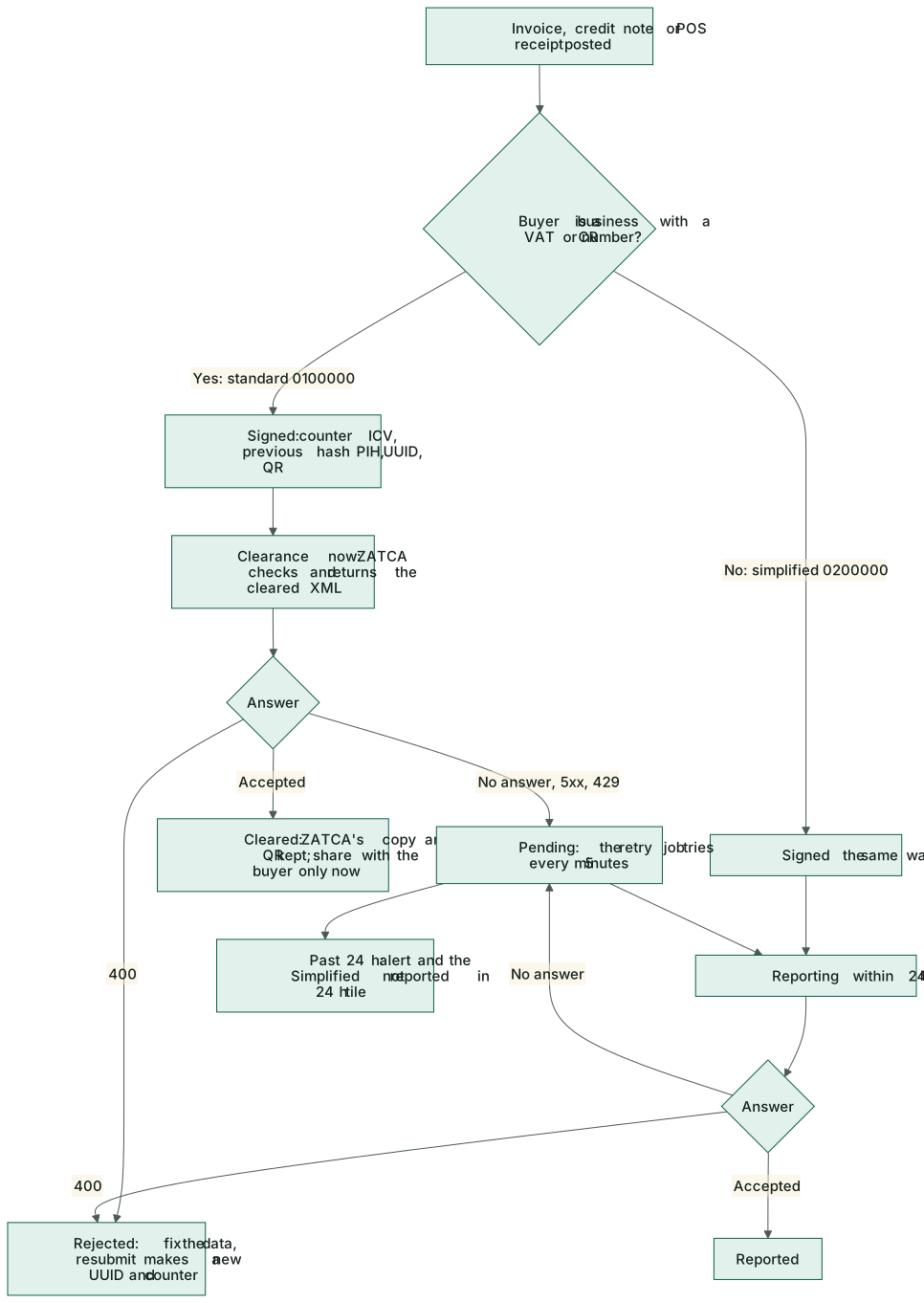
Every Saudi document carries a counter (ICV), the hash of the previous document (PIH), a UUID and the QR code. Then:
- Standard tax invoices (Tax Invoice / فاتورة ضريبية) are sent for clearance at once. ZATCA returns the cleared copy and its QR, which replace Hayat's. Share the invoice with the buyer only after it is Cleared.
- Simplified tax invoices (Simplified Tax Invoice / فاتورة ضريبية مبسطة) and POS receipts are reported within 24 hours.
- A document ZATCA cannot be reached for stays Pending and is retried every 5 minutes; the retry job always tries simplified invoices before their 24-hour deadline. When some pass it, the accountants get one alert a day.
- A Rejected document (ZATCA answered with an error) is made again, with a new UUID and counter, when it is resubmitted after the data is fixed.
On a posted sales invoice of a Gulf company, a card shows the QR code, the title (Tax Invoice or Simplified Tax Invoice), the status and the UUID, and it prints with the invoice. The Send to tax authority button (Send to FBR in Pakistan) sends it again after you correct the customer.
The submissions log
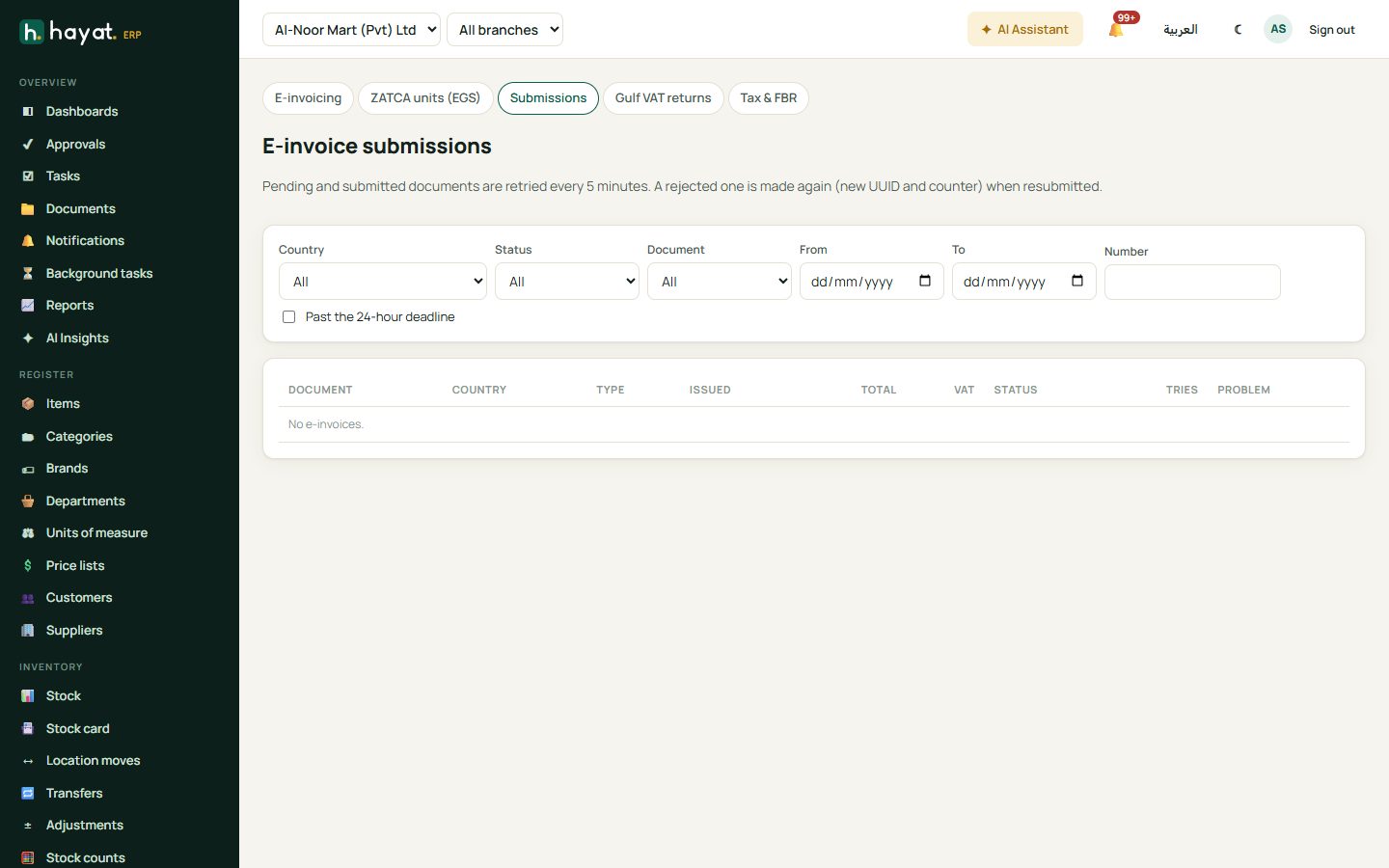
E-invoice submissions lists every document with its country, type and code (388 invoice, 381 credit note, 383 debit note), issue time (and report by for pending simplified ones), total, VAT, status, tries and the first problem. Filter by Country, Status, Document, dates, Number and Past the 24-hour deadline.
Open one for the UUID, counter, hash and previous hash, times, provider reference, errors and warnings, and the QR code. ⬇ XML downloads the cleared copy (or what was generated), ⬇ XML as sent the original; Resubmit (einvoice.submit) sends it again; Open the document goes to the invoice.
Gulf VAT returns
Gulf VAT returns (finance.view) has a tab per country: Saudi Arabia (ZATCA) (boxes 1–16), United Arab Emirates (FTA) (VAT 201, boxes 1a–14 and the emirate) and Bahrain (NBR) (boxes 1–17, 3 decimals). Pick the period, type Corrections (previous periods) and Credit carried forward (Saudi Arabia and Bahrain) and click Show. You get the sales or supplies boxes, the purchases or expenses boxes, the net boxes, a By source table (sales, POS, purchases) and 🖨 Print.
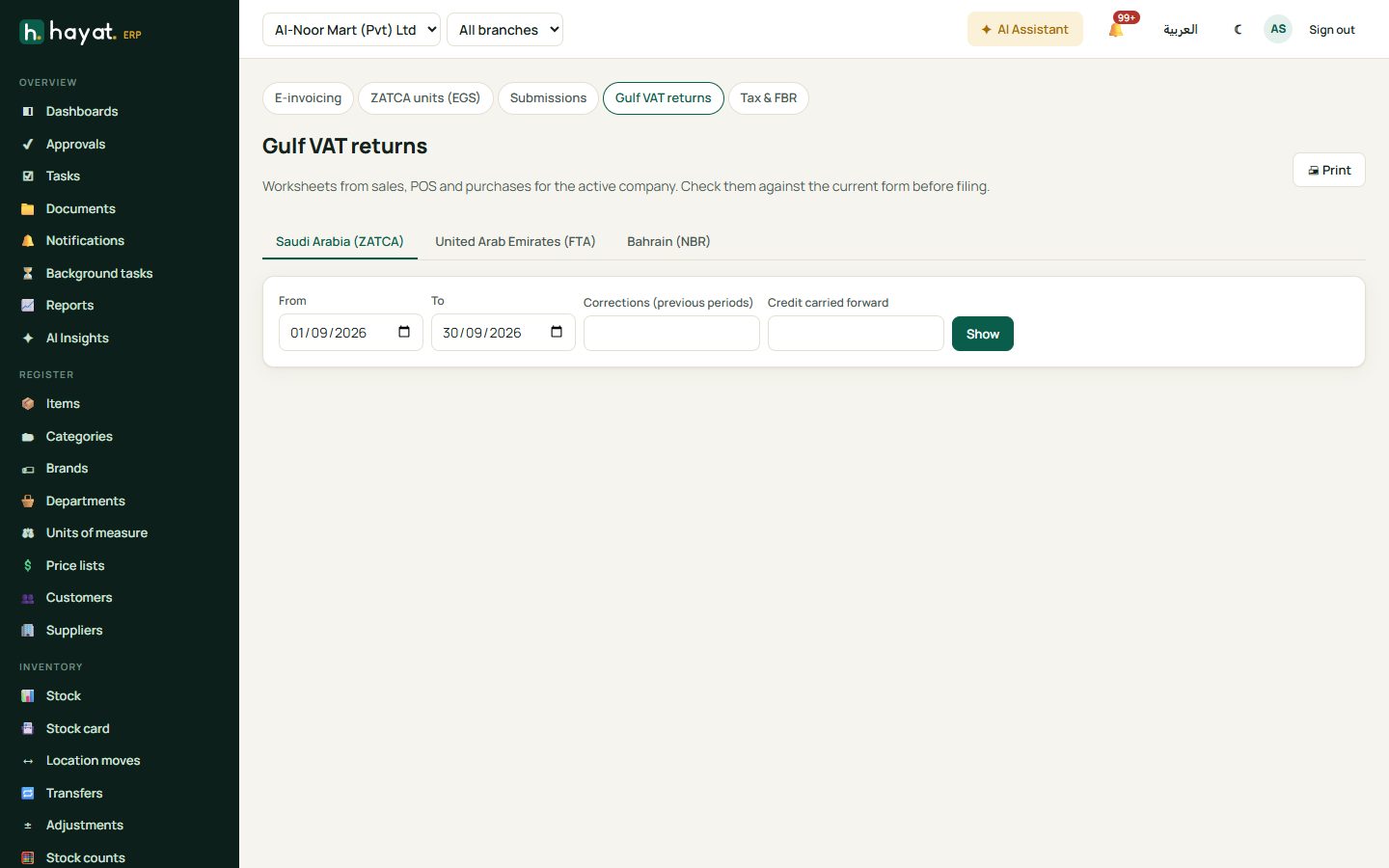
The worksheet opens only for a company in that country. Exports, customs import VAT and tourist refunds are not split out yet (they show as 0 or inside zero-rated). The worksheets are a help for filing — check them against the current ZATCA, FTA or NBR form.
What needs real accounts
- Saudi Arabia: a FATOORA portal account (an OTP for each unit). Run the checks in the developer portal and compare with ZATCA's own SDK before going to production.
- UAE: a contract with an accredited service provider. Its connection may need to be adapted by Hayat support to that provider.
- Bahrain: nothing to connect; the QR is optional.
Where the money goes
Nothing: e-invoicing only signs, sends and stores documents. The invoice, credit note or receipt posts its own journal.